
Authenticator⁺
2FA Codes, Face ID & Backup
Designed for iPhone, iPad
In-app purchases
- Age rating4+
- CategoryUtilities
- DeveloperIzynam
- LanguagesGerman+ 13 more
- Size69.3 MB
Links to the official App Store page
Download.org hosts no file of Authenticator⁺. The button opens its official App Store page, published by Izynam. Listing last checked on Nov 23, 2026.
Screenshots

About
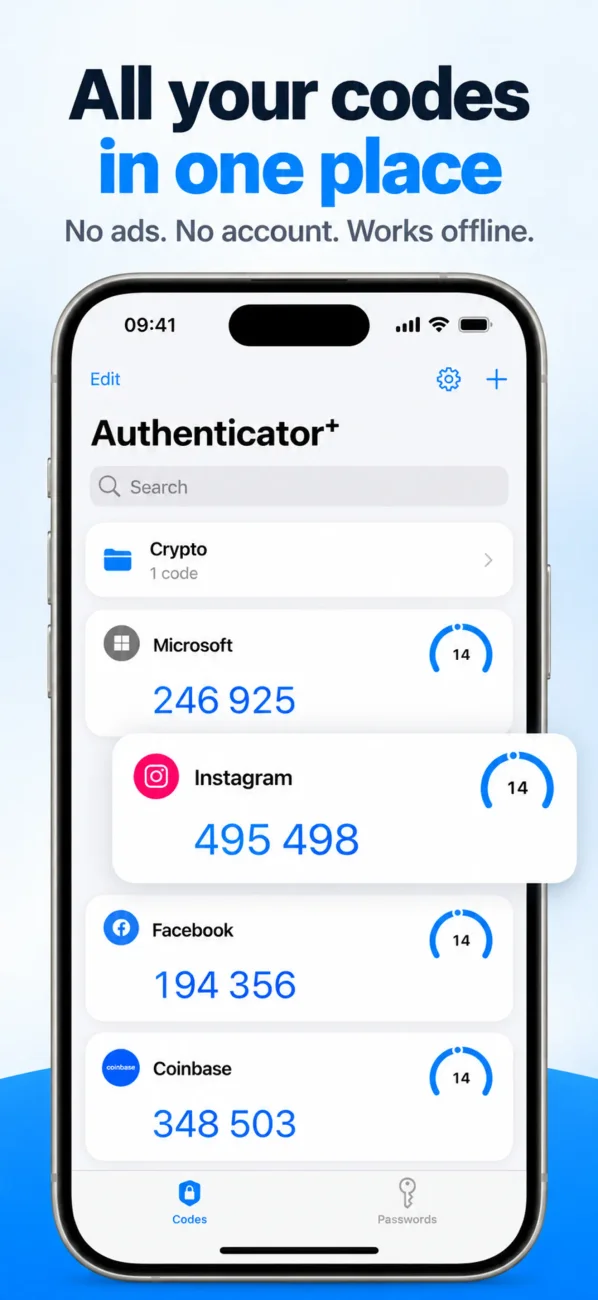
Authenticator⁺ keeps your two-factor sign-in codes on your iPhone and nowhere else. Scan a QR code and your 6-digit codes are ready whenever you log in.
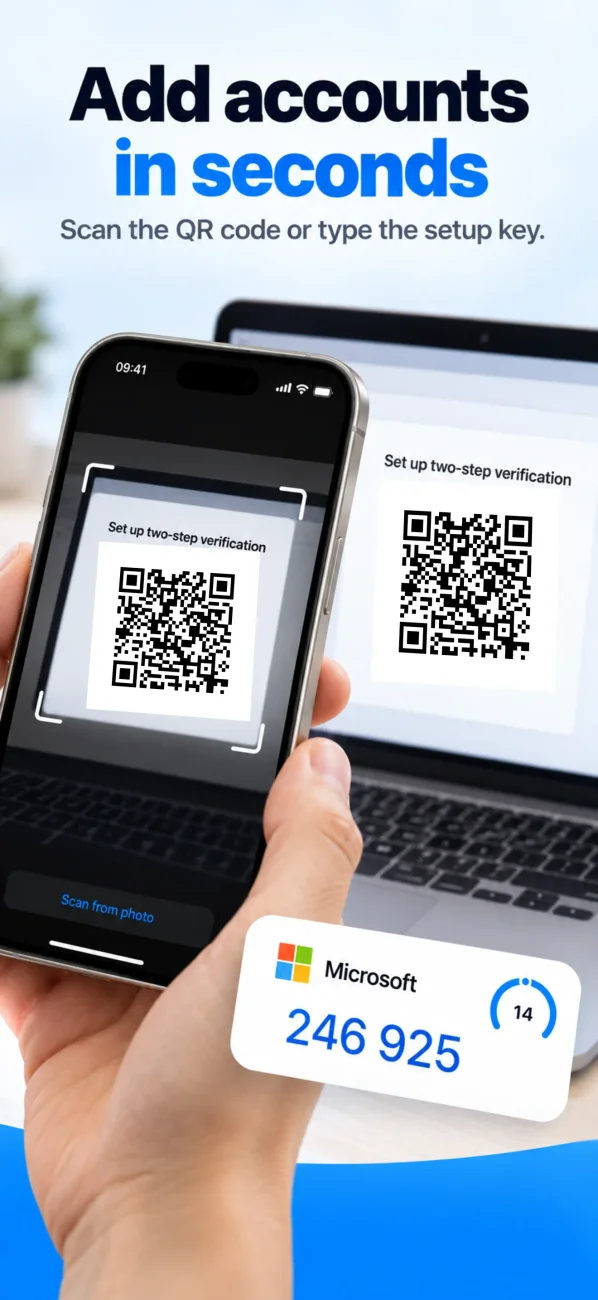
Add an account in seconds:
• Scan the QR code a site shows when you turn on two-factor authentication
• Pick a screenshot of that QR code from your photos
• Or type the setup key by hand
• Switching from Google Authenticator? Bring your accounts over with its export QR
Codes refresh every 30 seconds and sit one tap from your clipboard. Counter-based (HOTP) accounts get a button for the next code. Sort accounts into folders, drag them into the order you like, and search once the list grows.
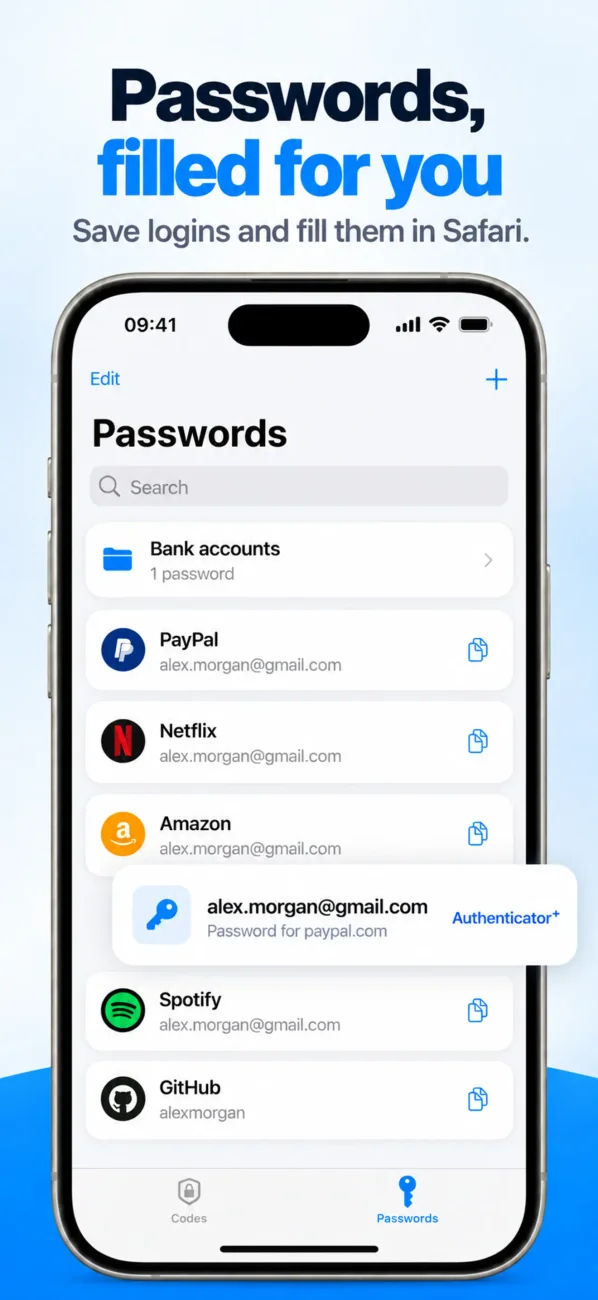
Your passwords, next to your codes. Save logins in the Passwords tab, generate strong ones, and fill them straight into Safari and apps with AutoFill. On iOS 18 and later, AutoFill suggests your 2FA code too.
Built to stay private:
• Secrets live in the iPhone Keychain. We don't run a server, so there's nothing of yours on one.
• No account, no email, no sign-up. Open the app and start.
• Works offline. Codes generate on-device with no connection.
• No ads. Nothing pops up while you're trying to log in.
• Lock the app behind Face ID or your passcode.
Backup on your terms:
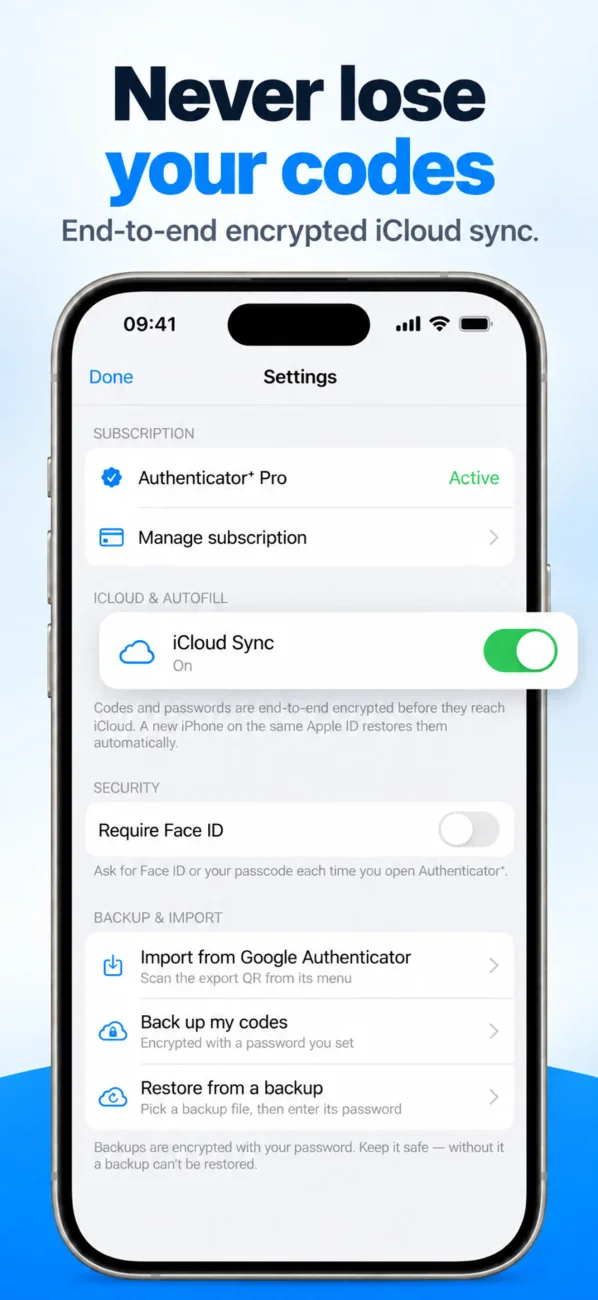
Export an encrypted backup sealed with a password only you know, and keep it in iCloud Drive, Files, or anywhere you like. Restore it on a new phone with the same password. Nobody, us included, can read it without that password.
Authenticator⁺ Pro:
Pro adds unlimited accounts and passwords, iCloud sync between your iPhone and iPad, AutoFill, and a Home Screen widget with your codes. It's an auto-renewing subscription with a 3-day free trial. Manage or cancel it anytime in Settings or your Apple account, and a trial you cancel before it ends never charges you.
Available in English, French, Spanish, German, Japanese, Korean, Chinese, Portuguese, Italian, Dutch, Russian, Turkish and Polish.
Questions or trouble? Email contact@pluriventures.com.
Terms of Use: https://pluriventures.com/authcodes-terms.html
Privacy Policy: https://pluriventures.com/authcodes-privacy.html
What’s new
Version 1.0.6 · Nov 22, 2026
Speed and stability improvements.
App privacy
What Izynam declares on the App Store about how this app handles data.
-
Data not linked to you
May be collected but is not linked to your identity.
- Purchases
- Location
- Identifiers
- Usage data
- Diagnostics
Privacy practices may vary, for example with the features you use or your age.
Information
- Seller
- PLURIVENTURES LLP
- Category
- Utilities
- Version
- 1.0.6
- Updated
- Nov 22, 2026
- Released
- Sep 24, 2026
- Size
- 69.3 MB
- Requires
- iOS 16.4 or later
- Age rating
- 4+
- In-app purchases
- Yes
- Languages
- German, English, French, Italian, Japanese, Korean, Dutch, Polish, Portuguese, Russian, Spanish, Traditional Chinese + 2 more
- Copyright
- © 2026 Pluriventures
You might also like
-
 Vaultic™ AuthenticatorOffline 2FA & password vault
-
 Tropevent ScanUtilities
-
 Time Difference ConverterWorld Clock & Time Zones
-
 ReZa Pro for ZabbixUtilities
-
 Authenticator App: 2FA & MFA.Two Factor Authentication OTP
-
 WiT HVUtilities
-
 Hotline: Notification AlarmsTurn alerts into real alarms
-
 Stadtwerke HanauUtilities
-
 SMART TPE - Atouts NormandieUtilities
-
 GT BEST NEWSNews & Guides