Authenticator App
2FA, MFA & OTP Authentication
Designed for iPhone
Free · In-app purchases
- Age rating4+
- CategoryUtilities
- DeveloperEpicScale Inc
- LanguagesEnglish+ 9 more
- Size30.6 MB
Links to the official App Store page
Download.org hosts no file of Authenticator App. The button opens its official App Store page, published by EpicScale Inc. Listing last checked on Nov 23, 2026.
Screenshots


About
Protect your accounts with a private TOTP authenticator app for iPhone. Generate secure 2FA/MFA codes offline, lock the app with Face ID or Touch ID, and keep your credentials safe—all in one intuitive tool.
Meet your new authentication app that gives every account a second layer of security. Your password is only half the lock. Authenticator is the other half: it generates a one-time code that expires in seconds and can’t be reused. From email to banking, that’s how you prove it’s really you.
With Authenticator App, you can:
• Keep hackers away—a stolen password alone won’t unlock your accounts.
• Sign in stress-free—your codes are ready whenever you need them.
• Stay organized—codes and passwords are kept safe in one place.
Everything you need, built in:
GENERATE SECURE 2FA CODES
Create OTP codes—based on the RFC 6238 open standard—for any service that uses multi-factor authentication. Codes refresh every 30 seconds and warn you before they expire, making sure you can always authenticate with a valid one.
ADD ACCOUNTS QUICKLY
Set up accounts by scanning a QR code or entering a secret key manually. You can also save backup codes, keeping your accounts accessible even if your phone is lost or stolen.
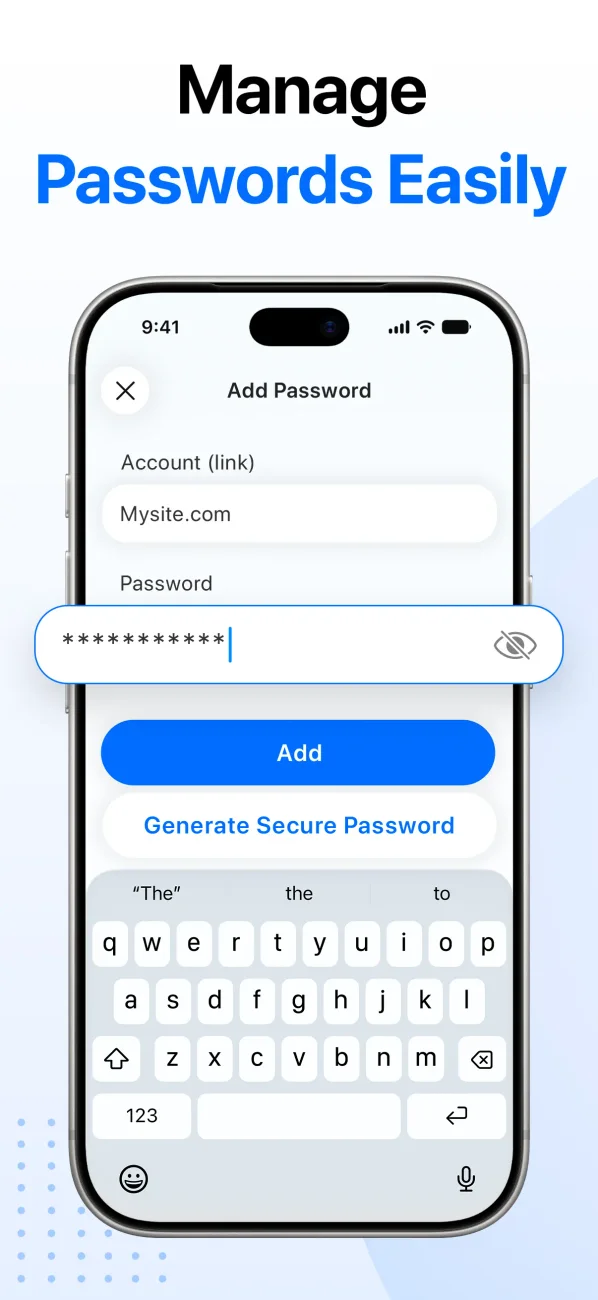
STORE YOUR PASSWORDS SAFELY
Unlike most authenticator apps that only handle MFA codes, Authenticator App keeps your passwords and MFA codes together in one secure place. No more juggling separate apps or resetting passwords you can't remember.
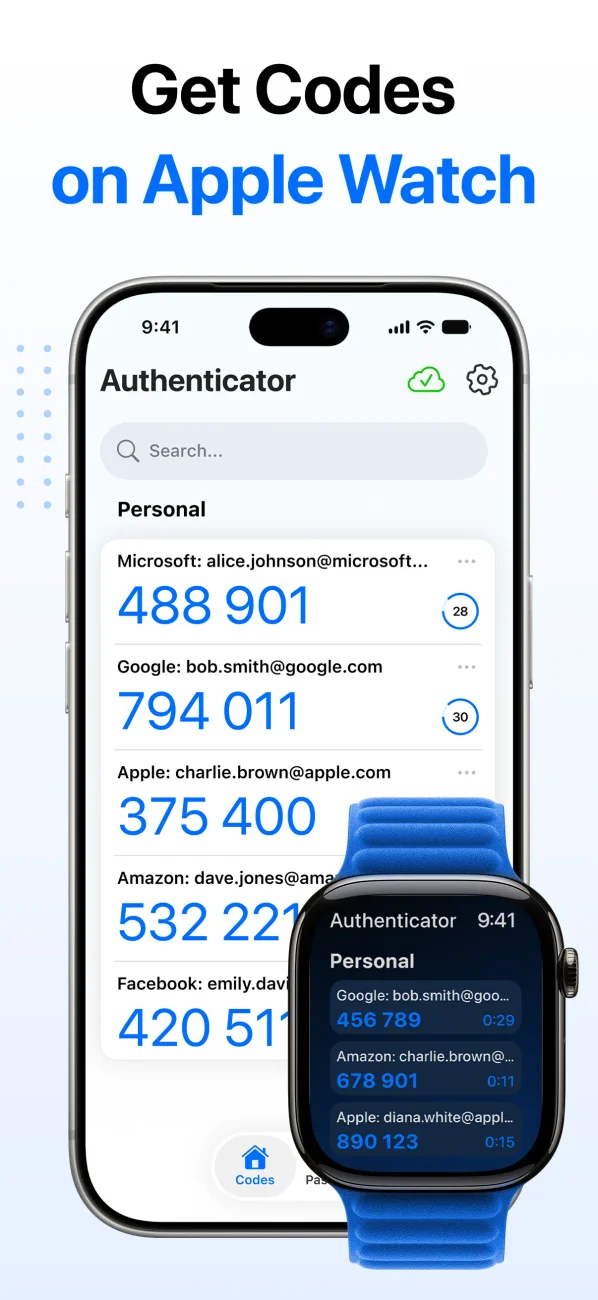
GET CODES ON APPLE WATCH
Check your latest authentication codes right from your Apple Watch, then copy and paste them on your Mac or other devices.
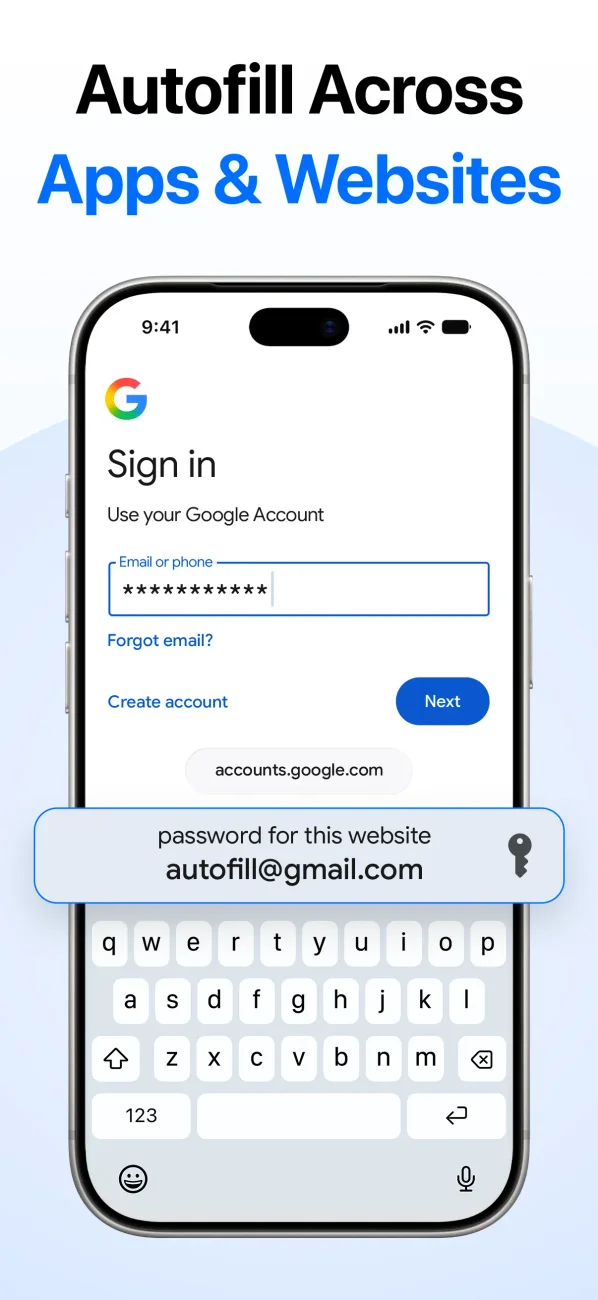
AUTOFILL YOUR PASSWORDS
Use saved passwords to autofill login details on websites and in other apps, so you can sign in faster.
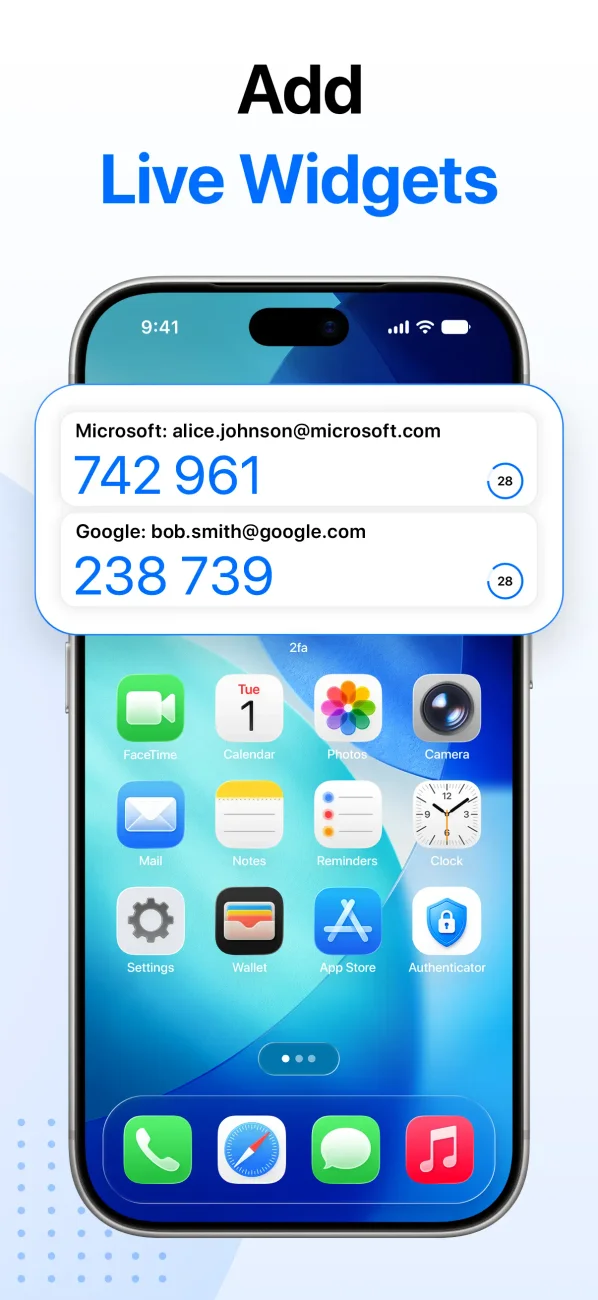
CHECK CODES ON YOUR HOME SCREEN
Choose from three widget styles and see your codes without even opening the app. Save time when signing in and skip a small but constant chore.
FIND CODES INSTANTLY
Managing a lot of accounts? Type the name of any service and its code appears right away, so you don’t have to scroll through a long list when you’re in a hurry.
LOCK YOUR CODES & STAY OFFLINE
Protect the app with Face ID or Touch ID so no one can see your codes even on an unlocked phone. The app works offline—an internet connection is only required for automatic backups.
RESTORE ON ANY DEVICE
Your codes are backed up safely through Apple’s Keychain, never leaving Apple’s secure system. Switch to a new phone, and everything restores automatically.
HOW TO GET STARTED
• Turn on 2-factor authentication for the account you want to protect.
• In the Authenticator App, scan the QR code or enter a secret key manually.
• Your code appears instantly—enter it on the login screen to finish signing in.
• New to MFA? A built-in guide shows where to find 2FA settings for popular services.
Take control of your security today—download Authenticator App and protect every login with two-factor authentication.
FAQ
Q: Can I protect the app with Face ID?
A: Yes, you can secure access to your 2FA codes using Face ID or Touch ID.
Q: Which services does this MFA authenticator support?
A: Any service that uses standard 2FA authenticator codes, like Google, Amazon, Microsoft, Binance, and Discord.
Q: Does this authenticator work offline?
A: Yes. Code generation works completely offline. You’ll only need a connection for automatic backups.
PREMIUM SUBSCRIPTION
– You can subscribe to get unlimited access to certain app features.
– Subscriptions are billed automatically based on the selected subscription plan.
By using the app, you agree to our Privacy Policy and Terms of Use:
https://epicscale.io/2fa_ios/terms/en/
https://epicscale.io/2fa_ios/privacy/en/
What’s new
Version 1.5 · Oct 30, 2026
Hello!
In this update, we've fixed a few bugs to keep your 2FA codes generating smoothly.
Finding the app useful? Leave us a rating or review—it helps more people find a safer way to protect their accounts.
App privacy
What EpicScale Inc declares on the App Store about how this app handles data.
-
Data used to track you
May be used to track you across apps and websites owned by other companies.
- Purchases
- Identifiers
- Usage data
- Other data
-
Data linked to you
May be collected and linked to your identity.
- Purchases
- Location
- Identifiers
- Usage data
- Other data
-
Data not linked to you
May be collected but is not linked to your identity.
- Diagnostics
Privacy practices may vary, for example with the features you use or your age.
Information
- Seller
- EpicScale Inc
- Category
- Utilities
- Version
- 1.5
- Updated
- Oct 30, 2026
- Released
- Aug 21, 2026
- Size
- 30.6 MB
- Requires
- iOS 17.6 or later
- Age rating
- 4+
- Price
- Free
- In-app purchases
- Yes
- Languages
- English, Dutch, French, German, Italian, Japanese, Korean, Portuguese, Simplified Chinese, Spanish
- Copyright
- © EpicScale Inc.
You might also like
-
 Authenticator 2FA, MFA, OTPSecure Login & TOTP Code Vault
-
 Authenticator for ActivisionProtect Your Account
-
 Authenticator+ 2FA AppAuthentication - 2FA, MFA, OTP
-
 2FA Authenticator: OTP CodesTwo Factor Auth & MFA Backup
-
 Authenticator App 2FA — LokioOTP, MFA & TOTP code manager
-
 Authenticator App-2FA・MFA・OTPTwo Factor Authentication・TOTP
-
 Authenticator App | 2FA AuthSecure 2-Factor Auth Manager
-
 Phone Cleaner: Swipe & CleanOne-Tap Cleanup, Free Up Space
-
 Clean Ninja: Storage CleanerDelete Photo & Video Cleanup