
Authenticator App-MFA&2FA Auth
Authenticator & Pass Manager
Designed for iPhone, iPod touch
Free · In-app purchases
- Age rating4+
- CategoryUtilities
- DeveloperBeijing Fenglan Technology Co., Ltd.
- LanguagesEnglish+ 1 more
- Size30.9 MB
Links to the official App Store page
Download.org hosts no file of Authenticator App-MFA&2FA Auth. The button opens its official App Store page, published by Beijing Fenglan Technology Co., Ltd. Listing last checked on Nov 16, 2026.
Screenshots


About
Authenticator App-MFA&2FA Auth is a secure, reliable, and easy-to-use 2FA&MFA credential and password manager. We always prioritize your security, protecting your daily digital life.
【Core Features】
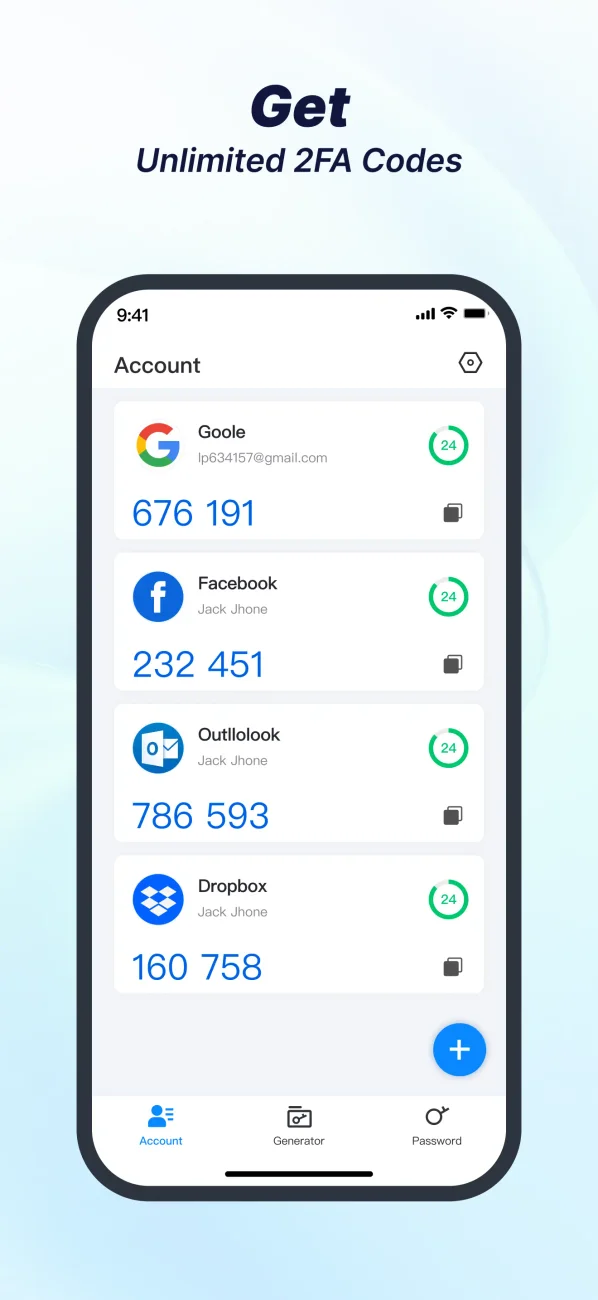
Multi-factor Authenticator: Built-in 2FA & MFA credential generation tool that supports most mainstream multi-factor authentication accounts, providing simple and powerful multi-factor authentication. It can generate secure tokens offline in your device's secure environment, allowing you to authenticate safely even when your phone is in airplane mode.
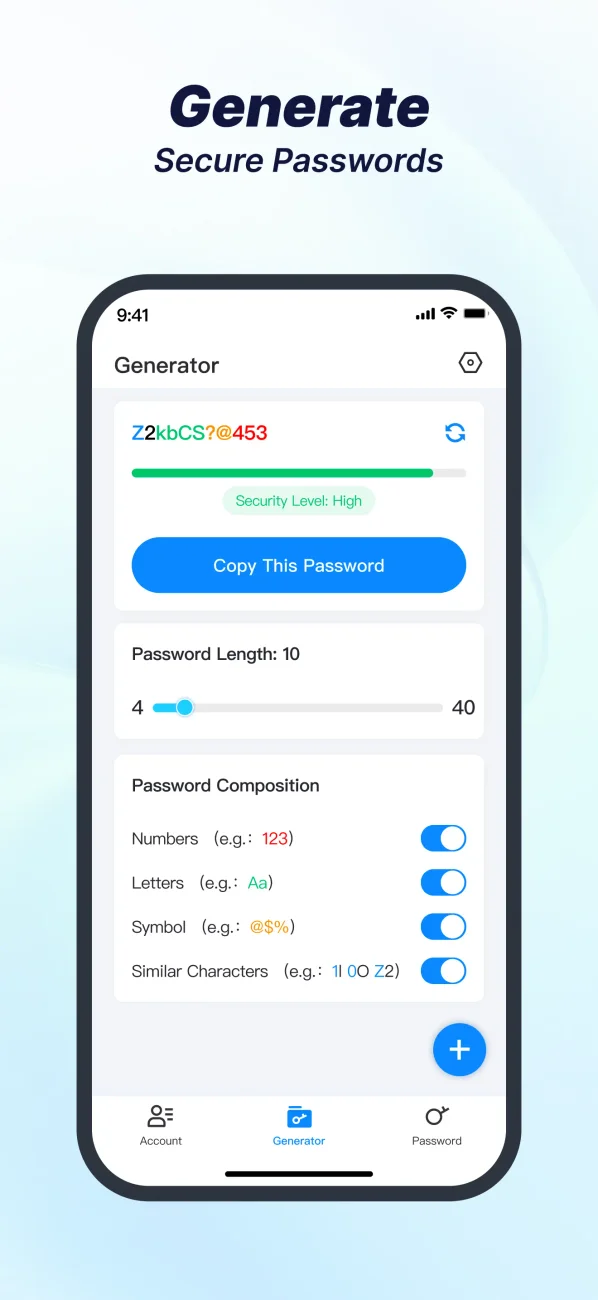
Strong Password Generation: Automatically generates strong random passwords with customizable length and character types, supporting one-click copy and save.
Password Manager: Encrypts and stores your login information for accounts across various platforms locally, helping you easily establish a security barrier.
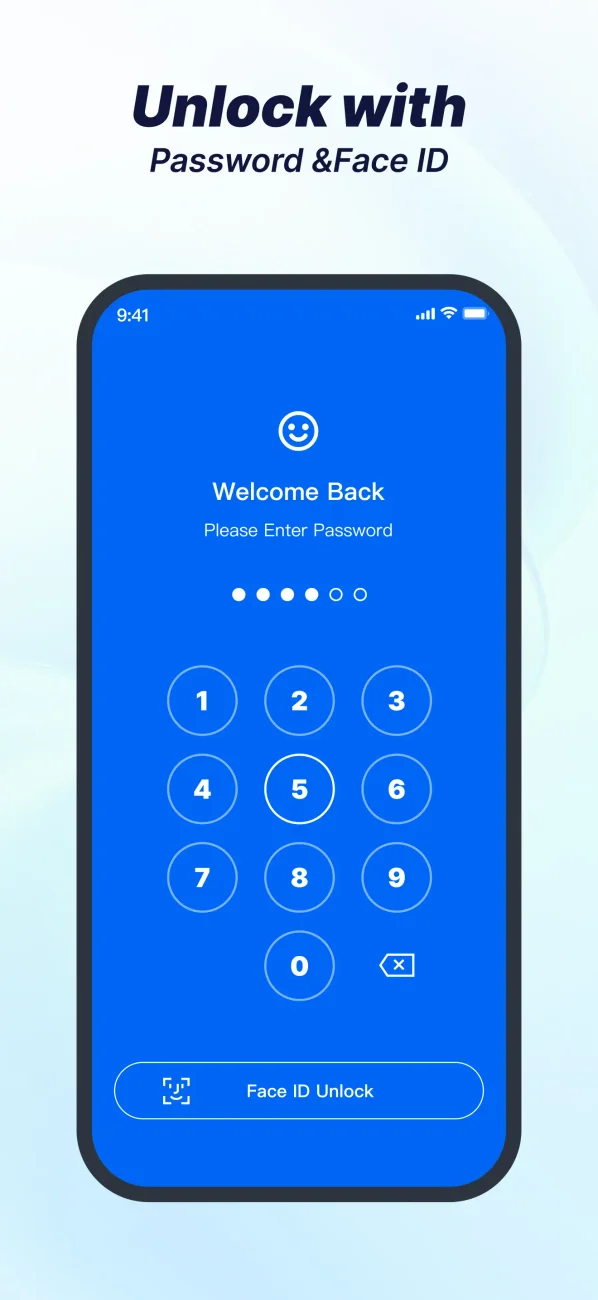
Password & FaceID Unlock: Easily lock and unlock the app to enhance your data security and enjoy an advanced security experience.
【Why Choose Us?】
Privacy Focus: Encrypted storage ensures your data belongs only to you.
Simple & Intuitive: Clean interface and smooth operation, suitable for all types of users.
【Subscription Terms】
New users subscribing to the service can enjoy a 3-day free trial. The subscription will automatically renew at the end of the trial period, and relevant fees will be deducted from the payment method linked to your iTunes account. You can cancel at any time. You may turn off auto-renewal at least 24 hours before the end of the current subscription period; otherwise, the subscription will automatically renew. The system will charge your account for the renewal fee 24 hours before the end of the current subscription period, and the renewal amount will be clearly stated. After purchase, you can manage your subscription and turn off auto-renewal in your account settings.
User Agreement: https://www.fenglankj.com/agreement/FLSmartAuthenticator_useragreement.html
Privacy Policy: https://www.fenglankj.com/agreement/FLSmartAuthenticator_privacypolicy.html
Subscription Agreement: https://www.fenglankj.com/agreement/authenticator_subscription.html
What’s new
Version 1.3.0 · Feb 9, 2026
1.Enhance user experience
App privacy
What Beijing Fenglan Technology Co., Ltd. declares on the App Store about how this app handles data.
-
Data used to track you
May be used to track you across apps and websites owned by other companies.
- Identifiers
-
Data not linked to you
May be collected but is not linked to your identity.
- Identifiers
- Diagnostics
Privacy practices may vary, for example with the features you use or your age.
Information
- Seller
- Beijing Fenglan Technology Co., Ltd.
- Category
- Utilities
- Version
- 1.3.0
- Updated
- Feb 9, 2026
- Released
- Nov 19, 2025
- Size
- 30.9 MB
- Requires
- iOS 14 or later
- Age rating
- 4+
- Price
- Free
- In-app purchases
- Yes
- Languages
- English, Simplified Chinese
- Copyright
- © Optimo technology Inc.
You might also like
-
 Authenticator App | 2FAOTP, Two Factor Authentication
-
 2FA Authenticator™ MFA AuthyMulti-Factor ‣ Authentication
-
 Authenticator App • 2FA • MFATwo Factor Authenticator, MFA
-
 Authenticator App-2FA・MFA・OTPTwo Factor Authentication・TOTP
-
 Authenticator App • 2FA, MFATwo Factor Authentication, OTP
-
 Authenticator app - 2FA, MFATwo Factor Authentication, OTP
-
 Authentication App - MFA, tOTPAuthenticator 2FA, Two Factor
-
 Authenticator App†2FA Authentication MFA OTP
-
 Authenticator App | 2FA AuthSecure 2-Factor Auth Manager
-
 Authenticator App · 2FA & MFATwo Factor Authentication Auth