
Authenticator: Secure 2FA, MFA
Two-Factor Verification Codes
Designed for iPhone, iPad
Free · In-app purchases
- Age rating4+
- CategoryUtilities
- DeveloperDEDUSHKA DEVELOPMENT - FZCO
- LanguagesEnglish+ 15 more
- Size29.1 MB
Links to the official App Store page
Download.org hosts no file of Authenticator: Secure 2FA, MFA. The button opens its official App Store page, published by DEDUSHKA DEVELOPMENT - FZCO. Listing last checked on Nov 17, 2026.
Screenshots

About
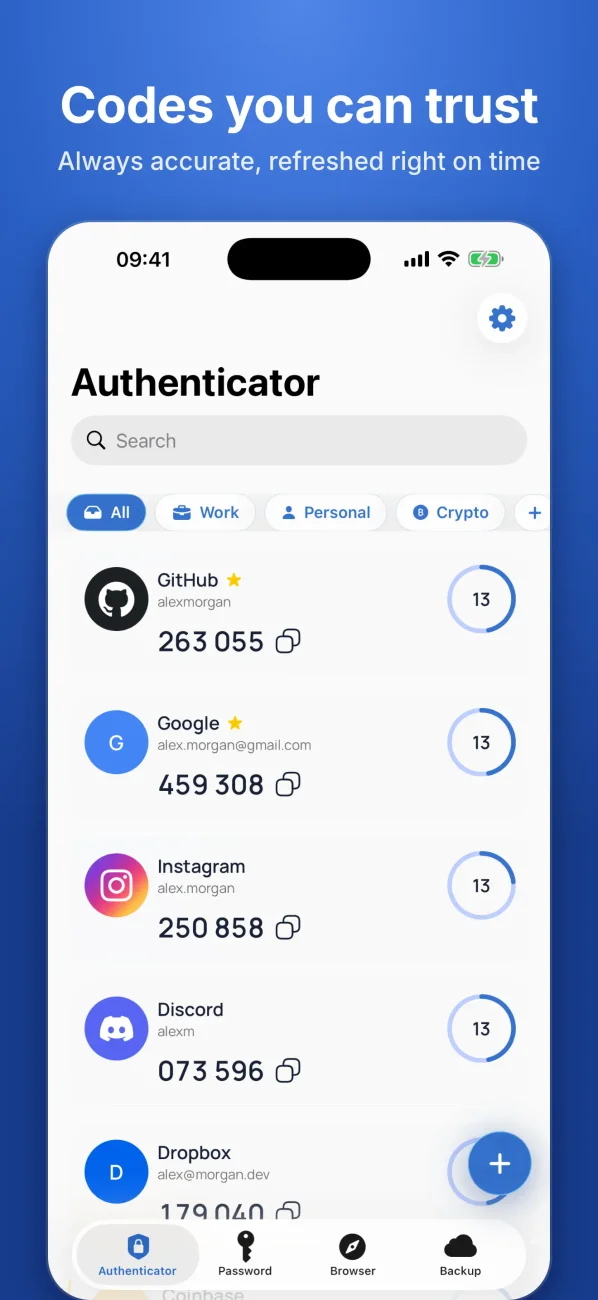
Accurate verification codes that refresh on time, even offline.
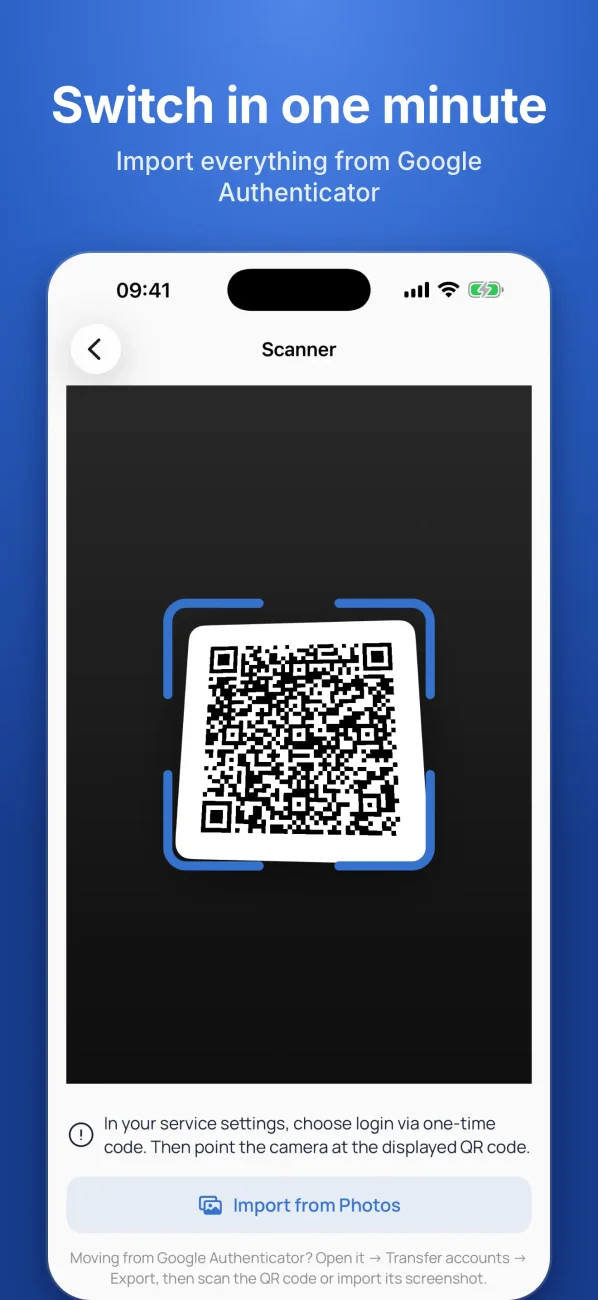
Import from Google Authenticator in a minute and keep your accounts in sync with iCloud.
Keep everyday sign-ins simple, with your codes and passwords in one place.
- Generate TOTP codes with 6, 7 or 8 digits, SHA1, SHA256 or SHA512, and 30- or 60-second intervals.
- Import from Google Authenticator using its Transfer accounts QR codes, including transfers split across several QR codes. You can also select QR screenshots from Photos.
- Scan otpauth QR codes from websites or enter a secret key manually.
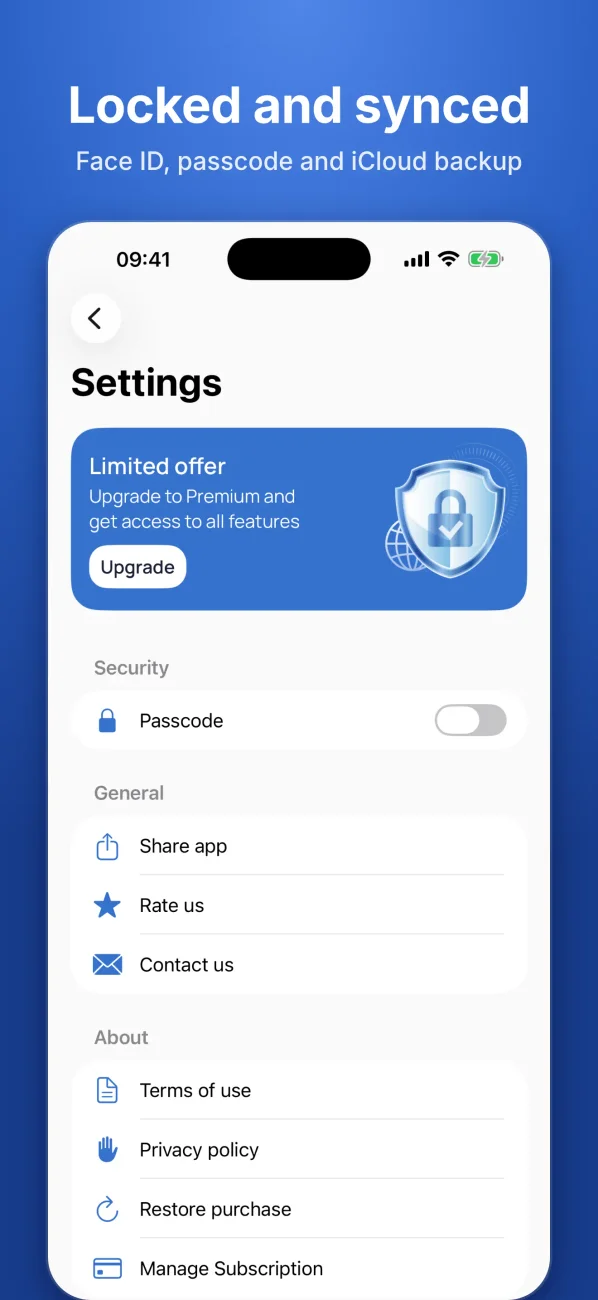
- Sync and back up with iCloud. Secrets are encrypted; protect access with Face ID or a passcode.
- Find accounts quickly with folders, favorites, color labels and search.
- Generate and store passwords, and use the built-in private browser.
- Enjoy a native layout on iPhone and iPad, an iPad sidebar and the Liquid Glass design on iOS 26.
- Generate verification codes without an internet connection.
Authenticator+ unlocks full access to code management, iCloud sync and backup, password tools and the private browser. Choose a weekly subscription with a 3-day free trial, or a monthly or yearly subscription. Payment is charged to your Apple ID at purchase confirmation, or when the free trial ends. Your subscription auto-renews unless canceled at least 24 hours before the end of the current period. To avoid a charge, cancel the trial at least 24 hours before it ends. Manage or cancel your subscription in Settings.
Terms: https://telegra.ph/Terms-of-Use-07-14
Privacy: https://telegra.ph/Privacy-Policy-07-14-56
What’s new
Version 1.1.0 · Nov 4, 2026
What’s new in 1.1.0:
- More accurate TOTP codes, with timely updates.
- Import from Google Authenticator, including transfers with several QR codes and screenshots from Photos.
- A native iPad layout with a sidebar.
- Added support for more languages.
App privacy
What DEDUSHKA DEVELOPMENT - FZCO declares on the App Store about how this app handles data.
-
Data not collected
The developer does not collect any data from this app.
Privacy practices may vary, for example with the features you use or your age.
Information
- Seller
- DEDUSHKA DEVELOPMENT - FZCO
- Category
- Utilities
- Version
- 1.1.0
- Updated
- Nov 4, 2026
- Released
- Jul 16, 2025
- Size
- 29.1 MB
- Requires
- iOS 16.0 or later
- Age rating
- 4+
- Price
- Free
- In-app purchases
- Yes
- Languages
- English, Arabic, Dutch, French, German, Italian, Japanese, Korean, Polish, Portuguese, Russian, Simplified Chinese + 4 more
- Copyright
- © Stefan Philipsen
You might also like
-
 PDF Editor-Converter & ViewerScan Documents: Reader & Maker
-
 Measuring Tape AR.Level Tool, Ruler, AR Measure
-
 AFS TV RemoteControl TV from Your Phone
-
 PDF Scanner: Editor & ReaderFile Converter & Scan: Photos
-
 Authenticator: Secure 2FA Auth2 Factor Authentication: MFA
-
 PDF Maker • Editor & ConverterConvert Image: Scanner Reader
-
 PDF Converter: PDF CompressorPhoto Convert to Document
-
 Authenticator App - 2FA TotpMFA Authentication 2 Factor
-
 Invoice Maker: Bill Generator.Make Receipt Smart Estimate
-
 Suspicious Device Cam DetectorWiFi & Bluetooth Bug Detection