
- Age rating4+
- CategoryPhoto & Video
- DeveloperRajneesh Mishra
- LanguagesEnglish
- Size27.7 MB
Links to the official App Store page
Download.org hosts no file of Auto Background Remover. The button opens its official App Store page, published by Rajneesh Mishra. Listing last checked on Nov 15, 2026.
Screenshots






About
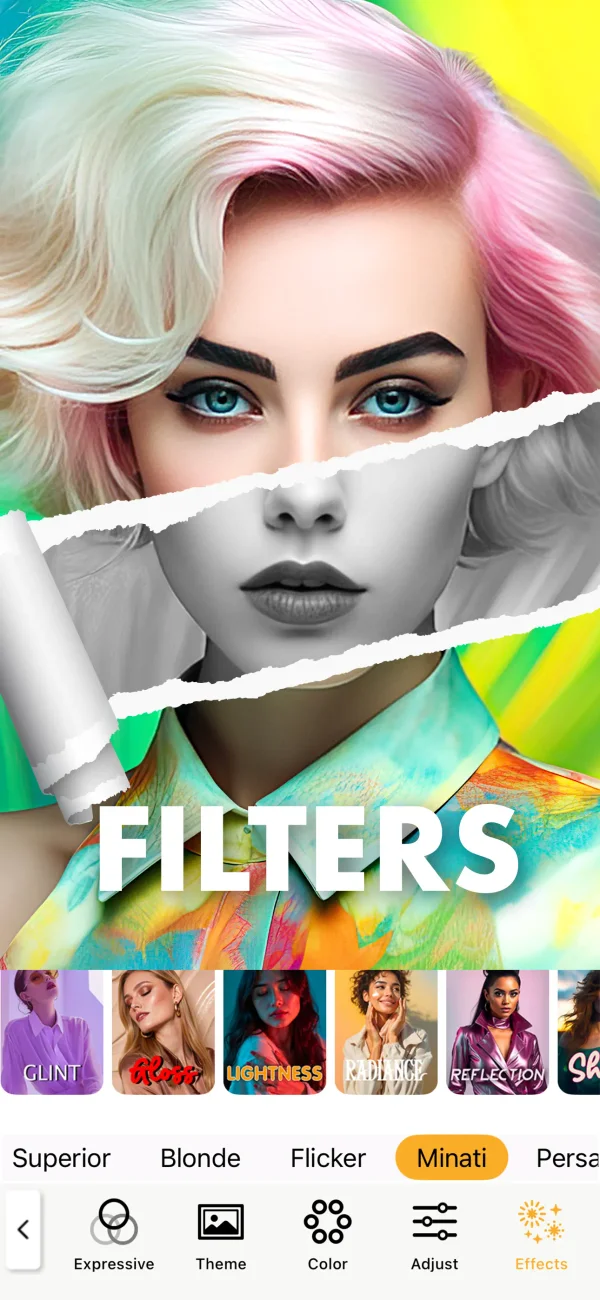
Auto Background Remover is a powerful image editing tool designed to quickly remove backgrounds and create clean cutouts with precision. Using advanced AI detection and smart threshold technology, the app automatically separates subjects from the background and allows detailed manual refinement when needed.
Whether you want to isolate a portrait, remove unwanted colors, or prepare images for design, the editing tools provide full control with an intuitive interface.
The app includes automatic background detection along with manual editing tools that help refine edges, restore removed areas, and precisely erase specific parts of an image.
You can start with photos from the camera, gallery, or files, then easily adjust and customize the background before exporting or sharing.
WidgetKit support allows quick access to the editor directly from the Home Screen, making it faster to start editing images anytime.
Key Features:
AI Background Removal:
- Advanced AI automatically detects the subject and removes the background in seconds.
Smart Threshold Detection:
- Improves accuracy when separating subjects from complex backgrounds.
Manual Precision Editing Tools:
- Erase unwanted areas with adjustable brush size
- Restore parts of the image if something is removed accidentally
- Magnify tool for detailed edge editing
- Color removal tool to erase selected colors from the image
Auto + Manual Editing Modes:
- Use automatic background removal or refine the result using manual tools for better accuracy.
Flexible Image Import:
- Capture a new photo with the camera
- Import from your photo gallery
- Load images from files
Background Adjustment Tools:
- Customize the final result with color adjustments, themes, and visual effects.
Simple Export and Sharing:
- Save your edited image or share it directly with other apps.
Home Screen Widgets:
- WidgetKit support lets you launch the background remover instantly from the Home Screen for faster editing access.
What’s new
Version 2.2 · Mar 14, 2026
- Added advanced AI Background Removal engine
- Implemented Smart Threshold technology for more accurate background detection
- Added Color Removal tool for targeted background editing
- Improved Erase and Restore tools for better control
- Added Magnify editing mode for detailed adjustments
- Enhanced background adjustment panel
- Added new effects and color editing options
- UI improvements for smoother editing workflow
- Performance optimizations
- Bug fixes and stability improvements
App privacy
What Rajneesh Mishra declares on the App Store about how this app handles data.
-
Data used to track you
May be used to track you across apps and websites owned by other companies.
- Identifiers
- Usage data
-
Data linked to you
May be collected and linked to your identity.
- Usage data
-
Data not linked to you
May be collected but is not linked to your identity.
- Identifiers
Privacy practices may vary, for example with the features you use or your age.
Information
- Seller
- Rajneesh Mishra
- Category
- Photo & Video
- Version
- 2.2
- Updated
- Mar 14, 2026
- Released
- May 1, 2018
- Size
- 27.7 MB
- Requires
- iOS 16.6 or later
- Age rating
- 4+
- Price
- Free
- In-app purchases
- Yes
- Languages
- English
- Copyright
- © RajMish Apps
You might also like
-
 AI Background Eraser !Cut Photo & Create Sticker
-
 Background Remover: BG RemoverAdd and remove Background
-
 Eraser Background Photo EditorPhoto & Video
-
 Background Eraser - Remove BGAuto BG Remover, Cut Photos,
-
 Cutout : Background EraserBackground Editor & Changer
-
 Auto Background Changer, PhotoRemove background,magic eraser
-
 Video Cut OutChange Background
-
 Background Eraser - PNG MakerSuperimpose, remove background
-
 Video Background RemoverGreen screen, eraser & changer
-
 BgRem: AI background removerchange video, photo background