
Auto Clicker & Auto Refresh
AI Web Automation, Auto Scroll
Designed for iPhone, iPad, iPod touch
Free · In-app purchases
- Age rating17+
- CategoryProductivity
- DeveloperMELIORAPPS INTERACTIVE, SRL
- LanguagesEnglish+ 30 more
- Size73.2 MB
Links to the official App Store page
Download.org hosts no file of Auto Clicker & Auto Refresh. The button opens its official App Store page, published by MELIORAPPS INTERACTIVE, SRL. Listing last checked on Nov 23, 2026.
Screenshots
About
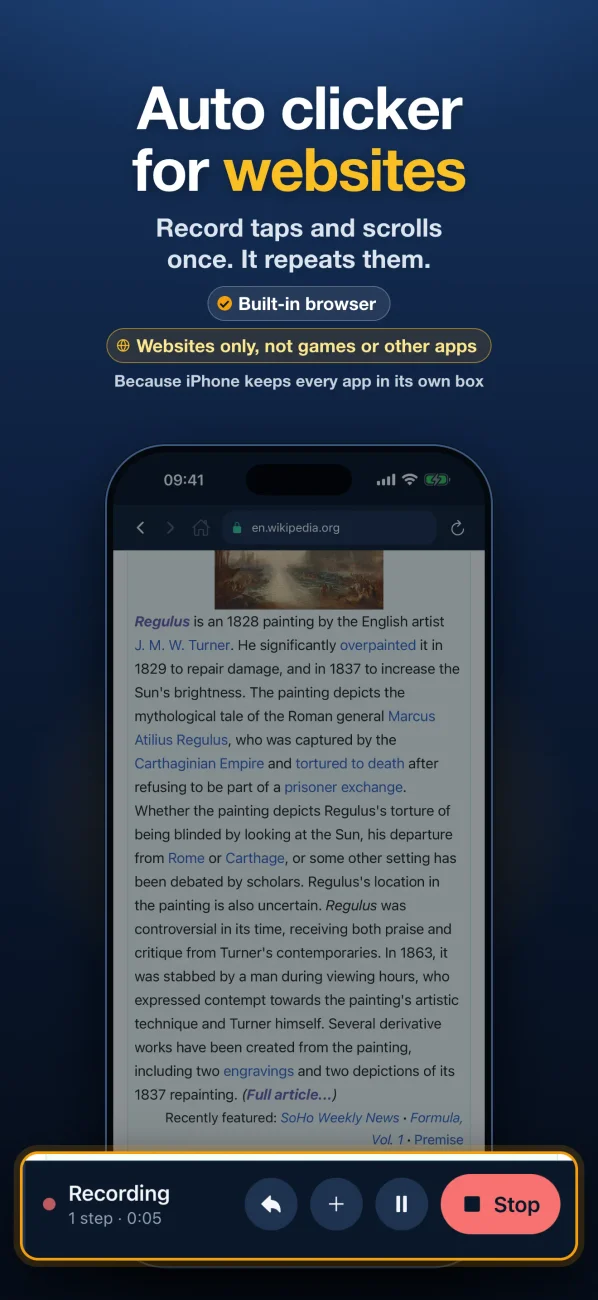
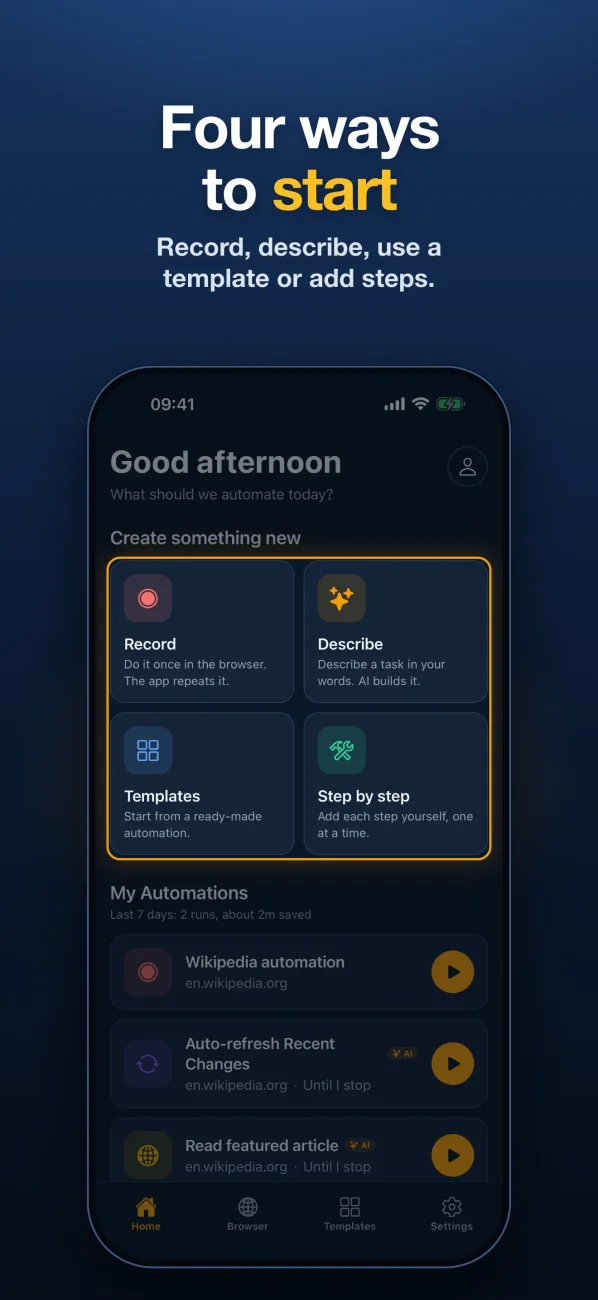
Universal Clicker is an auto clicker for websites on iPhone and iPad: it taps, scrolls, types and refreshes web pages for you, inside its own built-in browser. It works on websites only: iPhone and iPad keep every app in its own box, so no app can tap inside other apps or games. Show it once, or describe the job in plain words and the AI builds it and tests it.
Tired of tapping the same buttons, scrolling the same feeds and filling the same forms on the same websites every day? Let your phone do it.
Record your browser actions once and replay them on autopilot. No coding. No jailbreak. Just tap Record, do your thing, and let Auto Clicker repeat it for you.
◆ CREATE WITH AI
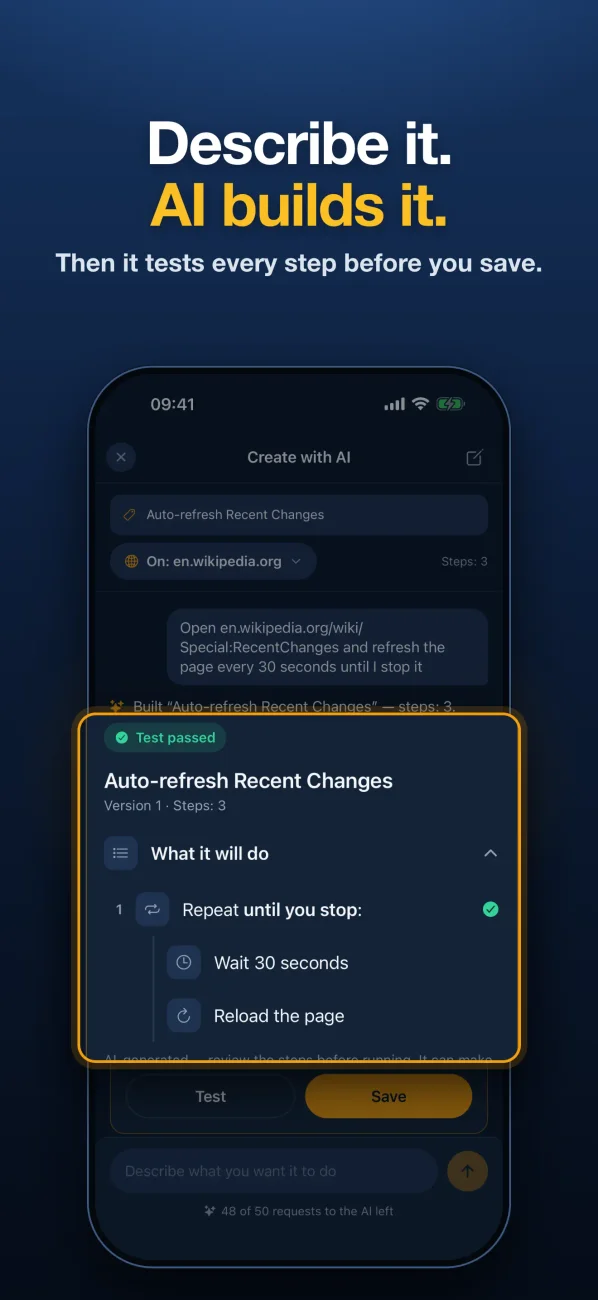
Tap Describe on Home and say what you want in your own words. The AI builds the steps and tests them for you.
● Just one example: "Refresh every 30 seconds until the Buy button appears, then tap it"
● Describe almost anything you do over and over on a website, and AI turns it into an automation
● Keep chatting to refine it, and the steps update as you go
● You stay in control: review every step and run a test before you tap Save
● Edit with AI changes saved automations too: "Make it slower" or "Repeat until I stop it"
● AI-built automations can tap, scroll, swipe, type, wait, repeat, and check what's on a page
◆ WHAT YOU CAN AUTOMATE
● Auto-scroll through articles, news feeds, or social media
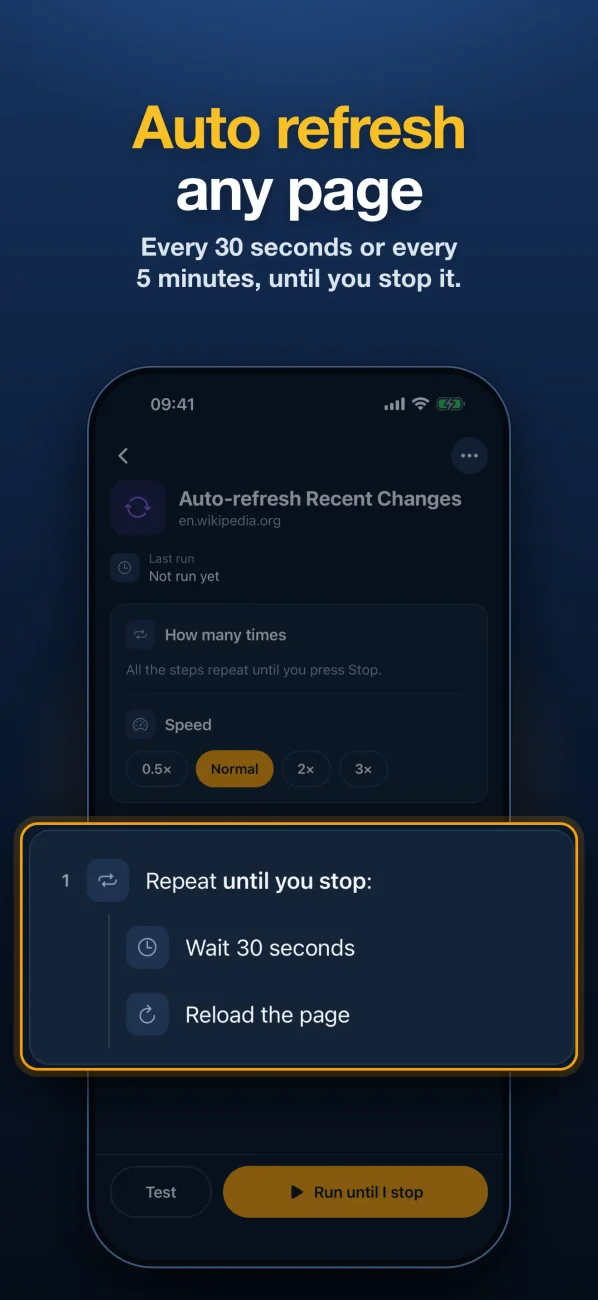
● Auto-refresh pages to catch limited drops and open slots
● Auto-tap the same button or link again and again, like "Load more"
● Auto-fill forms you fill in again and again
● Chain multiple actions into powerful multi-step sequences
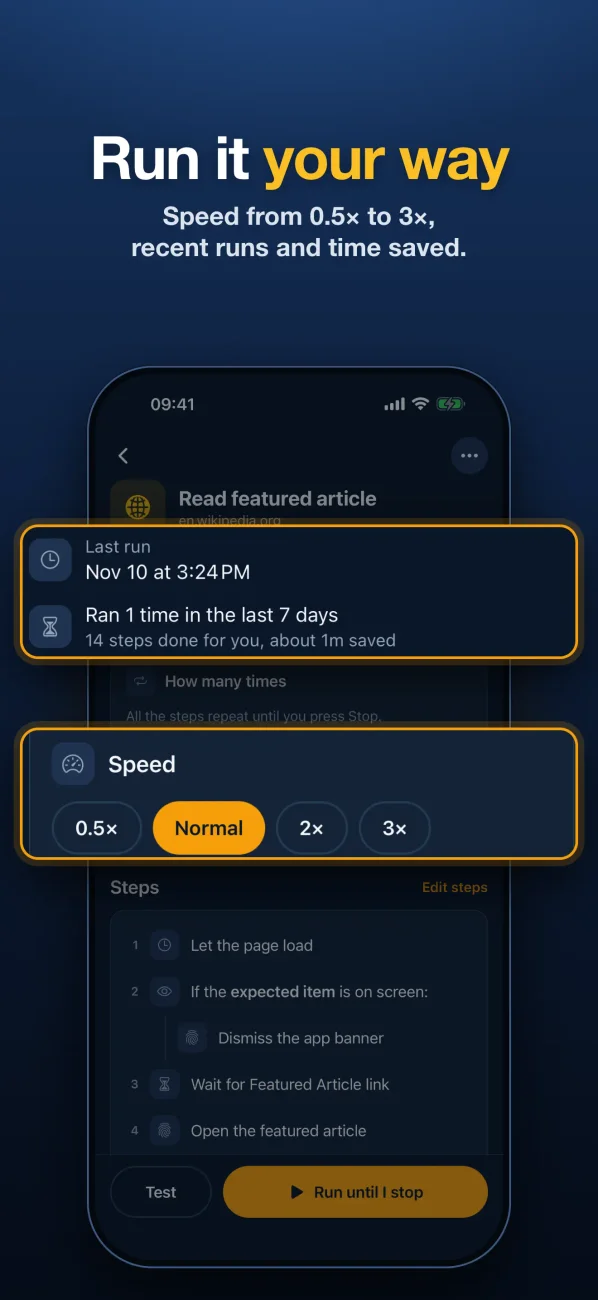
● Set custom speeds, delays, and repeat counts
◆ HOW IT WORKS
1. Open a website in the built-in browser
2. Tap Record and perform your actions normally
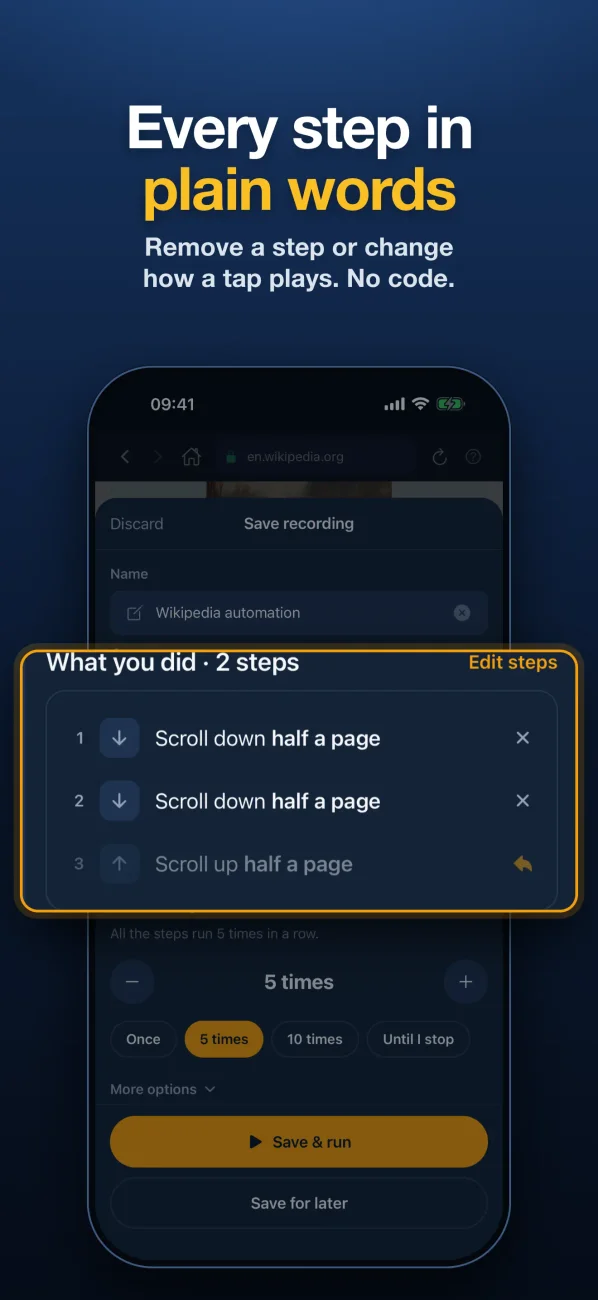
3. Stop recording, name it, and save
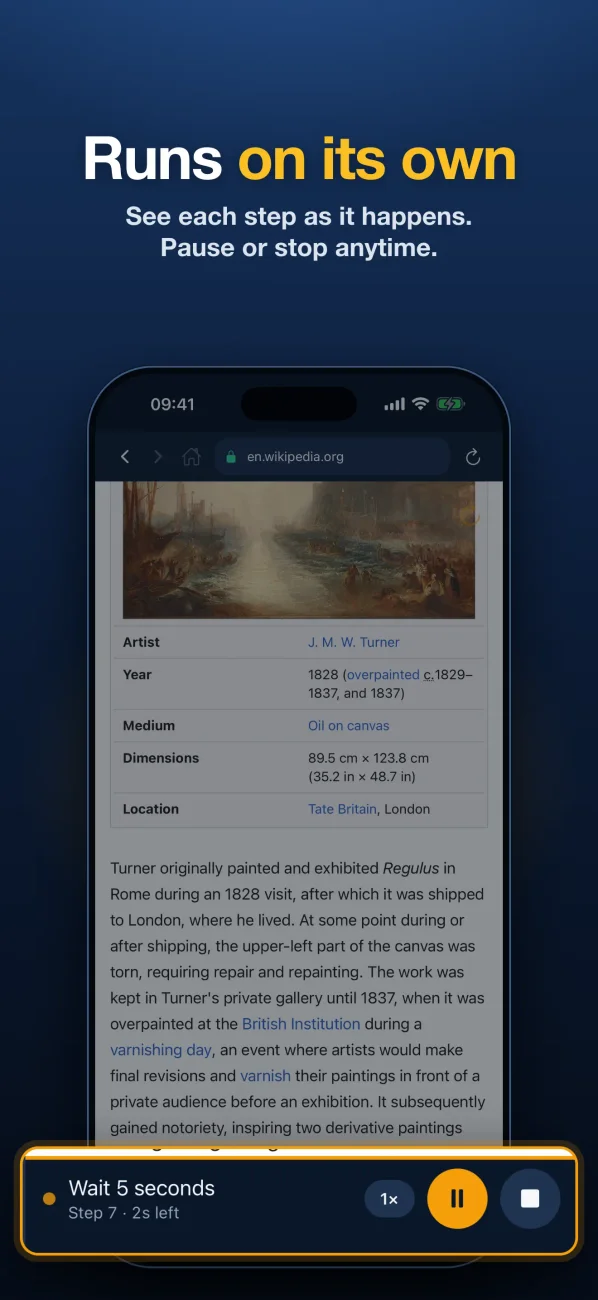
4. Hit Play anytime to run it hands-free
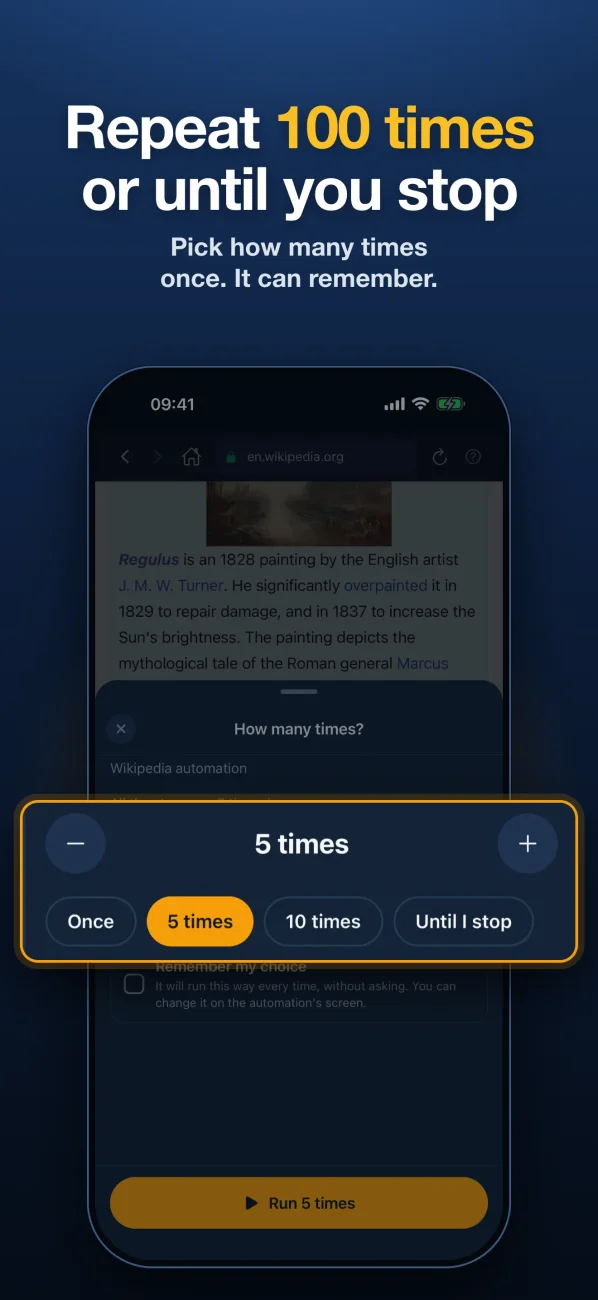
Run it once, pick how many times (up to 100), or let it repeat until you stop it.
◆ VISUAL AUTOMATION BUILDER
Prefer to build step-by-step? Use the visual builder to create automations from scratch. Add taps, scrolls, swipes, wait conditions, loops, and if-then logic. Reorder, duplicate, and fine-tune your actions.
◆ TEMPLATES
Start from ready-made automations for popular websites. Run one as it is, change it, or share your own.
◆ BUILT-IN BROWSER
Full browser with smart URL bar, search suggestions, browsing history, and back/forward navigation. Your automations run seamlessly inside it. We never sell your data.
◆ QUESTIONS
Can it refresh a web page automatically?
Yes. Ask the AI to "refresh this page every 30 seconds", or add a Refresh step yourself. It can keep refreshing until something shows up on the page, then tap it.
Can it tap the same button again and again?
Yes. Record the tap once, then run it up to 100 times, or let it repeat until you stop it.
Can it scroll by itself?
Yes. It scrolls feeds, articles and long pages for you, at the speed you choose.
Does it work in games or other apps?
No, and no app can: to keep your data safe, iPhone and iPad keep every app in its own box, so one app can't see or tap inside another. It works on websites in its built-in browser, and many apps have a website too.
◆ PLANS
Choose Pro, Max, or Business to unlock Auto Clicker. Pro includes advanced actions, cloud sync, and weekly allowances for automations, runs, and requests to the AI. Max and Business raise those limits even further.
◆ 31 LANGUAGES SUPPORTED
Use the app in your language. Available in English, Spanish, French, German, Japanese, Korean, Chinese, Portuguese, Russian, Arabic, Hindi, and 20 more.
Automate the repetitive. Reclaim your time.
For support: contact-us@meliorapps.org
Privacy Policy: https://www.meliorapps.org/privacy-policy
Terms of Use: https://www.meliorapps.org/terms-of-service
What’s new
Version 2.5.3 · Nov 19, 2026
• If you ask the AI for a game or another app, it now explains why that can't work: iPhone and iPad keep every app in its own box, so no app can tap inside another. When that app has a website, you can build it there instead.
• Typing works in more search and comment boxes.
• Small fixes and improvements.
App privacy
What MELIORAPPS INTERACTIVE, SRL declares on the App Store about how this app handles data.
-
Data used to track you
May be used to track you across apps and websites owned by other companies.
- Location
- Identifiers
- Usage data
- Diagnostics
-
Data linked to you
May be collected and linked to your identity.
- Contact info
- User content
- Identifiers
-
Data not linked to you
May be collected but is not linked to your identity.
- Location
- Browsing history
- Identifiers
- Usage data
- Diagnostics
Privacy practices may vary, for example with the features you use or your age.
Information
- Seller
- MELIORAPPS INTERACTIVE, SRL
- Category
- Productivity
- Version
- 2.5.3
- Updated
- Nov 19, 2026
- Released
- May 28, 2022
- Size
- 73.2 MB
- Requires
- iOS 15.1 or later
- Age rating
- 17+
- Price
- Free
- In-app purchases
- Yes
- Languages
- English, Arabic, Catalan, Czech, Danish, Dutch, Finnish, French, German, Greek, Hebrew, Hindi + 19 more
- Copyright
- 2026 ©MELIORAPPS INTERACTIVE
You might also like
-
 Auto Clicker: Quick TapperAutomatic Tap & Multi Click
-
 Auto Clicker: Auto Tap, ScrollAuto Tap, Auto scroll, Refresh
-
 Auto Clicker-Auto Tapper toolAutomatic Click, Tap Tool
-
 Auto Clicker: Click BotScroll, refresh, tap assistant
-
 Auto Clicker:Automatic TapperAuto Click & Liker App, Assist
-
 My Auto Clicker: Automatic TapClick Assistant: Quick Touch
-
 Auto Clicker - Click AssistantAuto Tapper & Automatic Tap
-
 Auto Clicker・Automatic TapperPro Autoclicker for Tap Games
-
 Auto Clicker - Tap AssistantAutomate Taps & Boost click
-
 Auto Clicker – Fast TapFast Tap · AutoClicker Touch