
AutoDiary+
With whom, when, and where.
Designed for iPhone, iPod touch
Free · In-app purchases
- Age rating4+
- CategoryLifestyle
- DeveloperWriteback Co.,Ltd.
- LanguagesEnglish+ 1 more
- Size49.4 MB
Links to the official App Store page
Download.org hosts no file of AutoDiary+. The button opens its official App Store page, published by Writeback Co.,Ltd. Listing last checked on Nov 15, 2026.
Screenshots



About
When did that take place?
This question comes in our minds often.
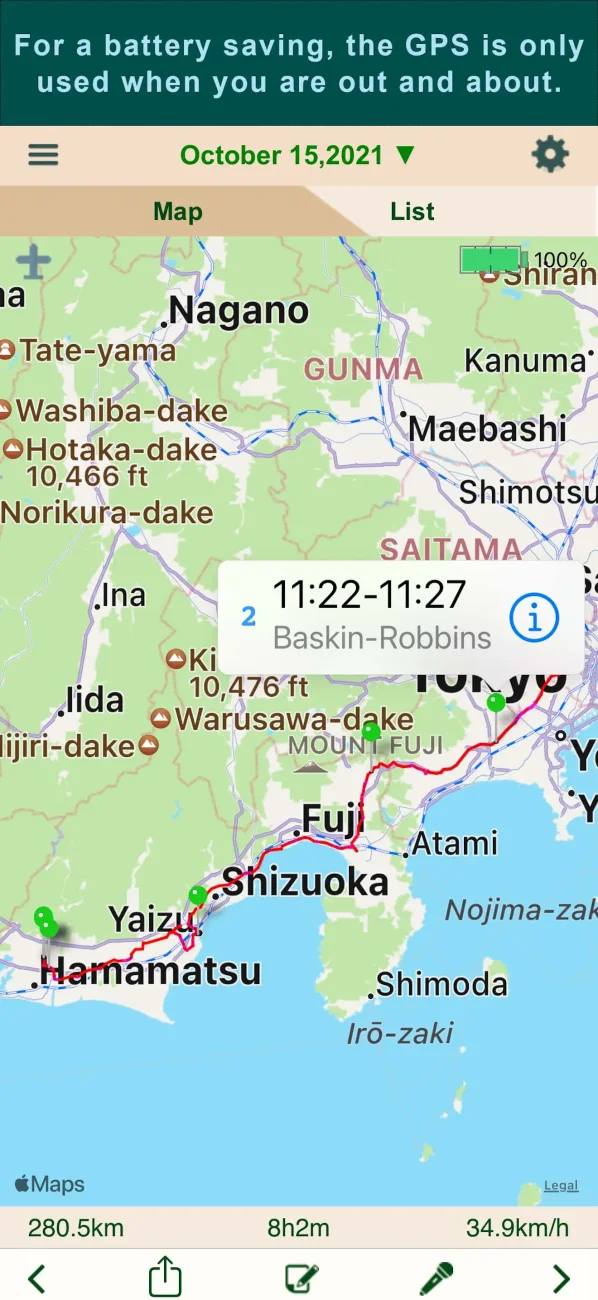
“AutoDiary+” is an app that can be used to keep track of your movements.
It records where you have been and when, and sorts the information by location.
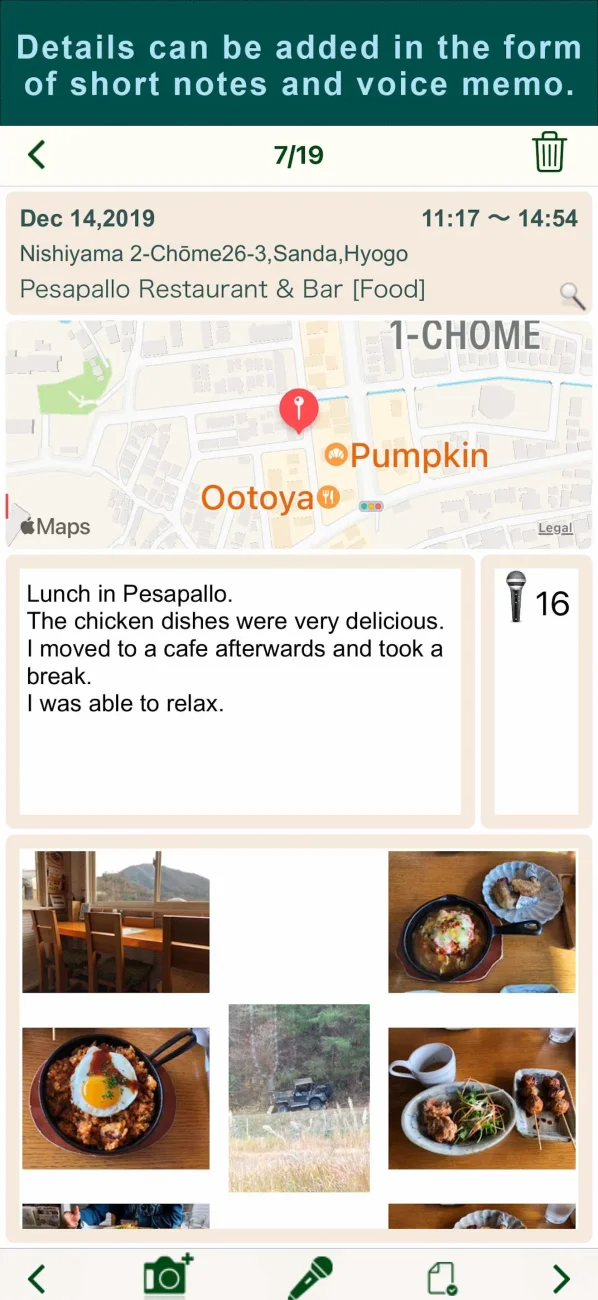
Important details can be added in the form of pictures, short notes, and voice memos.
For each location, you will have a record of whom you were with, along with their names and photos.
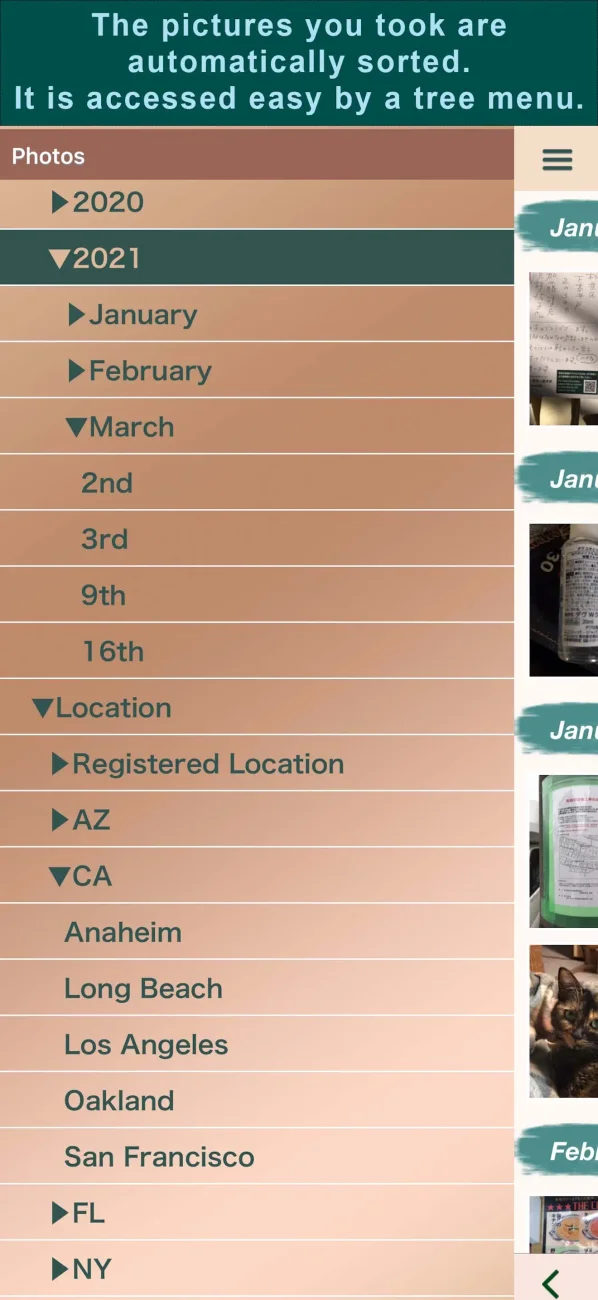
In addition, the pictures you took are automatically sorted.
For example, the app searches for the places you visited at night (and their pictures) that are within 2.5 kilometers of Disneyland.
In an instant, you will find the spots you have visited – but forgotten – displayed in front of you.
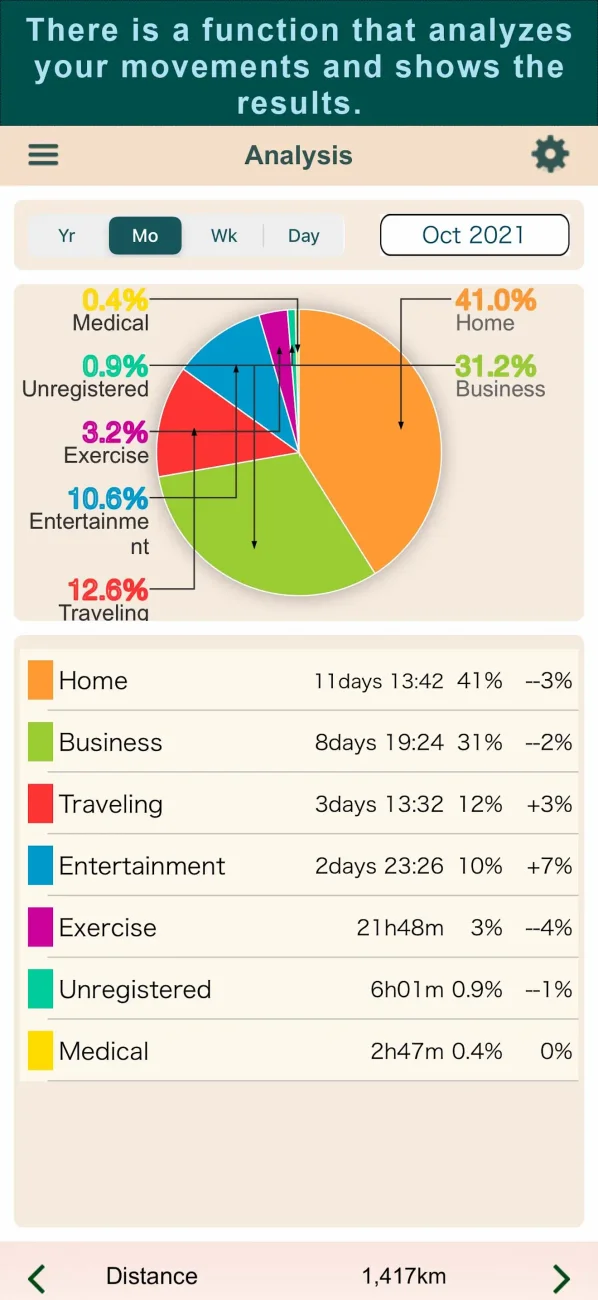
There is also a function that analyzes your movements and shows the results for each day, month, and year.
How many hours did you spend at office, and what percentage of your life does that time occupy?
You will be able to monitor such details through graphs.
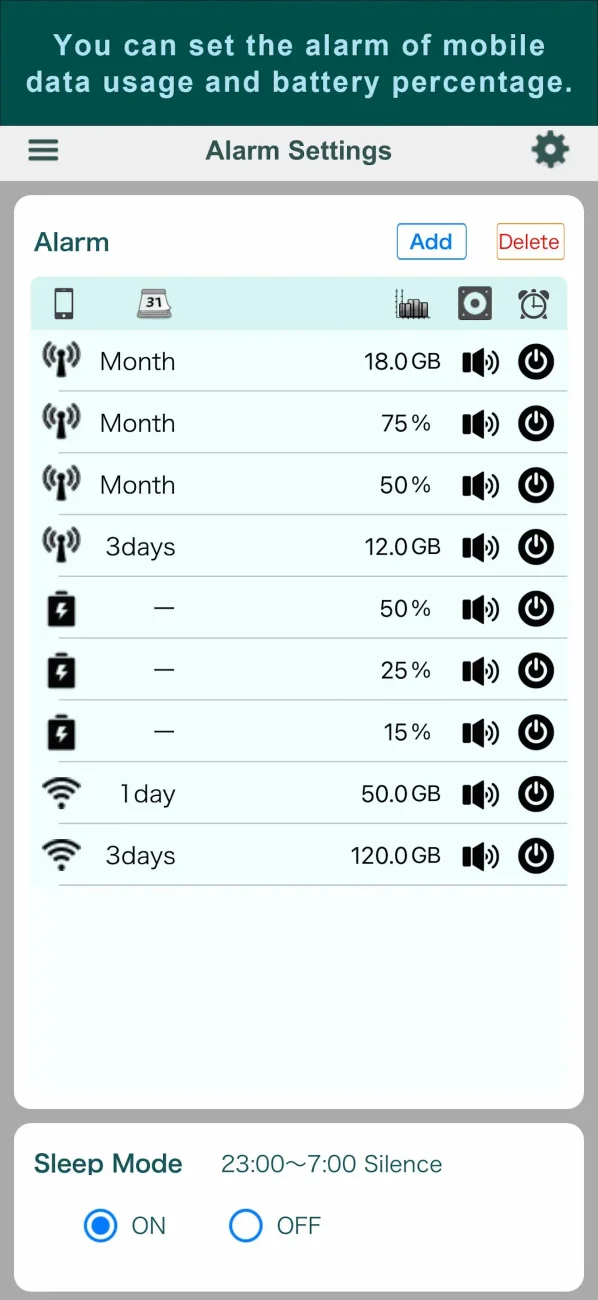
Moreover, the app measures mobile data usage and battery percentage.
It gives off alarm sounds to alert you if you go over the limits you have set for yourself.
By linking with the iPhone's healthcare function, it is now possible to display the number of steps.
The status of movement is listed separately from trains and cars.
All data are only kept in your iPhone (or iPad), so there will be no leakage of personal information.
The GPS is only used when you are out and about.
When you are staying at one place for a while, the GPS will automatically turn off.
The app is designed to be power efficient, consuming only about 4 percent of battery life per hour on iPhone X even when you are traveling.
Since most of us do not travel more than 4 to 5 hours each day, you should not have to worry about battery going off.
On top of that, the app automatically fixes issues with location data and obtains accurate location information, by utilizing the unique location correction technology that has been acquired through the development of GPS devices.
So, let's get started by installing the app.
It will for sure be the tool you cannot live without.
(Attention) Your movements may not be tracked right away if the Wi-Fi is turned off.
The same happens if you continue to connect to a mobile router.
All functions on the app are available for free for 4 weeks.
Once the subscription for the app expires, the location measurement function will stop running.
Please check the measurement end date in the Settings screen for "Travel Log."
To continue measuring locations, please purchase one of the function options below:
Automatic measurement - 1 month extension
Automatic measurement - 6 months extension
Automatic measurement - 1 year extension
You can make a purchase by clicking on the "Measurement Extension" button in the Settings screen for "Travel Log."
If a purchase is made during the free-use period, the remainder of the free-use period will be applied after the extension period is over.
When switching to a new phone, please click on the "Purchase Restore" button in the Settings screen for "Travel Log."
The app can be restored for free if you log in using the same Apple ID as when you first purchased the function option.
After the purchase is made, the function option that you have previously bought will be automatically renewed.
If you do not cancel the automatic renewal at least 24 hours prior to the end of the contract period, the contract period will be automatically renewed.
Automatic renewal billing will take place within 24 hours after the contract period is over.
After the purchase is made, the "Automatic Renewal Cancellation" button will appear in the Settings screen for "Travel Log."
The contract can be cancelled from there.
If you have deleted the app, please cancel it from the "Settings" screen of your iPhone.
- Click here for terms of use.
http://www.writeback.co.jp/wrhp/AdpTermsOfUse_appen.html
- Click here for privacy policy.
http://www.writeback.co.jp/wrhp/AdpPrivacy_appen.html
What’s new
Version 2.61 · Nov 11, 2026
• Major Improvements to Stopped Location Data Acquisition
To save battery, recent iOS versions cause most background communications during location tracking to fail, preventing the app from saving your stopped locations.
This update optimizes the system to automatically resume communication and retrieve the missing stopped location data when the device is charging or connected to Wi-Fi.
• Minor bug fixes and performance improvements.
App privacy
What Writeback Co.,Ltd. declares on the App Store about how this app handles data.
-
Data not linked to you
May be collected but is not linked to your identity.
- Location
Privacy practices may vary, for example with the features you use or your age.
Information
- Seller
- Writeback Co.,Ltd.
- Category
- Lifestyle
- Version
- 2.61
- Updated
- Nov 11, 2026
- Released
- Sep 29, 2019
- Size
- 49.4 MB
- Requires
- iOS 15.0 or later
- Age rating
- 4+
- Price
- Free
- In-app purchases
- Yes
- Languages
- English, Japanese
- Copyright
- © 2019 Writeback Inc.
You might also like
-
 Location Diary - LoglessAutomatic Lifelog & Timeline
-
 LocotterRecord Your Daily Movements
-
 Action LoggerLifestyle
-
 GeoMemo - Location Map NotesSave ideas with locations
-
 Life Tyde: Life TimelineQuiet chronicle of your years
-
 SilentLogFun to Review Days
-
 GoodDiary: Mood & MemoriesSimplest diary, one line a day
-
 戸締り・火の元チェッカーLifestyle
-
 Diary! SmartDiaryLifestyle
-
 AI Note before forgettingAdd date time address weather