- Age rating4+
- CategoryMusic
- DeveloperTimothy Williams
- LanguagesEnglish
- Size59.3 MB
Links to the official App Store page
Download.org hosts no file of Autograph Notation. The button opens its official App Store page, published by Timothy Williams. Listing last checked on Nov 12, 2026.
Screenshots



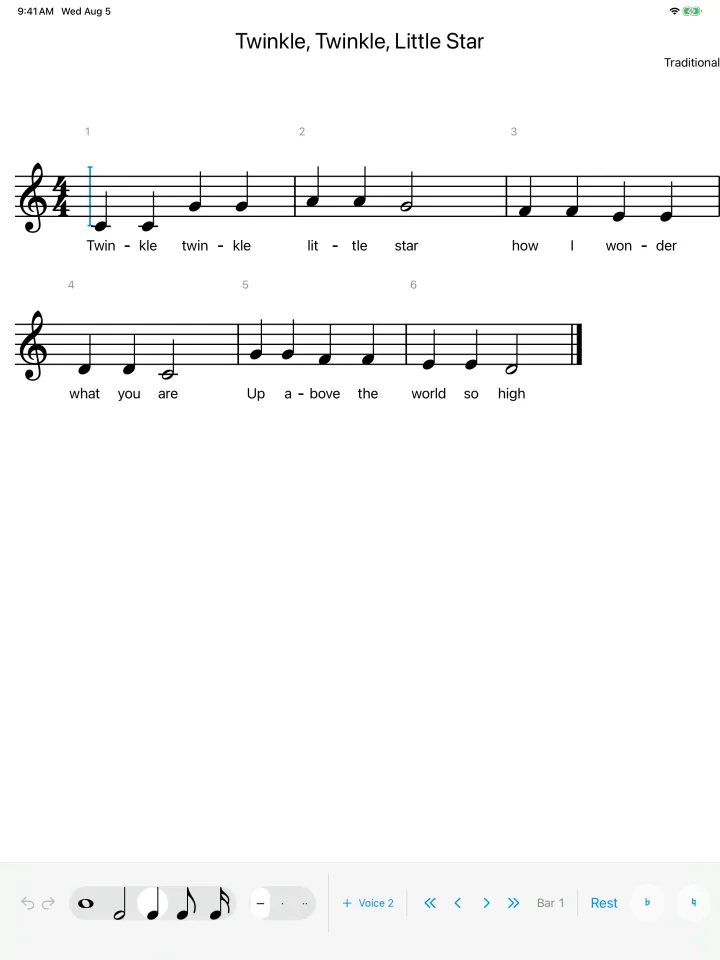
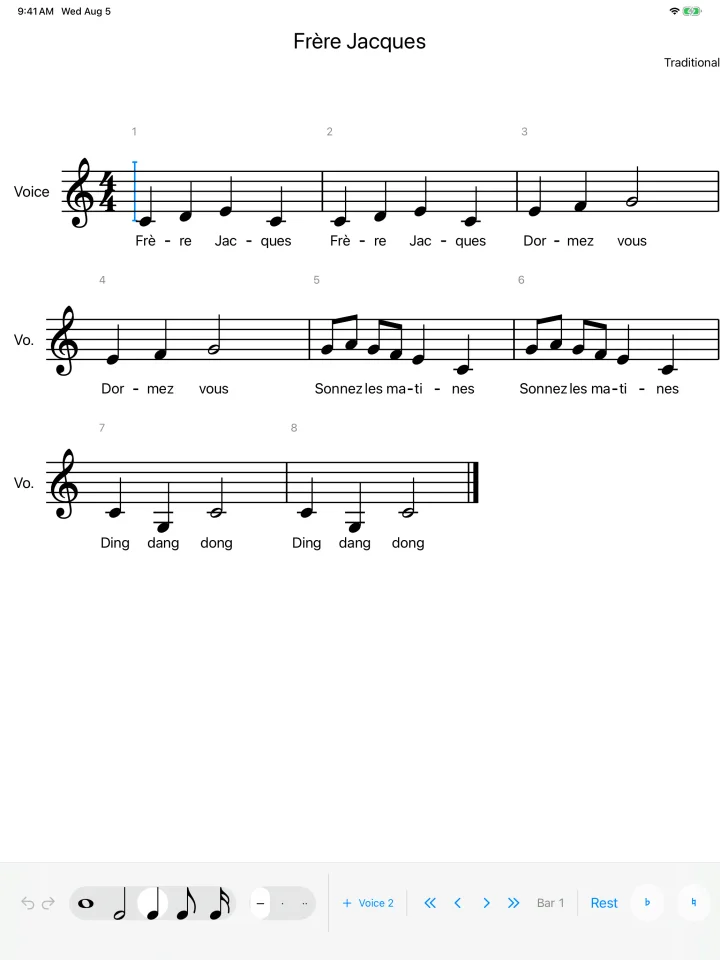
About
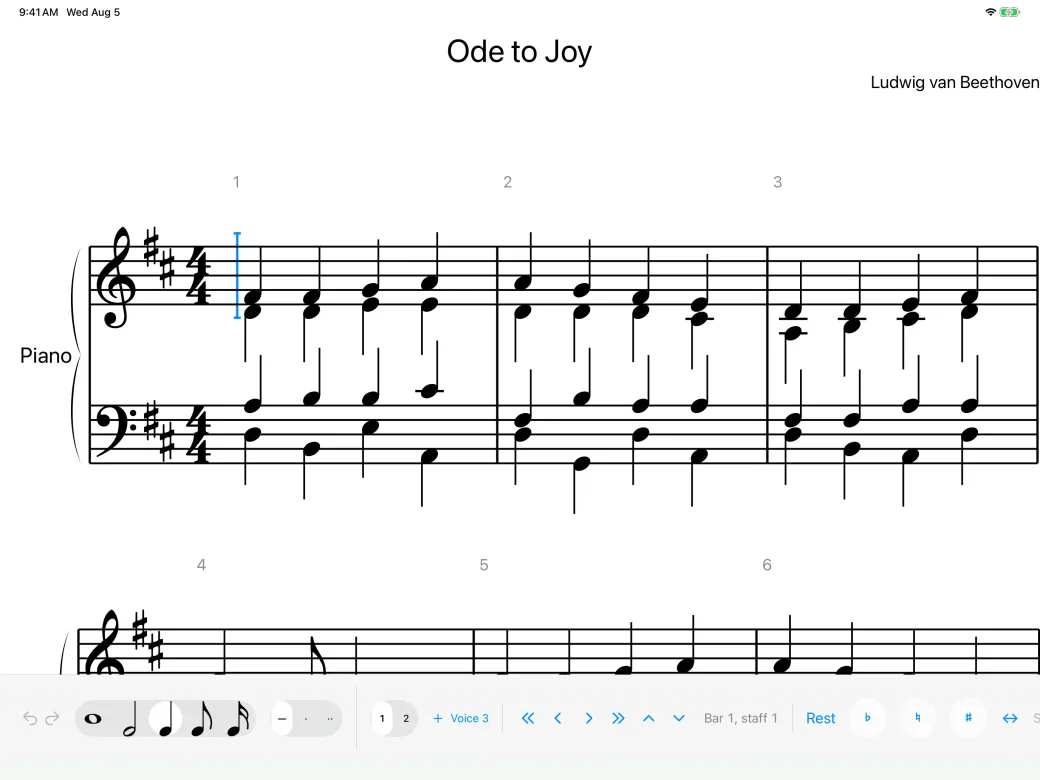
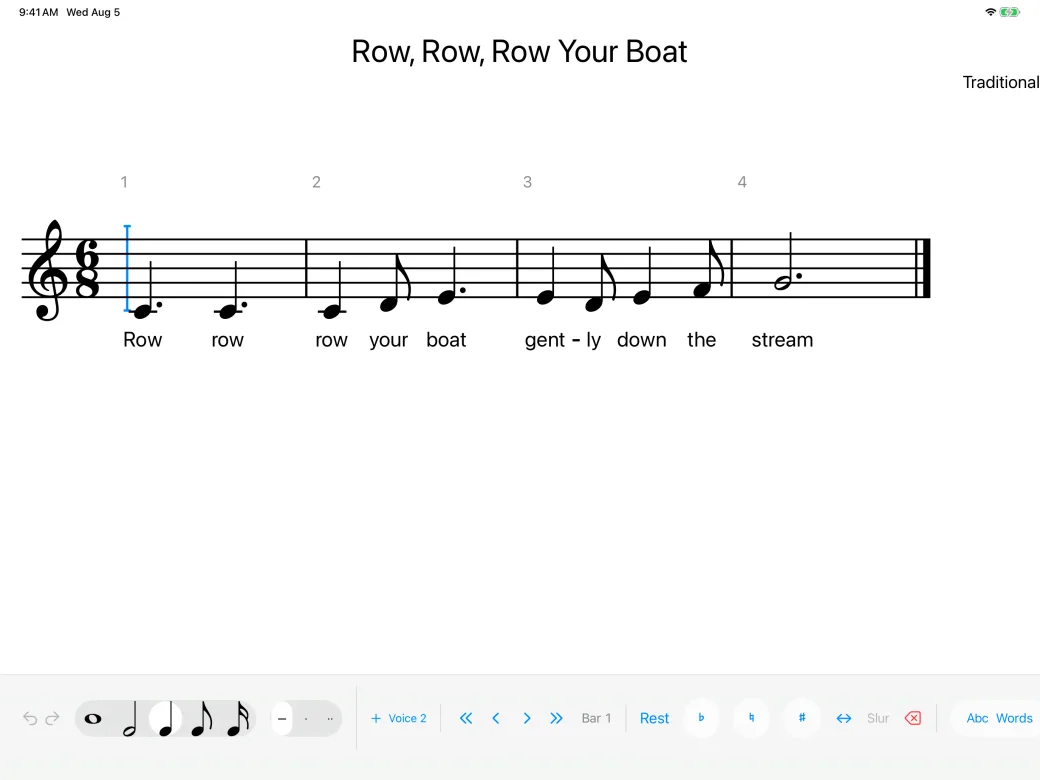
Autograph turns handwriting into engraved music notation. Write a note with Apple Pencil and it becomes a properly engraved note right where you wrote it: on the staff, at the right pitch, in the right place in the bar.
WRITE THE WAY YOU THINK
• Handwrite notes, rests and more with Apple Pencil
• Or tap to place notes, type with the number keys, or play them in from a MIDI keyboard. Every method makes the same edits.
• Pencil writes, finger scrolls and zooms, so the page never gets in your way
NOTATION THAT LOOKS PUBLISHED
• Engraved with the Bravura music font
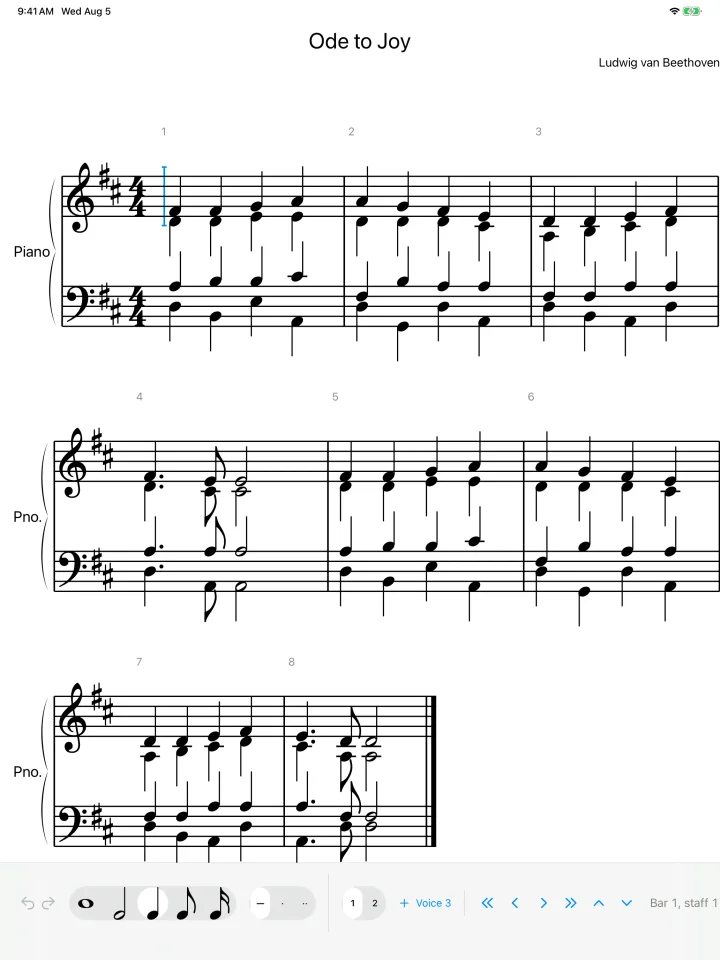
• Automatic beaming, spacing, accidentals and page layout
• Multiple voices, chords, ties, slurs, tuplets, grace notes and rolled chords
• Time and key signatures, clefs, dynamics, articulations and repeats
• Lyrics, including multiple verses, and chord symbols
• Piano and multi-staff scores
HEAR IT AND SHARE IT
• Play your score back and follow along bar by bar
• Export to PDF for printing
• Import and export MusicXML and MEI, to work with other notation software
PAY ONCE
Autograph is free to download. Every feature is unlocked for 28 days. After that, a single one-time purchase keeps editing unlocked for good, with no subscription. Reading, playback and export stay free forever, so your scores are never locked away.
Autograph works on iPad, and supports the first-generation Apple Pencil.
What’s new
Version 1.7.2 · Nov 12, 2026
AUTOGRAPH 1.7.2: WHAT'S NEW
BARS
• A bar split by a repeat sign can now be written. Write the beats before the repeat as one bar and the upbeat after it as the next, then choose Bar > Short Bar in either one. Both halves are marked together: no grey rests, no gap in playback, and the two count as one bar, so the bar numbers after them match a printed edition. Chorales with an upbeat need this at almost every repeat.
• Imported scores with split bars are now numbered as the edition numbers them. The numbers after a split no longer run one ahead.
STAVES
• Score > Add Instruments… opens the instrument picker directly. It used to be only at the bottom of Staves….
• A staff added above or below a piano stays out of the piano's brace.
SELECTING
• Dragging across chords now always takes every note of each chord, at either end of the drag and across a barline.
KEYBOARD
• On iPad with a hardware keyboard, Delete and ⌘Z / ⇧⌘Z now work.
ENGRAVING
• In two voices, each voice's ties now curve the same way as its stems: the upper voice's above, the lower voice's below, including every tie of a chord. This holds for a tie broken at the end of a line too.
• A tie broken at the end of a line now starts at its notehead, not at the end of the stem.
• An accidental no longer collides with the flag of the note before it.
• A flag on the last note of a bar no longer touches the barline.
FIXED
• A note or rest written beside a hidden rest in a full bar now takes that rest's place instead of being refused.
App privacy
What Timothy Williams declares on the App Store about how this app handles data.
-
Data not collected
The developer does not collect any data from this app.
Privacy practices may vary, for example with the features you use or your age.
Information
- Seller
- Timothy Williams
- Category
- Music
- Version
- 1.7.2
- Updated
- Nov 12, 2026
- Released
- Oct 9, 2026
- Size
- 59.3 MB
- Requires
- iOS 17.0 or later
- Age rating
- 4+
- Price
- Free
- In-app purchases
- Yes
- Languages
- English
- Copyright
- © 2026 Timothy Williams
You might also like
-
 Overdrive Pedal: AUv3 PluginVintage Pedal AUv3 Overdrive
-
 VoicingWorkoutmaster chords and progressions
-
 Maestro ScoreWrite and print sheet music
-
 ENYO Metronome: Setlists & BPMPolyrhythm, Tap Tempo & Tuner
-
 ARC Score악보 편집, 필기부터 연주까지
-
 ProRecord XIMusic
-
 Brass BandsThe ultimate brass band app
-
 Atmospheres 2: Magic ReverbCreative reverb from text
-
 Piano Chord TrainerPractice piano chords
-
 PanSphere: Digital HandpanImprovise and unwind anywhere