
- Age rating4+
- CategoryMusic
- DeveloperArduino Martini
- LanguagesEnglish+ 8 more
- Size108.0 MB
Links to the official App Store page
Download.org hosts no file of Maestro Score. The button opens its official App Store page, published by Arduino Martini. Listing last checked on Nov 24, 2026.
Screenshots
About
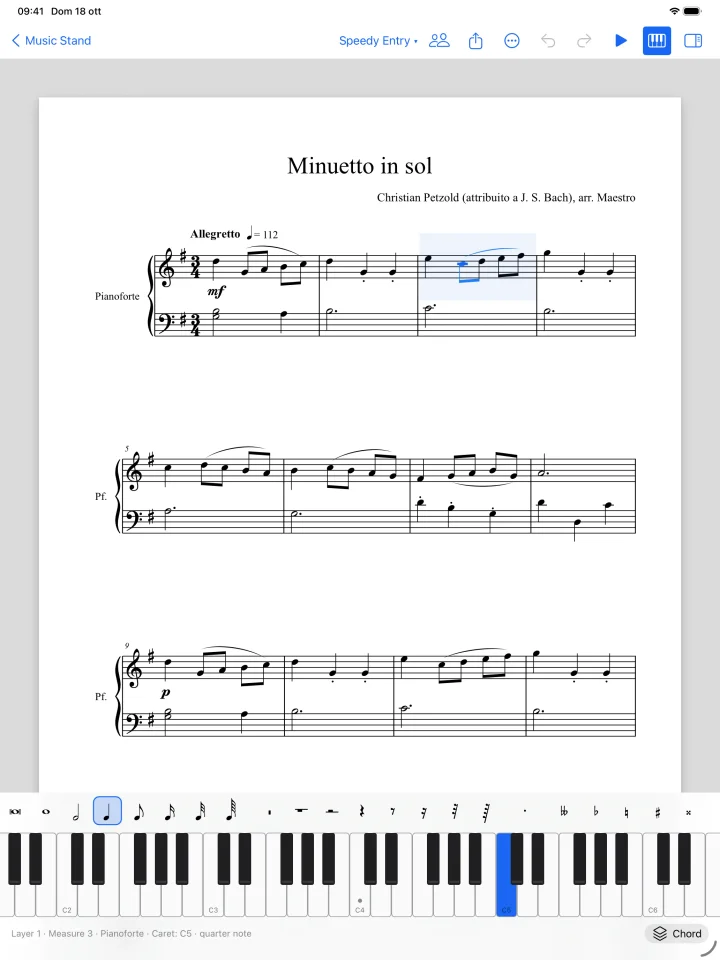
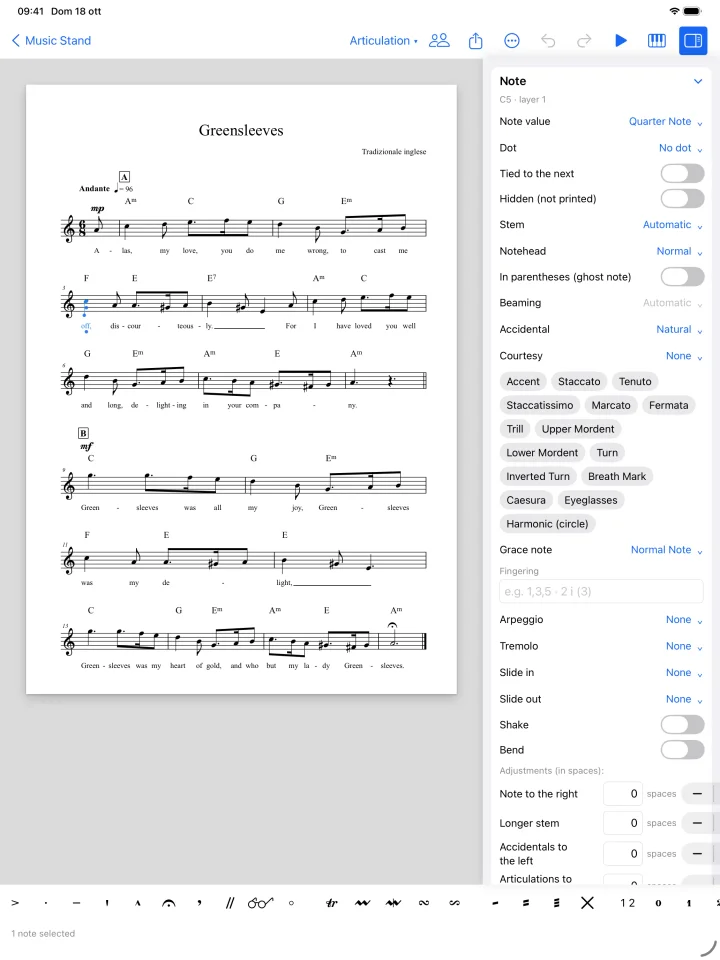
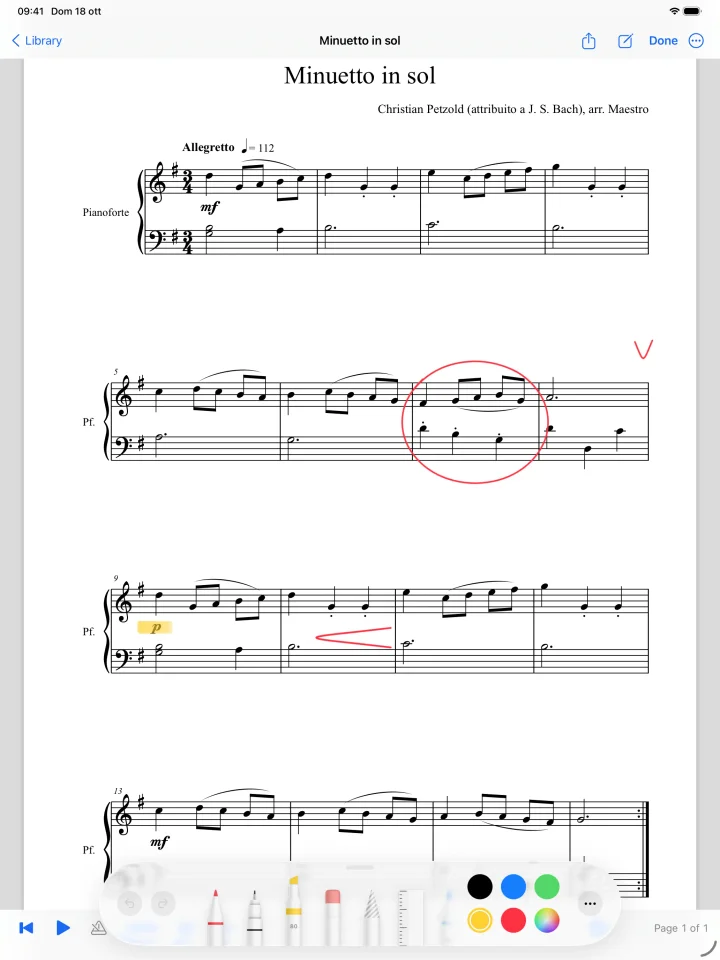
Maestro is a notation editor and a music stand for iPad: write your scores, read them full screen, turn pages with a tap or a Bluetooth pedal, and listen to them while you practice. Free, with no account and no ads.
It opens the files you already have: Maestro scores, Finale documents (.musx and .mus), MusicXML, MuseScore, Guitar Pro, MIDI and PDF, from Files, iCloud Drive or any app that shares them.
WRITE
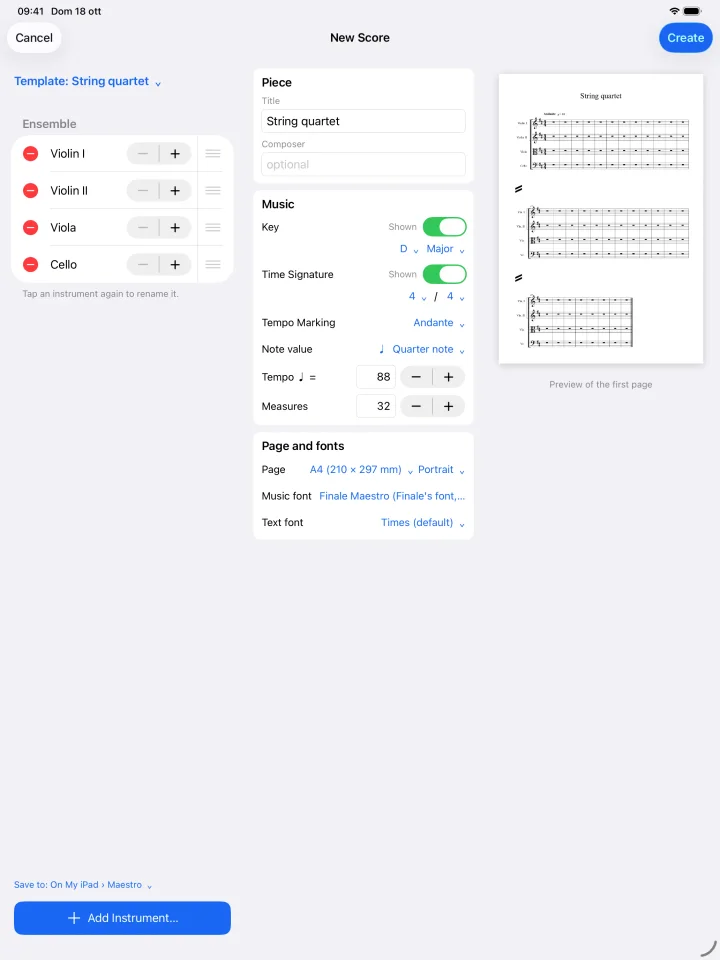
• A new score in a few taps: template, instruments, key, time signature, tempo and page
• Notes with the on-screen piano or guitar neck, chords too, or with a hardware keyboard and the same shortcuts as on the Mac
• Select with a finger, drag notes and markings, undo and redo
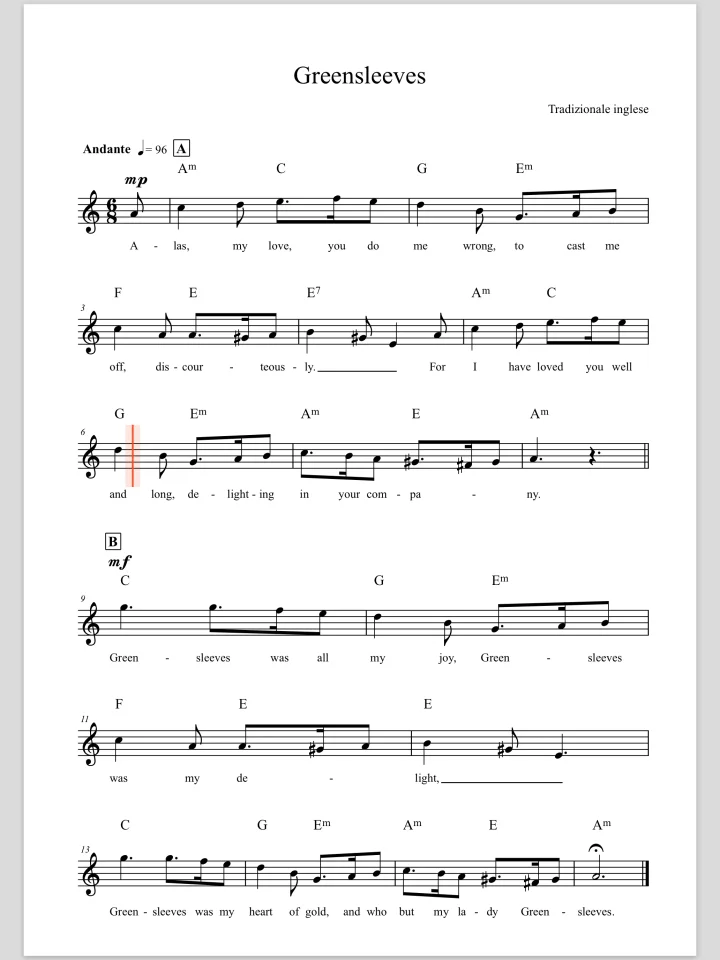
• Articulations, dynamics, hairpins, slurs, tuplets, repeats, chord symbols, lyrics, text and layout from palettes and the inspector
• Parts for each instrument, and parts with several instruments
• Saves in place, also in iCloud Drive, so the same file opens on your Mac
• Export and share as PDF, Maestro, MusicXML, Finale (.musx), LilyPond, MEI or MIDI, all parts in PDF in one go
• VoiceOver reads the score and every note you write
READ
• Full-screen pages, two side by side when you turn the iPad
• Turn pages with a tap, a swipe or a Bluetooth pedal, with a half-page turn
• Pinch to zoom up to 4×; every piece reopens where you left it
• Setlists for rehearsals and gigs, recent scores with thumbnails and search
• Write on the pages with Apple Pencil, saved for each piece and each part
LISTEN
• Playback with General MIDI sounds; the playhead follows the music and turns the page for you
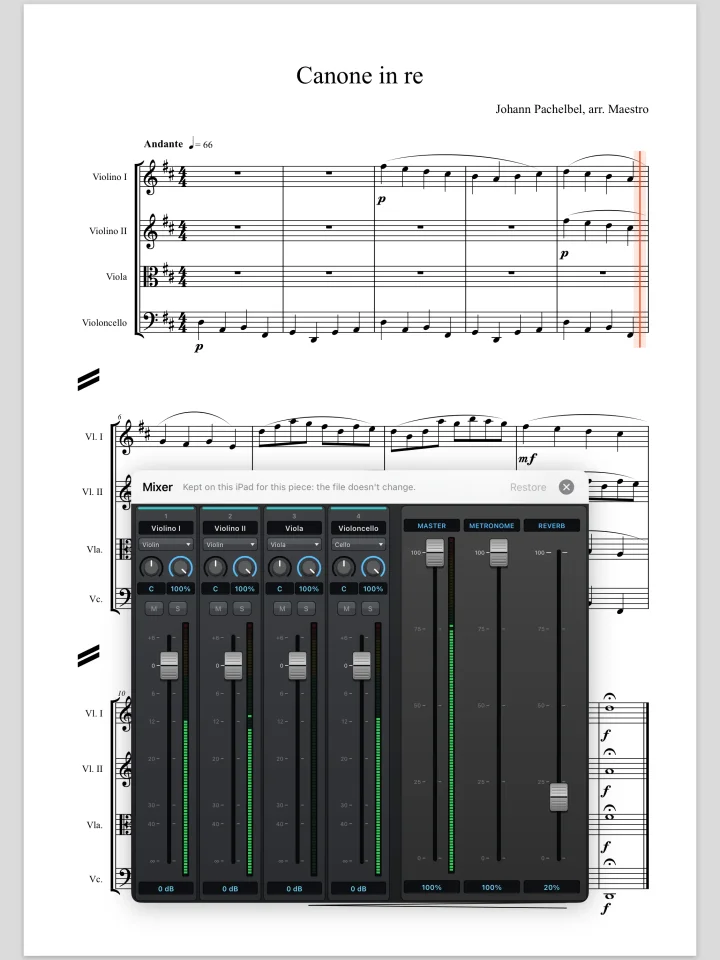
• Metronome, tempo from 50% to 150%, and a mixer with volume, pan, reverb, mute, solo and sound for each instrument
THE SAME SCORES ON YOUR MAC
Maestro for Mac has the same editor with every engraving option: start a score on one, finish it on the other.
No account, no ads and no data collected.
Maestro speaks English, Italian, German, French, Spanish, Japanese, Brazilian Portuguese, Simplified Chinese and Korean.
What’s new
Version 1.19.0 · Nov 23, 2026
What’s new in 1.19.0
• Quick Look previews in the Files app: Maestro and Finale files (.maestro, .musx, .mus) show their first page, and Quick Look shows the first pages.
• Document → Fonts… (More Commands menu): music symbol font and the typeface, size and style of every kind of text, with a preview.
• Click Assignment, as in Finale: type the whole lyric at once and each tap on a note attaches the next syllable.
• In a part view each movement has a checkbox to keep it in the printed part or leave it out.
• Slurs on selected measures, also adjustable at the system break; chord symbols move above slurs.
• Staves closer together: automatic spacing compares the staves column by column.
• Prefix and suffix for measure numbers where numbering restarts («A1», «12bis»), from the Inspector.
• From Finale 27 files, keyless measures stay without a key signature, even for transposing instruments; in noteheads with note names the lines break behind the letter.
App privacy
What Arduino Martini declares on the App Store about how this app handles data.
-
Data not collected
The developer does not collect any data from this app.
Privacy practices may vary, for example with the features you use or your age.
Information
- Seller
- Arduino Martini
- Category
- Music
- Version
- 1.19.0
- Updated
- Nov 23, 2026
- Released
- Oct 30, 2026
- Size
- 108.0 MB
- Requires
- iOS 17.0 or later
- Age rating
- 4+
- Price
- Free
- Languages
- English, French, German, Italian, Japanese, Korean, Portuguese, Simplified Chinese, Spanish
- Copyright
- © 2026 Arduino Martini
You might also like
-
 NNS ProNashville Number Charting
-
 SheetCue: PDF Score PracticeSheet Music Reader & Metronome
-
 CueDeck: Live Backing TracksPro Multitracks & Playback
-
 battuta: Score EditorMusic notation in MEI
-
 JamJar: Sheet Music & ChordsScan, Write, Transpose & Play
-
 Autograph NotationMusic
-
 aiMetronomeProper & adaptive metronome
-
 Sonira: Piano Page TurnerAuto-scroll sheet music reader
-
 StageScore.netSheet Music & Chord Charts
-
 AccessMusicAccessible Music Score Reader