AutoOrganize: File Organizer
Sort Documents into Folders
Designed for iPhone, iPad
Free
- Age rating4+
- CategoryProductivity
- DeveloperDenis Demku
- LanguagesEnglish+ 1 more
- Size7.1 MB
Links to the official App Store page
Download.org hosts no file of AutoOrganize: File Organizer. The button opens its official App Store page, published by Denis Demku. Listing last checked on Nov 26, 2026.
Screenshots


About
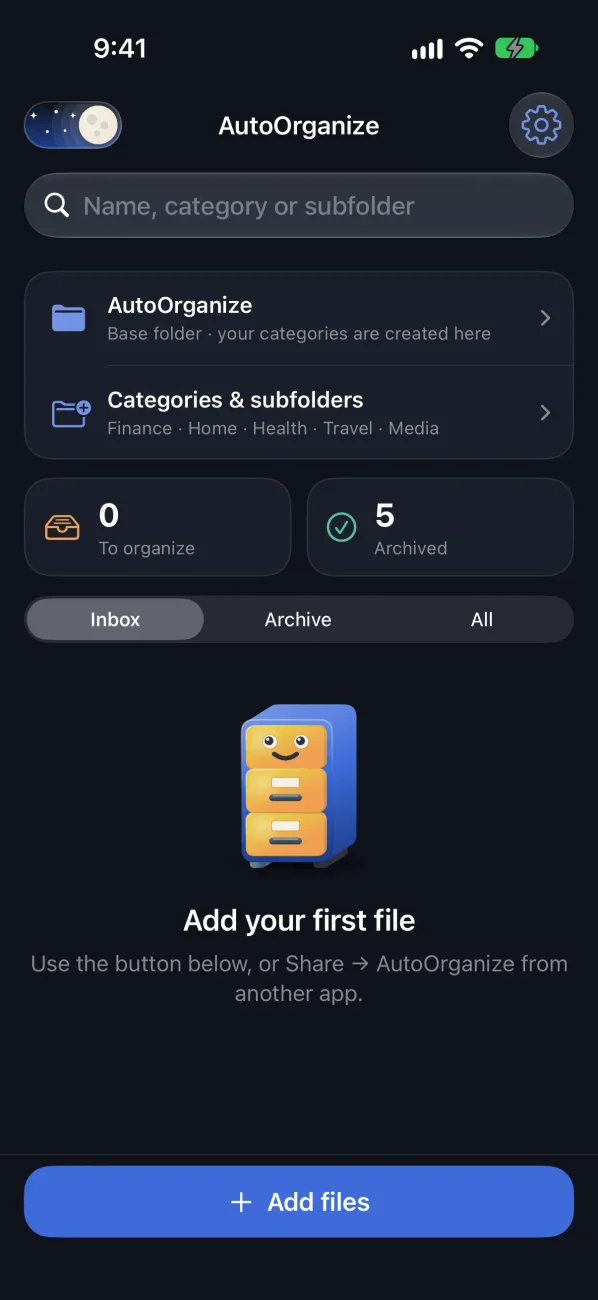
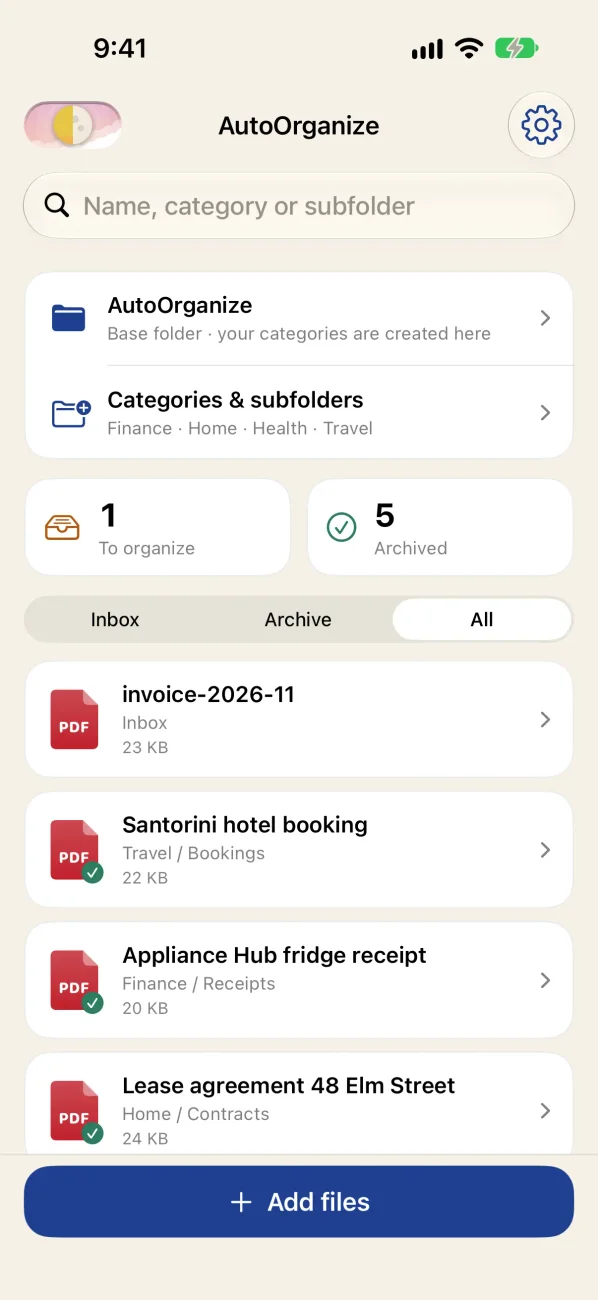
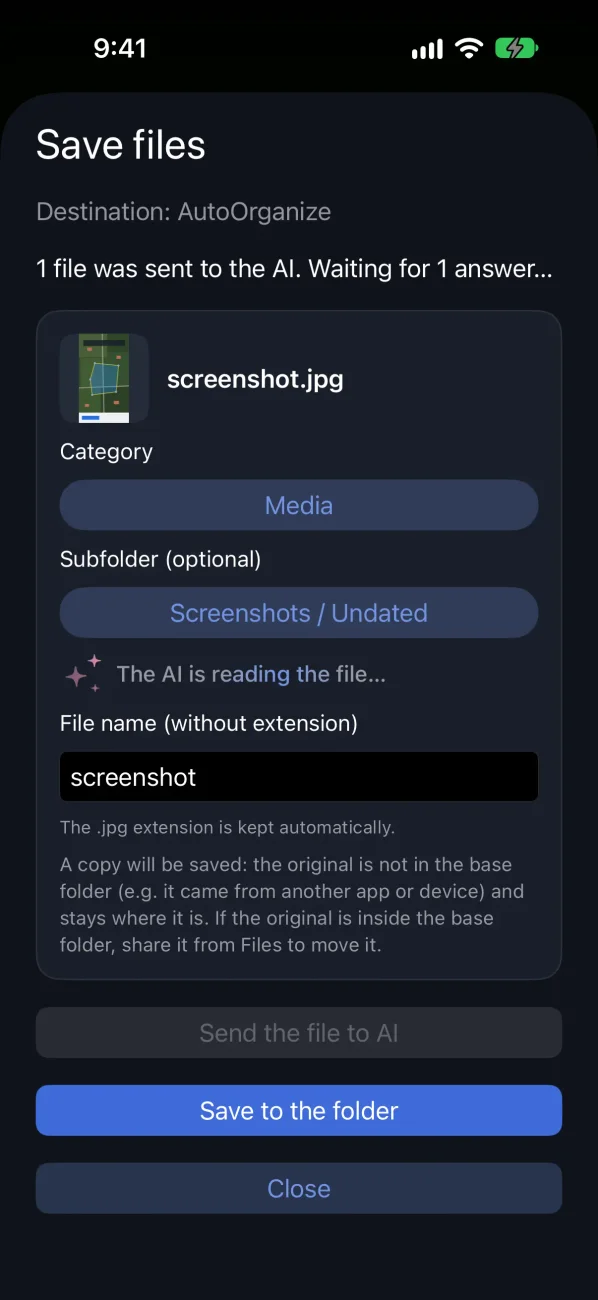
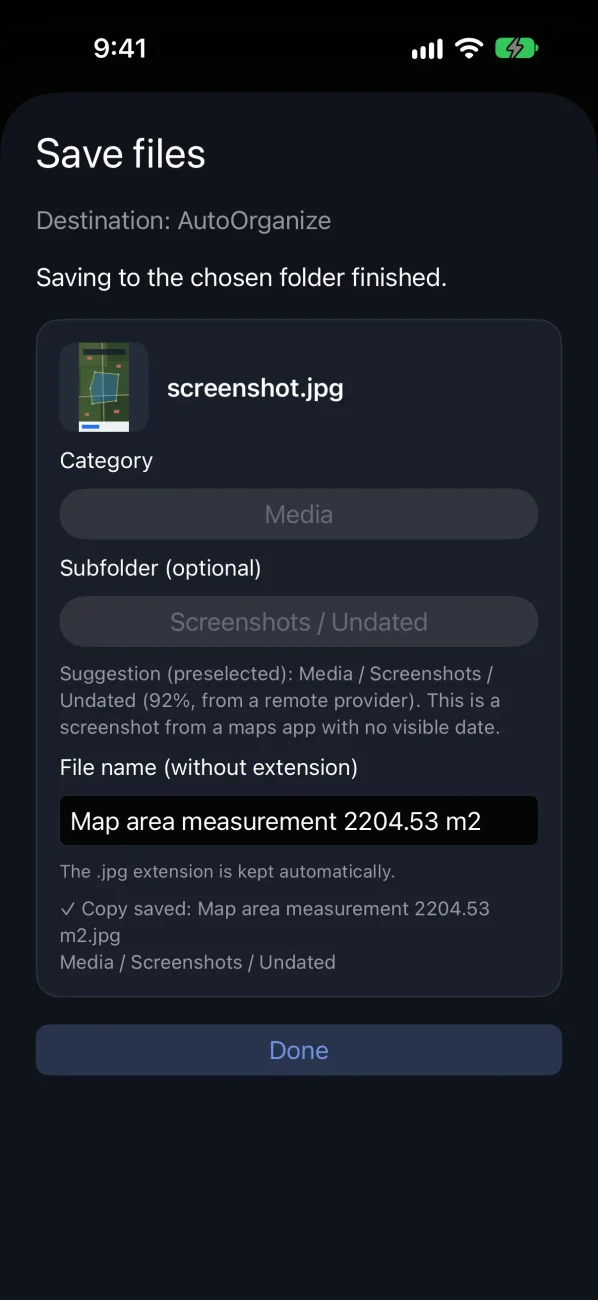
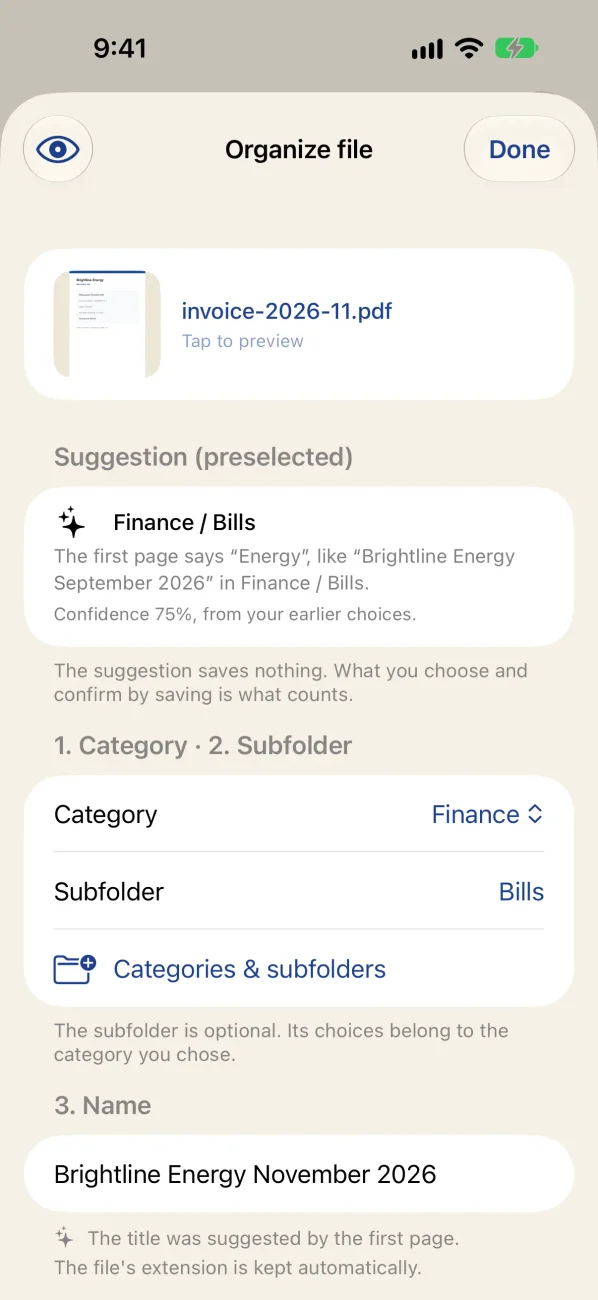
AutoOrganize puts your documents into the folders you already keep in Files, quickly and your way.
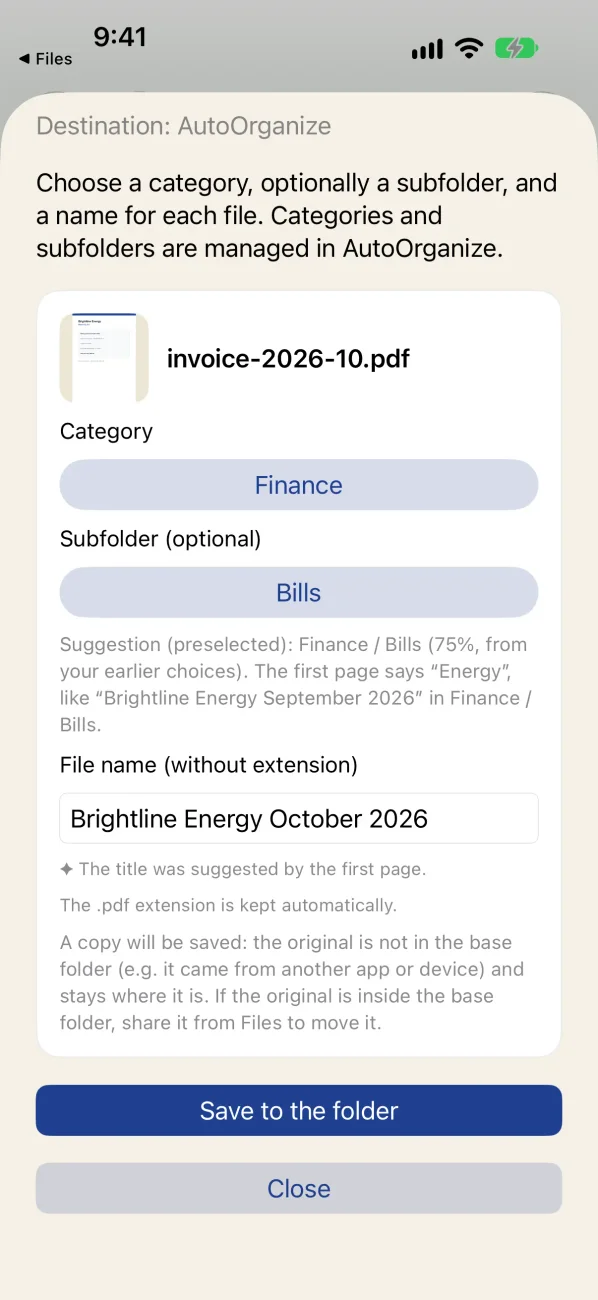
Pick a base folder in iCloud Drive or On My iPhone and your categories, with subfolders up to five levels deep. From then on, every file you add or share from any app gets a suggested category, subfolder and name. Confirm or change it, and the file goes where it belongs.
HOW IT SUGGESTS
• From your previous filings: same issuer, same kind, same period.
• From the document's first page, read on the device: PDF, Word, Excel, PowerPoint, OpenDocument, RTF, DXF.
• From Apple's on‑device model, where available.
• Optionally from an AI provider of your choice (Anthropic, OpenAI, Google) with your own key. Content is sent only when you tap to send it.
YOUR FILES STAY YOURS
• Stored in your folders, not in a store of ours. See them in Files, on your Mac and in every app.
• Undo any filing for 7 days from the local copy.
• Duplicates are recognised by content, not by name.
• Files deleted or moved in Files are detected and, while the local copy is kept and its folder is still in place, restored with one tap.
NO ACCOUNT, NO TRACKING
No sign‑up, no subscription, no analytics. The catalog, thumbnails and page words stay on your device.
Designed with Greek documents in mind: bills, receipts, contracts, talks and notes, understanding Greek and Greeklish folder names.
What’s new
Version 1.0.4 · Nov 25, 2026
This update fixes two things.
• A category or subfolder that you had just added and then deleted or renamed in Files is no longer made again by the next filing, from the app or the Share sheet. The filing now says that the folder was renamed, moved or deleted.
• On an empty screen, the text under the filing cabinet, or under the street sweeper in Archive, no longer blinks when you close the search or after you release local copies.
The privacy policy has not changed.
App privacy
What Denis Demku declares on the App Store about how this app handles data.
-
Data not collected
The developer does not collect any data from this app.
Privacy practices may vary, for example with the features you use or your age.
Information
- Seller
- Denis Demku
- Category
- Productivity
- Version
- 1.0.4
- Updated
- Nov 25, 2026
- Released
- Nov 6, 2026
- Size
- 7.1 MB
- Requires
- iOS 17.0 or later
- Age rating
- 4+
- Price
- Free
- Languages
- English, Greek
- Copyright
- © 2026 Denis Demku
You might also like
-
 Caddy: Notes, Tasks & ContactsPlus stories & a reading list
-
 Quested: To-Do JournalTurn Tasks Into Quests!
-
 root workspaceCapture first. Organize later.
-
 PARKit: Reminder for TonightDaily Ritual to Rest Your Mind
-
 Etched: Markdown NotesFind any note by meaning
-
 Chronaya: Deadline TrackerWarranty, Return & Renewal
-
 Iris: Work NotesTrack Wins & Work Progress
-
 ShuffleNoteRediscover your notes
-
 Onelify: Tasks & HabitsPlan, focus, build streaks
-
 KeepLeapType Once, Search Everywhere