- Age rating4+
- CategoryTravel
- DeveloperGijs Raggers
- LanguagesEnglish+ 7 more
- Size14.0 MB
Links to the official App Store page
Download.org hosts no file of AutoTrips. The button opens its official App Store page, published by Gijs Raggers. Listing last checked on Nov 17, 2026.
Screenshots





About
AutoTrips — Automatic Trip & Mileage Logging
AutoTrips records your trips automatically so you never have to remember to hit "start." Whether you're tracking mileage for work, taxes, or expenses, AutoTrips captures every drive with an accurate GPS route, distance, and timing — hands-free.
AUTOMATIC RECORDING
Set it up once and forget it. Using an iOS Shortcuts automation, AutoTrips starts the moment your car connects — CarPlay or Bluetooth — and stops when you disconnect. It works even if the app is force-quit, recording silently in the background. The built-in Setup Guide walks you through it in under a minute.
CARPLAY READY
Start, stop, and label trips right from your car's display. Assign the car and label for the trip you're on without touching your phone.
SMART LABELS
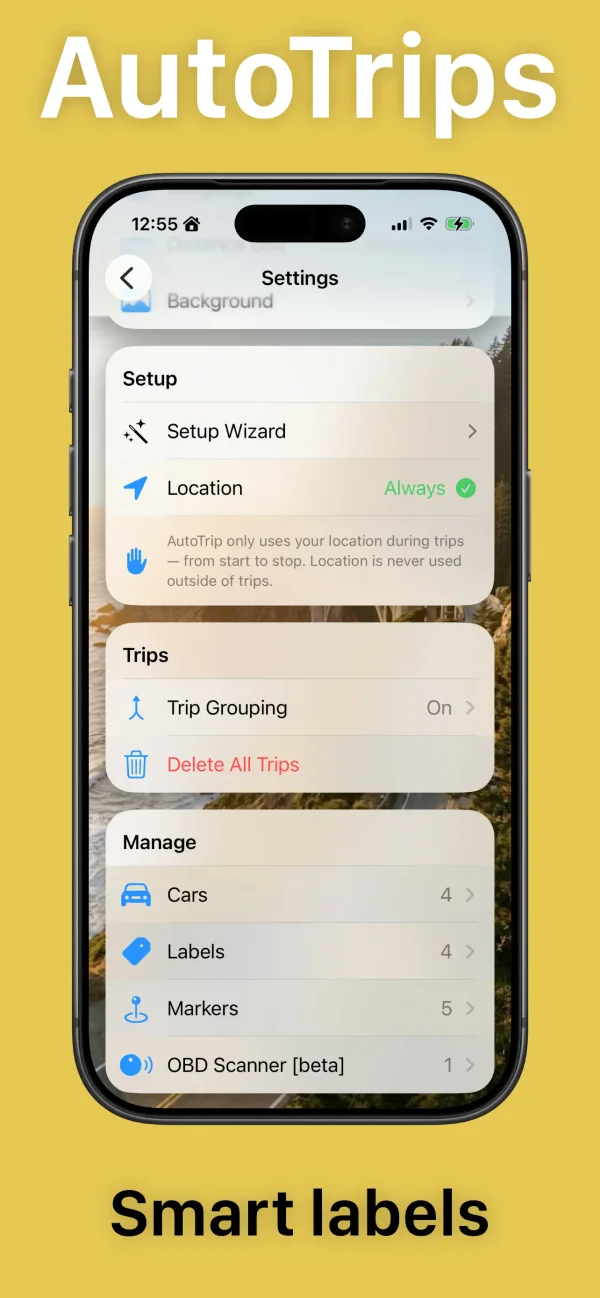
Trips label themselves. AutoTrips recognizes your routes by location and your saved markers — so Home, Work, and your regular stops are sorted automatically. You can always override a label by hand, and your choice always wins.
MARKERS & PLACES
Drop markers on the places that matter. AutoTrips notes every time a trip passes through them, with timestamps — perfect for client sites, job locations, or frequent destinations like toll booths.
CARS & VEHICLES
Track multiple vehicles with license plates. New trips automatically inherit the last car you drove.
BEAUTIFUL TRIP DETAILS
See every drive on a clean map with a color-coded speed overlay. Trips with stops are grouped into journeys automatically, so your log reads the way you actually drove.
POWERFUL FILTERING
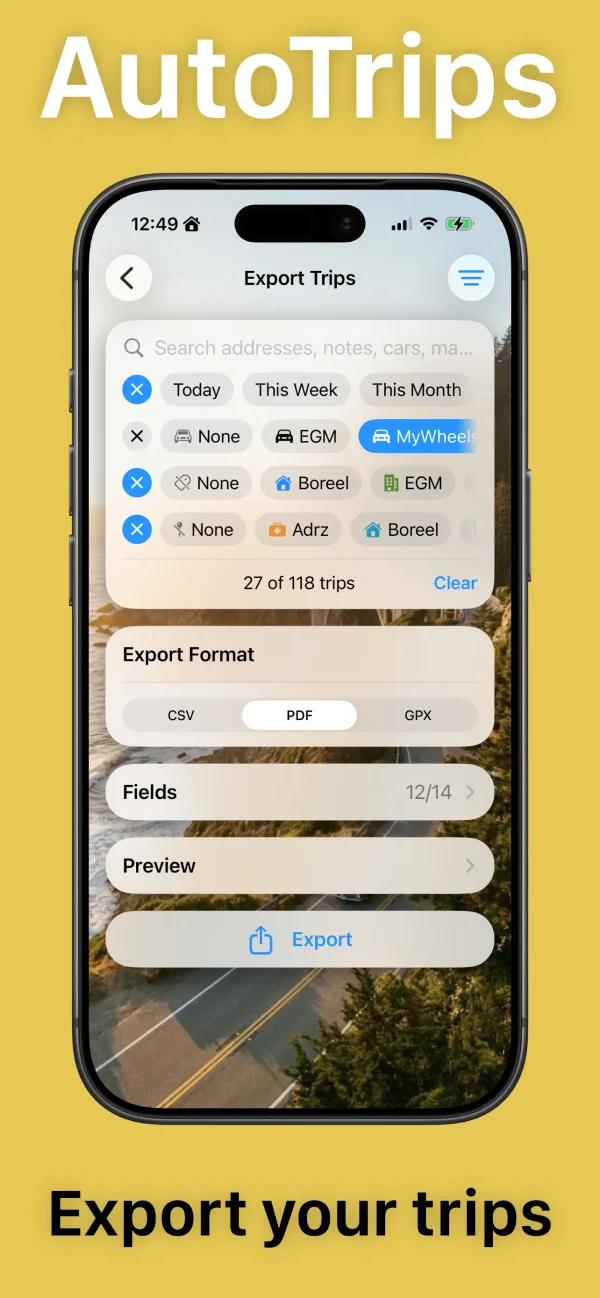
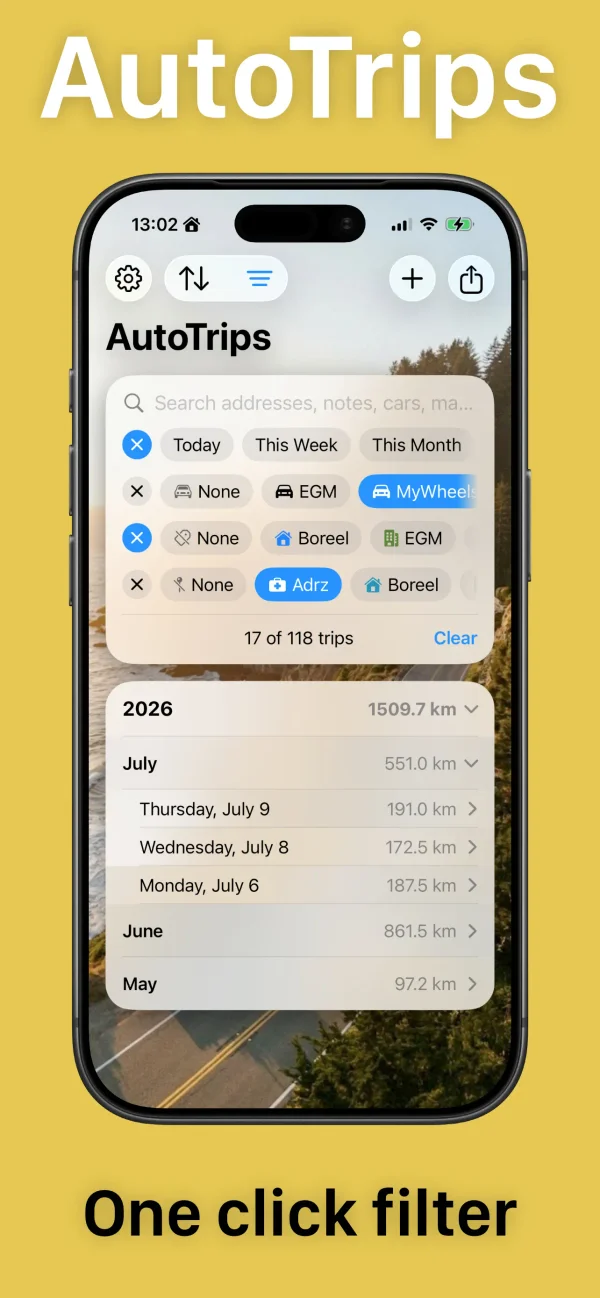
Find any trip fast — filter by date, car, label, or marker, with multi-select for exactly the view you need.
EXPORT (Premium: Lifetime In App Purchase)
Export your trips as CSV, PDF, or GPX — complete with distances, markers, and license plates. Ideal for reimbursement, accounting, or your own records.
PRIVATE BY DESIGN
Your trips sync seamlessly across your devices with iCloud and stay in your account. No third-party tracking.
Also works with Siri, the Action Button, Spotlight, and widgets.
What’s new
Version 1.6.5 · Oct 1, 2026
- Added option to set Label by day and time
- Option to blur background
- Fixed minor bugs
Thanks everyone for the feedback!
App privacy
What Gijs Raggers declares on the App Store about how this app handles data.
-
Data not collected
The developer does not collect any data from this app.
Privacy practices may vary, for example with the features you use or your age.
Information
- Seller
- Gijs Raggers
- Category
- Travel
- Version
- 1.6.5
- Updated
- Oct 1, 2026
- Released
- Jun 23, 2026
- Size
- 14.0 MB
- Requires
- iOS 26.0 or later
- Age rating
- 4+
- Price
- Free
- In-app purchases
- Yes
- Languages
- English, Dutch, French, German, Italian, Japanese, Simplified Chinese, Spanish
- Copyright
- © Pathos 2026
You might also like
-
 Odo Speedometer: Drive TrackerGPS Speed, Car, Bike, Map, OBD
-
 WanderWay NavigationDrives, Walks & Historic Stops
-
 Mileage & Car Tracker - MagicaPrivate Auto Trip & Fuel Log
-
 Overflight: Sky RadarLive overhead flight tracker
-
 Pelican: Automotive assistantNavigation, OBD, & car widgets
-
 Driver: Dash Cam & Trip LogAI coaching + cloud backup
-
 FlockHopperNavigate Around Flock Cameras
-
 Electromaps: Charging stationsAccess +360,000 EV chargers
-
 Car Dashboard Widgets - HiCarTurn Your Phone Into Dashboard
-
 Tripsy: Travel PlannerTrip Plan Itinerary Organizer