
- Age rating4+
- CategoryProductivity
- DeveloperScicrest
- LanguagesEnglish
- Size142.6 MB
Links to the official App Store page
Download.org hosts no file of Axiomika. The button opens its official App Store page, published by Scicrest. Listing last checked on Nov 20, 2026.
Screenshots


About
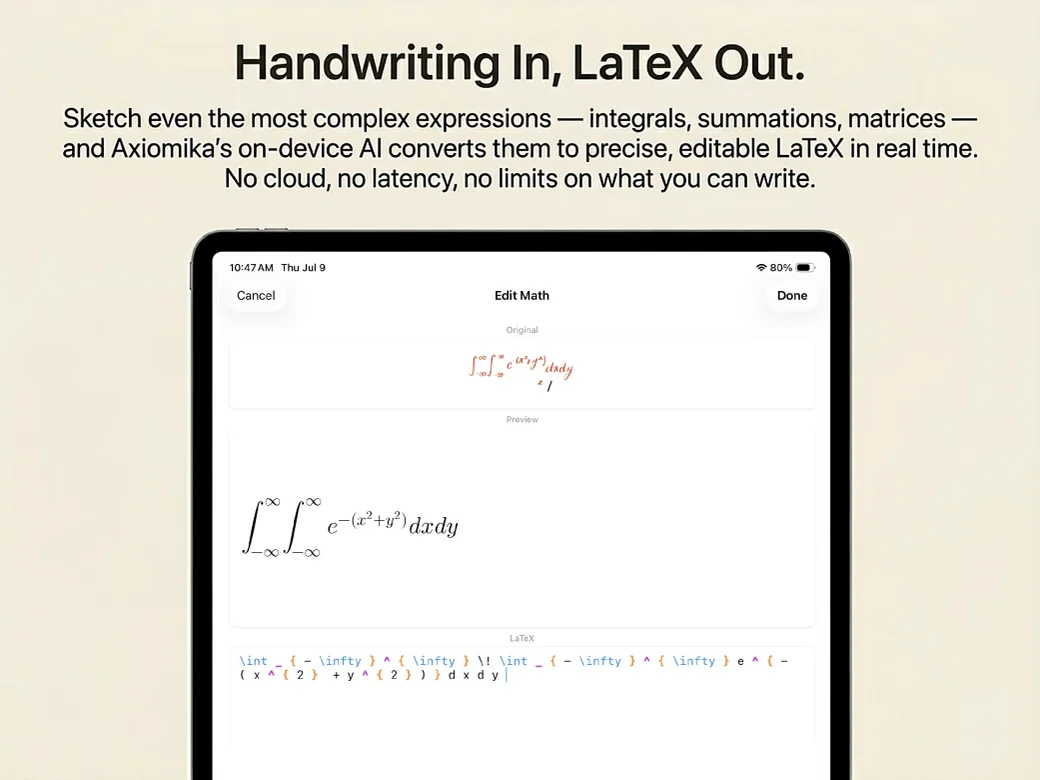
Write math by hand. Get editable LaTeX — instantly. Your first document is free. Unlocking unlimited documents requires a one-time in-app purchase.
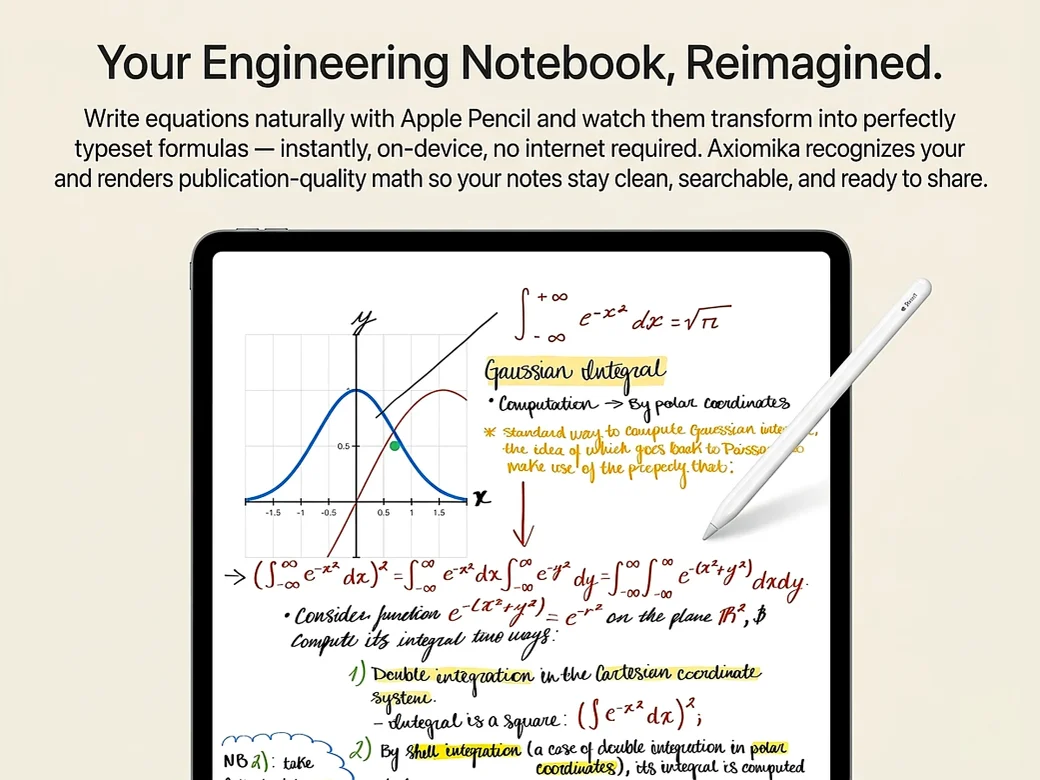
Draw integrals, matrices, summations, Greek letters, and nested fractions with your Apple Pencil exactly as you would on paper. Axiomika recognizes them in under two seconds and gives you clean LaTeX you can tweak, resize, and export. Everything runs on-device.
NO TYPING LATEX BY HAND
No memorizing commands. Write naturally and let the app do the rest. Three recognition modes let you trade speed for accuracy: Fast for quick captures, Balanced for everyday use, and Accurate with beam search for when every symbol matters. Tune beam count, length penalty, and max token output if you want full control.
A MATH KEYBOARD WHEN YOU ALREADY KNOW THE SYMBOL
Palettes organized the way you think: Quick for everyday operators, Structure for fractions and matrices, Analysis for integrals and limits, Logic for set theory, and Greek for the full alphabet.
PLOT AS YOU GO
Drop a graph onto any page and start plotting. Handles sin, cos, tan, log, ln, exp, sqrt, abs, powers, and implicit multiplication — type 2x or 2sin(x) naturally. Layer multiple curves with custom colors and widths, add labeled scatter points, and control axis ranges, ticks, grids, and titles. Live preview updates as you tweak.
EXPORT THAT ACTUALLY COMPILES
Export your document as a ready-to-compile .tex file with a proper preamble (amsmath, amssymb, pgfplots, geometry). Graphs become native PGFPlots code with every curve, data point, and axis setting preserved. Drawings export as high-res PNGs. Everything bundles into a ZIP you can open in Overleaf, TeXShop, or any LaTeX editor and compile immediately.
ANNOTATE ANY PDF
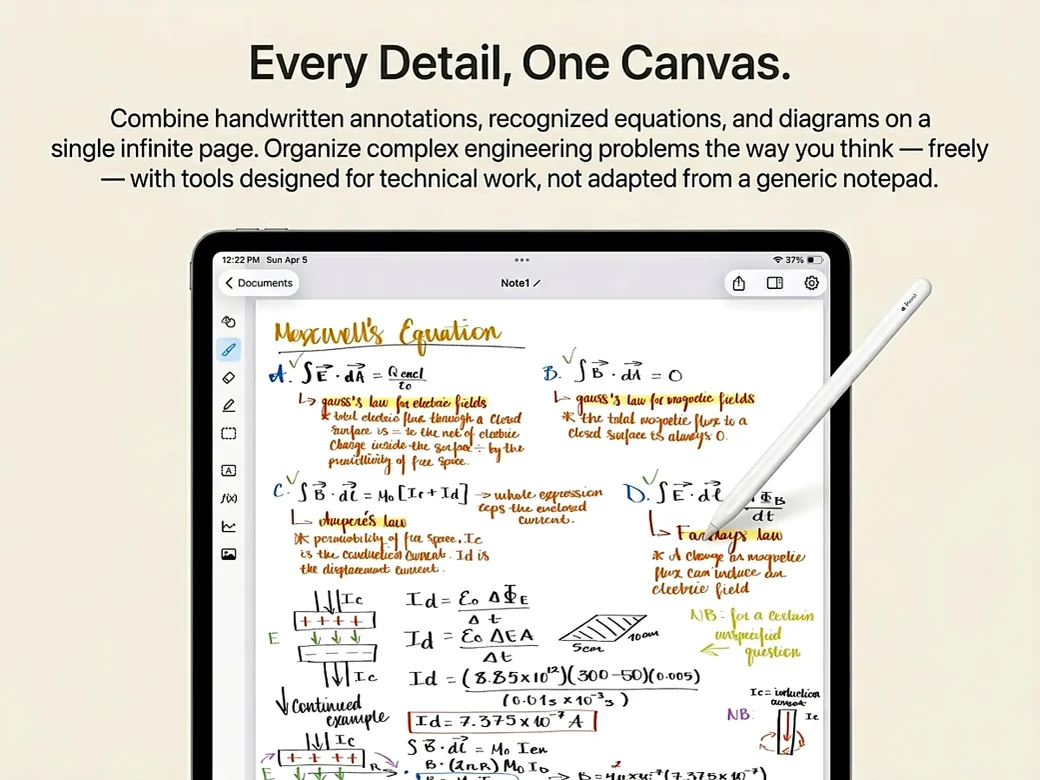
Import lecture slides, problem sets, or textbooks and write directly on top of them. Ink, recognized equations, and typed text stay perfectly layered.
ORGANIZED, SYNCED, SAFE
Visual cards with thumbnails, page counts, and last-modified dates. Folders by class, project, or semester. Real-time search across every document. Autosave, iCloud sync across all your iPads. Your notes never leave your device.
Two pen modes — Standard for clean lines, Ink for a fountain-pen feel — plus highlighter and eraser.
Built for math, engineering, and physics. One-time purchase, no subscription.
FREE vs. UNLIMITED
Free: full recognition, editing, and export — limited to one document.
Unlimited (In-App Purchase): create unlimited documents. All other features included.
Requires iPad with Apple Pencil.
App privacy
What Scicrest declares on the App Store about how this app handles data.
-
Data not collected
The developer does not collect any data from this app.
Privacy practices may vary, for example with the features you use or your age.
Information
- Seller
- Scicrest Corp.
- Category
- Productivity
- Version
- 1.0
- Updated
- Aug 14, 2026
- Released
- Aug 14, 2026
- Size
- 142.6 MB
- Requires
- iOS 17.0 or later
- Age rating
- 4+
- In-app purchases
- Yes
- Languages
- English
- Copyright
- © Scicrest Corp.
You might also like
-
 pilgiRead, Write, Save
-
 Fontbridge: Custom FontsInstall fonts on iPhone & iPad
-
 Typst Editor TypeWrightWrite Compile Typset Locally
-
 Vox.md: Quick Capture NotesVoice & Text to Markdown
-
 Typeset TypstWrite Typst documents
-
 BindNotesLinked Handwritten Notes
-
 WriteTex - Math OCR & LaTeXHandwriting to Markdown/LaTex
-
 MathNotes: AI Notes for STEMMath Solver & Homework Help
-
 MathWrite NotesHandwriting to LaTeX with AI
-
 LaTeX NoteWrite and organize math notes