Backpacks: Screenshot Search
Organizer for Links & Images
Designed for iPhone
Free
- Age rating4+
- CategoryProductivity
- DeveloperAman Jaiswal
- LanguagesEnglish
- Size11.1 MB
Links to the official App Store page
Download.org hosts no file of Backpacks: Screenshot Search. The button opens its official App Store page, published by Aman Jaiswal. Listing last checked on Nov 24, 2026.
Screenshots



About
Backpacks is a free iPhone app that saves links and screenshots in one library, with no account needed.
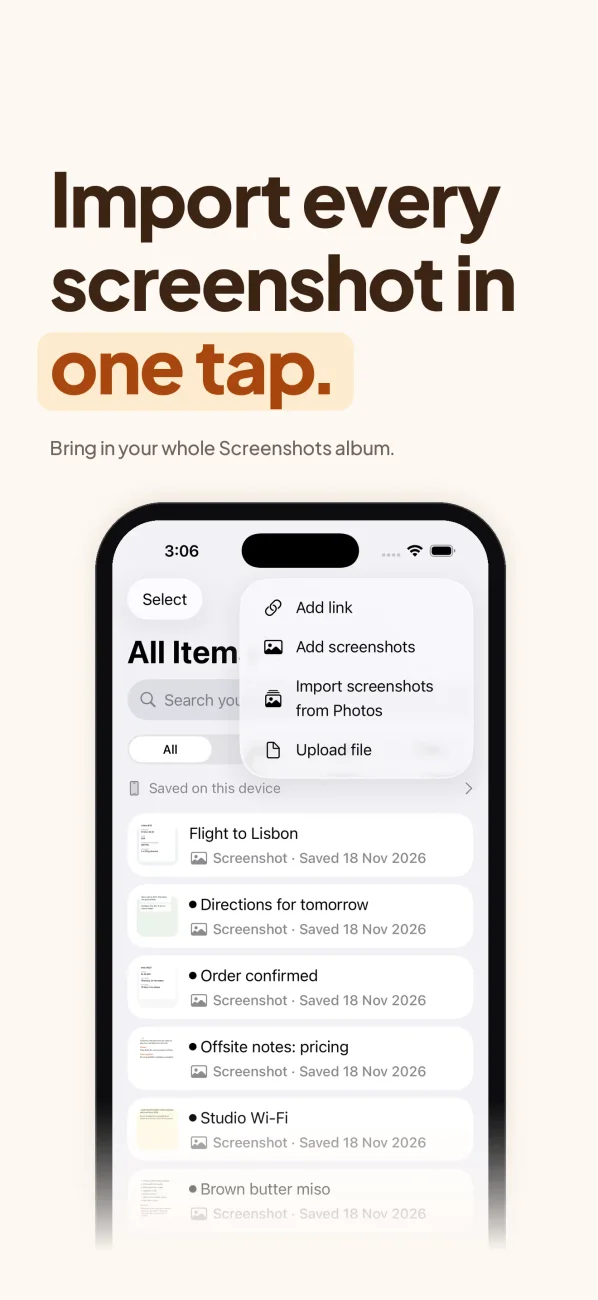
Search now reaches into long saved articles, not just the top of the page. Import your Safari bookmarks file from the + menu, or your whole Screenshots album in one tap.
Backpacks reads the text in each screenshot on your iPhone, so you can find any one by a word in it.
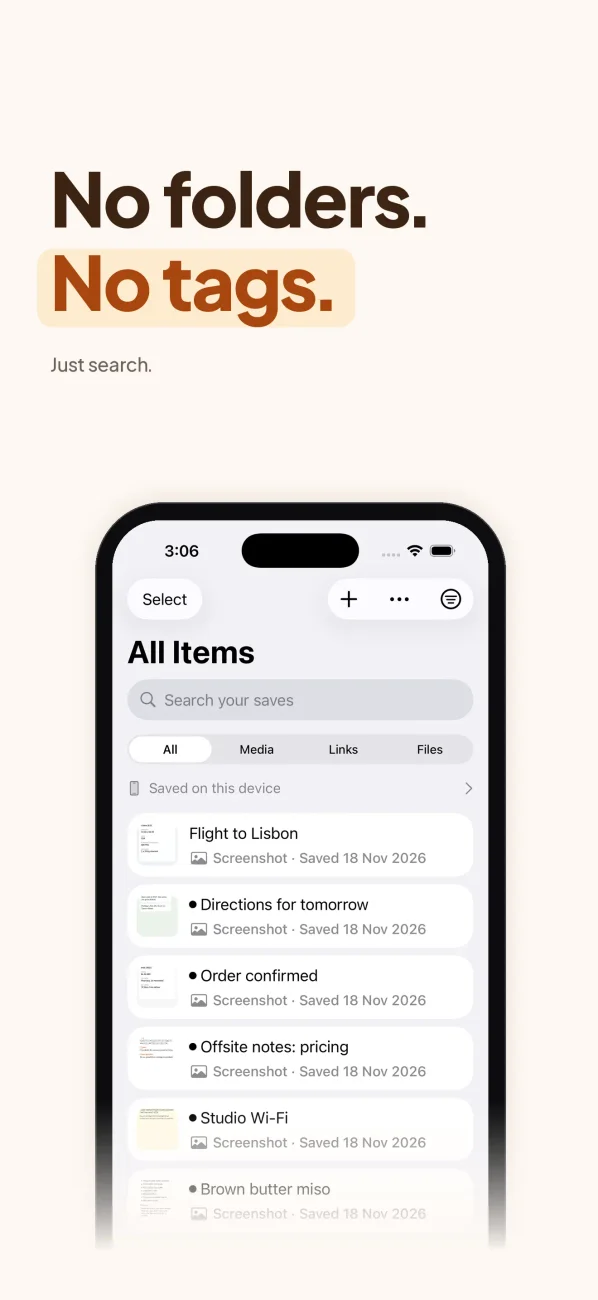
Save links from any app's share sheet. No folders, no tags.
Sign in with Apple is optional and turns on iCloud sync.
You saw something worth keeping. A week later you remember one word from it. Backpacks finds it.
HOW IT WORKS
• Share a link from Safari or any other app. Backpacks saves it quietly and reads the page in the background.
• Long articles: words from the middle or end of a saved page turn up in search. Very long pages are searchable up to about 10,000 words.
• Wikipedia links save the article text, not just the intro.
• Import Safari bookmarks: export them from Safari, then choose the bookmarks file from the + menu. Progress shows on Home.
• Add screenshots from Photos. Import your Screenshots album in one tap from the + menu, with progress on Home. New screenshots can be added automatically if you give full Photos access.
• Save files too. Share a PDF or document to Backpacks and it sits next to your links and screenshots. Add a short note to any save, and search finds it too.
• Type what you remember. Results appear as you type and match titles, sites, page text and screenshot text, with the matching word shown in the snippet.
• Search Backpacks by voice with Siri or the Shortcuts app.
• Home shows your latest media and links. All Items shows everything, filtered by All, Media or Links, sorted by when you added it or when it was published.
Use it as a bookmark manager, a read-later list and a screenshot organizer in one app, with no folders to maintain.
BUILT TO STAY OUT OF THE WAY
• No folders, no tags, no setup.
• Links show a title, the site and a date. Where a post's own date can be read, it is labeled as published. Otherwise it says Saved.
• If a page can't be read, the save is kept with a plain stand-in title, and a status row tells you which ones need attention.
• Light, dark or system appearance.
YOURS TO TAKE WITH YOU
• Your library syncs across your devices through your own iCloud when you sign in with Apple. No account needed otherwise.
• Export your whole library as a zip of original images plus a library.json file, and import it again.
• Screenshot text is read on your iPhone. Optional anonymous analytics can be turned off in Settings.
OPTIONAL AI
• Backpacks Buddy is off until you turn it on. When Buddy and Backpacks servers are on, the content you ask Buddy about is sent to Backpacks servers to summarise, describe or answer Ask questions, within daily limits.
Backpacks is for people who save a lot and organize nothing.
What’s new
Version 2.5.2 · Nov 23, 2026
Search now reaches into long articles.
• Words from the middle or end of a long saved page now turn up in search, not just the top of the page. Very long pages are searchable up to about 10,000 words.
• Wikipedia links now save the article text, not just the intro.
• Import your Safari bookmarks: choose a bookmarks file from the + menu and watch progress on Home.
• Search Backpacks by voice with Siri or the Shortcuts app.
• Search results now show the matching word in the snippet.
• Smaller fixes and polish.
App privacy
What Aman Jaiswal declares on the App Store about how this app handles data.
-
Data not linked to you
May be collected but is not linked to your identity.
- User content
- Browsing history
- Usage data
Privacy practices may vary, for example with the features you use or your age.
Information
- Seller
- Aman Jaiswal
- Category
- Productivity
- Version
- 2.5.2
- Updated
- Nov 23, 2026
- Released
- Oct 22, 2026
- Size
- 11.1 MB
- Requires
- iOS 26.0 or later
- Age rating
- 4+
- Price
- Free
- Languages
- English
- Copyright
- © 2026 Aman Jaiswal
You might also like
-
 InstabrainFrom reels to real insights.
-
 Password Manager – SecureVaultProductivity
-
 Salpre AIAI Call Agent
-
 Pucho.aiPucho
-
 SolidPass Offline VaultProductivity
-
 Listify - Task PlannerChecklist projects made clear
-
 Runny - Quick Chat Style NotesCapture ideas by a single tap
-
 MyCallGenie: AI Call AssistantAI to answer your calls 24x7!
-
 Dwell: Birla estatesProductivity
-
 Audex - Translate Audio FilesTranscribe & Translate Audio