
- Age rating4+
- CategoryProductivity
- DeveloperBackToLife
- LanguagesSpanish+ 2 more
- Size58.3 MB
Links to the official App Store page
Download.org hosts no file of BackToLife Parent. The button opens its official App Store page, published by BackToLife. Listing last checked on Nov 12, 2026.
Screenshots

About
BackToLife Parent is a parental control for your child's social media: it removes what hooks them (Reels, Shorts and infinite scroll) and helps you protect them from what's dangerous, like strangers and content that isn't right for their age.
Looking for a way to remove Instagram Reels, YouTube Shorts or TikTok's For You feed from your child's phone without banning social media? BackToLife Parent is built for exactly that.
WHY IT'S DIFFERENT
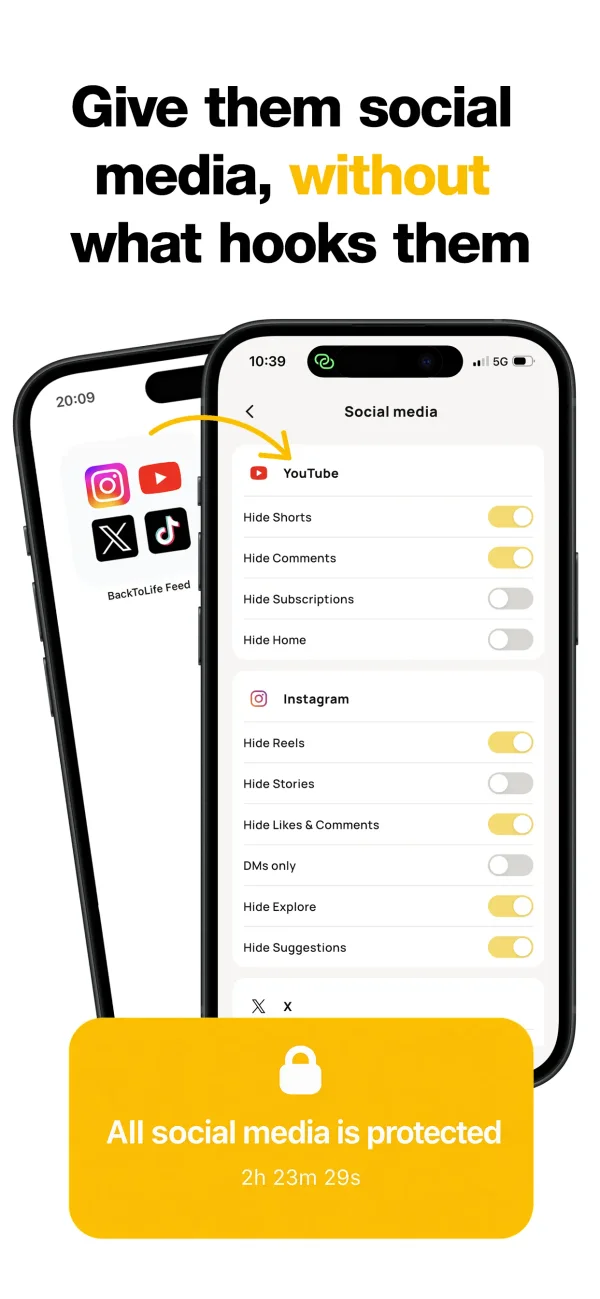
Instagram has no button to turn off Reels. Blocking the whole app causes fights at home, and counting minutes doesn't change what happens inside. What hooks teenagers isn't social media itself: it's the endless videos and the recommendations designed to keep them there. BackToLife removes exactly that and keeps the rest: talking to friends, searching and learning.
WHAT IT REMOVES
The Reels tab, Shorts and TikTok's For You feed, always
Explore, suggestions and AI-generated posts
Reels in the feed, autoplay, stories, likes and comments, if you want
Ads on Instagram and YouTube
WHAT IT KEEPS
Their chats and messages with friends
The accounts they choose to follow
What they search for on purpose
SAFER
By removing Explore, For You and suggestions, your child only sees what the accounts they follow post and what they search for, not what the algorithm pushes at them. When you set up the app, we also guide you to turn on Instagram's official protections for minors: private account, messages from strangers and age-appropriate content.
WHAT YOU CAN DO FROM YOUR PHONE
Choose which social networks they get: Instagram, YouTube, TikTok and X
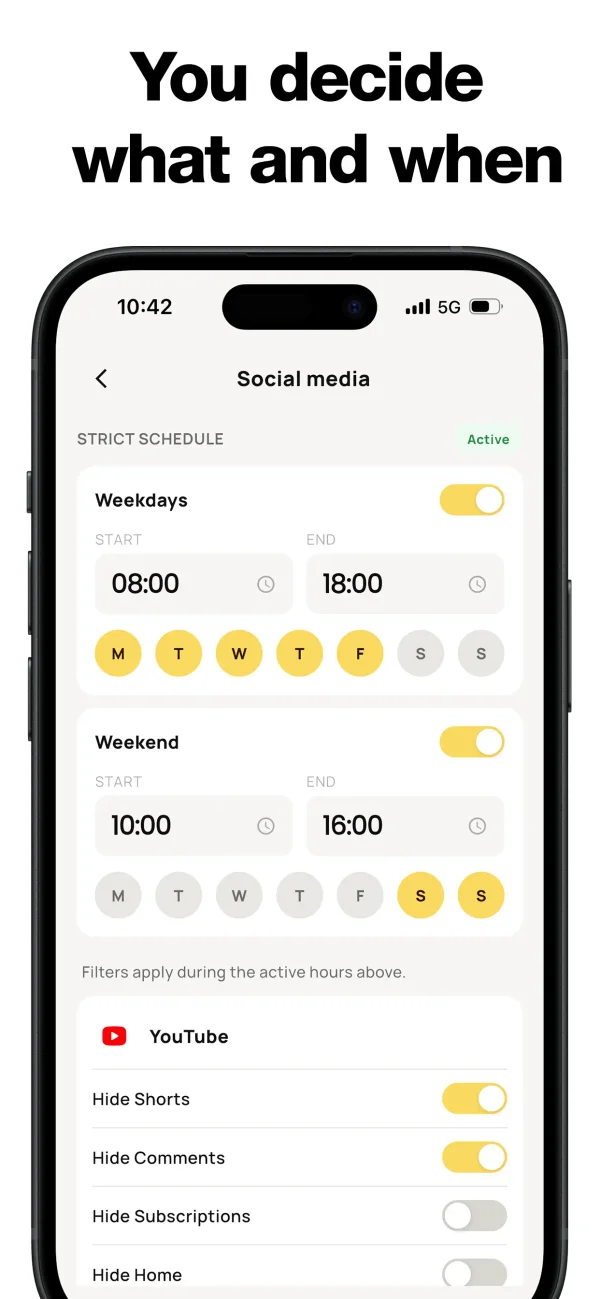
Different filters for each network: you choose what is removed, network by network
Different schedules for school days and weekends
Block apps on their phone when needed
See how much time they spend, when and on which network
Several children on the same account
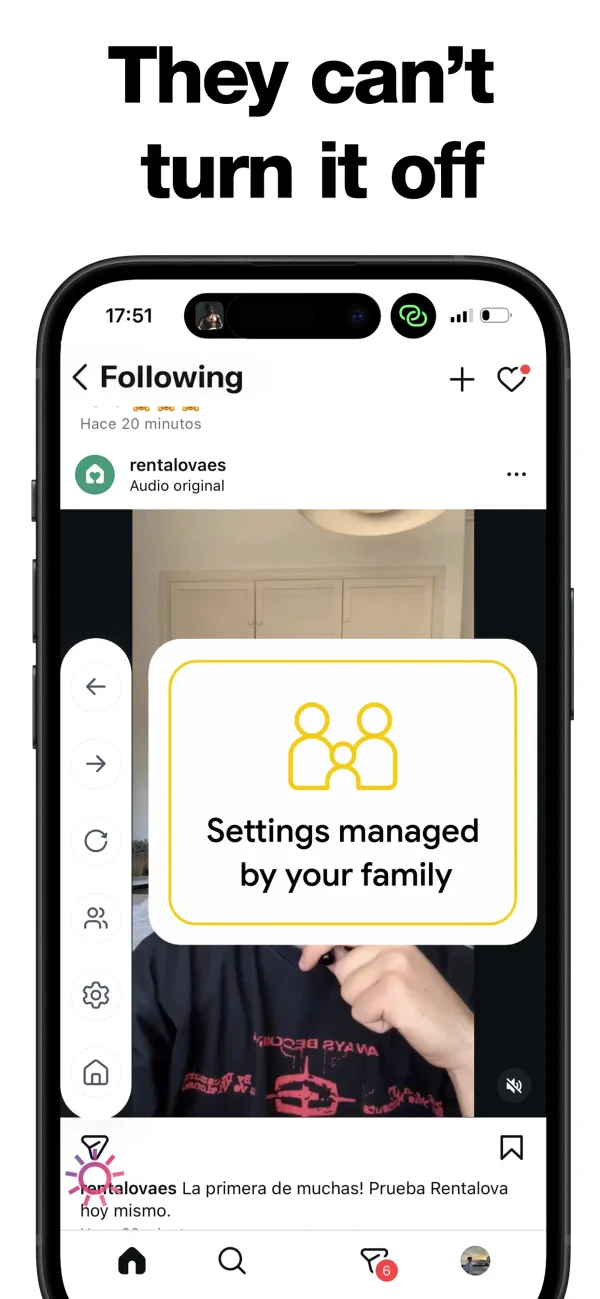
Your child can't turn the filters off. On their phone they'll see: "Filters are managed by your parents".
NO SPYING
BackToLife doesn't read their messages or conversations. You see usage, not content. No ads and no selling data. Parenting isn't surveillance.
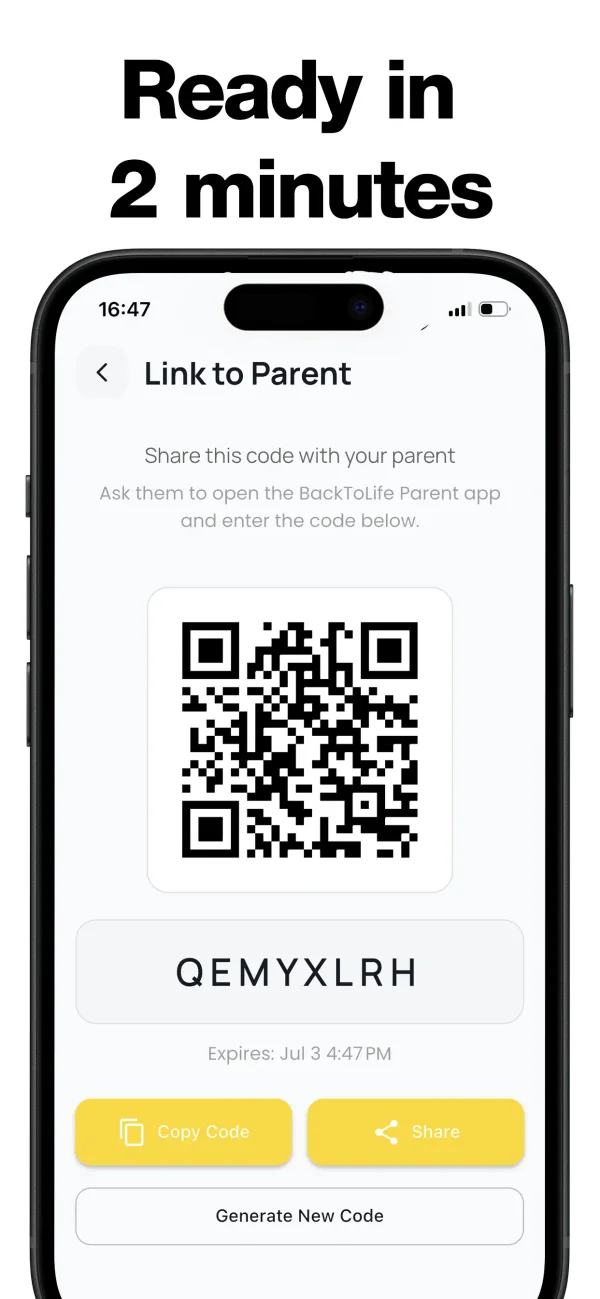
GETTING STARTED TAKES 2 MINUTES
1. Download BackToLife on your child's phone and BackToLife Parent on yours.
2. Link them with a QR code.
3. It comes with the recommended filters already on. Adjust them if you want.
WHO IT'S FOR
For parents who are about to give their child a first phone or first social media accounts and want to get it right from the start. Also for families where the phone is already a daily battle.
BackToLife was born in Madrid, made by a young team that grew up with these platforms and knows exactly what makes them addictive.
BackToLife Parent requires a subscription.
Questions? Write to info@backtolife.site or visit backtolife.site
Privacy Policy: https://backtolife.site/privacy
Terms of Use (EULA): https://backtolife.site/terms
What’s new
Version 1.3.4 · Oct 28, 2026
What's new in 1.3.4
• Facebook joins the rules: your child's Facebook time, and filters for Watch, Reels in Feed, Stories, suggestions, ads, Marketplace and notifications. The recommended setup covers it.
• DMs only on X and Messages only on Facebook during school hours, as on Instagram and TikTok.
• Home tells you whether all of your child's protections are active; a problem opens the steps to fix it on their phone.
• You hear within about 12 hours if BackToLife is removed from your child's phone, and at once if Android's protection is switched off.
• Home's banners share one slot, most urgent first, and a banner reminds you when notifications are off.
• Invite friends: a code at signup gives them a free first month.
• A Security screen for your passcode and password (Google and Apple accounts can add one), a Privacy screen for analytics, and one switch per notification.
• Hide Suggested Videos on YouTube, on in the recommended setup; TikTok's Messages only and Search only are independent.
App privacy
What BackToLife declares on the App Store about how this app handles data.
-
Data linked to you
May be collected and linked to your identity.
- Contact info
- Identifiers
- Usage data
- Diagnostics
Privacy practices may vary, for example with the features you use or your age.
Information
- Seller
- ASOC JUNIOR EMPRESA SYNKRO
- Category
- Productivity
- Version
- 1.3.4
- Updated
- Oct 28, 2026
- Released
- Jul 22, 2026
- Size
- 58.3 MB
- Requires
- iOS 16.0 or later
- Age rating
- 4+
- In-app purchases
- Yes
- Languages
- Spanish, English, Italian
- Copyright
- © 2026 BackToLife. All rights reserved.
You might also like
-
 CleverTalk – AI RecorderTranscribe Meetings & Lectures
-
 BackToLife FocusLess scrolling, with friends
-
 Bodegas SaaCProductivity
-
 Agrovrain – AI Agri AdvisorAI Agronomy Consults
-
 Plannam FichajesProductivity
-
 Clany - Calendar for FamiliesVisual & simple family agenda
-
 cnu2025Productivity
-
 ShushProductivity
-
 Diario TaxiProductivity
-
 Singlenote: One Note, One TapA notes app with a single note