
Barcode Info: Origin & Check
Offline barcode scanner
Designed for iPhone, iPad, iPod touch
Free · In-app purchases
- Age rating4+
- CategoryUtilities
- DeveloperUpFlyDev
- LanguagesEnglish
- Size20.2 MB
Links to the official App Store page
Download.org hosts no file of Barcode Info: Origin & Check. The button opens its official App Store page, published by UpFlyDev. Listing last checked on Nov 24, 2026.
Screenshots
About
Point your camera at any barcode and see what it actually encodes. No ads, no sign-up, and scanning works with no connection at all.
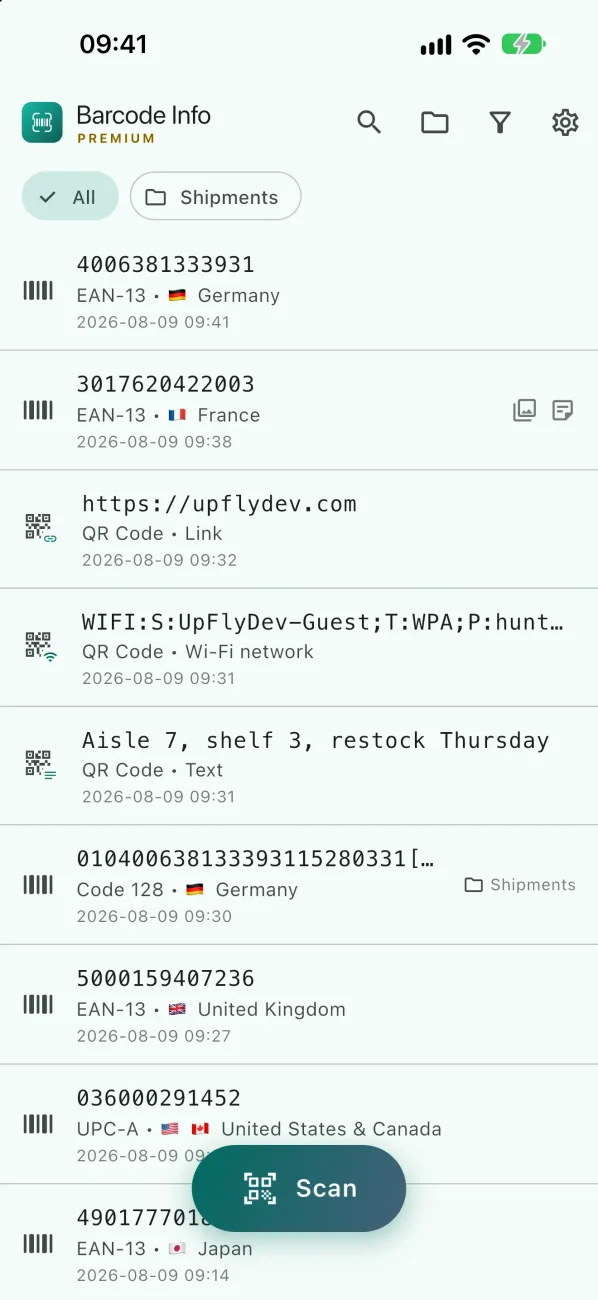
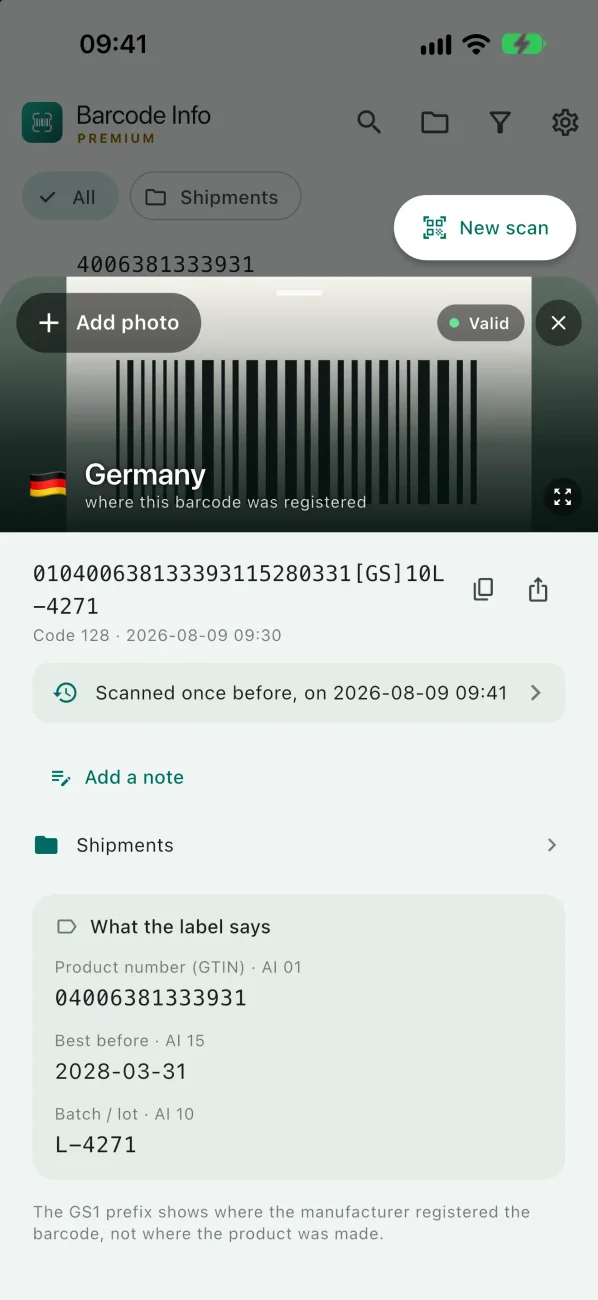
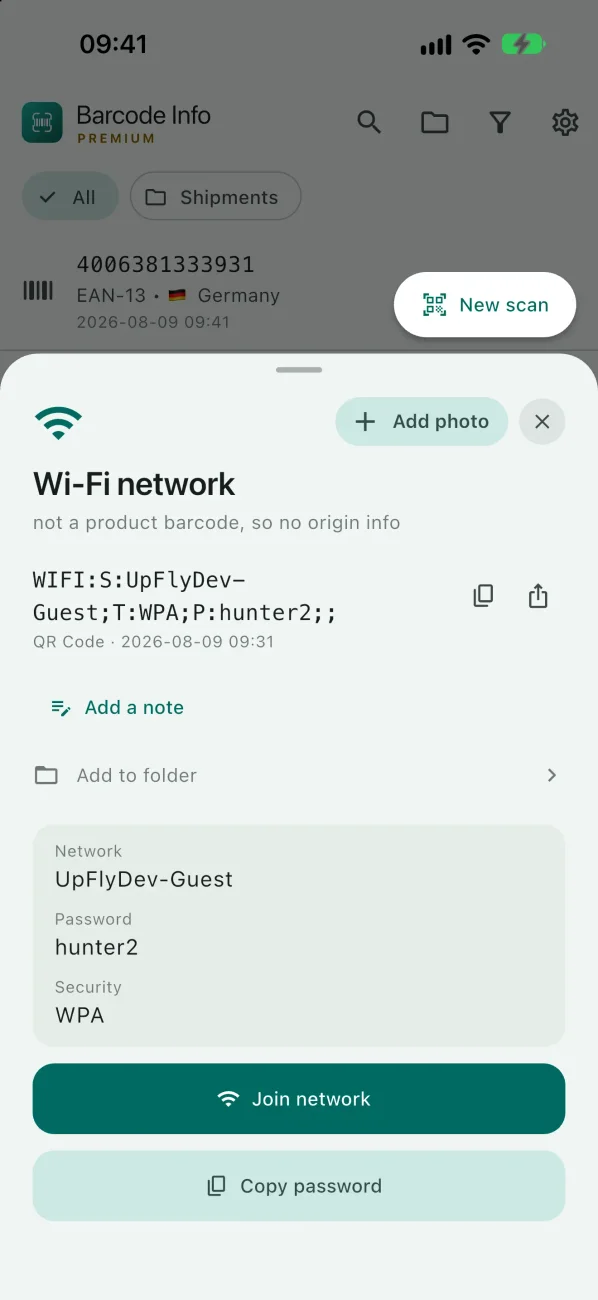
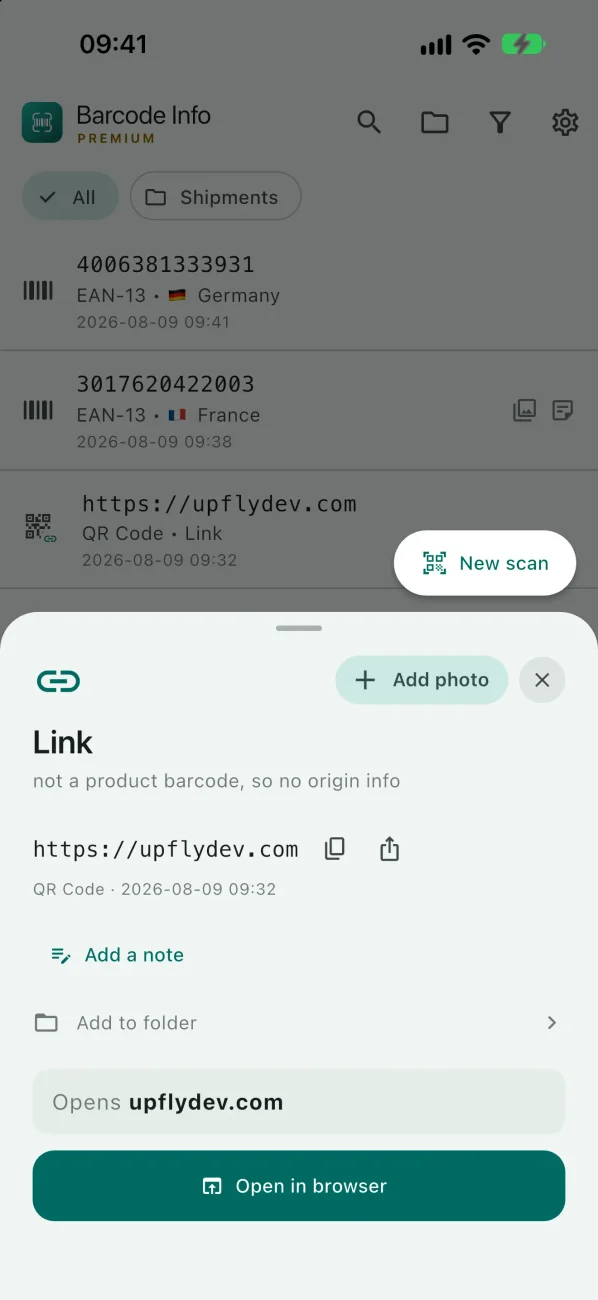
Barcode Info identifies the code type, verifies the check digit, and tells you where the product's barcode was registered. Scan a QR code and it tells you what it holds, and lets you act on it: join the Wi-Fi network, save the contact, add the event. Scan a shipping label and it reads the fields the label carries.
WHAT YOU GET
- Symbology identification: EAN-13, EAN-8, UPC-A, UPC-E, Code 128, Code 39, Code 93, Codabar, ITF-14, QR Code, Data Matrix, Aztec, PDF417
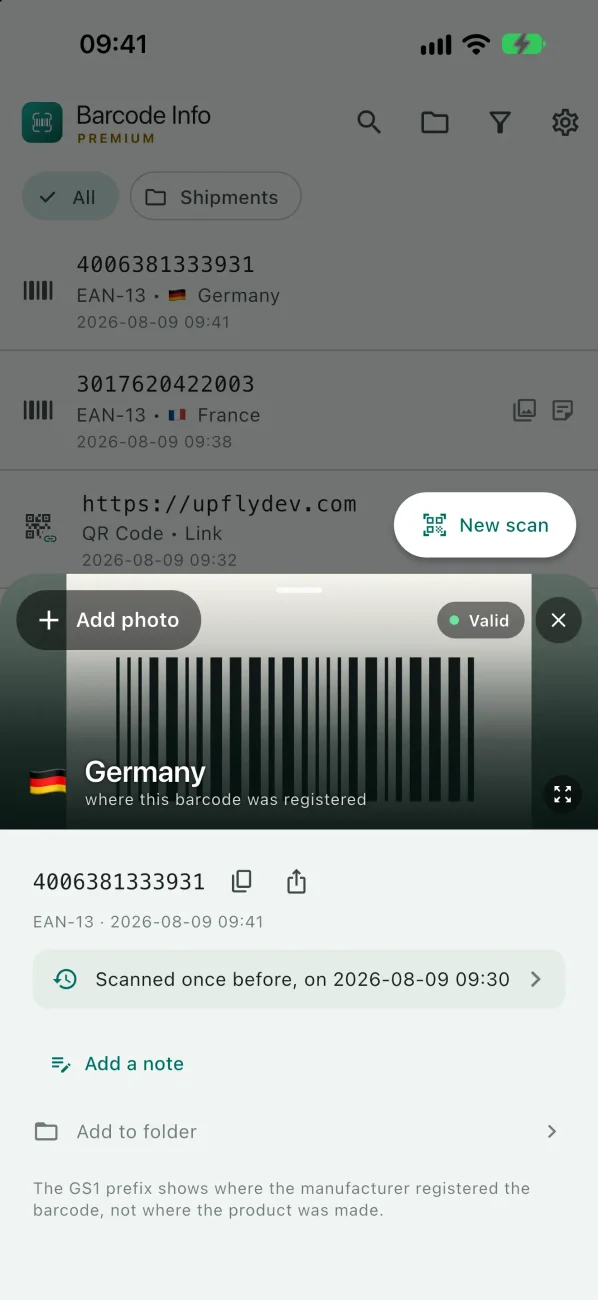
- Check-digit validation for product codes (GTIN-8/12/13/14), with UPC-E expanded to its UPC-A equivalent
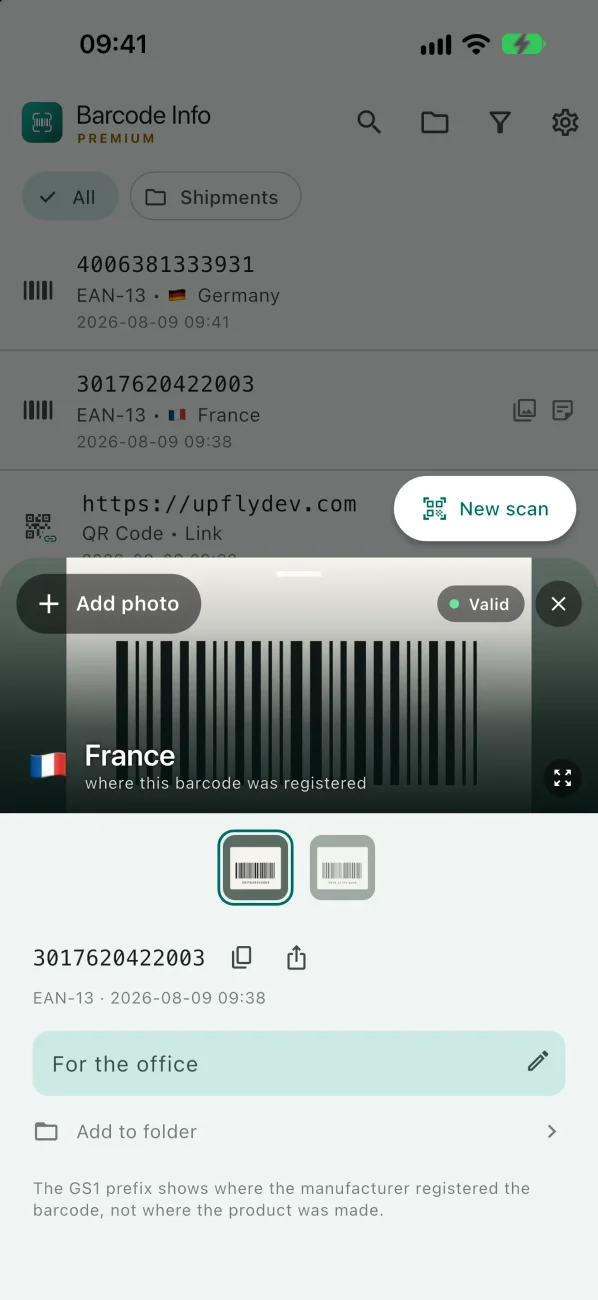
- Country of registration from the GS1 prefix, with country flags, including special ranges such as in-store codes, ISBN, and ISSN
- GS1 label fields on GS1-128 and GS1 DataMatrix codes: batch or lot, best before and expiry dates, serial number, pallet number (SSCC), weight and size. Expiry dates show how many days are left. GS1 Digital Link QR codes are read too.
- QR codes that do something: join a Wi-Fi network, add a contact or a calendar event, call, text, email or open a map, each in one tap
- Links checked before you open them, with a warning when an address looks off: a lookalike name, a link shortener, a bare IP address
- No camera handy? Type the digits in, or read a code from a photo
- A photo of every scan: the camera frame the code was found in
- Search your history by code, note, country or folder
- See when you have scanned the same product before
- Notes on any scan, with your earlier notes offered as one-tap chips
- Filters for your history: by kind of code, by date, or scans with a note, a photo or a failed check digit
- Select several scans to share or delete them at once
- Scan history saved on your device, up to 50 scans
- Light, dark or automatic appearance
- On iPad held sideways, the list and the scan side by side
- Made for iPhone Duo: the toolbar sits in the strip by the clock, and on the open phone the list and the scan meet on the fold
- Start a scan from a Home Screen or Lock Screen widget, from Control Center, with Siri, or by pressing and holding the app icon
BARCODE INFO PREMIUM
An optional one-time purchase, not a subscription. Everything above stays free. Premium adds:
- Every scan kept: a history with no limit
- Folders: sort scans into folders, each with a color of your choice
- Export: send your history out as a CSV or text file
- Scan one after another: start the next scan straight from the result
- Batch scanning: the camera stays open and saves every code it catches, for counting stock or a whole shelf
- More photos per scan: add your own, like the back of the pack or the price tag
- Quick preview: hold a scan in the list to see what it holds
Premium works with Family Sharing.
HONEST BY DESIGN
The GS1 prefix shows where the manufacturer registered the barcode, not where the product was made. Barcode Info says so, plainly, instead of pretending otherwise. In-store and company-internal codes are labeled as such rather than mapped to a misleading country.
PRIVATE BY DESIGN
Scanning and everything the app works out from a code happen on your device. The app goes online only when you buy or restore Premium, and Apple handles the payment. No accounts, no ads, no analytics, no tracking. Your scan history and photos stay on your device.
What’s new
Version 1.4.0 · Nov 23, 2026
A big update. New for everyone:
- Search your history by code, note, country or folder.
- Two more ways to scan: type the digits in, or read a code from a photo.
- Codes that do something: join a Wi-Fi network, add a contact or an event, call, text or open a map, right from the result.
- Links are checked before you open them, with a warning when an address looks off.
- Expiry dates on GS1 labels say how many days are left. GS1 Digital Link QR codes are read too.
- A scan tells you when you have scanned the same product before.
- Select several scans to share, file or delete them at once.
- Share a scan right from its result.
- Light, dark or automatic, your choice in Settings.
- Start a scan from a Home Screen or Lock Screen widget, from Control Center, or ask Siri.
- Made for iPhone Duo: the buttons sit by the clock, and on the open phone the list and the scan meet on the fold.
- A clearer Premium page, with the price always in view.
New in Premium:
- Batch scanning: the camera stays open and saves every code it catches.
- Every scan kept, with no limit.
The free history now holds 50 scans. If you already have more, every one of them stays.
App privacy
What UpFlyDev declares on the App Store about how this app handles data.
-
Data not collected
The developer does not collect any data from this app.
Privacy practices may vary, for example with the features you use or your age.
Information
- Seller
- Eximsol Sp. z.o.o.
- Category
- Utilities
- Version
- 1.4.0
- Updated
- Nov 23, 2026
- Released
- Sep 4, 2026
- Size
- 20.2 MB
- Requires
- iOS 15.0 or later
- Age rating
- 4+
- Price
- Free
- In-app purchases
- Yes
- Languages
- English
- Copyright
- © 2026 Eximsol Sp. z o.o.
You might also like
-
 SlideShow: Photo Wall & ReelUtilities
-
 BarcodeIQUtilities
-
 Poker Timer: Tournament ClockPoker Tournament Clock
-
 HA-LinkUtilities
-
 TVGuard: TV Parental ControlScreen Time Limits & App Lock
-
 Sentinel: IP Camera ToolONVIF & SADP device scanner
-
 AuraFit - Better SoundApp for AuraLink
-
 ThermoCeramSmart Comfort
-
 FreeScan: QR & Barcode ScannerMulti-Format Code Scanner
-
 AircraftPower SUtilities