
Barcode Matcher: Scan & Check
Inventory & QR verify scanner
Designed for iPhone, iPod touch
Free
- Age rating4+
- CategoryUtilities
- DeveloperYoshiaki Sakurai
- LanguagesEnglish
- Size74.4 MB
Links to the official App Store page
Download.org hosts no file of Barcode Matcher: Scan & Check. The button opens its official App Store page, published by Yoshiaki Sakurai. Listing last checked on Nov 14, 2026.
Screenshots
About
Tired of straining your eyes to manually verify product numbers? Worried about costly shipping errors? Can’t justify the budget for expensive handy terminals?
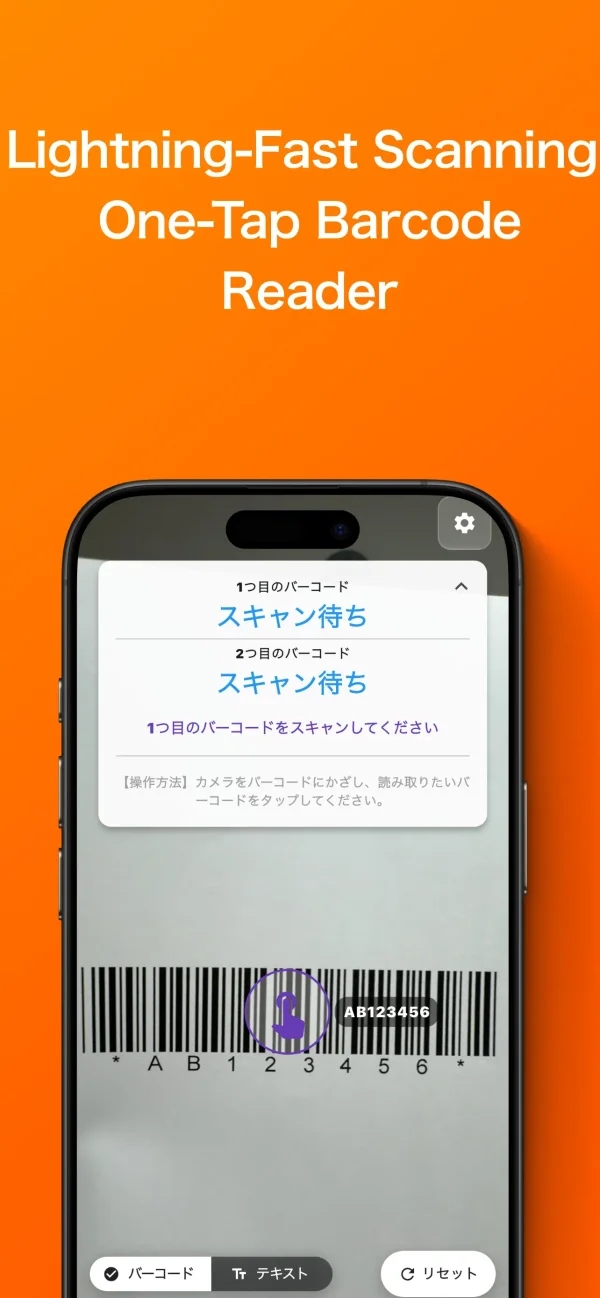
Transform your smartphone into a professional-grade barcode verification tool! Our app instantly checks whether multiple barcodes match with a simple tap, using audio and haptic feedback to guarantee accuracy. Completely eliminate human error from your daily routine—whether you are picking orders, inspecting pre-shipment items, conducting inventory audits, or verifying lot numbers.
■ 4 POWERFUL CORE FEATURES ■
Dual Verification Modes for Any Task
• [1:1 Mode]
Consecutively scan two barcodes (e.g., a product label and a shipping slip) to instantly determine if they match. Perfect for preventing mis-shipments and order mix-ups.
• [1:X Mode (Master Registration)]
Scan your "Master" (correct) barcode once. Then, continuously scan multiple items at high speed to verify they all match the master. Ideal for bulk processing, carton verification, and massive picking tasks.
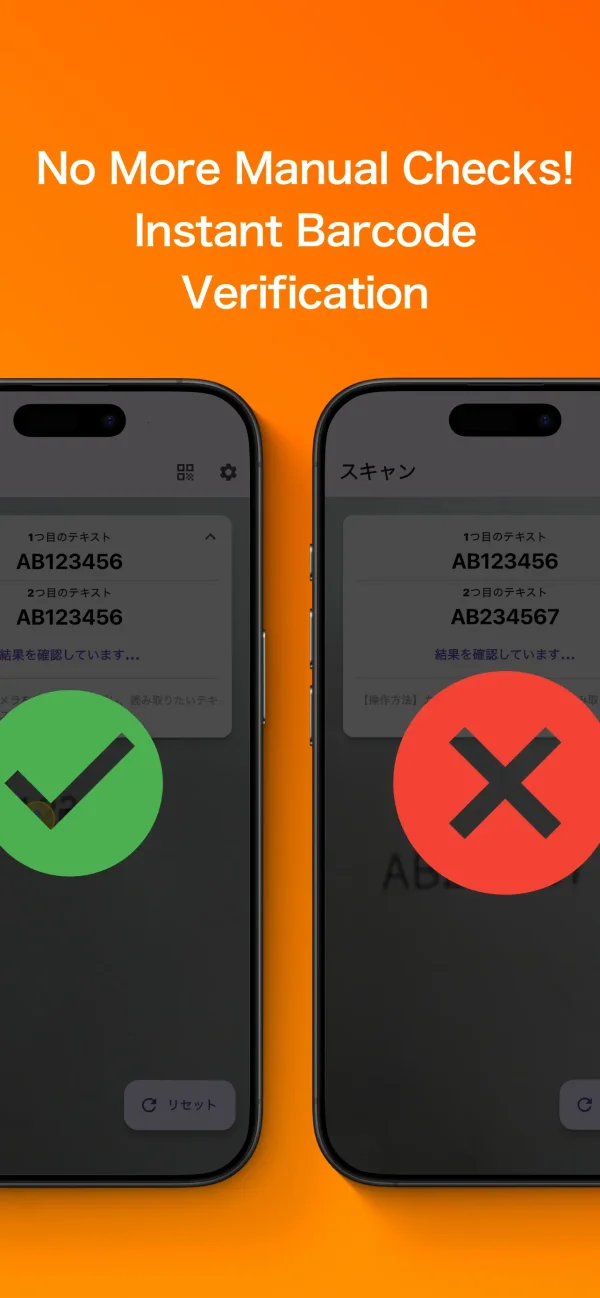
The app alerts you instantly: A short vibration and green screen for a successful match, or a heavy vibration and red screen for an error.
Worker ID Registration for Full Traceability
Keep a clear record of who performed the check and which slip was processed. Enter an ID manually or scan an ID barcode before starting your work. Build accountability and leave a reliable audit trail for your team.
Scan History & CSV Export
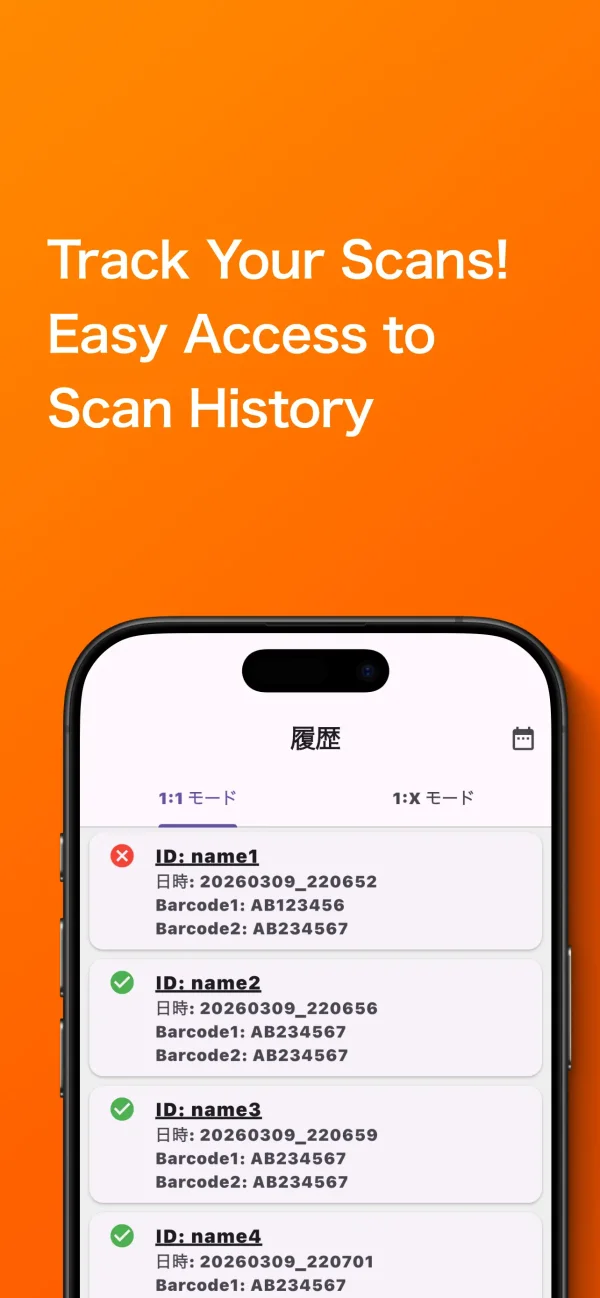
Review your past verification logs directly within the app. Need to share data? Export your scan results as a CSV file and share them via email or chat. Seamlessly integrate your data into Excel for daily reports and inventory management.
Universal Code Compatibility
Effortlessly read all standard 1D barcodes and 2D QR codes using your device's built-in camera.
■ WHO IS THIS APP FOR? ■
• Warehouse & Logistics Staff handling order picking and quality inspection.
• Retail Workers & Back-office Staff conducting stocktakes and inventory counts.
• Event Organizers managing ticket validation and reception desks.
• Anyone looking to digitize analog, manual verification processes securely and affordably.
Stop relying on manual visual checks. Download now to experience stress-free, zero-error barcode verification today!
Terms of Use (EULA):
This app is provided under the standard Apple Terms of Use (EULA).
https://www.apple.com/legal/internet-services/itunes/dev/stdeula/
What’s new
Version 5.0.6 · Nov 1, 2026
Updated barcode scanning and text recognition.
Updated CSV export and sharing for scan history.
App privacy
What Yoshiaki Sakurai declares on the App Store about how this app handles data.
-
Data used to track you
May be used to track you across apps and websites owned by other companies.
- Identifiers
- Usage data
-
Data linked to you
May be collected and linked to your identity.
- Usage data
- Diagnostics
-
Data not linked to you
May be collected but is not linked to your identity.
- Identifiers
Privacy practices may vary, for example with the features you use or your age.
Information
- Seller
- Yoshiaki Sakurai
- Category
- Utilities
- Version
- 5.0.6
- Updated
- Nov 1, 2026
- Released
- Dec 12, 2025
- Size
- 74.4 MB
- Requires
- iOS 15.6 or later
- Age rating
- 4+
- Price
- Free
- Languages
- English
- Copyright
- © 2025,SakuraiYoshiaki
You might also like
-
 かんたん照合Utilities
-
 BarcodeComparatorUtilities
-
 BarCode - CheckerScanner
-
 Picard Checker 2Quick QR & Barcode Matcher
-
 UpCheck Pro: UPC Digit CheckerScan, Fix & Validate UPC/EAN
-
 バーコード検出Utilities
-
 Multi Barcode ScannerScan Multiple QR & Barcodes
-
 Barcode Reader +Easy Scan! History & Settings
-
 Barcode Scanner: Inventory CSVStock Count, Stocktake & Excel
-
 ScanfulSimple scanner, pro details