
Barcode Scanner: Inventory CSV
Stock Count, Stocktake & Excel
Designed for iPhone
Free
- Age rating4+
- CategoryUtilities
- DeveloperMasayuki Yamaji
- LanguagesEnglish+ 9 more
- Size5.1 MB
Links to the official App Store page
Download.org hosts no file of Barcode Scanner: Inventory CSV. The button opens its official App Store page, published by Masayuki Yamaji. Listing last checked on Nov 20, 2026.
Screenshots


About
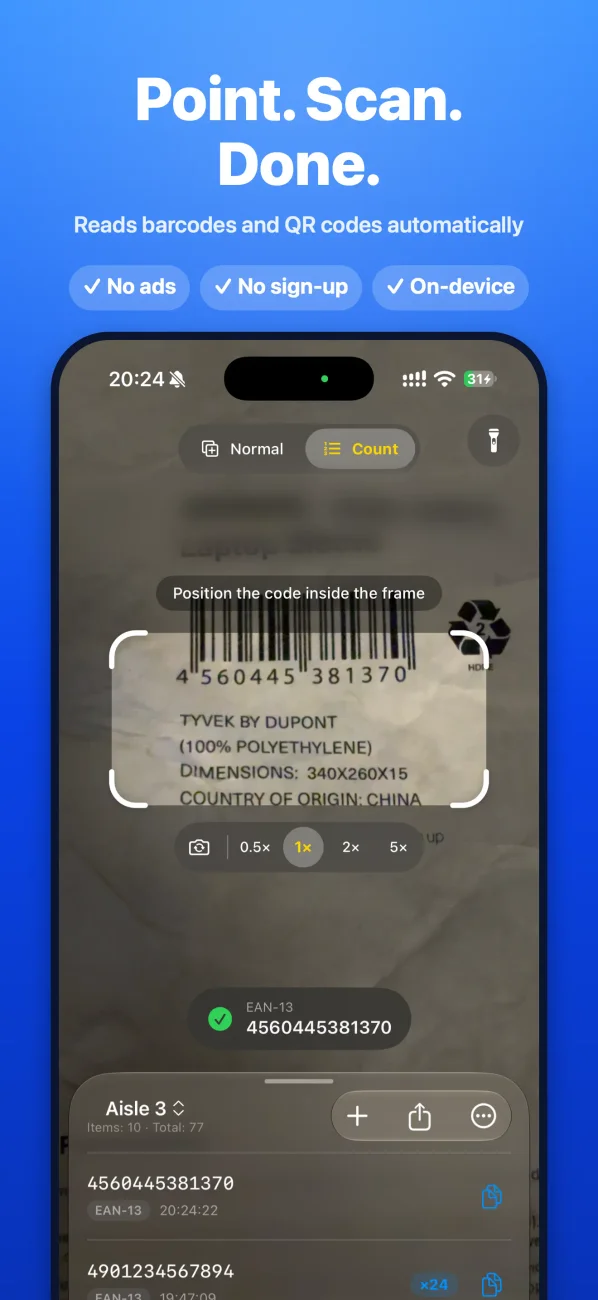
Scan barcodes and QR codes in a second, count stock as you go, and export everything to a spreadsheet. No ads, no account, no sign-up.
Use it to check what a single code says, or to scan hundreds of items in a stocktake. Every scan is saved to your history and can be exported as a CSV file that opens in Excel, Numbers or Google Sheets.
FEATURES
• Automatic scanning: EAN/UPC, ISBN, Code 128, QR codes and more — just point the camera
• Count mode: scan the same code again and its quantity goes up, so counting stock becomes the record itself
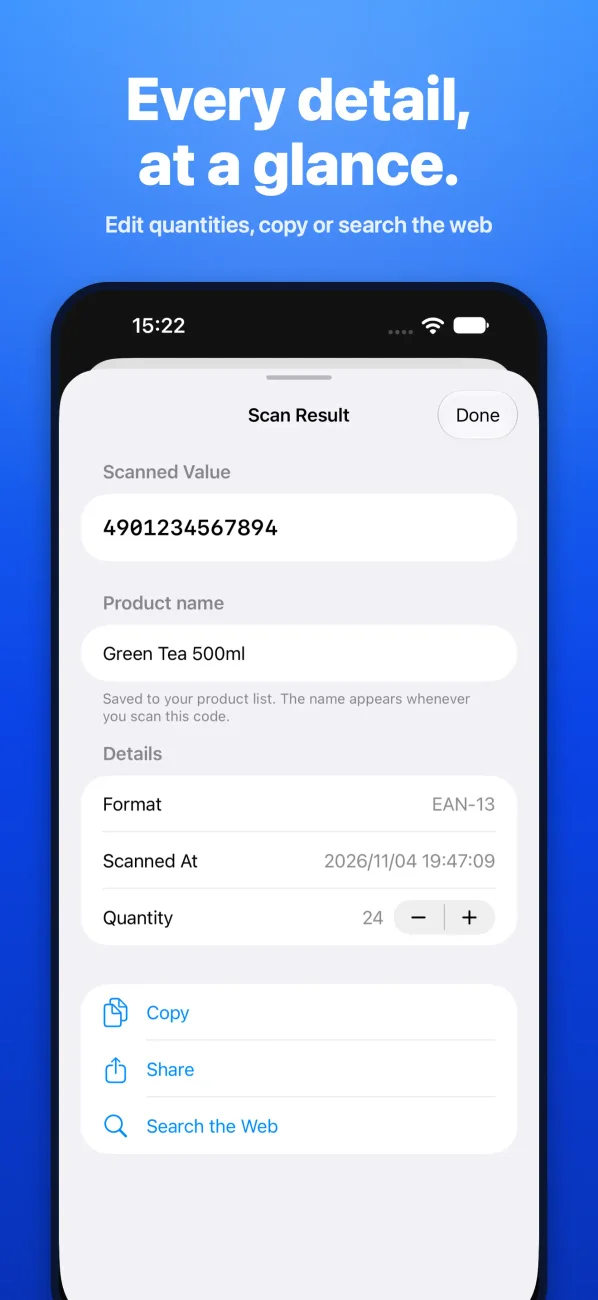
• Product list: import a CSV of codes and product names (from Excel, Numbers or Google Sheets) and see the name as you scan. Name any unknown code on the spot
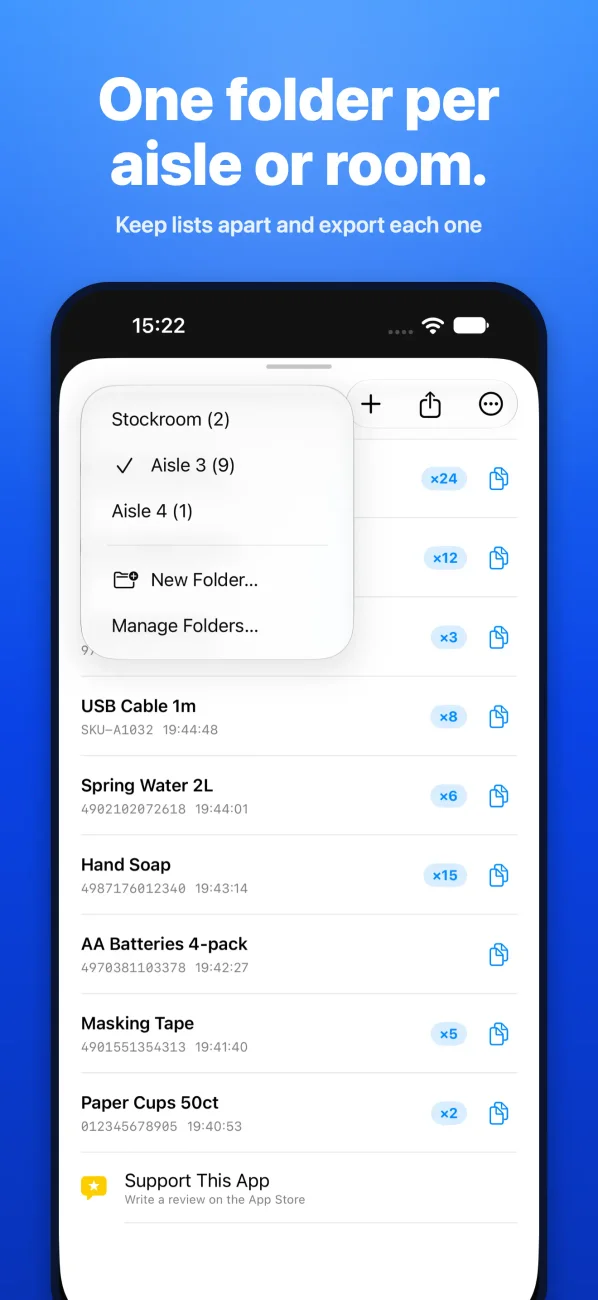
• Folders: keep separate lists per aisle, shelf, room or job, and export each one on its own
• CSV export with product name, code, quantity and date columns, plus optional operator and location columns. Add unscanned products with a quantity of 0 to spot what is missing
• Adjustable scan interval (0.2–3 s) with an on-screen countdown, so you never double-count a code
• Camera zoom (0.5× / 1× / 2× and more, depending on your device) for small or distant codes
• Front-camera scanning and a flashlight with brightness control for dark stockrooms
• Edit quantities afterwards, or add a code by hand when it will not scan
• Copy, share, open links and search the web for any scanned value
• iPhone Duo: on the inner display, the camera and your list are shown together
GOOD FOR
• Stocktakes, cycle counts and inventory checks
• Receiving, picking and goods-in checks
• Looking up an ISBN or product barcode
• Event check-in with QR codes
FOR BUSINESSES
Available for bulk purchase and distribution through Apple Business Manager.
PRIVACY
Scanned data is stored only on your device and is never sent anywhere.
Supported codes: QR, Micro QR, EAN-13/UPC-A (JAN), EAN-8, UPC-E, Code 128, Code 39, Code 93, ITF-14, Interleaved 2 of 5, Codabar (NW-7), GS1 DataBar, PDF417, MicroPDF417, Data Matrix, Aztec
Languages: English, Japanese, German, French, Spanish, Italian, Portuguese (Brazil), Korean, Chinese (Simplified and Traditional)
What’s new
Version 1.15.0 · Nov 19, 2026
• Export all folders into a single CSV. Choose "Export All Folders" from the history title menu or the "…" menu. A folder column is added first, so you can total each area in Excel
• If camera access is off, the app now shows how to turn it on in Settings, or lets you enter codes manually
• Added optional sharing of usage and diagnostic data. Scanned content is never sent. You can turn it off anytime in Settings
App privacy
What Masayuki Yamaji declares on the App Store about how this app handles data.
-
Data linked to you
May be collected and linked to your identity.
- Contact info
- User content
- Diagnostics
-
Data not linked to you
May be collected but is not linked to your identity.
- Usage data
- Diagnostics
Privacy practices may vary, for example with the features you use or your age.
Information
- Seller
- Masayuki Yamaji
- Category
- Utilities
- Version
- 1.15.0
- Updated
- Nov 19, 2026
- Released
- Nov 26, 2024
- Size
- 5.1 MB
- Requires
- iOS 18.0 or later
- Age rating
- 4+
- Price
- Free
- Languages
- English, French, German, Italian, Japanese, Korean, Portuguese, Simplified Chinese, Spanish, Traditional Chinese
- Copyright
- © Masayuki Yamaji
You might also like
-
 ScanList - QR & Barcode ScanBatch Scan & Data Export
-
 Bar Code Reader ™Utilities
-
 Barcode to PC: Wi-Fi scannerInstantly send barcodes
-
 QR code & Barcode Reader AIScanner, Generator & NFC Tags
-
 Barcode Scanner & ReaderScan & Check Product Price
-
 QR Code Reader: QR ACE ScannerBarcode Scanner for iPhone
-
 QR Code Reader ®Price Scanner & Barcode Scan
-
 QR Code Reader ·Barcode Scanner & QR Generator
-
 Network Analyzer: WiFi ScanLAN scanner, ping, DNS & whois