
Beautiful Planimetry
See how geometry comes alive
Designed for iPhone, iPad
In-app purchases
- Age rating4+
- CategoryEducation
- DeveloperTomasz Rygula
- LanguagesEnglish+ 5 more
- Size8.1 MB
Links to the official App Store page
Download.org hosts no file of Beautiful Planimetry. The button opens its official App Store page, published by Tomasz Rygula. Listing last checked on Nov 12, 2026.
Screenshots



About
Geometry doesn’t have to feel impossible.
When my daughter first opened her geometry book, she looked at the page — circles, triangles, and lines everywhere — and sighed:
“Dad, this makes no sense.”
I knew that feeling.
So I built a way to make geometry visible.
With sliders, motion, and colour, she could see how shapes connect — how an angle changes a triangle, how circles hide perfect relationships, how formulas aren’t just rules but reflections of movement.
That small idea became Beautiful Planimetry — an interactive geometry world where math comes alive.
Instead of memorising formulas, explore how they work.
Move a slider and watch a shape stretch, rotate, or reveal a hidden pattern.
Suddenly, geometry isn’t about remembering — it’s about discovering.
What you’ll find inside
Included for free:
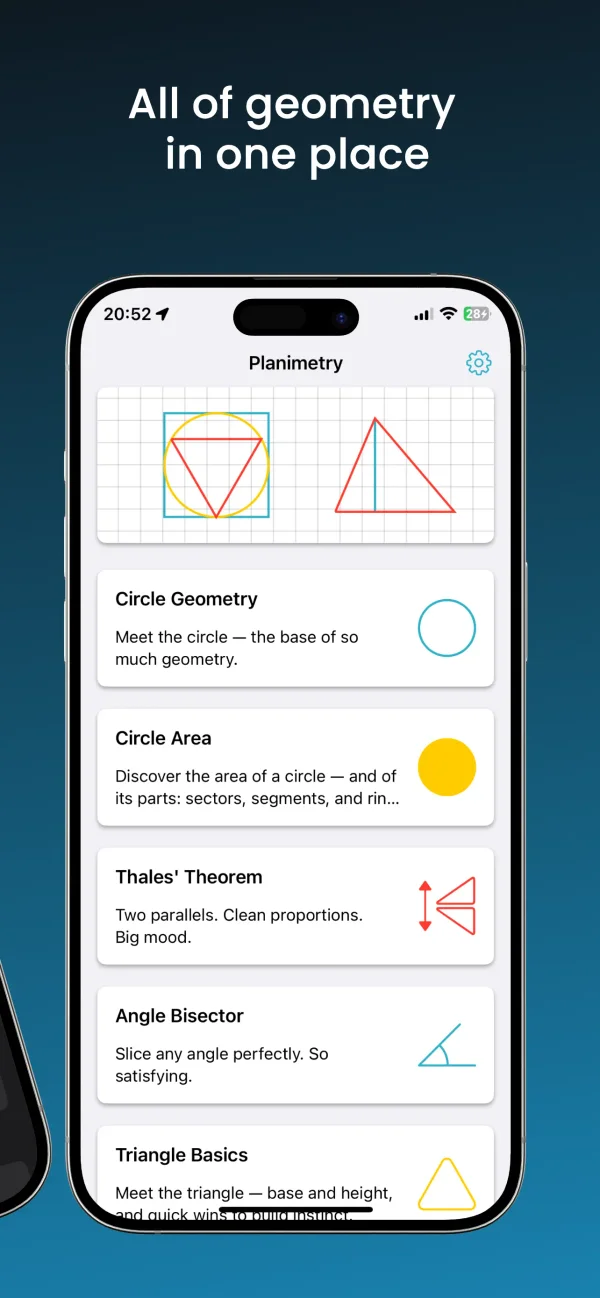
- Circle Geometry: basics, inscribed angle, right triangle on diameter, law of sines
- Circle Area: circle, sector, segment, ring
- Thales’ Theorem: parallel lines crossed by an angle
- Angle Bisector: see how angles are perfectly divided
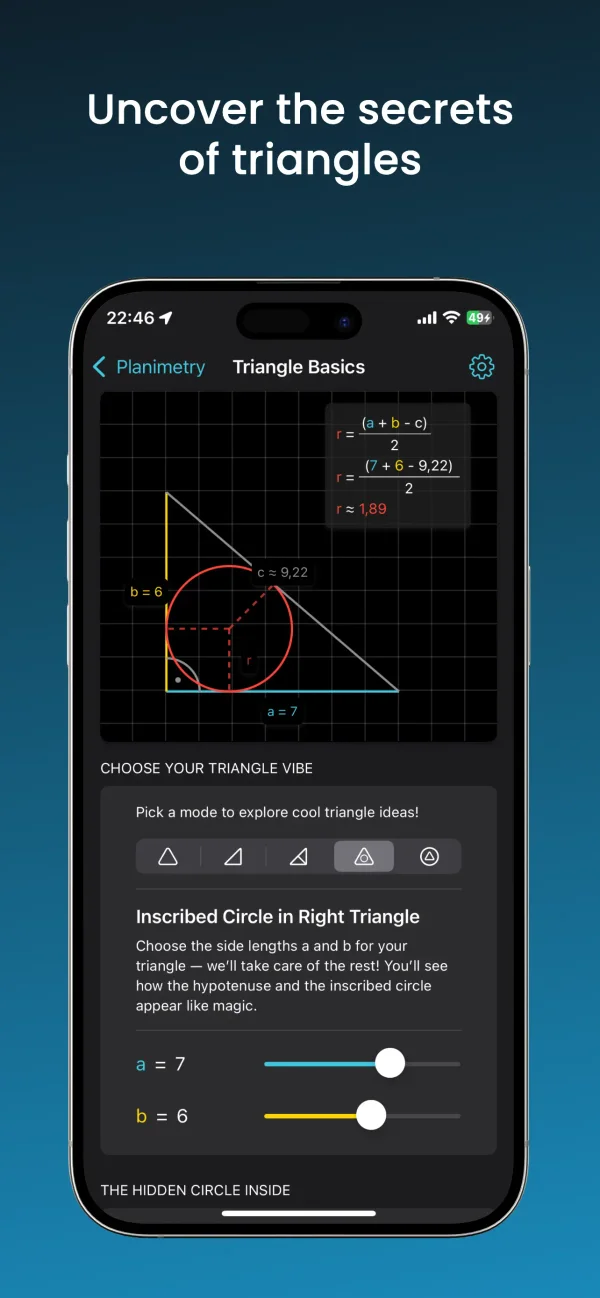
- Triangle Basics: triangle types, Pythagoras, law of cosines, inscribed circle in a right triangle, right triangle inscribed in a circle
Unlock more with one in-app purchase:
- Triangle Area: base × height, two sides + angle, Heron’s formula, equilateral triangle
- Quadrilaterals: square, rectangle, parallelogram, rhombus, trapezoid, kite
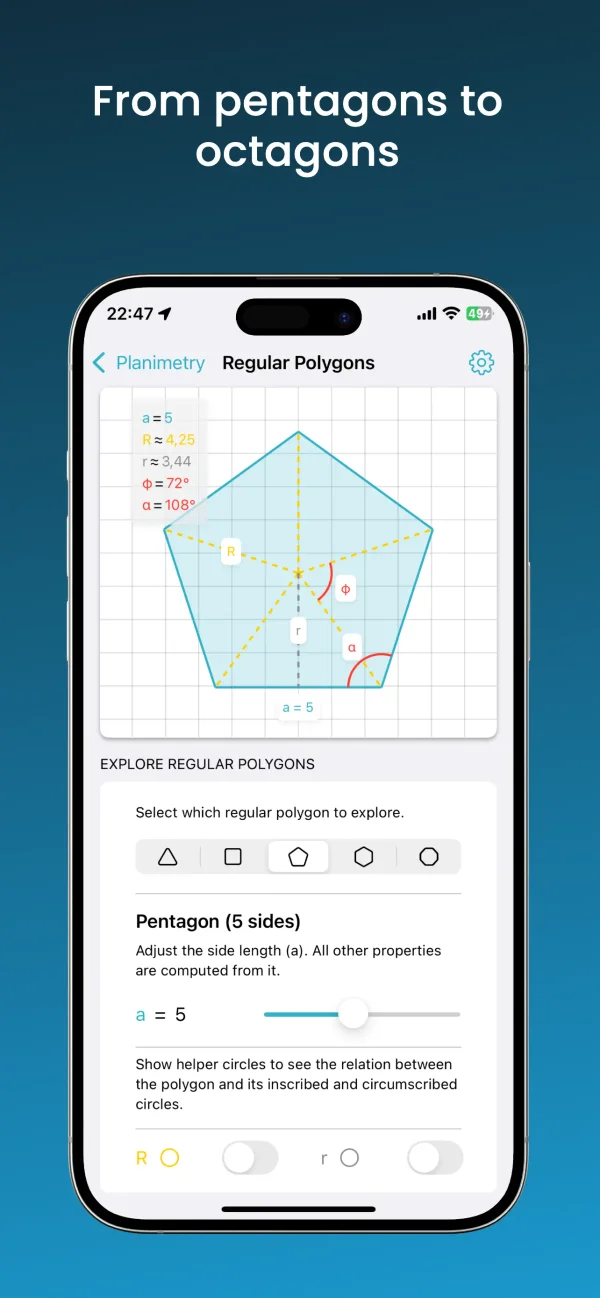
- Regular Polygons: triangle, square, pentagon, hexagon, octagon
Why students love it
- Visual learning — see shapes change in real time
- Instant clarity — connect formulas to the figures they describe
- Confidence boost — explore before practicing, so exercises feel easier
Who it’s for
- Students who want geometry to finally click
- Teens tired of memorising without understanding
- Parents and tutors who want to make math less stressful
Beautiful Planimetry was born from a real story: a dad helping his daughter who struggled with math. What started as a simple app to make functions easier has grown into a family of apps that now includes geometry.
Stop memorising. Start understanding. With Beautiful Planimetry, geometry becomes simple, visual, and — yes — beautiful.
What’s new
Version 1.3 · Dec 7, 2025
We fixed an issue with sliders on iOS 26 to make interactions smooth again. Thanks for your patience and for learning with Beautiful Math!
App privacy
What Tomasz Rygula declares on the App Store about how this app handles data.
-
Data not linked to you
May be collected but is not linked to your identity.
- Identifiers
- Usage data
Privacy practices may vary, for example with the features you use or your age.
Information
- Seller
- Tomasz Rygula
- Category
- Education
- Version
- 1.3
- Updated
- Dec 7, 2025
- Released
- Sep 22, 2025
- Size
- 8.1 MB
- Requires
- iOS 18.5 or later
- Age rating
- 4+
- In-app purchases
- Yes
- Languages
- English, French, German, Polish, Simplified Chinese, Spanish
- Copyright
- © 2025 Tomasz Ryguła
You might also like
-
 MathScope: Graphing CalculatorPlot Functions & 3D Surfaces
-
 几何星球-小学初中几何动画题库Reference
-
 Plott: Graphing Calculator3D Grapher, Scientific & Math
-
 Math SurfaceTouch math. See the shape.
-
 The Unit Circle AppInteractive Unit Circle
-
 AhaMathMaths Made Visual
-
 GeoCheat: Geometry CalculatorFormulas, Shapes & Math Solver
-
 Math Physics Chemistry FormulaAlgebra, physics & chemistry
-
 Zometool-Explore geometryExplore geometry & creativity
-
 Speed TrigonometryMemorize the Unit Circle