
Beeper: Repeat Timer & Chimes
Interval & Hourly Reminders
Designed for iPhone, iPad
Free · In-app purchases
- Age rating4+
- CategoryProductivity
- DeveloperVenkat Sharma Aluru Gopalakrishna
- LanguagesEnglish+ 8 more
- Size30.6 MB
Links to the official App Store page
Download.org hosts no file of Beeper: Repeat Timer & Chimes. The button opens its official App Store page, published by Venkat Sharma Aluru Gopalakrishna. Listing last checked on Nov 22, 2026.
Screenshots


About
Lose track of time when you're focused, training, or simply caught up in your day?
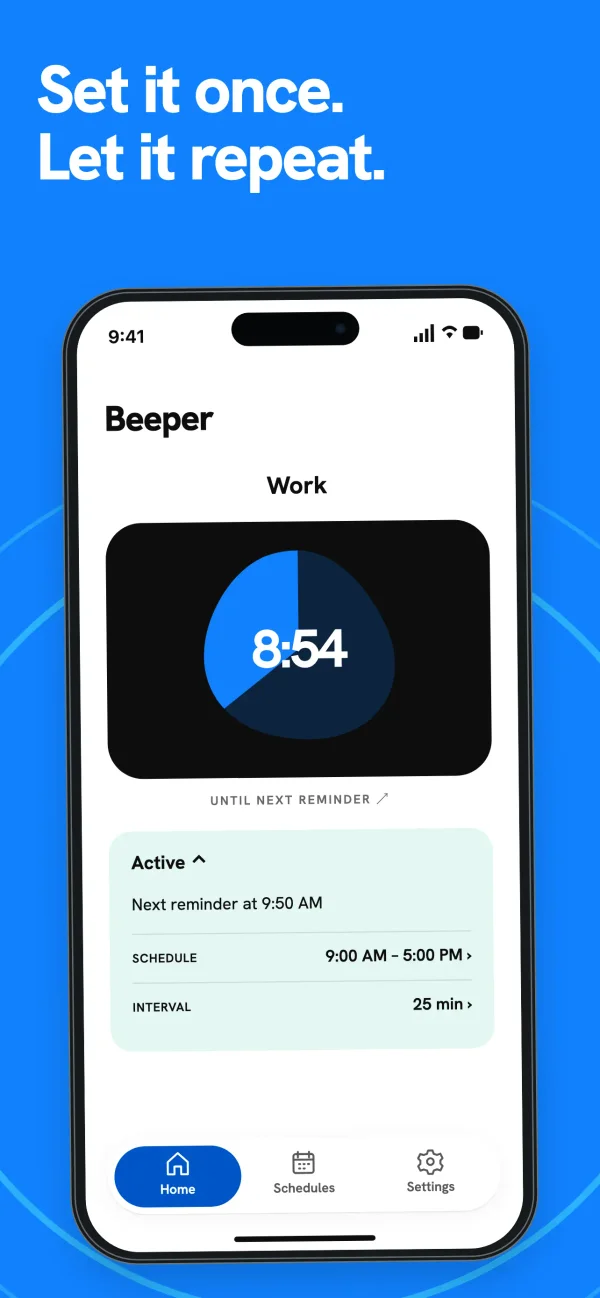
Beeper gives you gentle recurring cues so you can stay aware of time without constantly checking the clock or restarting timers.
Set your rhythm once, then get on with your day. Use Beeper for focused work, study, yoga, strength training, stretching, hydration, breaks, meditation, cooking, or any routine that benefits from a repeated reminder.
Caught up in doomscrolling? A recurring cue can remind you to look up when a quick scroll turns into longer than you intended.
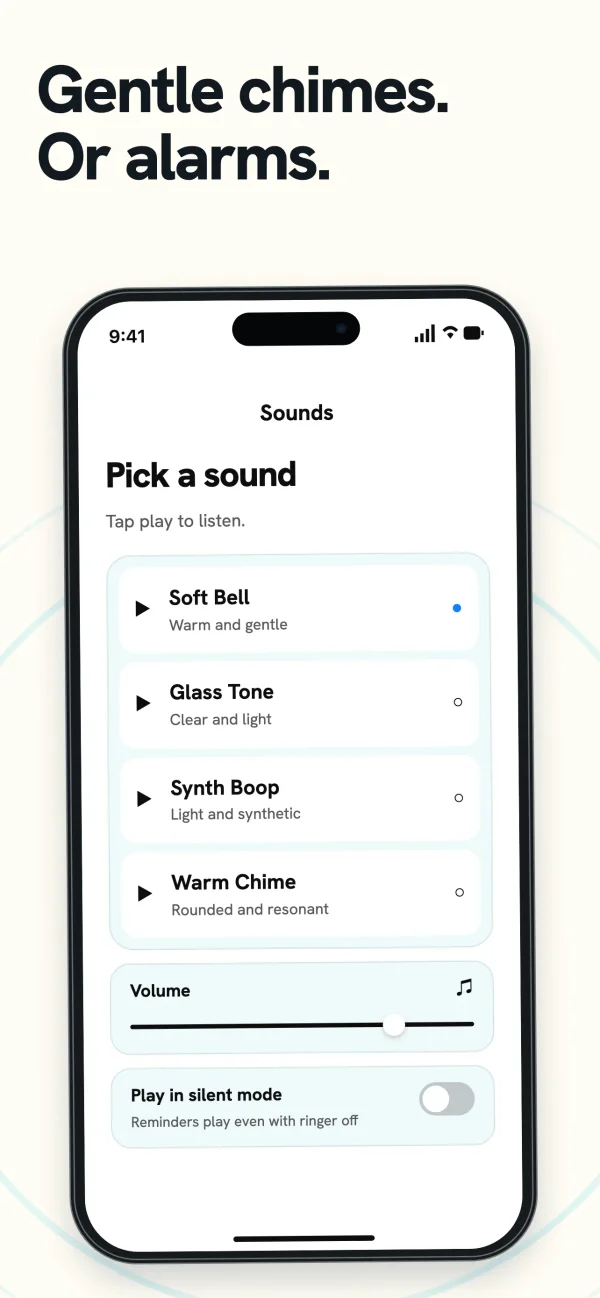
Choose how often you want a cue, when Beeper should be active, and a sound that fits the moment. With notifications enabled, Beeper can keep the rhythm in the background while you get on with your day.
With Beeper you can:
• Set recurring cues from minutes to hours
• Choose gentle chimes, sounds, and alarms
• Set active hours around your day
• Align cues to the clock with Snap to Clock
• Add custom reminder text
• Pause or silence cues temporarily
• Keep a large countdown visible while you work
Your reminders can reach your wrist, too. When you enable “Play in silent mode” and allow alarms, Beeper’s alarms can also appear on an Apple Watch paired with your iPhone when they fire.
Beeper is designed to be genuinely useful from the start. Create a schedule, choose from the included sounds, set your interval, and let Beeper quietly keep track in the background.
Want Beeper to fit more parts of your day? Premium is a one-time unlock with no subscription.
Premium includes:
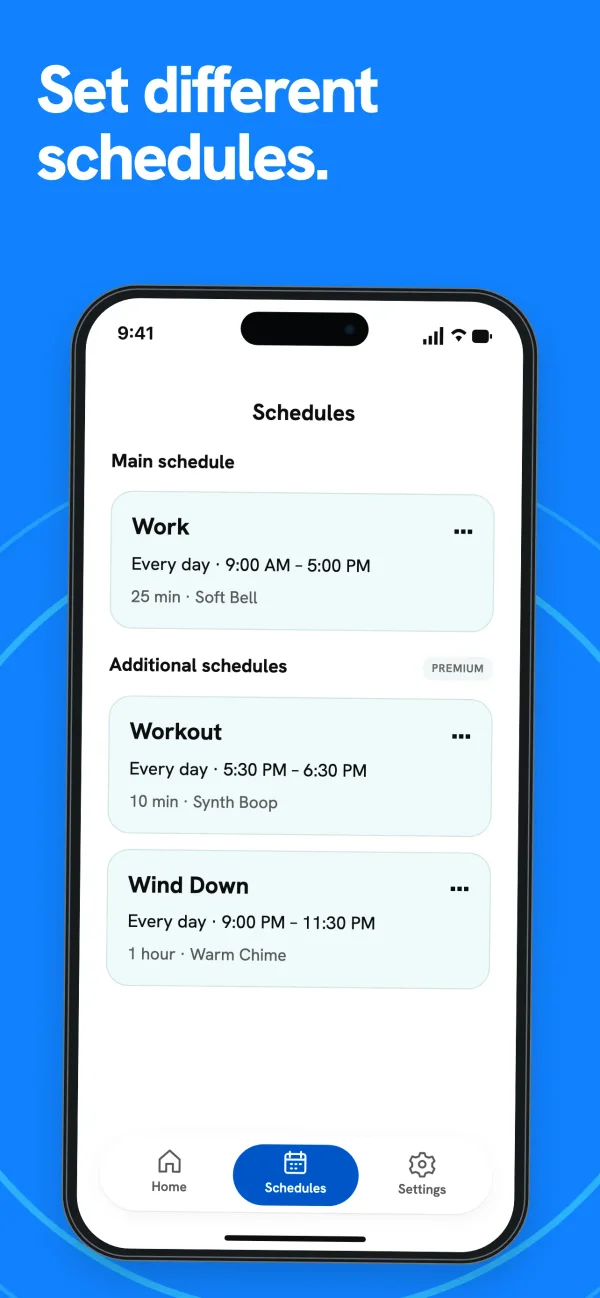
• Multiple named schedules with their own intervals, sounds, and settings
• Custom intervals
• 20 additional sounds across four sound packs
• Sound rotation
• Quick Setups for routines
• Your chime interval on the Lock Screen and Dynamic Island
• Screen dimming while Beeper runs
Create one rhythm for work, another for training, another for evenings, or anything else that fits your life.
Pay once. Keep Premium.
Calm, flexible, and designed to stay out of your way until you need it.
What’s new
Version 2.3 · Nov 16, 2026
Updated App Store information to make Beeper’s repeating timers, chimes and reminders clearer.
App privacy
What Venkat Sharma Aluru Gopalakrishna declares on the App Store about how this app handles data.
-
Data not collected
The developer does not collect any data from this app.
Privacy practices may vary, for example with the features you use or your age.
Information
- Seller
- Venkat Sharma Aluru Gopalakrishna
- Category
- Productivity
- Version
- 2.3
- Updated
- Nov 16, 2026
- Released
- Mar 28, 2026
- Size
- 30.6 MB
- Requires
- iOS 26.2 or later
- Age rating
- 4+
- Price
- Free
- In-app purchases
- Yes
- Languages
- English, French, German, Italian, Japanese, Korean, Portuguese, Spanish, Traditional Chinese
- Copyright
- © 2026 Venkat Aluru
You might also like
-
 BeepCycleAuto hourly chime reminder
-
 Fullest - Interval Timer ChimeDaily Timeline & Mindful Log
-
 Carillon Repetition MinuteQuarter-Hour Journal & Chime
-
 beep! Interval TimerTimer Stack, Fitness & Focus
-
 Chimebird - Hourly Voice ChimeTalking Clock & Time Reminders
-
 ChimeSet: Alarm Clock & TimerHourly Chimes & Pomodoro
-
 Routine Timer: Repeat ReminderInterval timer & reminders
-
 WhatsNext task managerSimple tasks with snoozing
-
 Builder Calculator - ConcreteConcrete calculator for builde