ChimeSet: Alarm Clock & Timer
Hourly Chimes & Pomodoro
Designed for iPhone, iPad, Mac
Free · In-app purchases
- Age rating4+
- CategoryProductivity
- Developerhaha Interactive
- LanguagesEnglish+ 8 more
- Size10.2 MB
Links to the official App Store page
Download.org hosts no file of ChimeSet: Alarm Clock & Timer. The button opens its official App Store page, published by haha Interactive. Listing last checked on Nov 17, 2026.
Screenshots
About
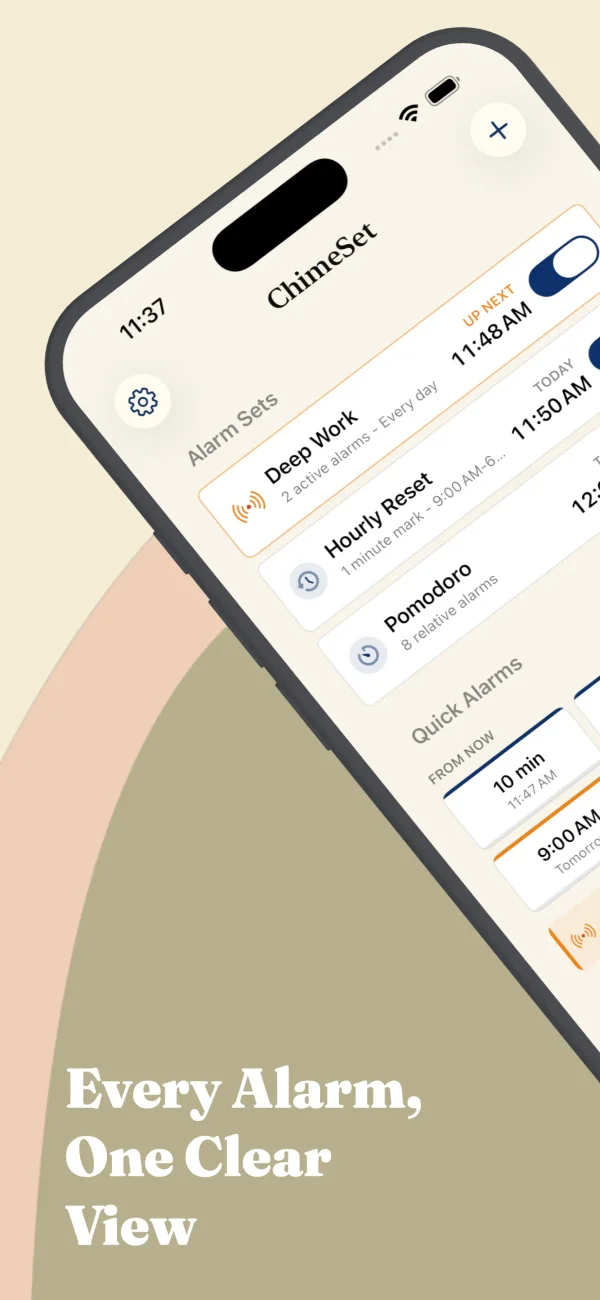
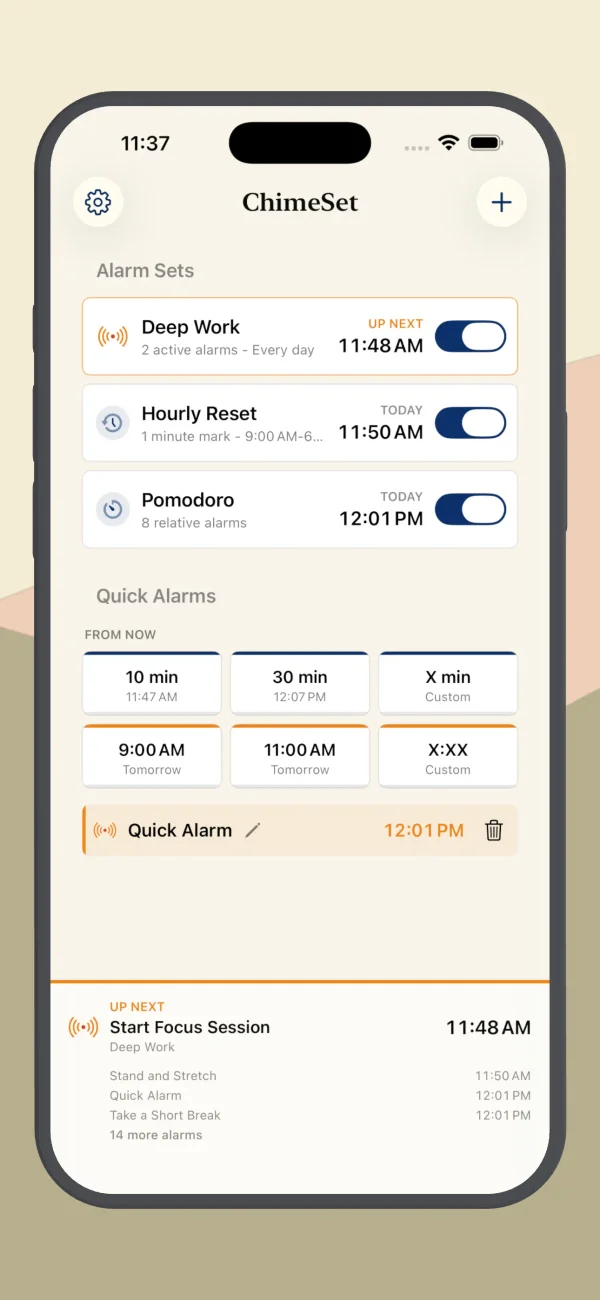
ChimeSet is a flexible alarm clock, hourly chime, interval timer, and Pomodoro timer for Mac, iPhone, and iPad. Create reusable alarm sets for daily routines or schedule a one-time Quick Alarm in seconds.
Stay aware of time during focused work, breaks, classes, presentations, workouts, and everyday routines. ChimeSet can play a system sound, your own audio, or an installed voice while keeping the next alert visible in the app and around the system.
QUICK ALARMS
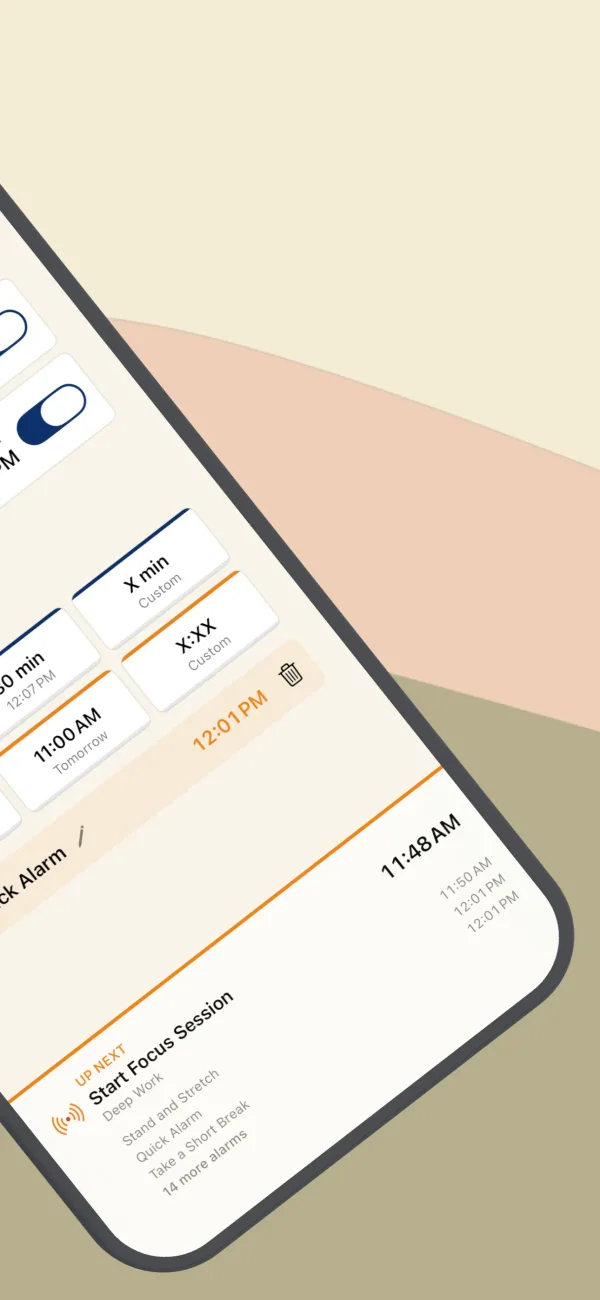
- Schedule a one-time alarm after a preset number of minutes or at a chosen time.
- Customize two duration presets, two time-of-day presets, and the alarm sound.
- Add a title to a Quick Alarm and have it spoken after the selected sound.
- Start Quick Alarms from the app, Mac menu bar, iPhone or iPad widgets, App Shortcuts, or Command-1 through Command-6 on Mac.
- Quick Alarms appear in Up Next and remove themselves after their scheduled time.
REUSABLE ALARM SETS
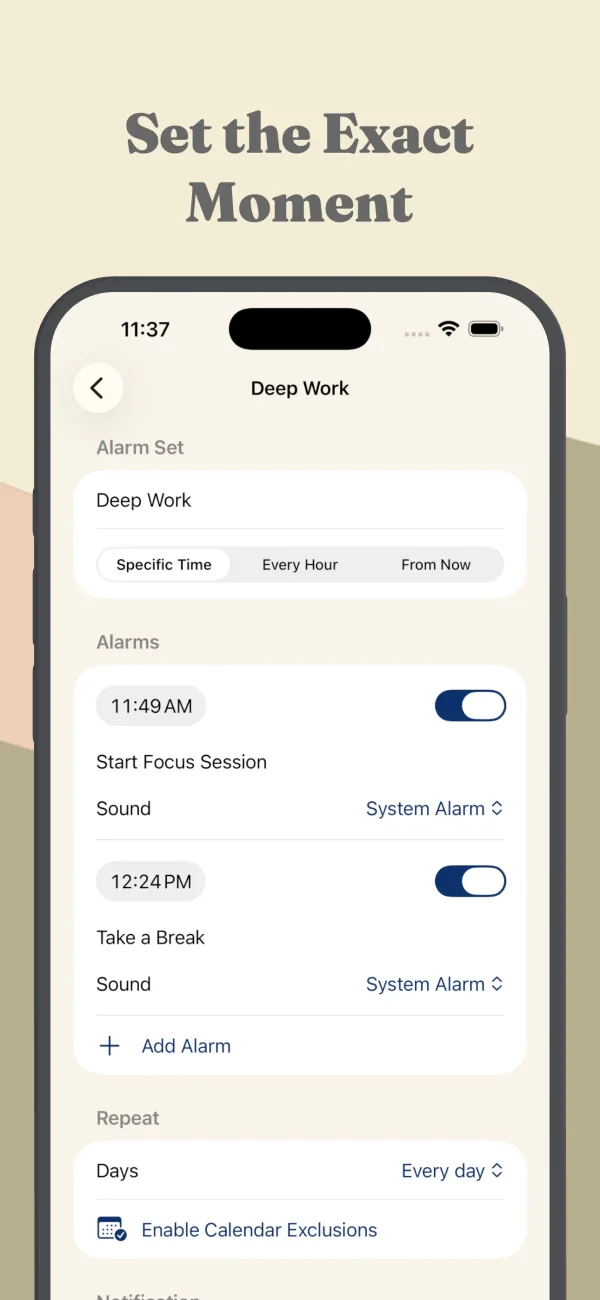
- Specific Time: create one or more alarms at exact times.
- Every Hour: choose minute marks within a time range for hourly reminders and chimes.
- From Now: build a repeating interval timer or a custom sequence of alarms.
- Repeat every day, on weekdays, on weekends, or on selected days.
- Exclude holidays and other all-day events using a selected calendar.
- Start or stop an entire routine with one switch, or use the Space key on Mac.
SOUNDS, VOICES, AND TITLES
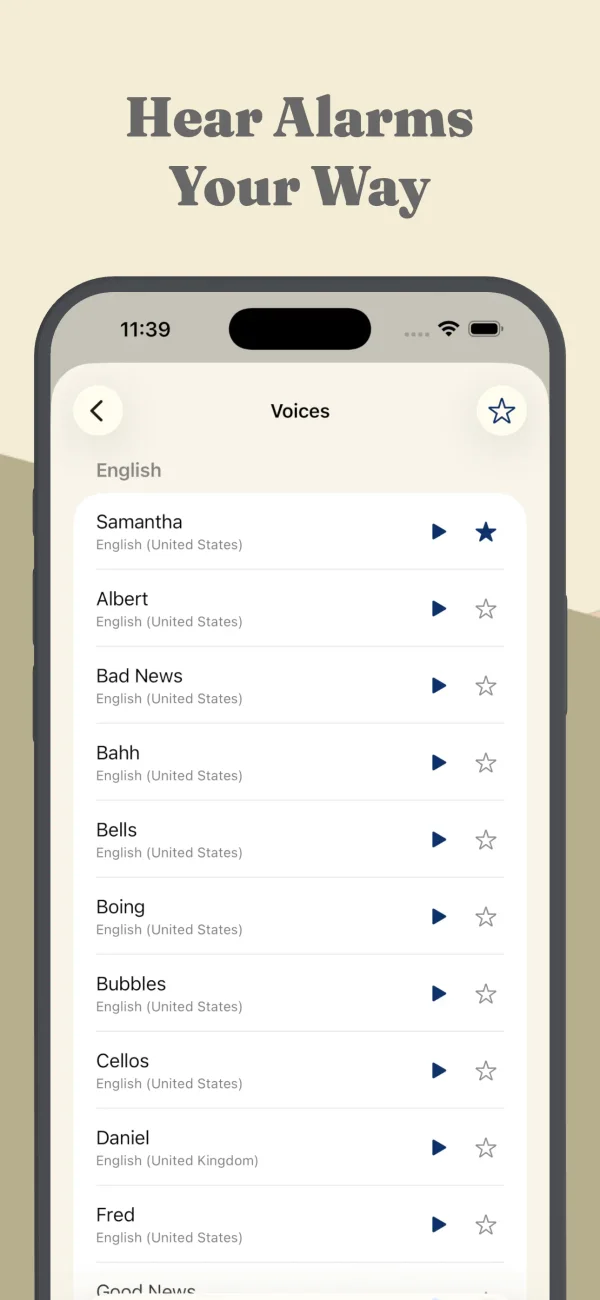
- Choose a system sound, import your own audio, or use an installed voice.
- On iPhone and iPad, choose a full-screen Alarm or a lighter Notification.
- Add an optional title to each alarm for clear, specific notifications.
- Turn on Read Title to hear the alarm title after its sound, or hear the title by itself when sound is off.
- ChimeSet remembers your preferred title-reading voice for other alarm sets.
- Voice alarms can also announce the current time or elapsed time.
UP NEXT EVERYWHERE
- Review today's upcoming alarms, including Quick Alarms, in one place.
- Show the next alarm time or a live countdown and keep your preferred display mode.
- Follow an active alarm with Live Activities on iPhone and iPad.
- See the next alarm in widgets or the Mac menu bar and access Quick Alarms directly.
SYNC ON YOUR TERMS
- Keep alarm sets in iCloud across Mac, iPhone, and iPad, or turn off sync for local-only storage.
- Quick Alarms stay on the device where you create them because they are designed for one-time use.
ChimeSet is useful as a break reminder, focus timer, Pomodoro timer, hourly chime, repeating alarm, presentation timer, class timer, workout timer, and time-awareness tool.
The free version includes every feature and one reusable alarm set. A one-time in-app purchase unlocks unlimited alarm sets.
What’s new
Version 2.2.3 · Nov 16, 2026
Support for iPhone Duo & Stability improvements
Previously..
Updated for iOS 27, iPadOS 27, and macOS 27.
- Expanded Siri and Shortcuts support: create, edit, delete, dismiss, and snooze alarms; find, open, start, and stop alarm sets, or check the next alarm.
- Create named timers with Siri or Shortcuts. Pause to preserve the remaining time, then resume or cancel when needed.
- Active From Now routines retain their original start time when you reopen ChimeSet on the same device. Elapsed steps are skipped rather than replayed.
- Quick Alarm shortcuts support optional titles and report the scheduled firing time.
- Larger Home Screen widgets on iPhone and iPad show more upcoming alarms alongside the existing Quick Alarm buttons.
- Improved upcoming-alarm information in Live Activities on iPhone and iPad, with clearer guidance when a refresh is needed.
App privacy
What haha Interactive declares on the App Store about how this app handles data.
-
Data not collected
The developer does not collect any data from this app.
Privacy practices may vary, for example with the features you use or your age.
Information
- Seller
- haha Interactive
- Category
- Productivity
- Version
- 2.2.3
- Updated
- Nov 16, 2026
- Released
- Jun 30, 2026
- Size
- 10.2 MB
- Requires
- iOS 18.0 or later
- Age rating
- 4+
- Price
- Free
- In-app purchases
- Yes
- Languages
- English, French, German, Italian, Japanese, Korean, Simplified Chinese, Spanish, Traditional Chinese
- Copyright
- © haha interactive, co
You might also like
-
 Carillon Repetition MinuteQuarter-Hour Journal & Chime
-
 Ember: Alarm Clock & Wake UpStop snoozing. Start moving.
-
 Alarm Clock - WakelyPersonal Voice Alarm Reminder
-
 Beeper: Repeat Timer & ChimesInterval & Hourly Reminders
-
 Simple GoalsProductivity
-
 Commute Prep - MorningRushSet routines, arrive on time
-
 ConnectNotesNote for contacts with ease
-
 Rundle: ADHD Routine & TimerVisual countdown, calm focus
-
 Chronicle - Work JournalProductivity
-
 CalandrShared calendar for groups