
BelliedMonkey Translator
Live subtitles & bilingual web
Designed for iPhone, iPad, Mac
Free
- Age rating4+
- CategoryUtilities
- DeveloperZHAO ZHANG
- LanguagesEnglish+ 12 more
- Size50.6 MB
Links to the official App Store page
Download.org hosts no file of BelliedMonkey Translator. The button opens its official App Store page, published by ZHAO ZHANG. Listing last checked on Nov 17, 2026.
Screenshots
About
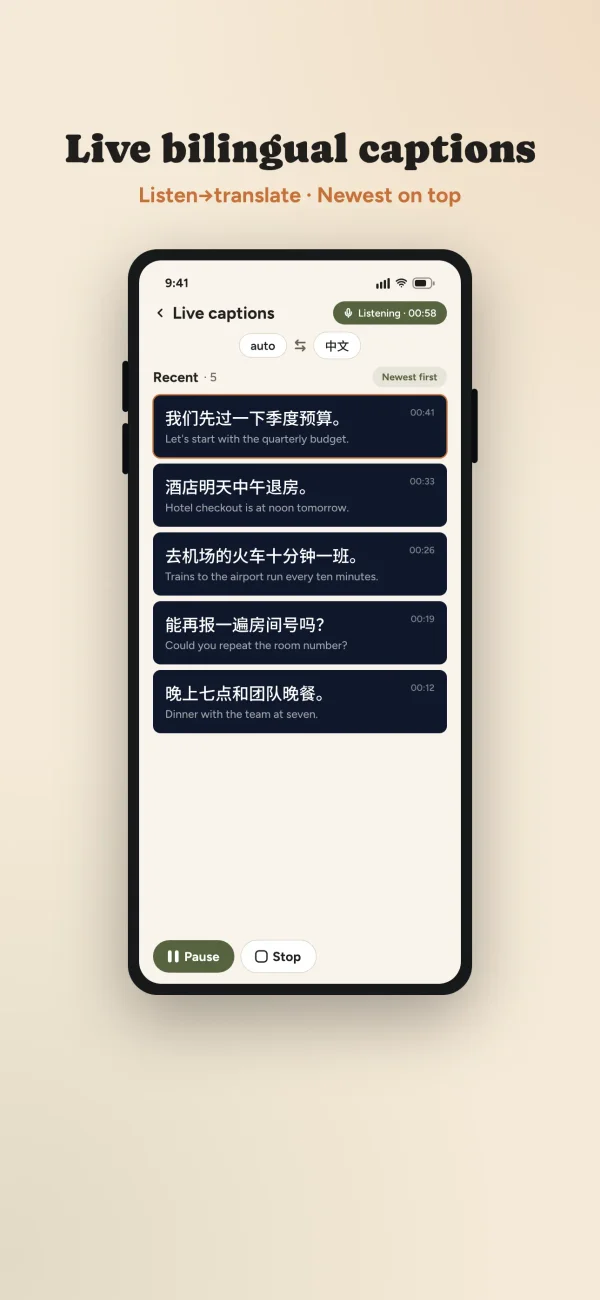
Meetings, videos, documents — translated as you listen, processed only on your device; the sentences you actually read come back as review cards.
LIVE SUBTITLES (APP)
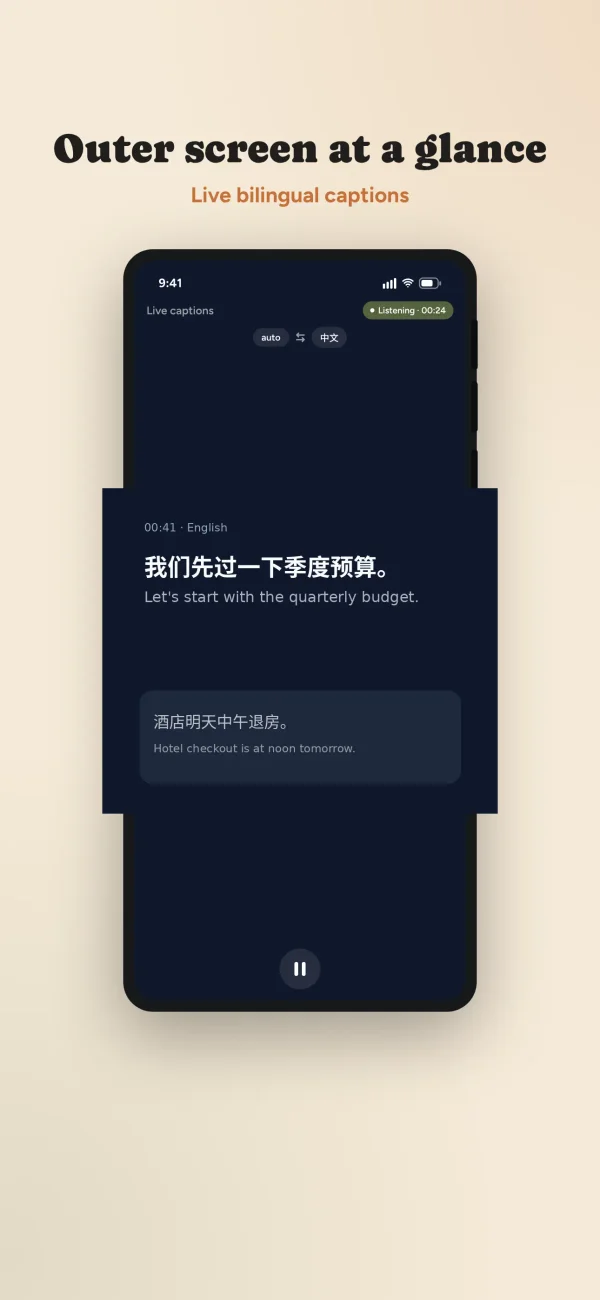
Bilingual subtitles for whatever your device is playing. On Mac, the app listens to system audio and shows a floating subtitle bar that stays on top of any app, even full-screen video (macOS 26 or later). On iPhone, play a video or podcast out loud in any app, and a picture-in-picture window scrolls the original and the translation, sentence by sentence. Recognition happens on the device; Live Subtitles need iOS 26 / macOS 26.
CONVERSATION · LIVE INTERPRETER (APP)
Talk across a language gap. Both sides speak freely; each sentence is transcribed, translated and can be read aloud. Speech is recognised on the device, so the audio never leaves it. Requires iOS 26 / macOS 26.
SYSTEM TRANSLATION (IPHONE)
Select text in any app and tap Translate — BelliedMonkey answers with the engine you configured, in a small sheet, without leaving the app. Choose BelliedMonkey once in Settings › Apps › Translate › Default Translate App. Sentences you translate this way can go straight into your review deck. Requires iOS 18.4 or later.
WEB PAGES, SIDE BY SIDE
The Safari extension (also on Chrome and Firefox) keeps every paragraph's original text with the translation right below it. No switching tabs, no losing your place.
VIDEO DUAL SUBTITLES
YouTube, podcasts and web video get sentence-matched dual subtitles. No captions? Turn on AI transcript subtitles.
DOCUMENT TRANSLATION
Open a PDF, Word file or image and read it page by page, original and translation side by side.
LEARN AS YOU READ
Sentences you actually read can become review cards on a forgetting curve — read, listen and write practice, sentence notes and read-aloud. Optional sync lets your phone review what you read on your computer.
YOUR ENGINE, YOUR CHOICE
Bring your own AI service key, or any compatible endpoint.
PRIVACY, SPELLED OUT
Your keys and settings stay on your device. With your own key, text goes straight to the provider you chose and is not stored. Live Subtitles and on-device transcription never record audio. We send anonymous usage events (which features are used, never page content), and you can turn them off in Settings. No ads. The whole app is open source and free to download.
What’s new
Version 1.23.3 · Nov 11, 2026
• Switching back to a language whose packs are already cached now clears the “quota full” card right away, so it no longer covers the subtitles.
• Subtitle video language now starts at Auto and follows each video’s own language instead of a fixed pick.
App privacy
What ZHAO ZHANG declares on the App Store about how this app handles data.
-
Data linked to you
May be collected and linked to your identity.
- Contact info
- User content
- Browsing history
- Usage data
- Other data
-
Data not linked to you
May be collected but is not linked to your identity.
- Diagnostics
Privacy practices may vary, for example with the features you use or your age.
Information
- Seller
- ZHAO ZHANG
- Category
- Utilities
- Version
- 1.23.3
- Updated
- Nov 11, 2026
- Released
- Jul 13, 2026
- Size
- 50.6 MB
- Requires
- iOS 16.4 or later
- Age rating
- 4+
- Price
- Free
- Languages
- English, Arabic, French, German, Hindi, Japanese, Korean, Portuguese, Russian, Simplified Chinese, Spanish, Thai + 1 more
- Copyright
- © 2026 BelliedMonkey, LLC
You might also like
-
 Miruyaku: Screen TranslatorLive Voice, Camera & Subtitles
-
 PocketAdmin – AI IT ToolkitSysadmin & Homelab SSH Tools
-
 Liberation - OCD RecoveryMorita & ERP Therapy Companion
-
 Text Scanner AI: OCR & ScanScan, Translate & Export PDF
-
 TriTab Calc: Multi CalculatorThree calculators at once
-
 Live Translate: Video & VoiceLive Translated Subtitles
-
 Evir – Media ConverterVideo Compressor & Trimmer
-
 Margin: Reclaim your spaceFree space, keep your photos
-
 Loupe: Live Screen TranslatorGame, manga & video subtitles
-
 NuboxAccount Subscription Manager