PocketAdmin – AI IT Toolkit
Sysadmin & Homelab SSH Tools
Designed for iPhone, iPad
Free · In-app purchases
- Age rating4+
- CategoryUtilities
- DeveloperGDW Entertainment, LLC
- LanguagesEnglish
- Size96.6 MB
Links to the official App Store page
Download.org hosts no file of PocketAdmin – AI IT Toolkit. The button opens its official App Store page, published by GDW Entertainment, LLC. Listing last checked on Nov 23, 2026.
Screenshots

About
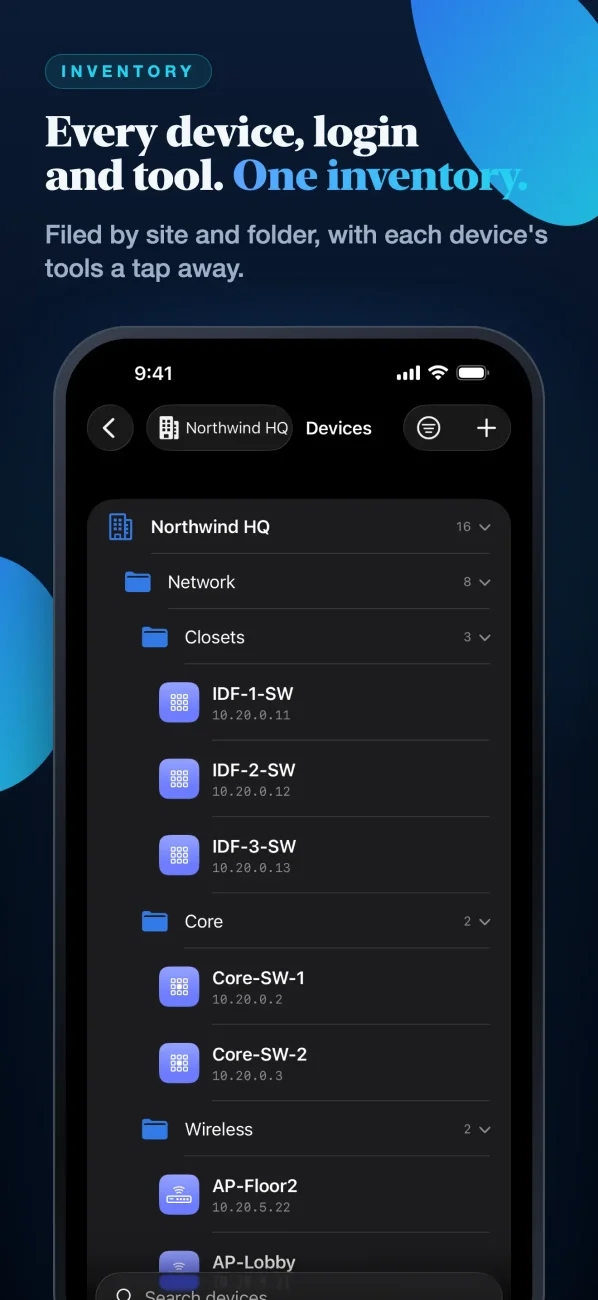
The source of truth for every network you run, at work or in your homelab. Now with an AI that does the legwork.
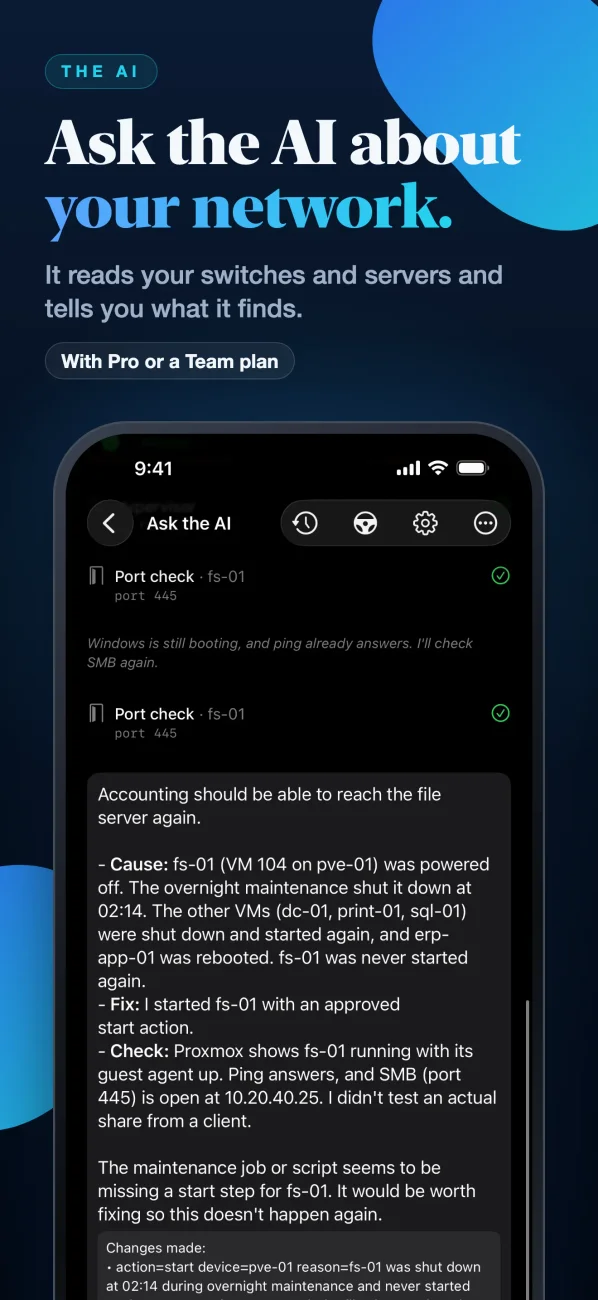
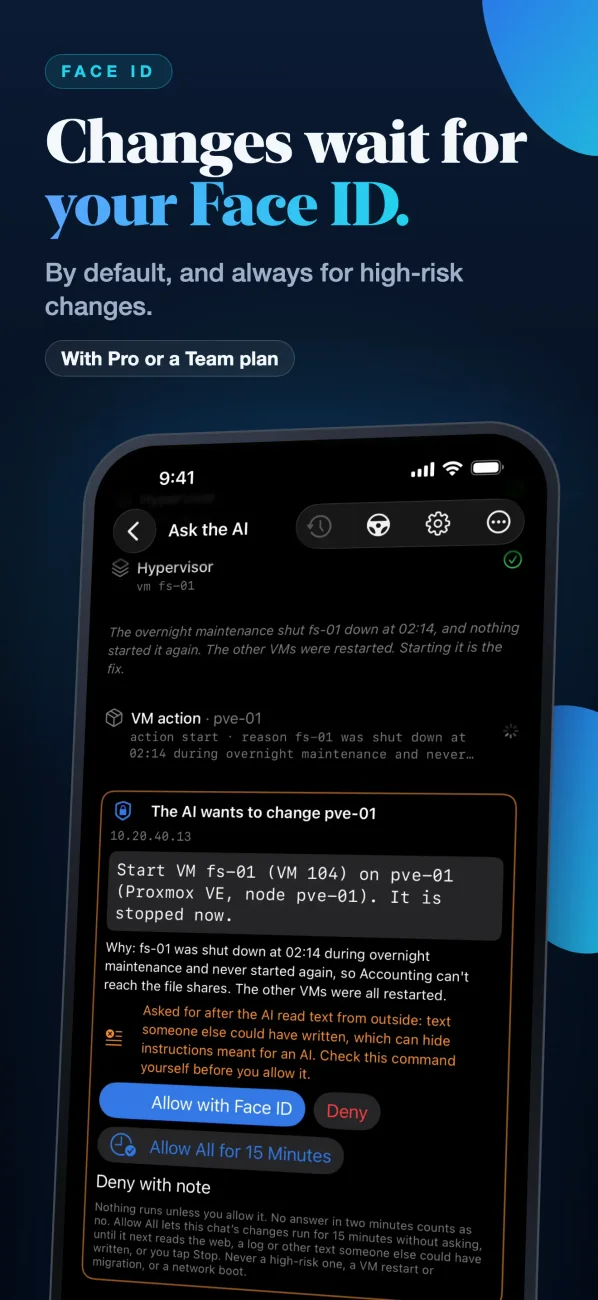
Ask about your network in plain words. The AI looks at your switches, firewalls and servers, finds what's wrong, and by default asks for Face ID before it changes anything. It never sees your passwords, SSH keys or API tokens: PocketAdmin signs in for the AI. Save a device once and every tool picks it up.
Every tool is free, with no account and no ads. PocketAdmin Pro adds the AI. Built by an infrastructure engineer.
ASK THE AI (PocketAdmin Pro)
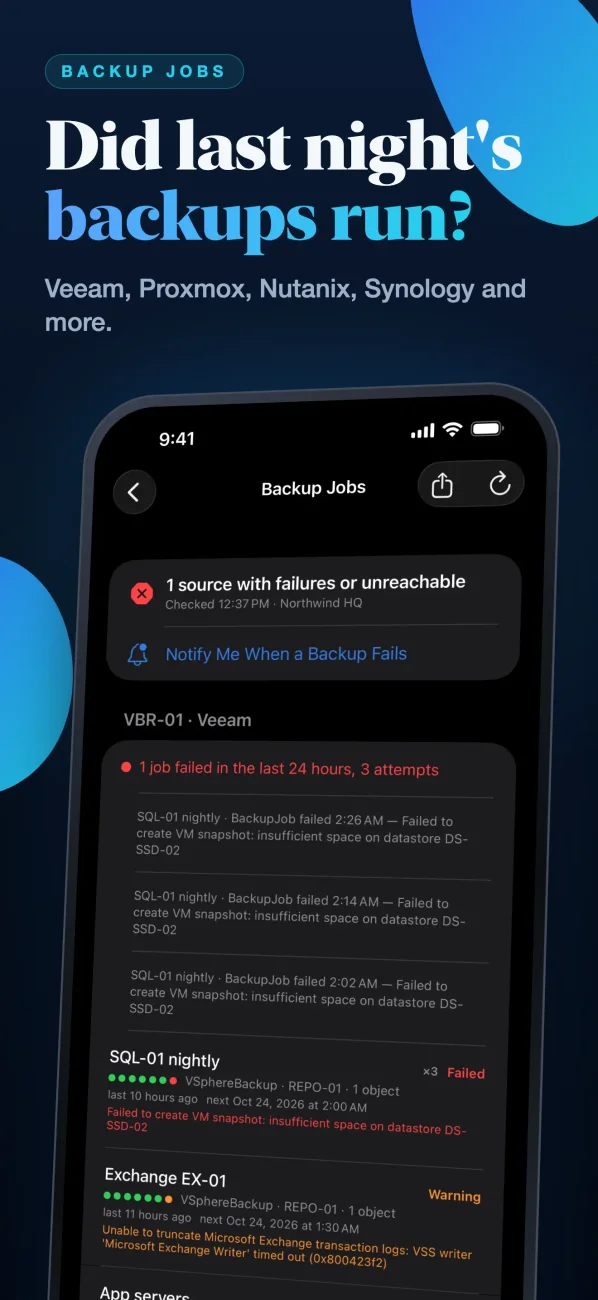
• "Why is the file server slow?" "Did last night's backups run?" It reads your devices first, then answers
• Changes wait for your Face ID by default, and high-risk ones always do. Each device is Off, Look, or Look & Change
• Included AI works with no setup. Or use Apple's on-device model, your own API key, or a model on your own hardware, with no limit
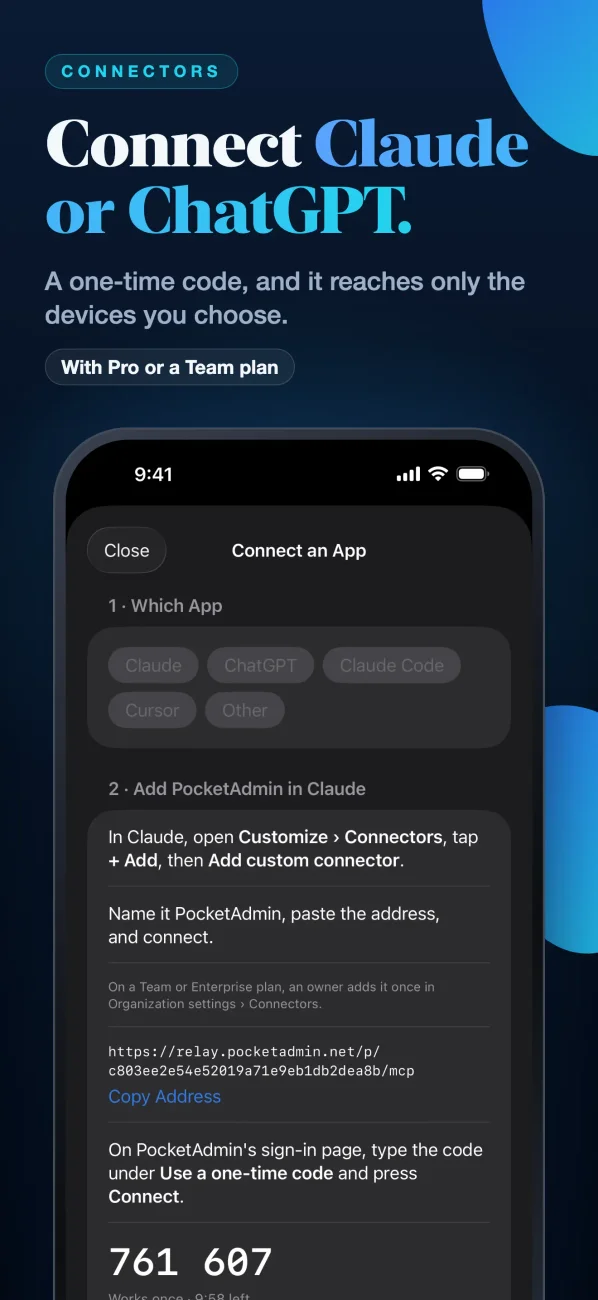
• PocketAdmin is an MCP server: connect Claude, ChatGPT, Cursor or any MCP client, and it reaches only the devices you choose
• Drive mode: watch it work PocketAdmin's own screens. Activity shows every command it ran
SEE YOUR NETWORK
• Topology: a live map of how your switches connect, drawn from LLDP and CDP
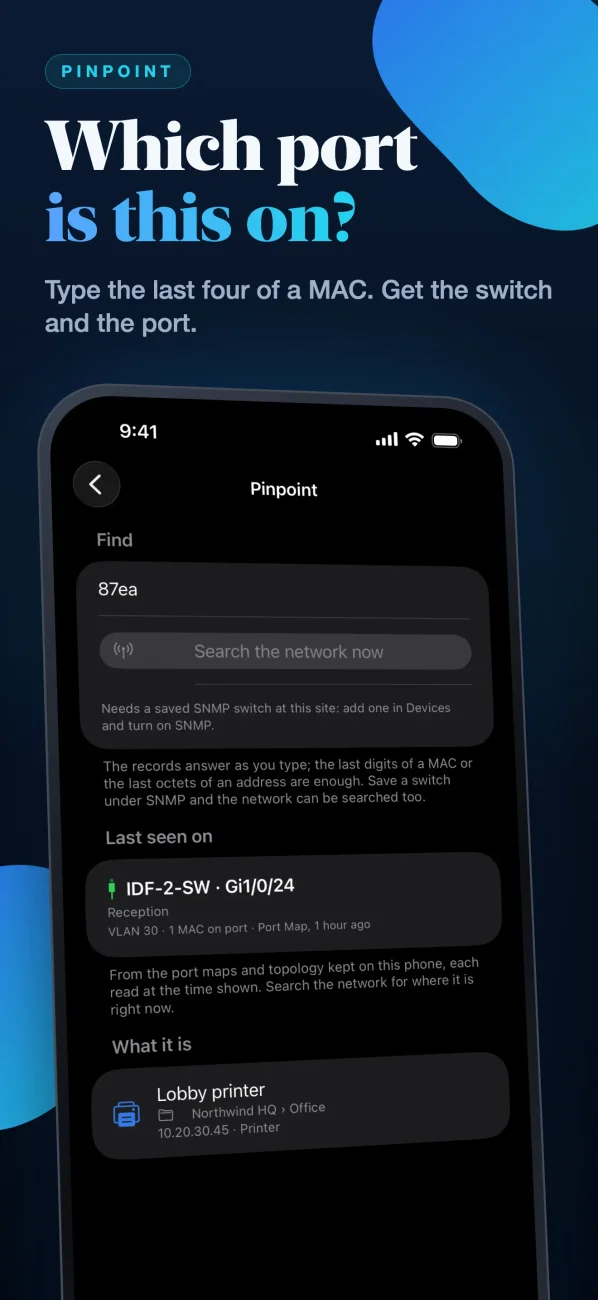
• Pinpoint: which switch port an IP, MAC or device is on, even by scanning its label with the camera
• Port Map, SNMP and a port sheet that can shut a port, cycle PoE or set a label
• LAN Scanner, IP Manager and Subnet Calculator
• Syslog & Traps: device events, live
SERVERS & BACKUPS
• Hypervisor: Proxmox, vSphere and Nutanix guests: power, snapshots, migrate and clone
• Out-of-Band: iDRAC, iLO and more over Redfish or IPMI: power, boot, sensors and alerts
• Backup Jobs: did last night's backups run? Veeam, Veeam 365, Proxmox, Nutanix, TrueNAS, Synology, Rubrik, Cohesity, Commvault, Unitrends, Acronis and Duplicati
• Vulnerabilities: known CVEs for your firmware
• Configs and Bulk Run: one command on every device
REMOTE ACCESS
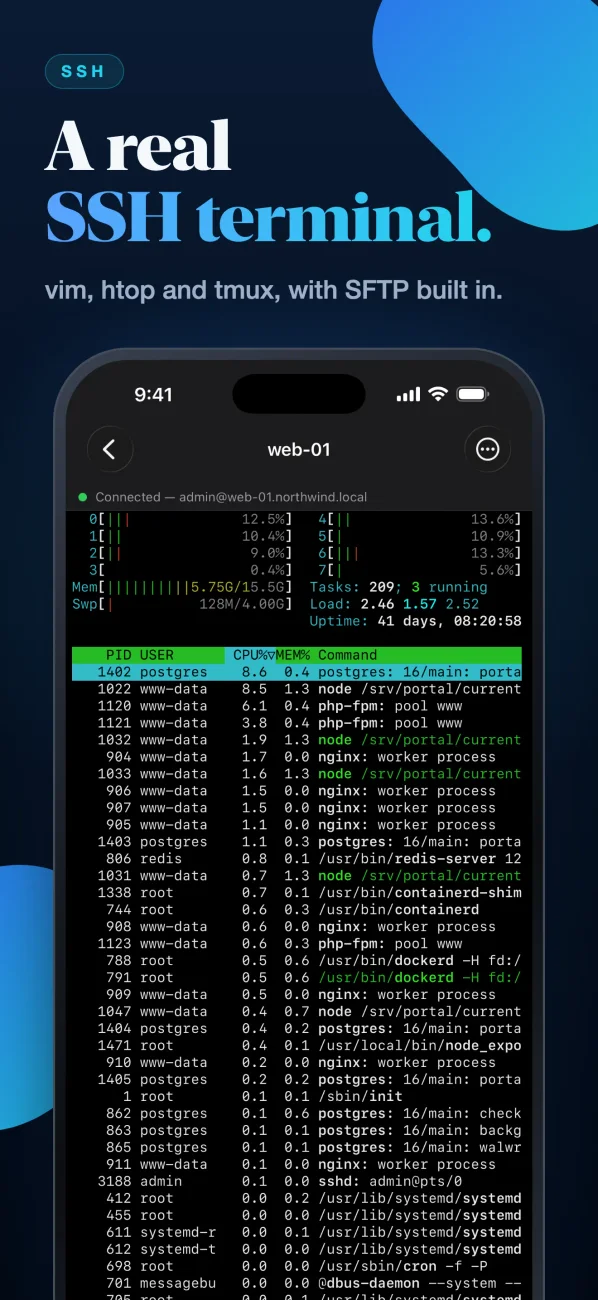
• SSH: a real terminal that runs vim, htop and tmux, with SFTP, port forwards and a special-keys bar
• RDP, VNC, Telnet and a REST client
MONITORING
• Uptime Watch: HTTP, TCP, ping, DNS and any SNMP value, with alerts, Site Mode and a Live Activity
• Expiry Watch: certificates and domains
• Domain Health: SPF, DKIM, DMARC and DNSSEC
DIAGNOSTICS
• Ping, Traceroute, nslookup, Port Scanner, Wake-on-LAN, HTTP/TLS, Whois, SMTP, Bonjour
• Rogue DHCP probe, Path MTU, NTP, Packet Capture reader, iperf3 and Speed Test
WI-FI & FIELD TOOLS
• Network Info, Latency and Traffic Monitors, Link Metrics, Roaming Forensics
• Coverage Map: walk a room and map Wi-Fi with LiDAR. AR Measure for cable runs
PASSWORDS & FILES
• Passwords: logins with one-time codes, Wi-Fi you can join, SSH keys and API tokens, behind Face ID. Imports from Bitwarden
• Files: manuals, contracts, photos and clips, filed by site and device
• Active Directory: search users, unlock accounts and reset passwords
TEAMS
Share sites, devices, logins, files and monitors with your team. Everything syncs through iCloud, with passwords encrypted end to end. Roles, shared activity history, and an alert when a teammate changes something. Everyone on the team gets the AI, from a shared allowance. Your personal logins are never shared with the team: they sync only to your own iCloud, encrypted.
ON IPHONE AND IPAD
Split view, windows and keyboard support on iPad. App Lock with Face ID, Shortcuts, and credentials kept in the iOS Keychain.
SUBSCRIPTIONS
PocketAdmin Pro unlocks the AI, monthly or yearly, with a one-week free trial. A Team plan includes Pro for its owner and the AI for everyone on the team, with a one-month free trial. Joining a team someone else made is free. Payment is charged to your Apple ID and renews automatically unless cancelled at least 24 hours before the end of the period. Manage or cancel anytime in your Apple ID settings.
Terms of Use: https://pocketadmin.net/terms
Privacy Policy: https://pocketadmin.net/privacy
What’s new
Version 1.4.1 · Nov 22, 2026
PocketAdmin 1.4.1: try the AI free.
• The AI now comes with every account, no Pro needed: a free monthly allowance to ask about your network in plain words. It looks at your devices, finds what's wrong, and by default asks for Face ID before it changes anything. Pro keeps its bigger allowance, your own API keys and models, and Connected Apps.
• Paste a screenshot straight into an AI chat.
• Minimize a chat while the AI is still working. It waits in a bar at the bottom while you use the rest of the app, and Back from a working chat minimizes it too.
• The AI now reads from Cisco ISE and other gear that opens its own command line over SSH.
• Get files off your devices: receive over TFTP, fetch over SFTP, or make a short-lived download link.
• Add a Windows PC with one command run on the PC.
• Web & APIs: a device now has one Website, with its login filled in, Keep me signed in, and its own certificate accepted.
• The in-app browser opens admin pages that refused it before, like Cisco ISE.
• Saved logins: a device that refuses a login isn't sent it again right away, so accounts don't get locked out. The login picker lists this site's logins first, then your team's, then your personal ones.
• SSH gets session chips, like Drive mode. Drive mode adds a Full Speed pace.
• Fixes: a login you're typing survives leaving the app, Back always works after a search, Gallery opens at the newest photo, the AI comes first on Home, and sudo on a Mac is answered with its saved login. Plus security fixes from a review of sync.
Every tool stays free, and now the AI is free to try.
App privacy
What GDW Entertainment, LLC declares on the App Store about how this app handles data.
-
Data linked to you
May be collected and linked to your identity.
- Purchases
- User content
- Identifiers
- Usage data
Privacy practices may vary, for example with the features you use or your age.
Information
- Seller
- GDW Entertainment, LLC
- Category
- Utilities
- Version
- 1.4.1
- Updated
- Nov 22, 2026
- Released
- Jul 26, 2026
- Size
- 96.6 MB
- Requires
- iOS 17.0 or later
- Age rating
- 4+
- Price
- Free
- In-app purchases
- Yes
- Languages
- English
- Copyright
- © 2026 GDW Entertainment
You might also like
-
 Net Tools ULTIMATEUltimate Hacking Network Tools
-
 IT ToolKitNetwork Tools for Admins
-
 Margin: Reclaim your spaceFree space, keep your photos
-
 Ultimate Network ToolsUltimate Network Tools
-
 Cannoli Shell: IT Pro ToolsIT command reference tools
-
 Network Scan: Wi-Fi & SSHWake, Scan, SSH & Sleep
-
 Radien: Network ToolboxIP Scanner, Ping, Wake on LAN
-
 MSC Show ControlMIDI Show Control Remote
-
 HueScope: Color Blind CameraIdentify & Correct Any Shade
-
 WearWithAllOutfit Color Matching for All