Bento: Personal Library
Everything in its box
Designed for iPhone, iPad
In-app purchases
- Age rating4+
- CategoryProductivity
- DeveloperDon Kallail
- LanguagesEnglish
- Size96.4 MB
Links to the official App Store page
Download.org hosts no file of Bento: Personal Library. The button opens its official App Store page, published by Don Kallail. Listing last checked on Nov 15, 2026.
Screenshots
About
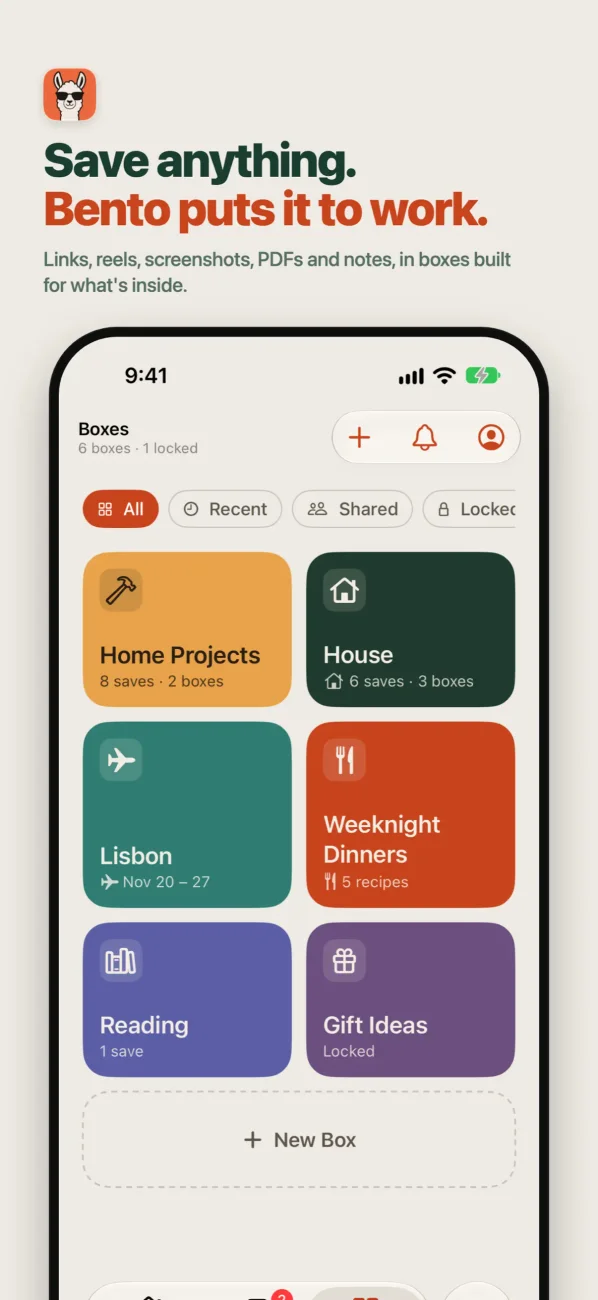
Save anything, and Bento puts it to work.
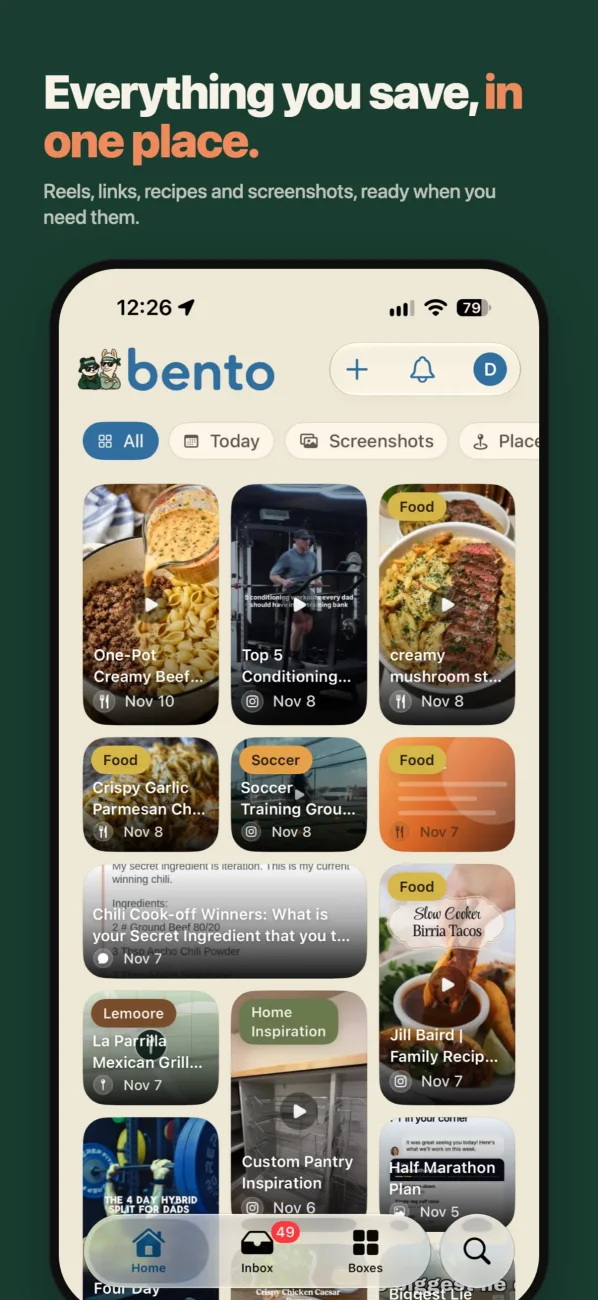
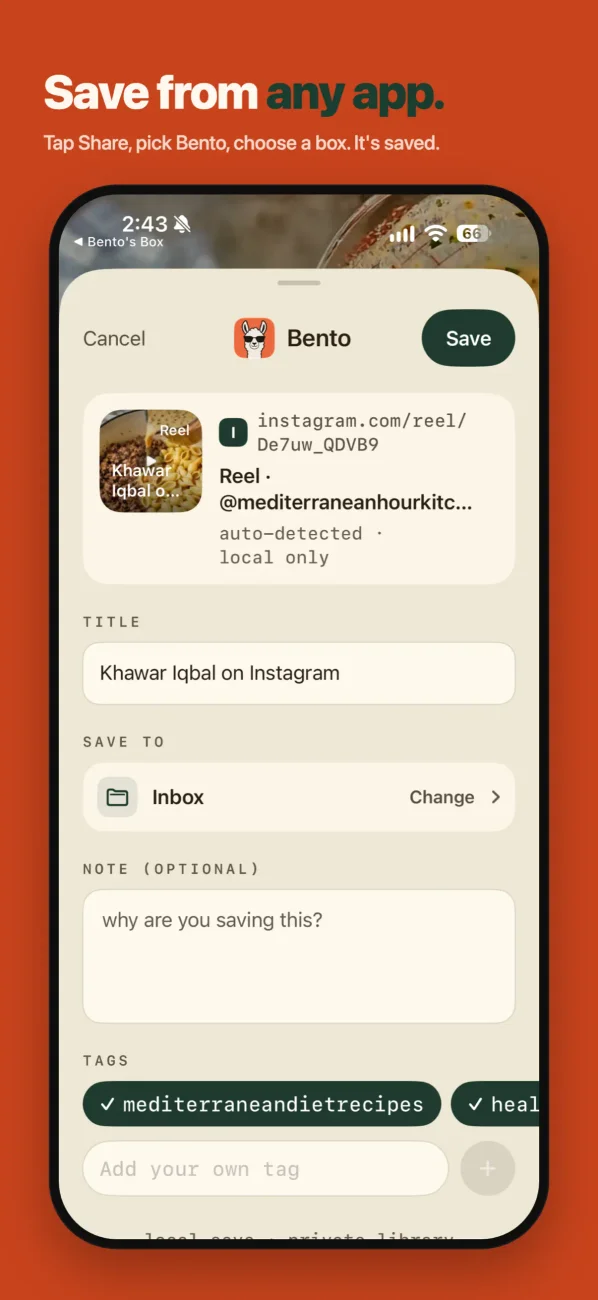
Bento keeps the links, reels, screenshots, photos, PDFs, voice memos and notes you save in one private place, sorted into boxes. Save from any app with the Share button, choose a box, and you're done. Your library lives on your device and syncs with iCloud. No account to create.
Some boxes do more than hold things.
RECIPE BOXES
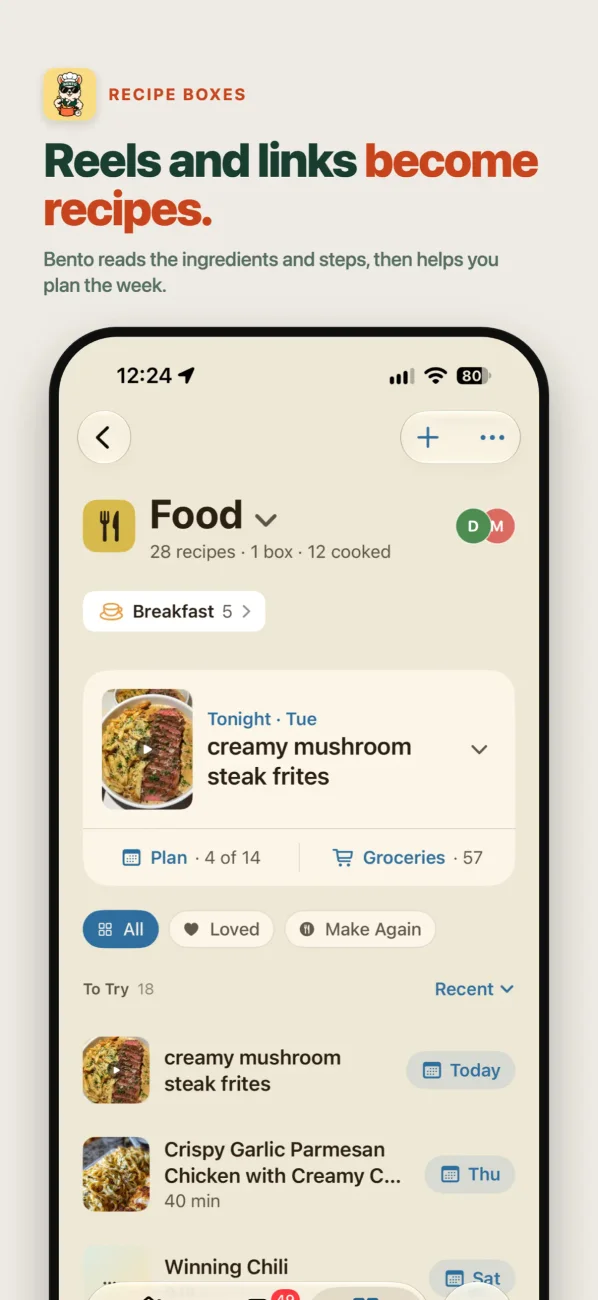
- Save a recipe from a link, a video caption or a photo, and Bento reads the ingredients and steps.
- Scale any recipe and switch between US and Metric.
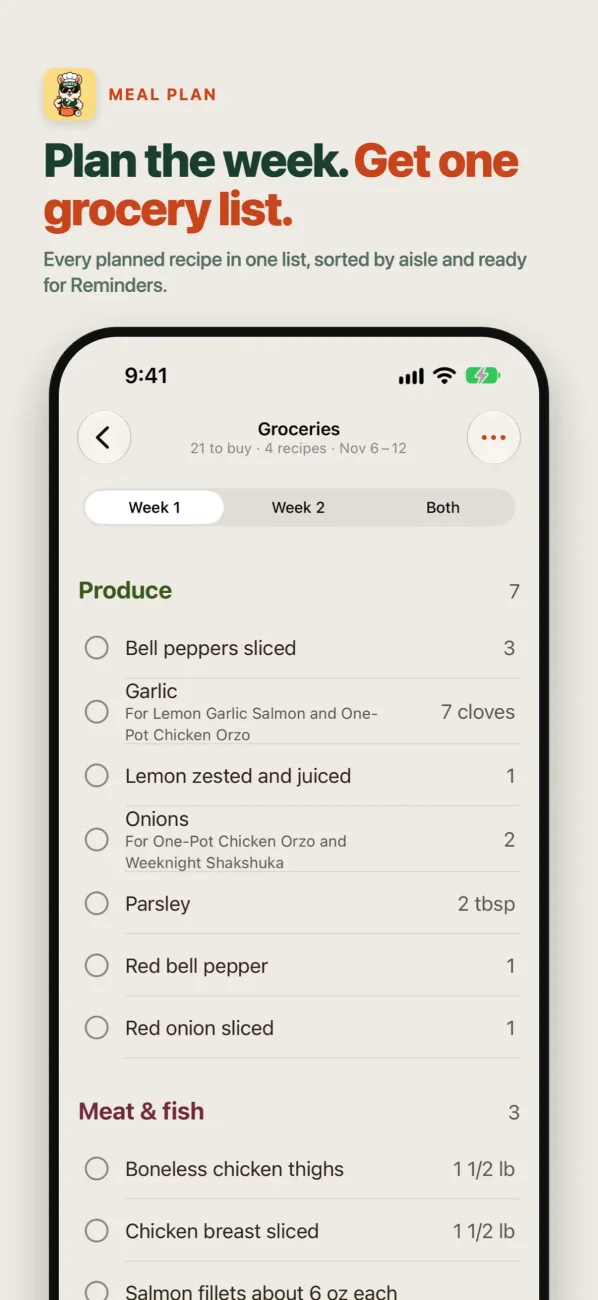
- Plan the week and get one grocery list, sorted by aisle. Send it to Reminders.
- Share a recipe as a picture card.
COOK MODE
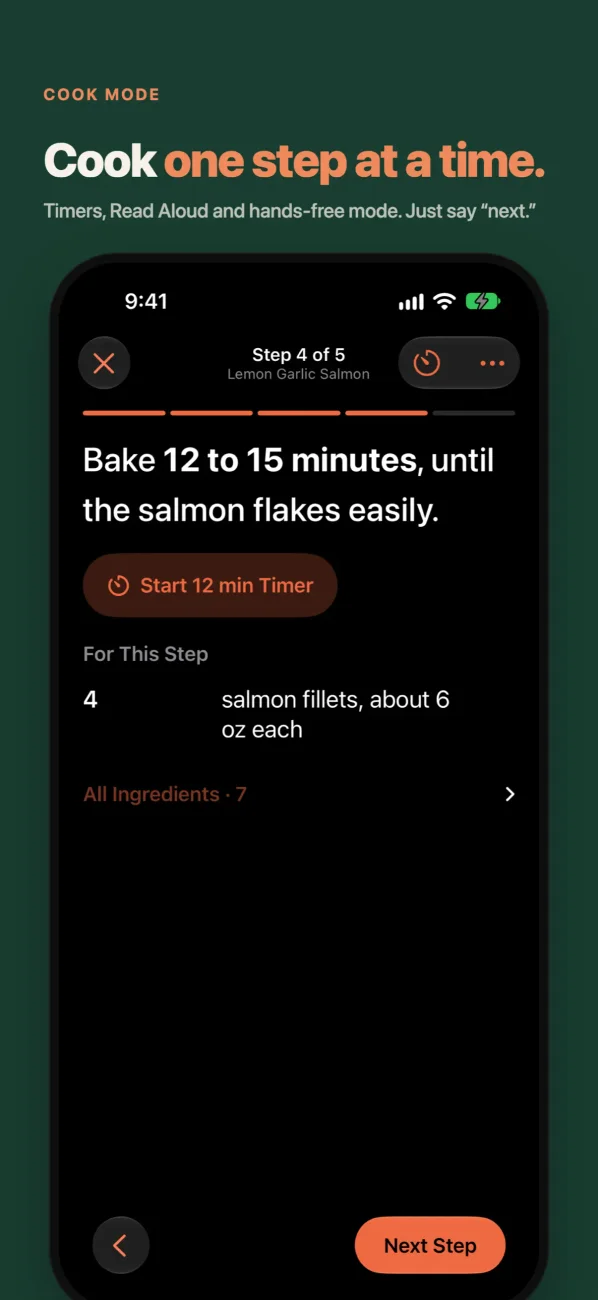
- Cook one step at a time, with the ingredients for that step.
- Start a timer from the step with one tap.
- Read Aloud reads each step. Turn on hands-free and say "next" to move on.
TRIP BOXES
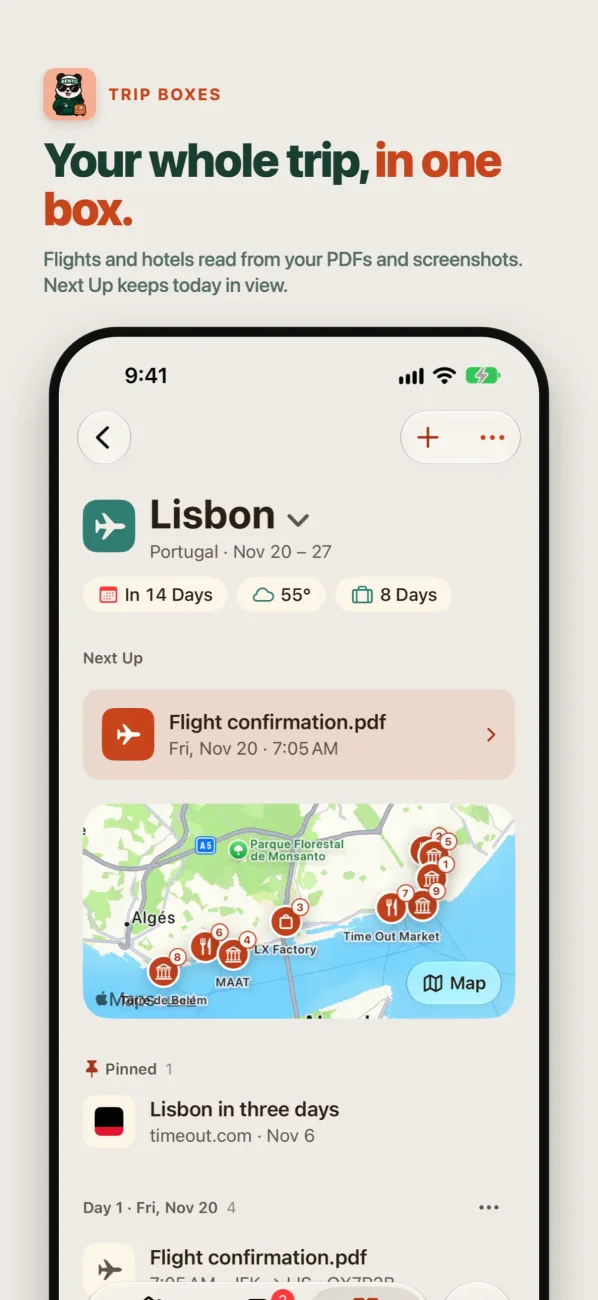
- Plan by day on a map, with walking and travel times between places.
- Flight and hotel details come from your PDFs and screenshots.
- Next Up keeps today's flight, check-in or plan at the top.
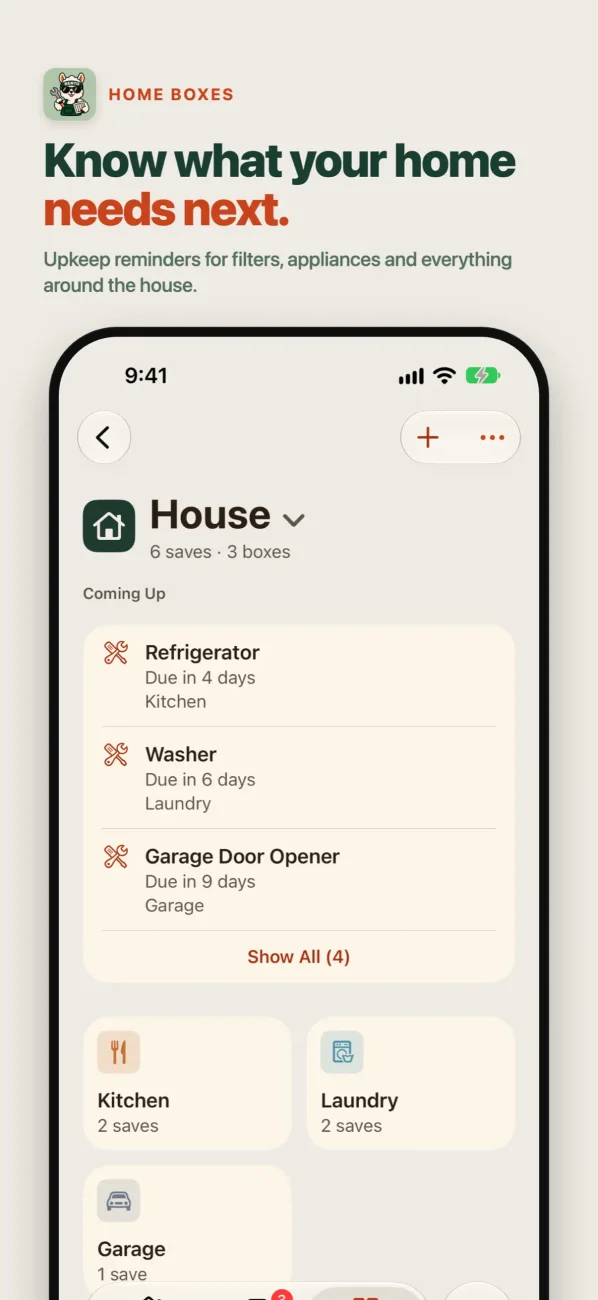
HOME BOXES
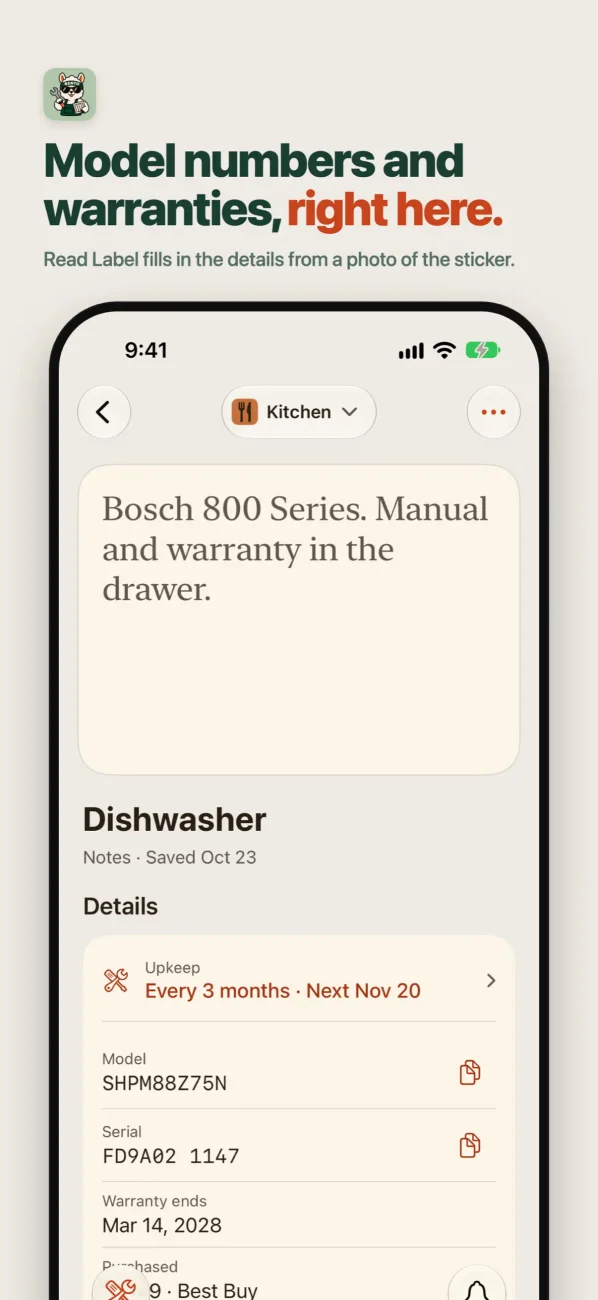
- Keep model and serial numbers, manuals and warranties together, room by room.
- Read Label fills in the details from a photo of the sticker.
- Upkeep reminders tell you when a filter or a check is due, and Coming Up shows what's next.
FIND ANYTHING
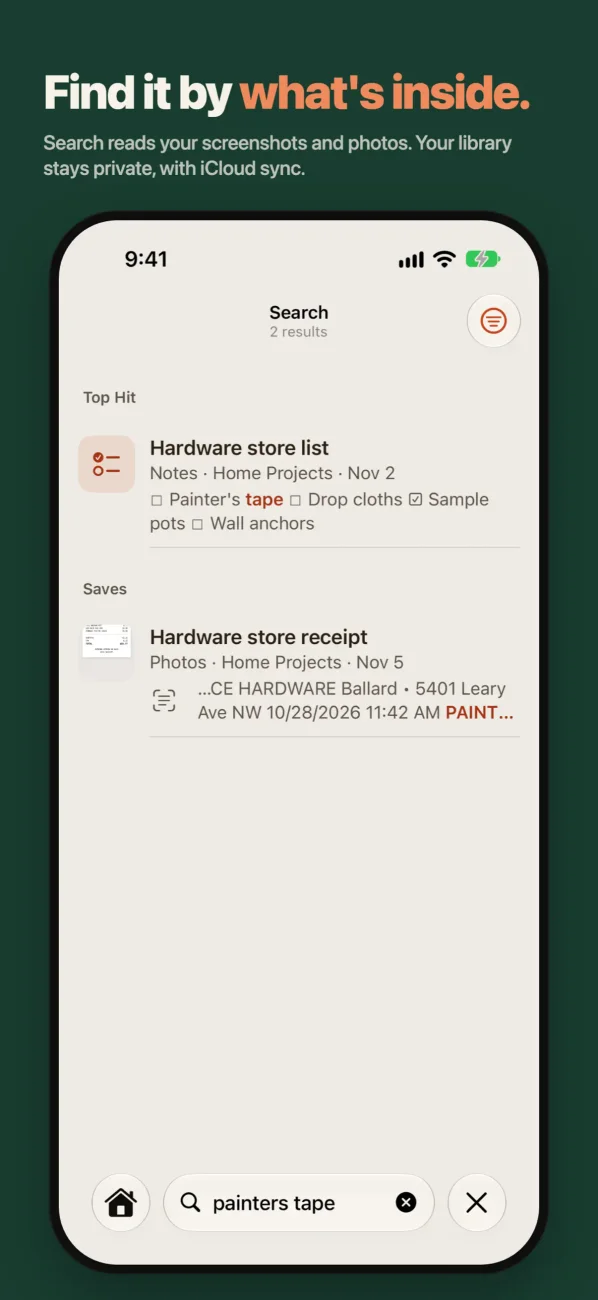
- Search finds words inside screenshots and photos.
- Find photos by what's in them, like "dog" or "receipt."
- Search by meaning, not just exact words.
YOUR BOXES, YOUR WAY
- The Upcoming bell lists everything that's due.
- Smart filters move matching saves into a box on their own.
- Pin the saves you use most, sort by date or name, and select many at once.
- Lock a box with Face ID, or hide it.
- Share a box with family or friends through iCloud.
- Pick from 11 app icons, each with its own dark version.
PRIVATE BY DESIGN
Bento stores your library on your device. Search, text recognition and photo search run on your iPhone or iPad. iCloud sync and shared boxes use your own iCloud account.
FREE AND PRO
Every feature is free to use. The free plan holds up to 200 saves, 20 boxes and 1 shared box that you own. Bento Pro removes those limits, as a yearly subscription or a one-time purchase.
Terms of Use (EULA): https://www.apple.com/legal/internet-services/itunes/dev/stdeula/
Bento Terms: https://usebento.io/terms.html
Privacy Policy: https://usebento.io/privacy.html
What’s new
Version 2.0 · Nov 11, 2026
Bento 2 adds boxes built for what you keep in them.
- Recipe boxes: save recipes from links, videos and photos. Scale in US or Metric, plan your week, send groceries to Reminders, and share a recipe as a picture card.
- Cook Mode: cook one step at a time with timers and Read Aloud. Turn on hands-free and say "next" to move on.
- Trip boxes: plan by day on a map with travel times between places. Flight and hotel details come from your PDFs and screenshots, and Next Up keeps today in view.
- Home boxes: keep model and serial numbers, manuals and warranties together. Read Label fills in the details from a photo, and upkeep reminders tell you what's due.
- Sort Screenshots: swipe through new screenshots to save them to a box, keep them, or delete them from Photos, with a review before anything is deleted.
- The share sheet now shows the link's picture before you save.
- The Upcoming bell shows everything that's due across your boxes.
- Cleaner box pages, with Sort By, Select, and pinned saves you can reorder.
- Smarter search finds photos by what's in them and saves by meaning.
- Eleven app icons, each with a dark version.
App privacy
What Don Kallail declares on the App Store about how this app handles data.
-
Data not collected
The developer does not collect any data from this app.
Privacy practices may vary, for example with the features you use or your age.
Information
- Seller
- Don Kallail
- Category
- Productivity
- Version
- 2.0
- Updated
- Nov 11, 2026
- Released
- Jun 1, 2026
- Size
- 96.4 MB
- Requires
- iOS 26.0 or later
- Age rating
- 4+
- In-app purchases
- Yes
- Languages
- English
- Copyright
- © 2026 Thirdly
You might also like
-
 JunkDrawer - RecallThrow it in. Find it later.
-
 Brain Dump TrackerMind Cluttering
-
 Stacks: Save AnythingAI organizes your saved links
-
 Second Brain: Notes&KnowledgePersonal Knowledge Manager
-
 My Super ListaSmart & Simple Shopping List
-
 Jotaid - Your Note EngineNotes, Graph, Canvas & AI
-
 Kinship Vault: Docs & PhotosDocuments, Photos & Passwords
-
 Ivy6: Deep Work PlannerDaily Focus & Priority Tasks
-
 Vellum InkHandwritten notes & journal
-
 Pluck - Save for LaterSave Anything, Find It Later