JunkDrawer - Recall
Throw it in. Find it later.
Designed for iPhone, iPad
Free · In-app purchases
- Age rating4+
- CategoryProductivity
- DeveloperJaswanth Reddy
- LanguagesEnglish
- Size16.8 MB
Links to the official App Store page
Download.org hosts no file of JunkDrawer - Recall. The button opens its official App Store page, published by Jaswanth Reddy. Listing last checked on Nov 17, 2026.
Screenshots

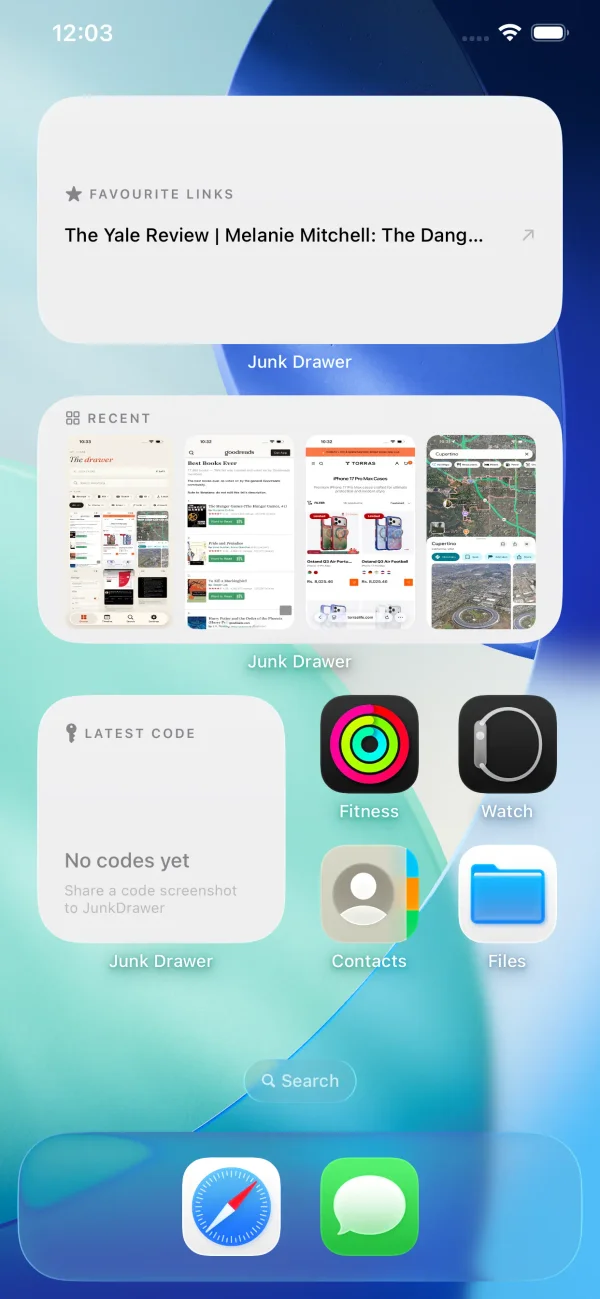
About
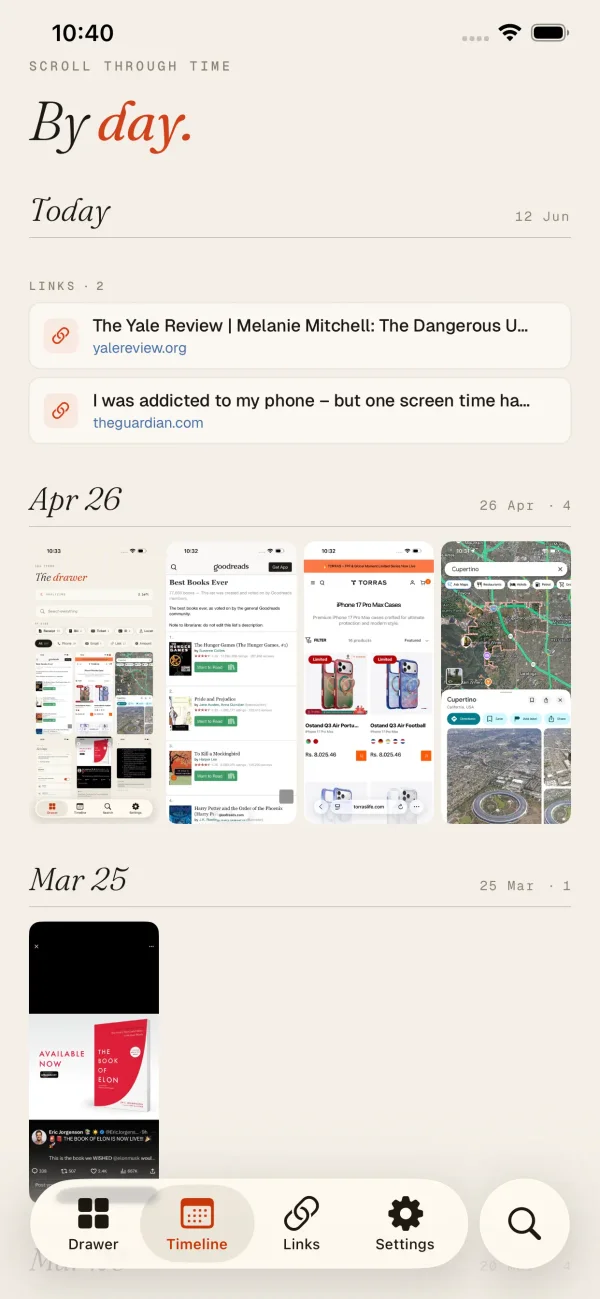
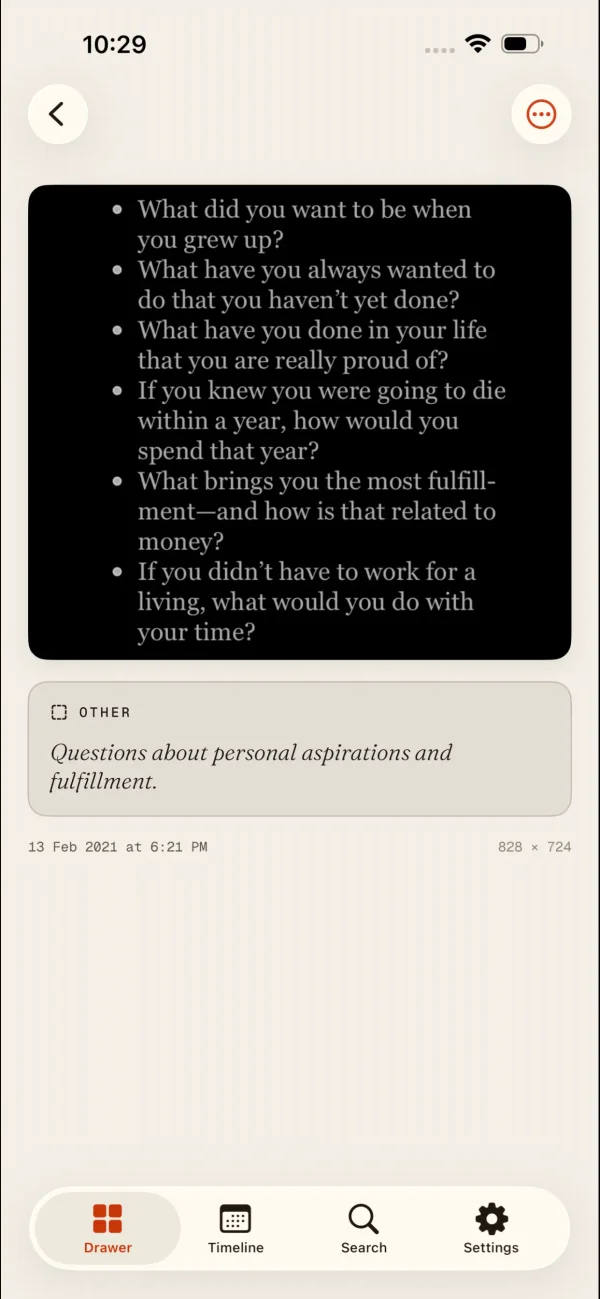
Every iPhone has a thousand screenshots. The parking spot at the airport, the OTP from the bank, the auto driver's address, the kid's exam result, the prescription you snapped before the chemist closed. Photos already saves them. Finding them, three months later, is the problem.
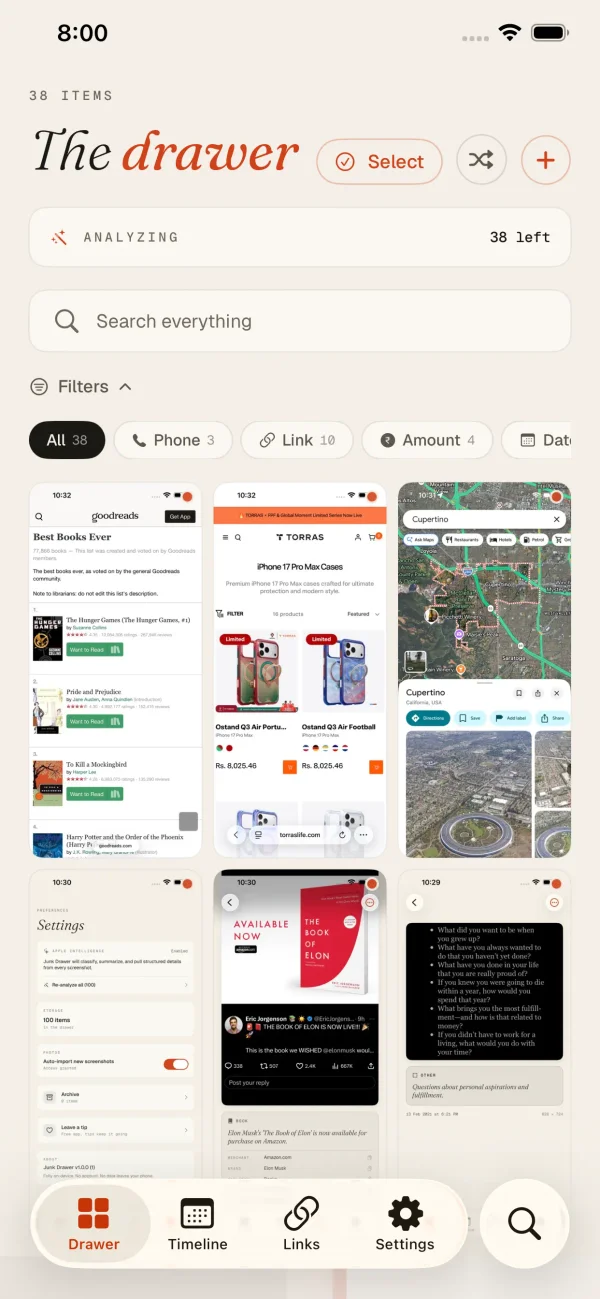
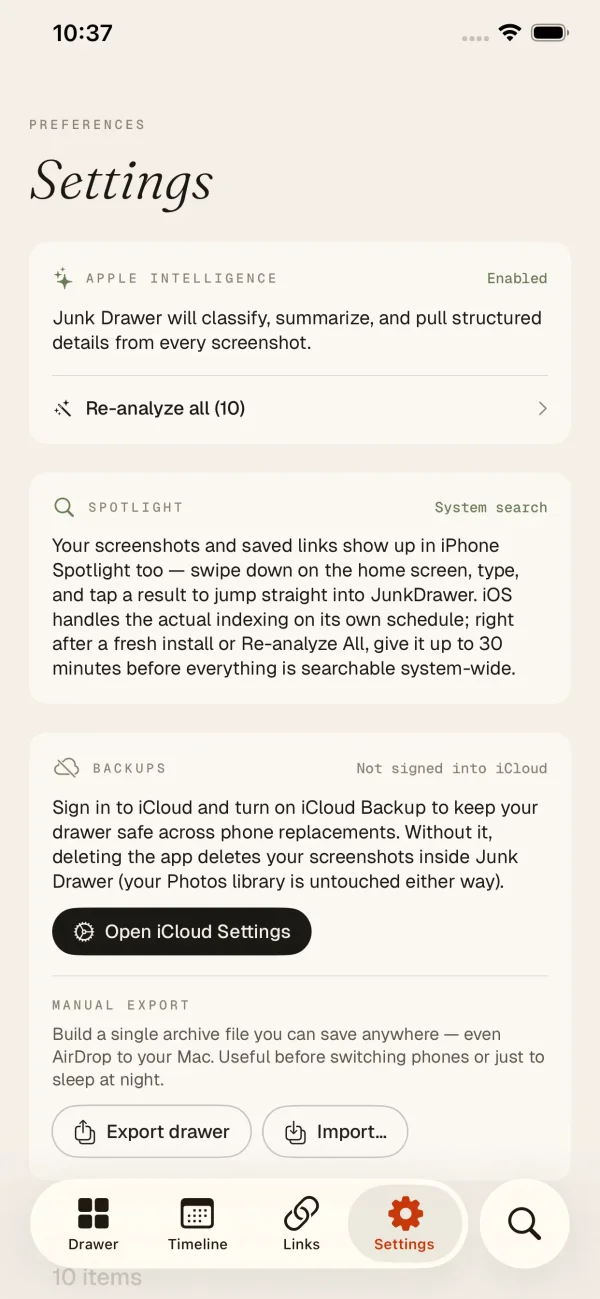
JunkDrawer indexes every screenshot you share to it - fully on your device - so you can find anything later. By word, by ₹ amount, or just by the vibe of what it was.
WHAT IT DOES
• OCR over English. Every word inside the screenshot becomes searchable.
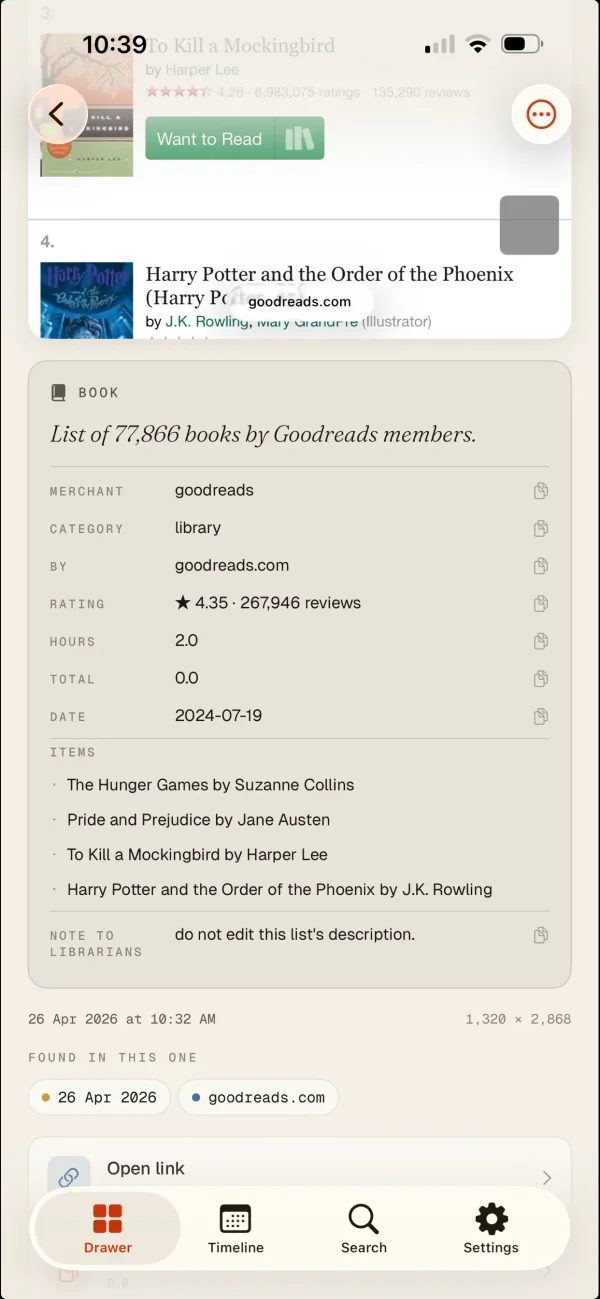
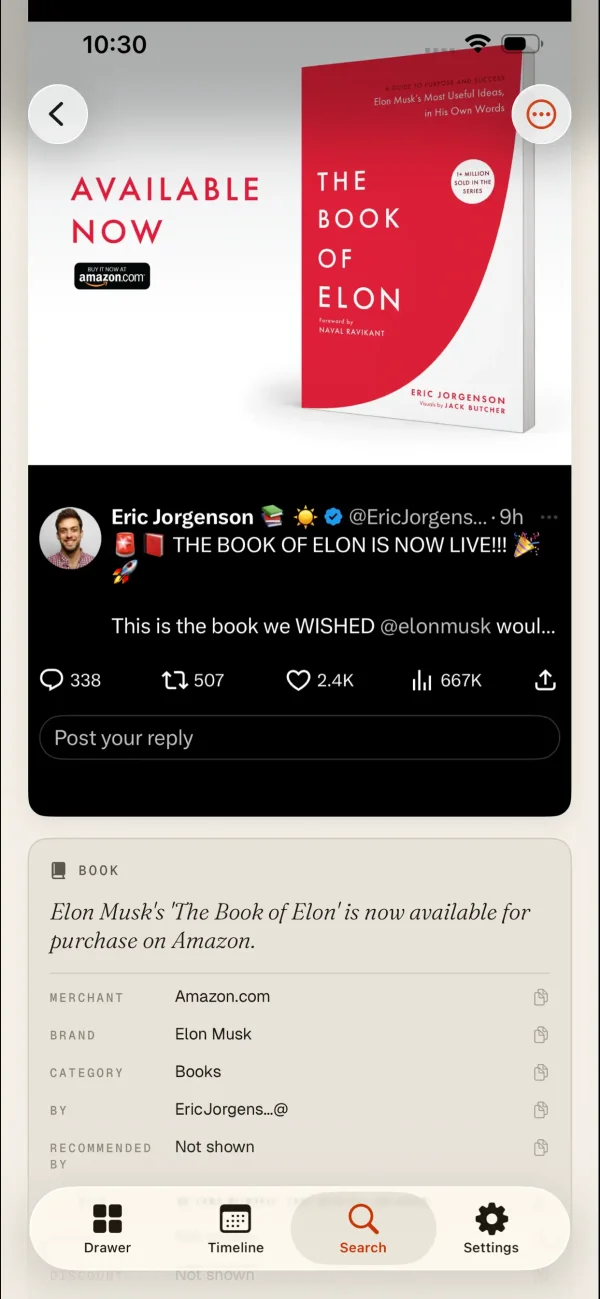
• Apple Intelligence classifies each screenshot - receipt, prescription, ticket, contact, invitation, social post, exam result, food, map, document, and more.
• A one-line summary so you can skim a hundred screenshots without opening any.
• Structured extraction. Phone numbers, OTPs, ₹ amounts, dates, addresses, UPI handles, IFSC codes, dosages, tracking numbers - pulled out as tappable pills. One tap to call, copy OTP, open Maps, copy the total.
SEARCH THAT ACTUALLY WORKS
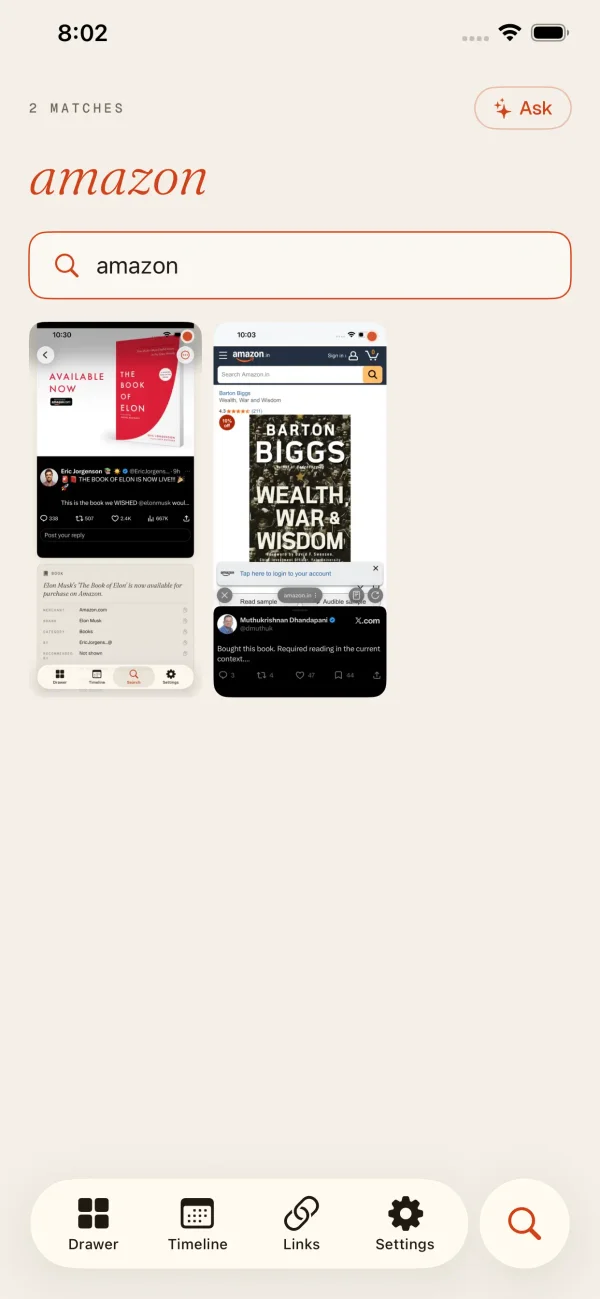
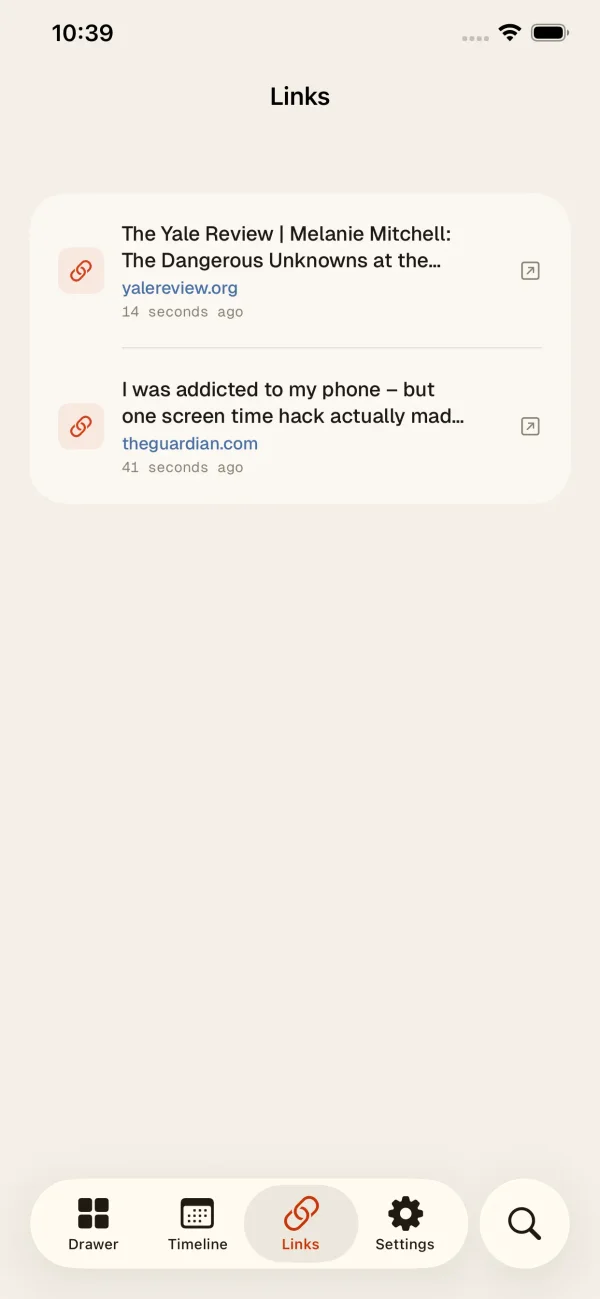
Full-text + semantic + visual labels, all at once. Type "biryani" or "₹440" or "diabetes meds" - the right screenshot surfaces. No mode switching. No syntax.
DOMAIN-AWARE
• ₹ formats in lakhs and crores when they should.
• UPI handles aren't treated as broken email addresses.
• IFSC codes are first-class.
• Phone numbers in +91 format pretty-print correctly.
FULLY ON-DEVICE
This matters more for screenshots than for almost any other category of personal data. Your screenshots are your bank app, your prescriptions, your OTPs.
• No account, no cloud, no analytics, no telemetry.
• OCR runs on Apple's Vision framework. Classification runs on Apple Foundation Models. Embeddings come from Apple's Natural Language framework. Nothing leaves your phone.
• Delete the app and every screenshot it indexed is deleted with it. Your Photos library is never touched.
• If iCloud Backup is on, your drawer rides to your next iPhone automatically.
• Manual export creates a single .junkdrawer file you can stash anywhere — iCloud Drive, AirDrop to your Mac, email yourself. Tap one to import on a fresh install.
HONEST ABOUT STATE
• Pending screenshots show a small dot until they're analyzed. No fake completeness.
• Settings tells you exactly which features are running and which aren't.
• If the AI gets a kind wrong, change it from the screenshot's menu. Edit a wrong capture date the same way.
WHAT IT ISN'T
• Not another Photos app - your library stays where it is.
• Not cloud sync (the schema is ready; sync ships in a later update).
• Not a notes or journaling app.
• Just one thing, done well.
REQUIREMENTS
Apple Intelligence required for full features (iPhone 15 Pro or later, iOS 26 recommended). Without it, full-text search and entity extraction still work on every screenshot - just no AI summaries or classification.
Free forever, with an optional tip jar inside.
Throw it in. Find it later.
What’s new
Version 2.2 · Oct 26, 2026
Built for iOS 27.1, with iPhone Duo checked. No new feature
App privacy
What Jaswanth Reddy declares on the App Store about how this app handles data.
-
Data not collected
The developer does not collect any data from this app.
Privacy practices may vary, for example with the features you use or your age.
Information
- Seller
- Jaswanth Reddy
- Category
- Productivity
- Version
- 2.2
- Updated
- Oct 26, 2026
- Released
- Apr 29, 2026
- Size
- 16.8 MB
- Requires
- iOS 18.0 or later
- Age rating
- 4+
- Price
- Free
- In-app purchases
- Yes
- Languages
- English
- Copyright
- © iam-j
You might also like
-
 Bento: Personal LibraryEverything in its box
-
 HabitApp NFCProductivity
-
 Succeed AI: Private WriterRewrite, summarize, translate
-
 Rock Lock - App BlockerScreen Time & Focus Timer
-
 LockIn: App Launcher & BlockerScreen Time Limit, Focus Detox
-
 Magpie: Save Now. Work Later.Your notes, inside Claude.
-
 fork ai: PDF to Mind MapThen dig into any part of it
-
 Habits - Planner and HeatmapConsistency at a Glance
-
 Minuted: AI Meeting NotesRecord, Transcribe Voice Memos
-
 DOS FocusFocus with Retro Sounds