- Age rating4+
- CategoryUtilities
- DeveloperBukdu Group, LLC
- LanguagesEnglish
- Size44.4 MB
Links to the official App Store page
Download.org hosts no file of Big Thumb Keyboard. The button opens its official App Store page, published by Bukdu Group, LLC. Listing last checked on Nov 12, 2026.
Screenshots


About
Tired of Typos? Meet the Keyboard Built for Your Thumb.
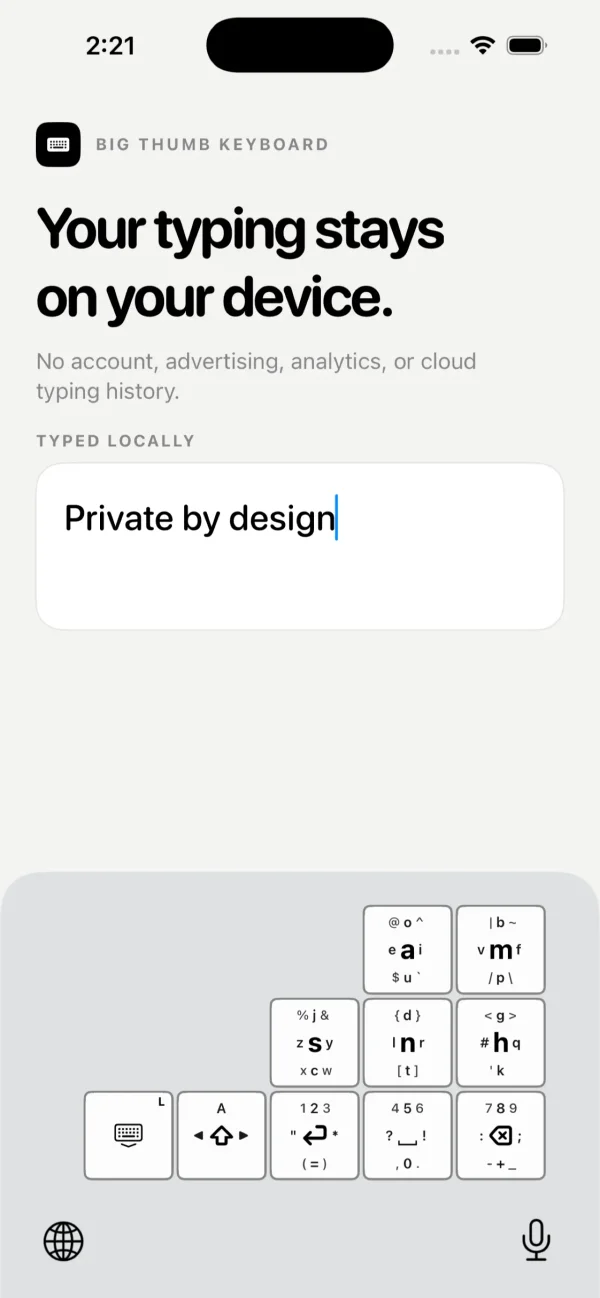
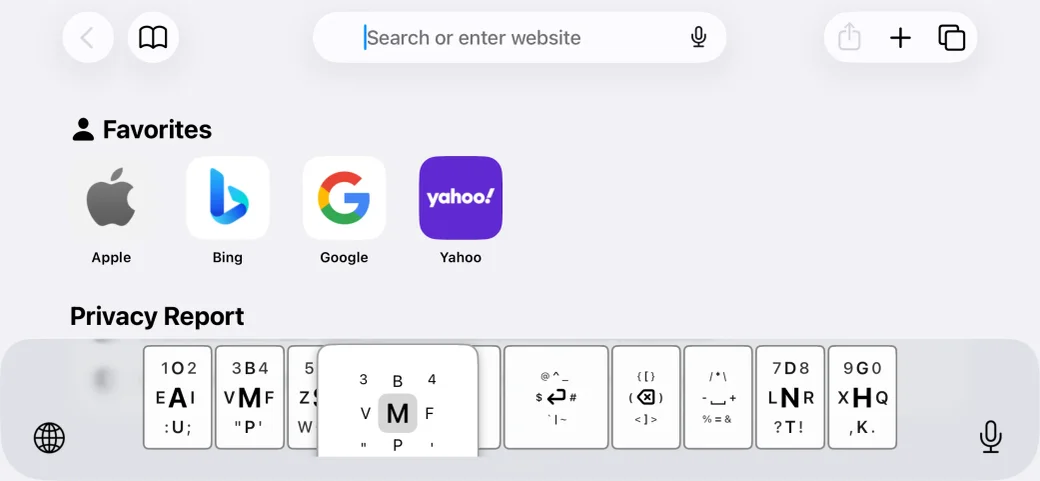
Stop squinting at tiny keys and struggling with "fat finger" errors. Big Thumb Keyboard is a revolutionary, gesture-based typing system that lets you access every character (letters, numbers, and symbols) with a single thumb, without ever switching layouts.
ONE PRICE. NO SUBSCRIPTIONS. NO ADS. In a world of monthly fees, we keep it simple: Pay once, type forever. No data collection. No tracking. Just a better way to type.
WHY CHOOSE BIG THUMB?
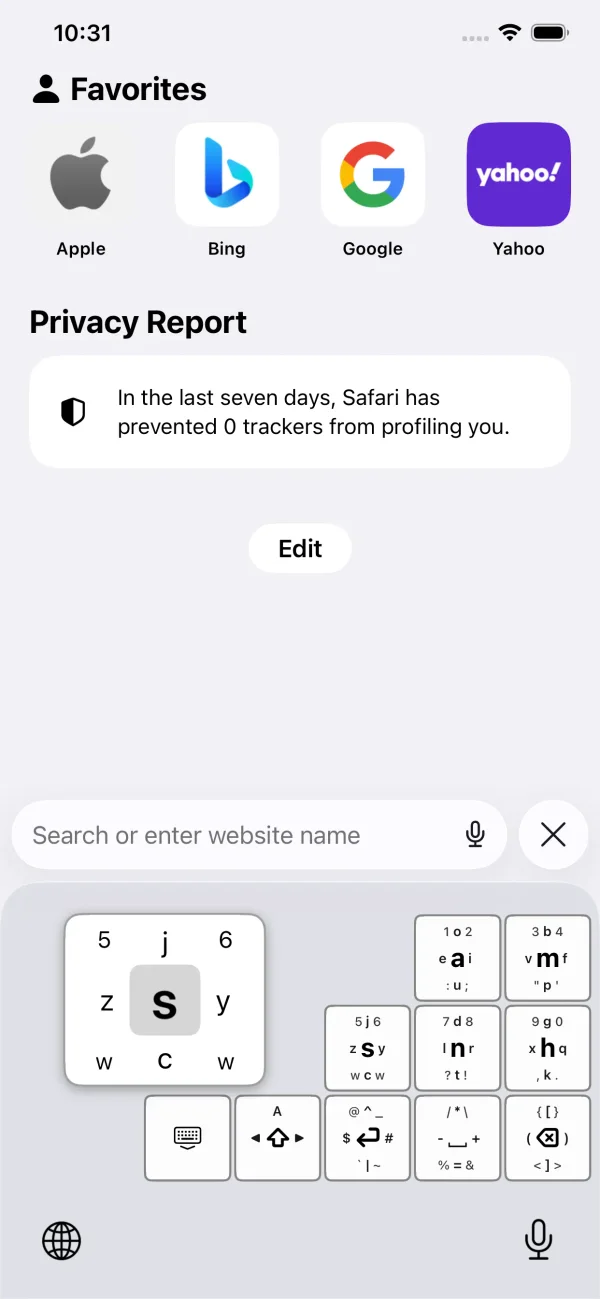
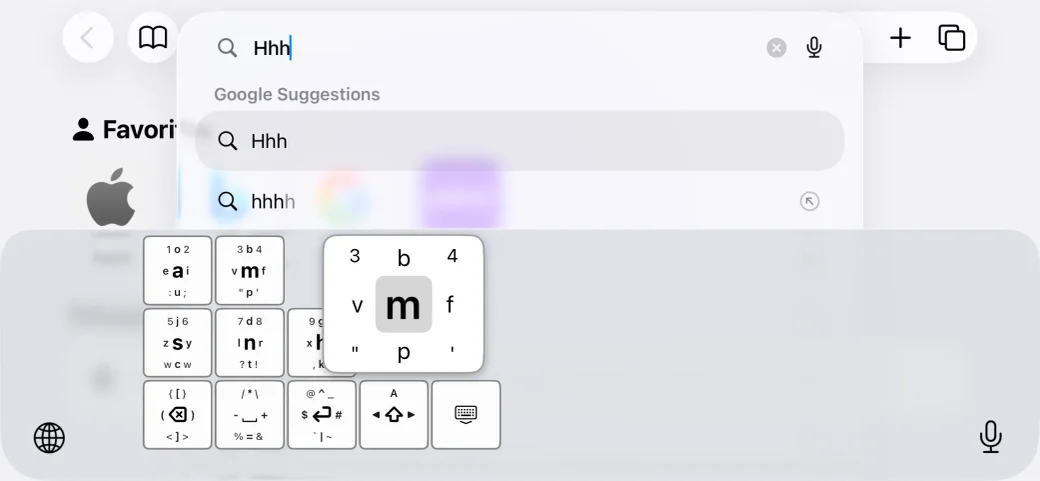
- The 8-Way Swipe System: Every button is a powerhouse. Swipe in any of 8 directions (up, down, corners, etc.) to instantly type different letters. It’s faster, more accurate, and feels like magic once you find your rhythm.
- Perfect Muscle Memory: Unlike other keyboards that shrink or grow, our buttons stay a consistent 5mm wide on every device. Whether you’re on an iPhone SE or an iPad Pro, your thumb always knows exactly where to go.
- True One-Handed Typing: Carrying a coffee? Holding a baby? Just swipe the Shift key to toggle One-Handed Mode and fly through your messages with ease.
- Phonetic "Hangul" Logic: We’ve grouped letters by how they sound (Lips, Tongue, Throat). It’s a scientifically backed system that makes learning the layout surprisingly intuitive.
- Pro-Grade Autocorrect: Advanced AI learns your patterns. Made a mistake? Our 2-second Instant Undo lets you revert a correction with one tap of the backspace.
FEATURES YOU’LL LOVE
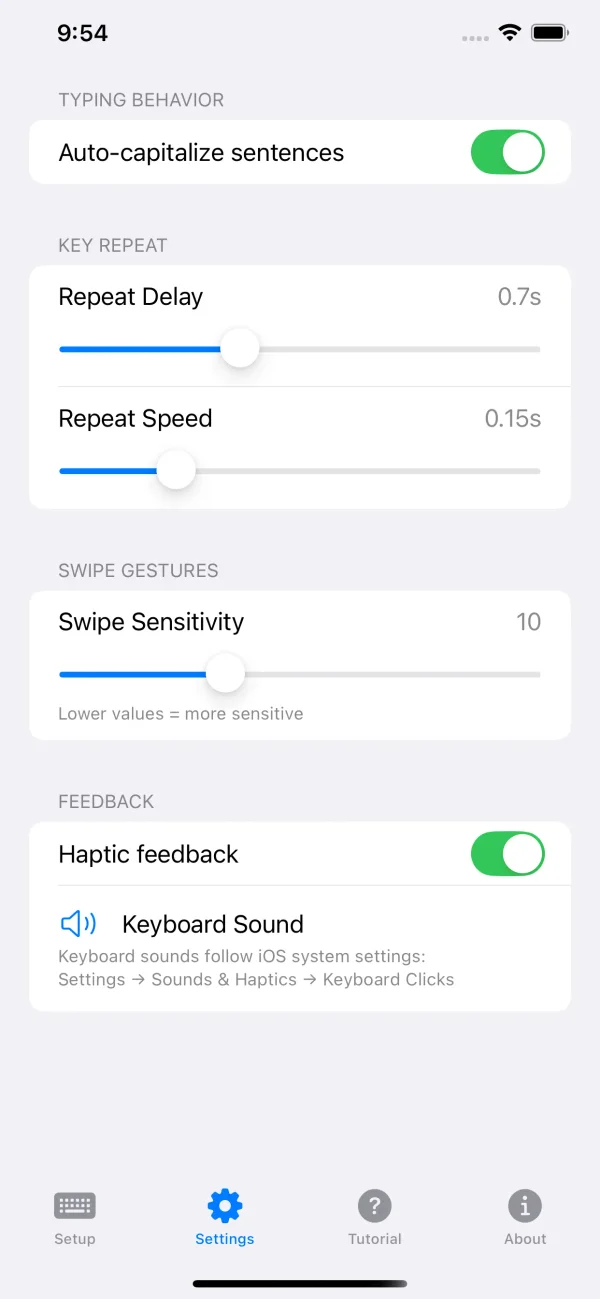
- Haptic Feedback: Feel the "click" of every swipe. Distinct vibrations for different directions help you type without even looking at the screen.
- Quick Symbols & Numbers: No more hunting through sub-menus. Access punctuation and math symbols instantly through control swipes.
- Privacy First: We don't want your data. Your keystrokes stay on your device—period. Full Access is only required for haptic feedback and local settings.
IS THIS FOR YOU?
- Large Hands? Finally, keys you can actually hit.
- Accessibility Needs? Designed for those who need high-precision, low-mobility input.
- Efficiency Junkies? Master the swipe and outpace standard QWERTY typists.
30-SECOND SETUP
- Install the app.
- Go to Settings → General → Keyboard.
- Tap Keyboards → Add New Keyboard → Big Thumb Keyboard.
- (Optional) Allow Full Access to enable haptic feedback.
Join the typing revolution. Download Big Thumb Keyboard today and take back your screen!
What’s new
Version 1.2.0 · Aug 30, 2026
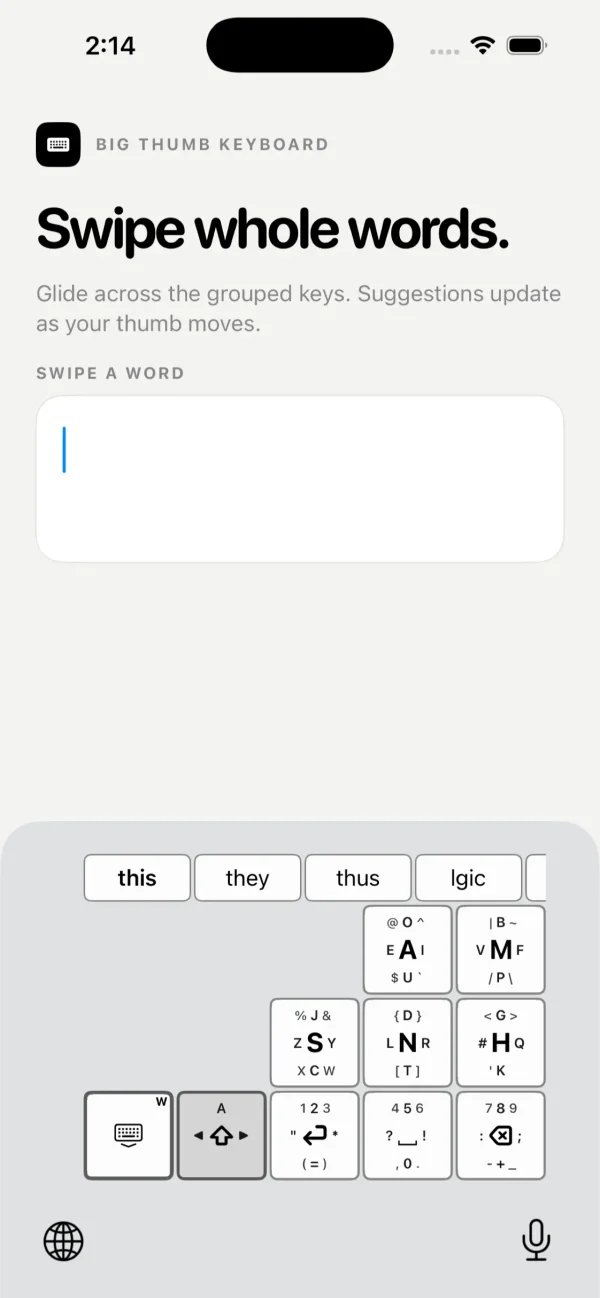
Swiping as well as word prediction have been added!
Swipe over big keys or just tap on them to get word suggestions.
App privacy
What Bukdu Group, LLC declares on the App Store about how this app handles data.
-
Data not collected
The developer does not collect any data from this app.
Privacy practices may vary, for example with the features you use or your age.
Information
- Seller
- Bukdu Group, LLC
- Category
- Utilities
- Version
- 1.2.0
- Updated
- Aug 30, 2026
- Released
- Sep 15, 2025
- Size
- 44.4 MB
- Requires
- iOS 18.5 or later
- Age rating
- 4+
- Price
- $2.99
- Languages
- English
- Copyright
- © 2025 Bukdu Group LLC
You might also like
-
 AEI 20Keys Keyboard EnglishIDEAL KEY SIZE & LAYOUT
-
 Easy Mailer English Keyboardwith Arrow Keys
-
 oKeyboard EduA talking, predictive keyboard
-
 SuperKeys Accessible KeyboardThe Assistive Keyboard for iOS
-
 zellopon keyboardMake typing fun and easy
-
 TechniCalc CalculatorScientific & Engineering
-
 The Big KeyboardBig Keys, Easy Typing
-
 SmartType AI Keyboard WriterAI Writer Content Generator
-
 EV Charge Calculator - OfflineCalculate Cost, Time, Range
-
 MessagEase KeyboardUtilities