- Age rating4+
- CategoryHealth & Fitness
- DeveloperBike Index
- LanguagesEnglish
- Size28.7 MB
Links to the official App Store page
Download.org hosts no file of Bike Index. The button opens its official App Store page, published by Bike Index. Listing last checked on Nov 15, 2026.
Screenshots


About
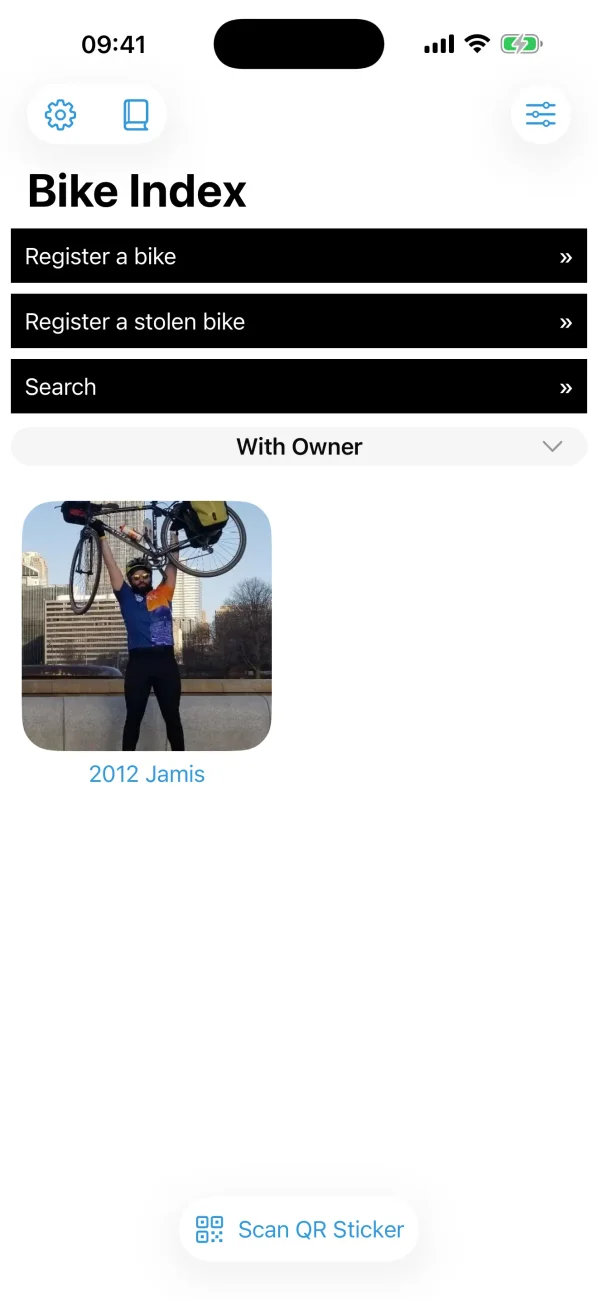
The most widely used and successful bicycle registration service in the world with over 1,400,000 cataloged bikes, 1,700+ community partners and tens of thousands of daily searches.
- Register, manage, and edit your bikes
- Search for missing and found bikes
What’s new
Version 1.7 · Jul 19, 2026
This release adds a dedicated button for Sticker Center with in-app QR Sticker Scanning!
- Removes the limit of 10 recently scanned stickers
- Stickers scanned more than 2 weeks ago will be forgotten
Bike Index QR stickers link to your bike so that if someone finds it, they can scan it, pull up your Bike Index listing, and send you a message. Obtaining and linking a Bike Index QR sticker is super easy and provides an optional, beneficial layer of protection for your bike.
You might also be part of a university or other organization that uses Bike Index QR stickers as official registration decals. The sticker serves as a way for people to easily get in touch with you, but also is a deterrent to a thief that might be thinking about stealing your bike.
The stickers are weather and tamper-proof.
You can get Bike Index QR stickers from two sources:
1. The Bike Index store
2. A local organization, such as a bike shop, university, or law enforcement
If you receive a sticker from the Bike Index store, you can link the sticker yourself and you'll be good to go. Instructions for linking the sticker are on the back. Just open your phone's camera and hold it over the sticker. When a link pops up, follow it. Make sure you are logged in to Bike Index on your phone, and your bike list will pop up. Click 'link it' on the bike you'll put the sticker on.
If you get a sticker from an organization such as a bike shop, they might have already linked the sticker for you. If they haven't, the process for linking the sticker to your bike is the same. If your sticker has come from an organization, then linking the sticker to your bike will also add your bike to that organization on Bike Index so that it's easier for administrators of the organization to get in touch with you, such as if a law enforcement officer recovers your stolen bike.
You can also manually add your sticker number to your bike by going to your bike's edit page on Bike Index. Log in and navigate to your 'edit bikes' page. On the 'bike details' tab, scroll down and add your sticker number at the bottom. If this isn't visible, make sure your bike is added to the correct organization on Bike Index from the 'groups and organizations' tab. Once this is done, you'll see the option to add the sticker number on the bike details tab.
App privacy
What Bike Index declares on the App Store about how this app handles data.
-
Data linked to you
May be collected and linked to your identity.
- Contact info
- User content
- Identifiers
- Diagnostics
Privacy practices may vary, for example with the features you use or your age.
Information
- Seller
- Bike Index
- Category
- Health & Fitness
- Version
- 1.7
- Updated
- Jul 19, 2026
- Released
- May 22, 2024
- Size
- 28.7 MB
- Requires
- iOS 17.2 or later
- Age rating
- 4+
- Price
- Free
- Languages
- English
- Copyright
- 2025 © Bike Index, a 501(c)(3) nonprofit - EIN 81-4296194
You might also like
-
 dashcam.bikeEasy videos from your bicycle
-
 ProBikeGarage: Bicycle trackerBicycle maintenance tracker
-
 529 Garage VolunteerFor 529 Partner Organizations
-
 KOPILOT.IDDigital Emergency ID
-
 Love to Ride appAutomatically log bike rides!
-
 HRM Heart Rate MonitorApple Watch to Bike Computer
-
 Skiwise - For Nordic SkiersTrail Reports, Maps & Search
-
 Epic Ride WeatherWeather forecasts for cyclists
-
 BicyclingHealth & Fitness
-
 Dynamic CyclistDaily Stretching & Mobility