
dashcam.bike
Easy videos from your bicycle
Designed for iPhone, iPad, iPod touch
Free · In-app purchases
- Age rating4+
- CategoryHealth & Fitness
- DeveloperDashcam for your Bike, Inc
- LanguagesEnglish
- Size197.8 MB
Links to the official App Store page
Download.org hosts no file of dashcam.bike. The button opens its official App Store page, published by Dashcam for your Bike, Inc. Listing last checked on Nov 15, 2026.
Screenshots




About
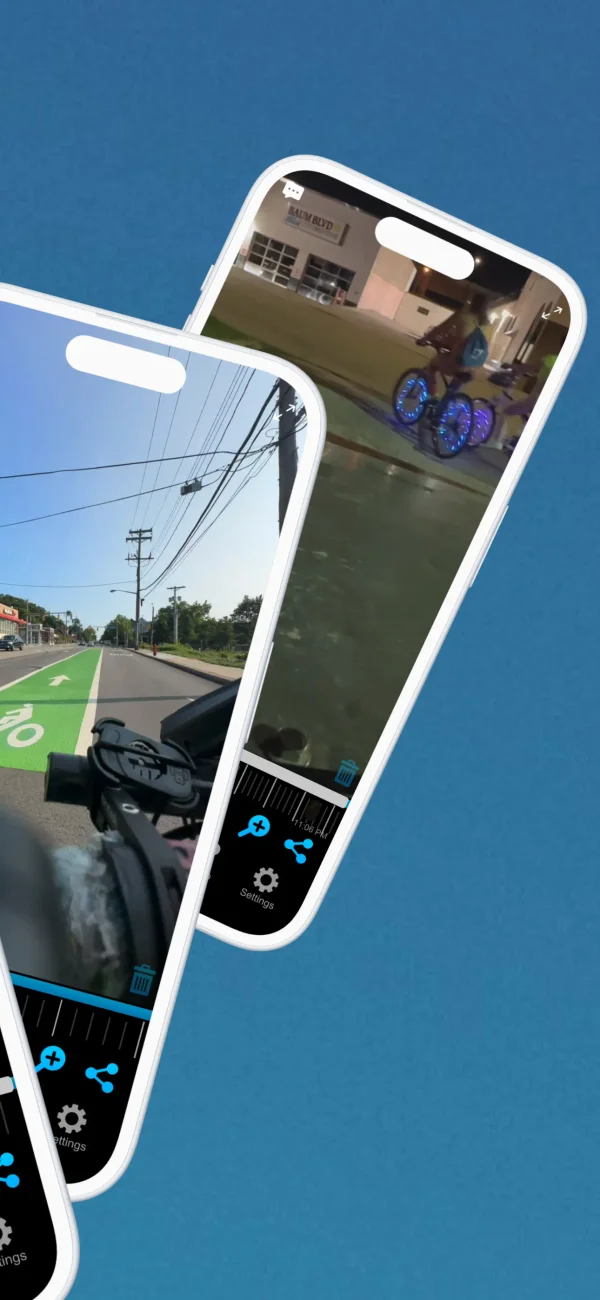
dashcam.bike is built for bicycle commuters to record every ride.
Why buy a separate camera when you already have an iPhone? Our in-app "Cinematic Stabilization" and our anti-shake phone mount work together to create high-quality footage with just your iPhone.
"Live Link" lets you share your live video feed & GPS location with loved ones so they know you're safe.
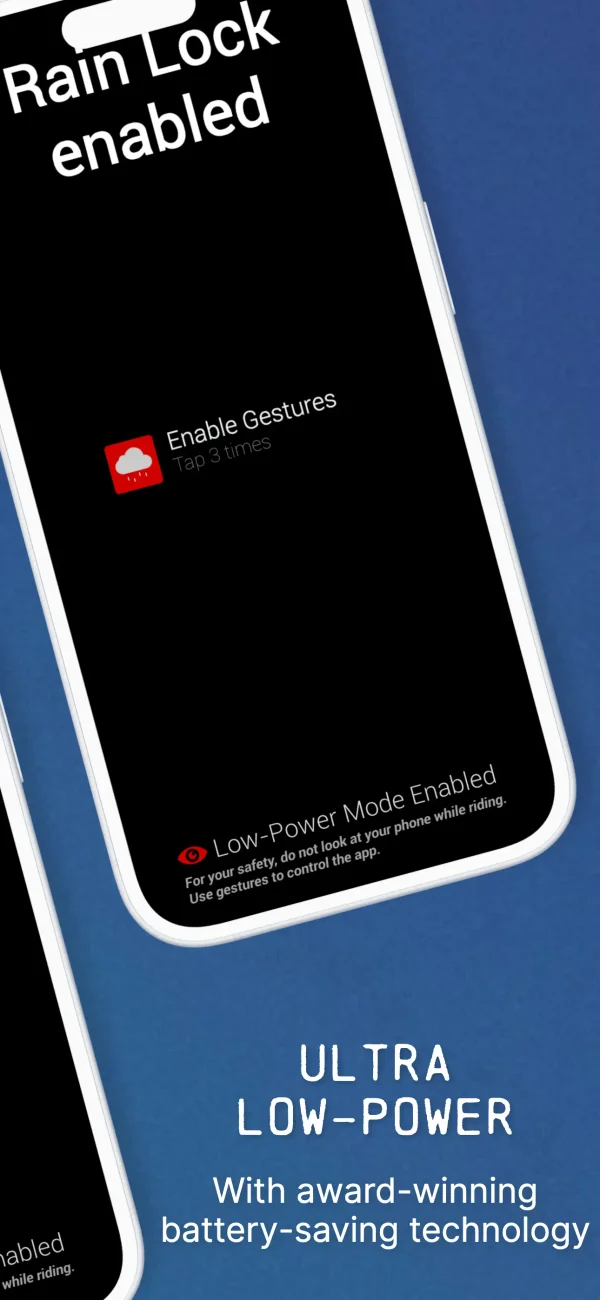
Use your smartphone's camera to record your rides. Our low-power standby mode uses close to zero battery, and our power-saving features let you record up to six hours on a single charge.
In standby mode, you're ready to record any hazard you encounter with a single tap of the screen.
The average commute uses just 5% of your battery. We recommend you record every commute or short trip, and leave the app on standby mode for longer rides.
Stay safe on the road with these features:
- Report hazardous conditions to your city officials
- Have video evidence in case of a crash
- Feel safe knowing that aggressive drivers can face consequences
- Create compilation videos to share group rides and give your friends FOMO
- Share cars parked in bike lanes with 311, or whoever deals with this in your city
Features:
- Doesn't disrupt your music or podcasts: Record video while playing through phone speakers or bluetooth headphones
- Super-low-power: automatically enters low-power-mode
- Gesture-based controls so you can start and stop recording without looking at your phone
- Records GPS tracks and overlays footage on a 3D map
- Export timelapse videos, up to 32x speed (nobody wants to watch your 10 minute ride at 1x speed!)
- Export videos to social media or save to your phone
- Export compilation videos
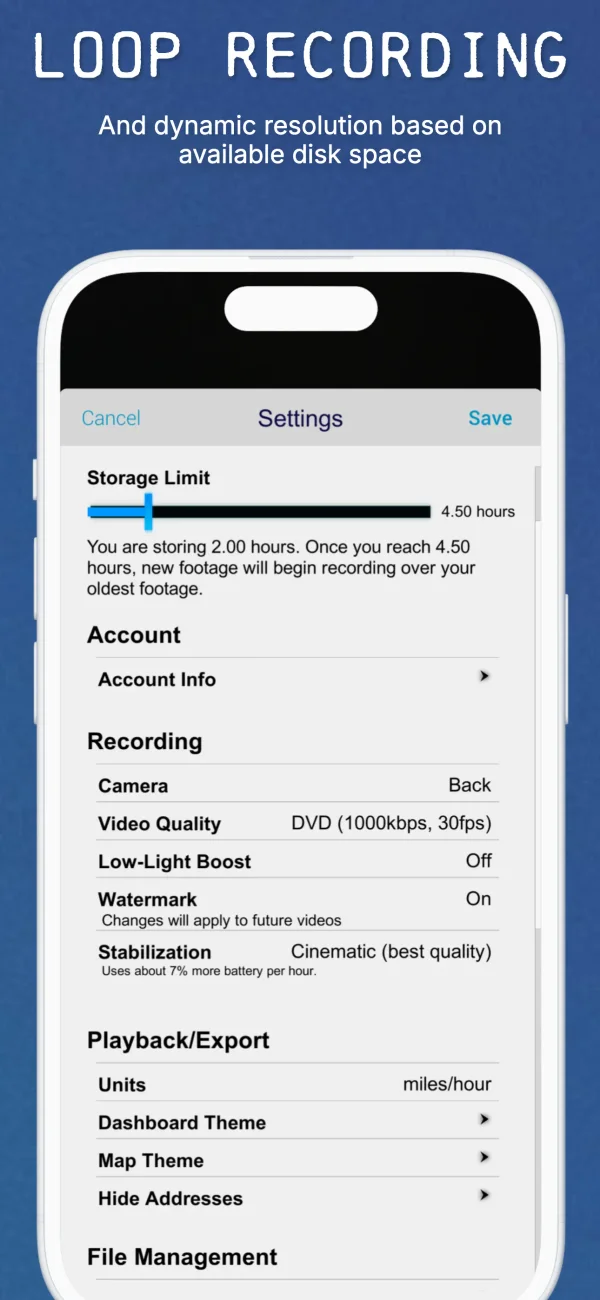
- Uses loop recording to automatically manage your storage
- Works in portrait or landscape mode
- Rain mode to ignore taps from raindrops
Premium features for subscribers:
- Cinematic stabilization (available on iPhone X and newer phones).
- Remove the watermark
- Multiple dashboard themes, including our new "Driver's Seat Perspective" overlay to show the absurdity of what commuters can encounter
- More scrolling on our 311 Feed, which lets you see what users in select cities have reported.
- Live Link video feed sharing
Privacy and Security:
- Your videos and GPS tracks are stored locally on your phone, not on our servers
- Exported videos can hide select addresess
Hardware:
- We recommend you use our app in combination with our footage-stabilizing mount: https://dashcam.bike/mounts
- No external cameras are needed. We use your smartphone camera.
- You can mount your camera on your handlebars to record in front of you, or on your seat post to record behind you.
FAQs:
>> How do you keep my data private?
Everything we do centers around your privacy! Your videos and location are stored locally on your device, not on our servers.
>> When can I use the app?
We recommend opening the app on every ride around town. You can leave it on standby to save battery power.
>> Can I play music while riding?
Yes! When you launch the app, your music will be paused. Just hit play again.
>> Can I use my maps app while riding?
Yes! Our phone mounts are designed to tilt upward so you can switch apps, check maps, then switch back.
>> How do I find my ride's highlights?
All you have to do is tap the screen while it’s recording. When you reach your destination, every tap will be visible as a purple marker in the timeline.
>> How do you make those cool 3D flyover videos?
Just hit Share > Video Clips and select multiple clips. The app will create a flyover video between each of the clips you selected.
>> How do I report hazards?
Use your city's 311 system. In select cities, our One-Tap 311 Reporting can do this for you. This includes Boston, Washington DC, Minneapolis, and Pittsburgh.
>> When is One-Tap 311 Reporting coming to my city?
See https://dashcam.bike/311 to bring 311 reporting to your city.
EULA: https://www.apple.com/legal/internet-services/itunes/dev/stdeula/
What’s new
Version 3.3.0 · Sep 7, 2026
1. Share live link with a web link! No app needed to view.
2. Video export at up to 256x speed
3. Fixed bugs: playback skipping, audio sync, video export crash
4. Much faster loading of "My Clips" when offline
App privacy
What Dashcam for your Bike, Inc declares on the App Store about how this app handles data.
-
Data not linked to you
May be collected but is not linked to your identity.
- User content
- Identifiers
- Usage data
- Diagnostics
Privacy practices may vary, for example with the features you use or your age.
Information
- Seller
- Dashcam for your Bike, Inc
- Category
- Health & Fitness
- Version
- 3.3.0
- Updated
- Sep 7, 2026
- Released
- Oct 14, 2021
- Size
- 197.8 MB
- Requires
- iOS 15.0 or later
- Age rating
- 4+
- Price
- Free
- In-app purchases
- Yes
- Languages
- English
- Copyright
- © 2026 Dashcam for your Bike, Inc
You might also like
-
 Bike IndexBike registration that works
-
 Love to Ride appAutomatically log bike rides!
-
 CycleComputerHealth & Fitness
-
 HR2VP Bike Training & TrackerCycling Workouts & GPS Rides
-
 Bike GPXSimply follow bike routes
-
 Bike & Cycle Tracker: GPS MTBSpeedometer, Cadence & Route
-
 Fitmeter Bike Basic - CyclingBicycle ride gps tracker
-
 Bike & Run Tracker - CadenceGPS Running & Cycling Computer
-
 Bike Fast Fit EZCheck saddle & riding position
-
 HeartCast: Heart Rate MonitorBluetooth HR for Gym Equipment