
BimmerInspect
Car Inspection & Health Report
Designed for iPhone, iPad
Free · In-app purchases
- Age rating4+
- CategoryUtilities
- DeveloperSergiu Stirbet
- LanguagesEnglish
- Size49.9 MB
Links to the official App Store page
Download.org hosts no file of BimmerInspect. The button opens its official App Store page, published by Sergiu Stirbet. Listing last checked on Nov 12, 2026.
Screenshots




About
BimmerInspect is an independent vehicle inspection app that works only with selected supported vehicles. Before you buy an adapter, check which cars are supported in the FAQ at bimmerinspect.app.
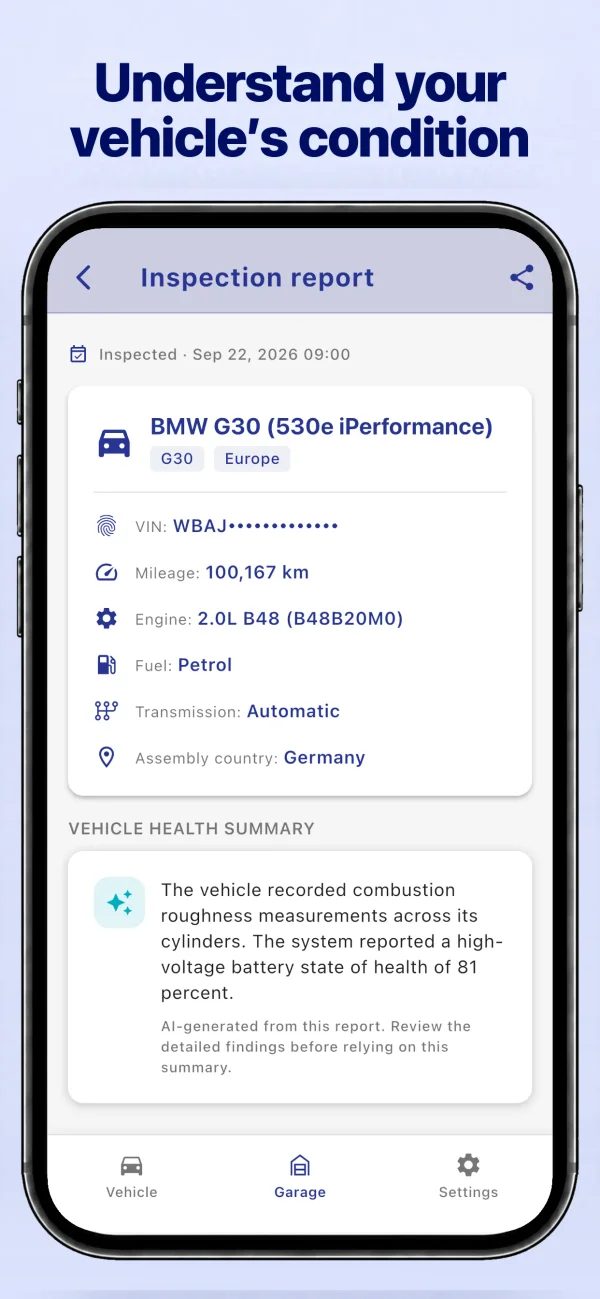
Get a clearer picture of a used car before purchase—or better understand a vehicle you already own. BimmerInspect connects to supported vehicle systems through a compatible OBD adapter and turns available manufacturer-specific diagnostic data into a guided inspection and a clear report.
WHAT IT CAN CHECK
Depending on the vehicle and the systems that respond, BimmerInspect can inspect up to seven areas:
• Vehicle identity — compares VIN and build information reported by available vehicle systems
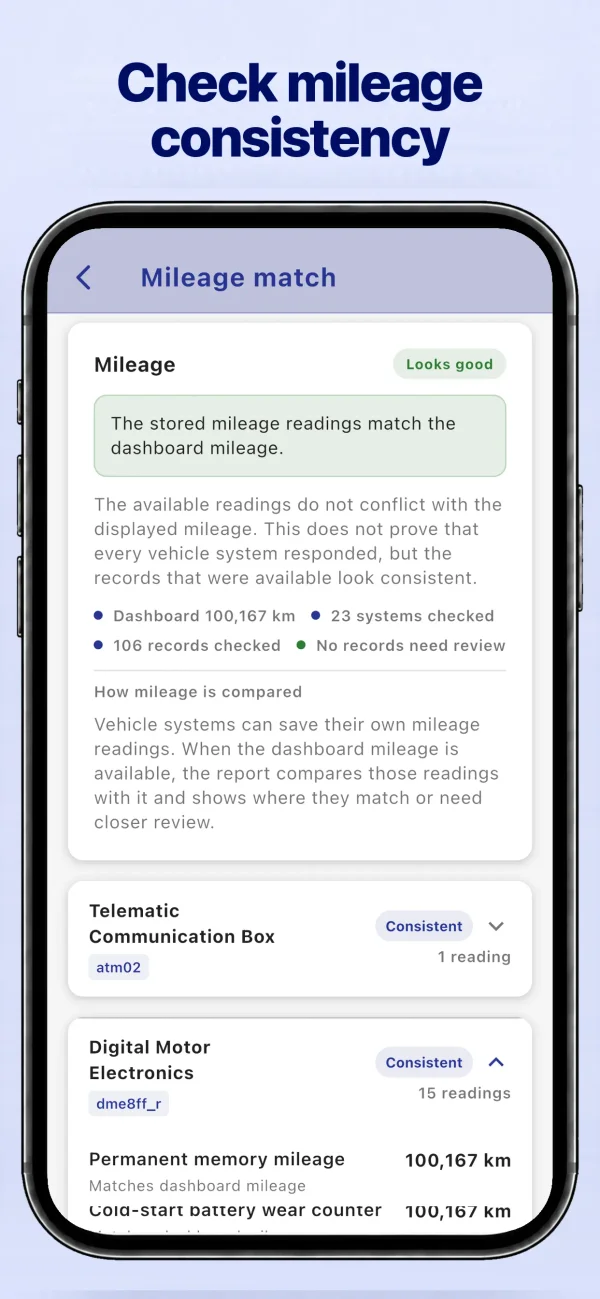
• Mileage — compares the dashboard reading with mileage available in other control units
• Faults — reads stored fault codes and provides available names and descriptions
• Engine — reviews available misfire, variable valve timing, fuel-trim and related data
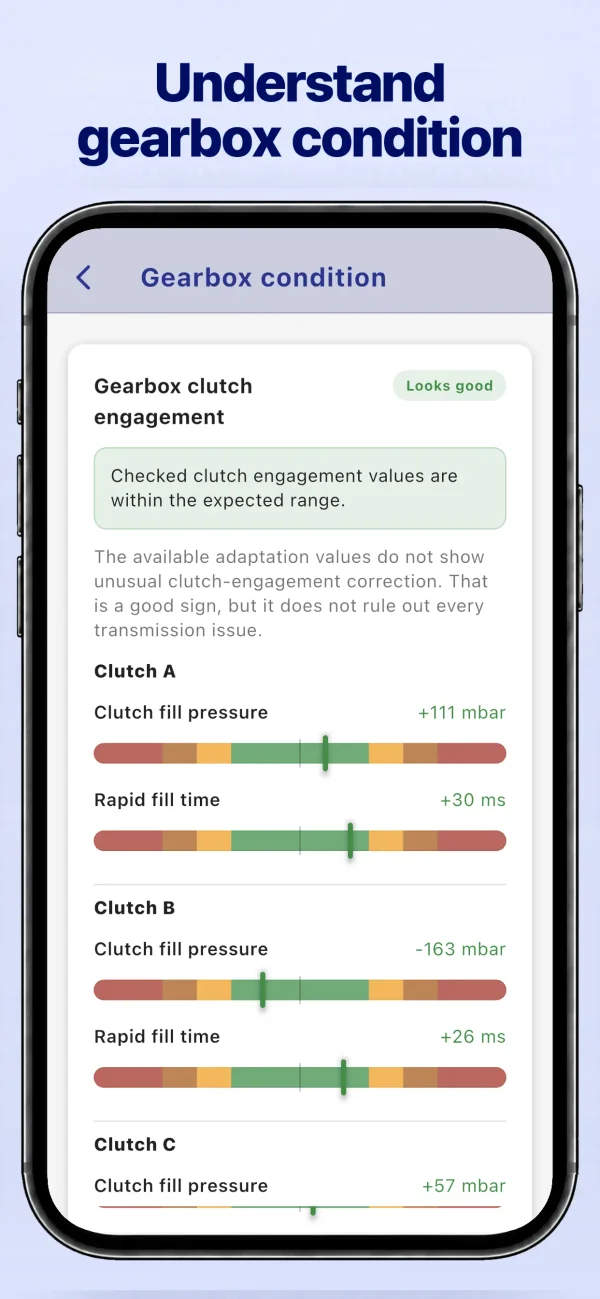
• Gearbox — examines available transmission adaptation and temperature history
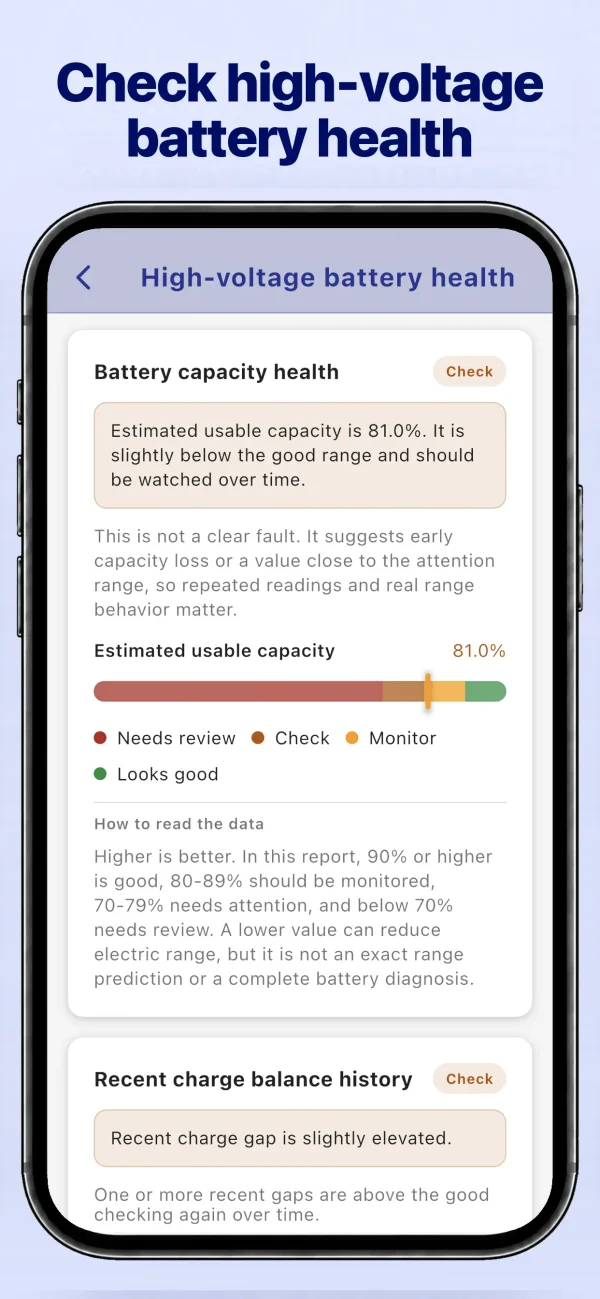
• High-voltage battery — reviews available capacity, consistency and cell-balance data on supported vehicles equipped with a high-voltage battery
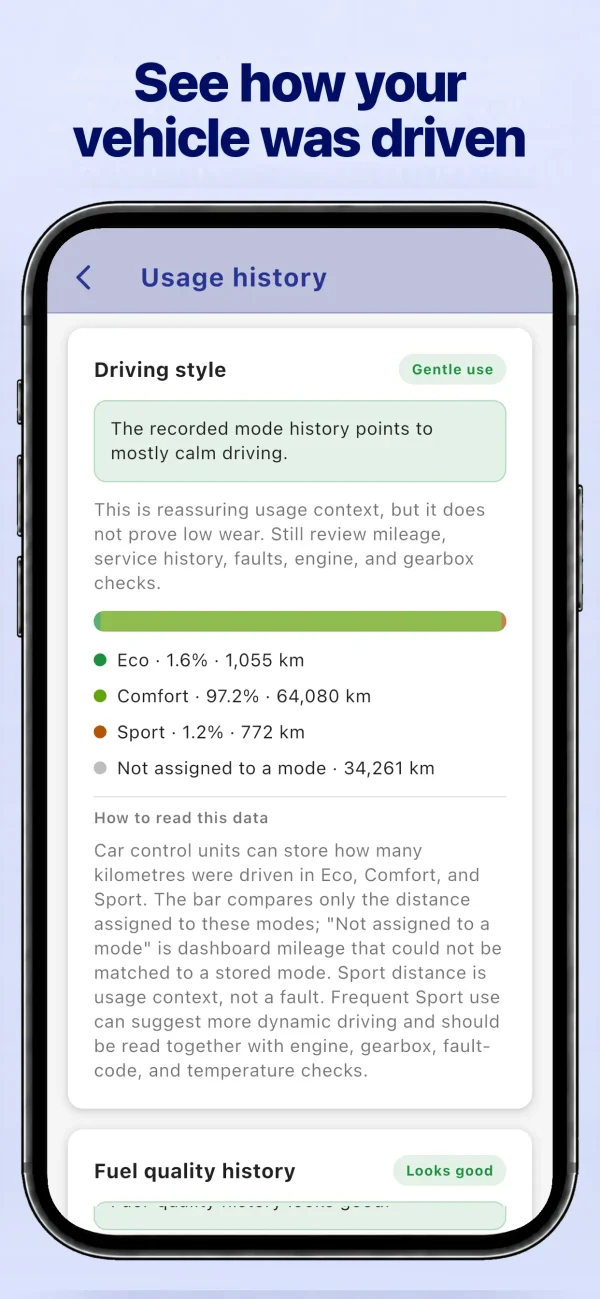
• Usage — summarizes available driving patterns, loads and operating-temperature history
Only inspection areas supported by the vehicle’s responding systems are shown. Coverage varies by model, platform, powertrain, trim and installed control units.
HOW IT WORKS
1. Connect a compatible adapter to the vehicle’s OBD-II port.
2. Let BimmerInspect identify the vehicle and available systems.
3. Run the guided inspection while the vehicle is safely parked.
4. Review the summary and explore the detailed results for each available area.
Most inspections take approximately ten minutes; allow up to fifteen.
INSPECT FIRST, THEN DECIDE
Running an inspection is free, and you can see what was successfully checked before deciding whether to purchase the complete report.
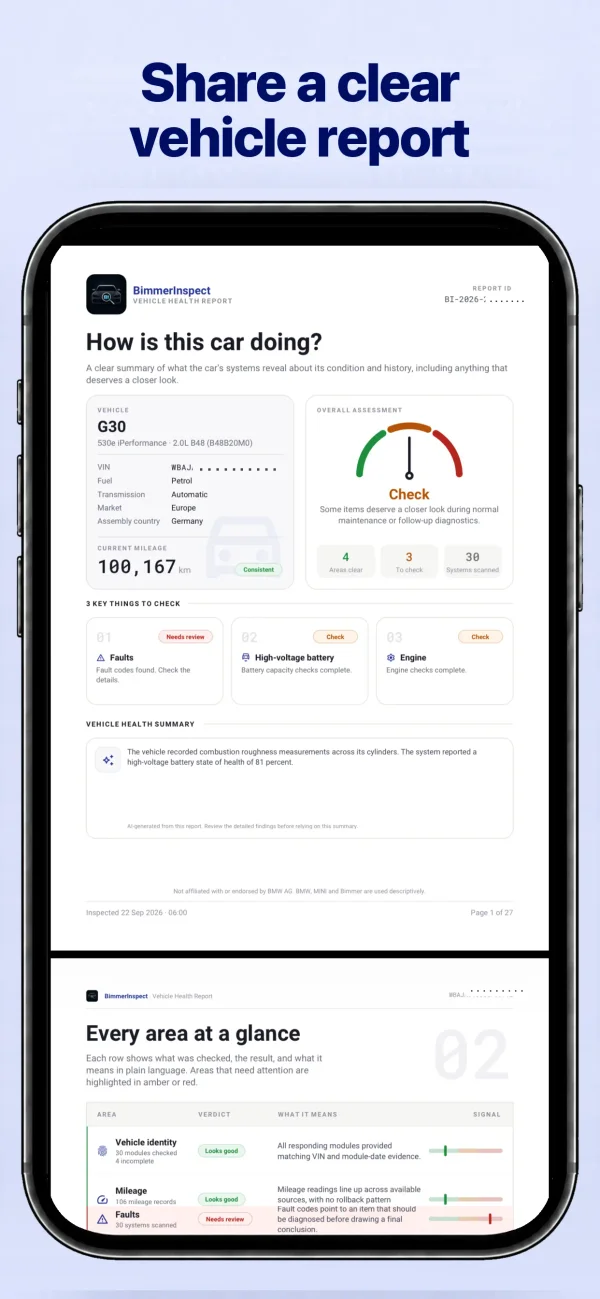
Unlocking is a one-time payment per report—there is no subscription. An unlocked report includes the complete findings and a PDF that you can save or share.
No adapter yet? Open the sample report from the Vehicle tab to see what an inspection report looks like.
VEHICLES AND ADAPTERS
BimmerInspect supports selected vehicles from approximately model year 2011 onward; other vehicles are not supported. Available inspection areas depend on the compatible data provided by each vehicle.
The app works with supported ENET adapters and Bluetooth Low Energy or Wi-Fi ELM327-class adapters. A standard 16-pin OBD-II port is required.
BimmerInspect is an independent inspection tool. It does not replace a professional vehicle inspection, diagnosis, maintenance or repair advice. BimmerInspect is not affiliated with or endorsed by any vehicle manufacturer.
App privacy
What Sergiu Stirbet declares on the App Store about how this app handles data.
-
Data linked to you
May be collected and linked to your identity.
- Purchases
- Location
- Contact info
- User content
- Identifiers
- Usage data
- Diagnostics
- Other data
Privacy practices may vary, for example with the features you use or your age.
Information
- Seller
- Sergiu Stirbet
- Category
- Utilities
- Version
- 1.0.1
- Updated
- Nov 6, 2026
- Released
- Nov 6, 2026
- Size
- 49.9 MB
- Requires
- iOS 16.0 or later
- Age rating
- 4+
- Price
- Free
- In-app purchases
- Yes
- Languages
- English
- Copyright
- © 2026 Sergiu Stirbet
You might also like
-
 BimmerBuddy: Codes & LightsBMW fault scanner, light shows
-
 BimmerCheckFault code scanner for BMW
-
 AOS AgentRemote car diagnostics
-
 OpenBimmerLive gauges, logs, fault codes
-
 MOSTUNEDPersonalise your car
-
 DiagBimmer for BMW & MiniOBD-II diagnostics & service
-
 DPF Monitor for BMWDiesel DPF Tracking Tool
-
 BimmerDash: OBD2 GaugeReal-time performance monitor
-
 Hours Tracker: Time ClockifyClock In Work Log Hour Tracker
-
 SmartScanPro BimmerOBD2 Code Scanner