
- Age rating4+
- CategoryPhoto & Video
- DeveloperChomba Bupe
- LanguagesEnglish+ 8 more
- Size7.0 MB
Links to the official App Store page
Download.org hosts no file of Bimostitch Lite. The button opens its official App Store page, published by Chomba Bupe. Listing last checked on Nov 21, 2026.
Screenshots



About
Automatically stitch high quality, high-res panoramas on-device, right in the palm of your hands.
This is a fully automated panorama stitcher app that enables you to easily stitch individual overlapping photos, into high-quality, hi-res panoramas.
Features:
+Stitch hi-res single-row, multi-row, vertical, horizontal, 360° panoramas or photospheres.
+Stitch 2 to 200+ overlapping photos into impressive wide-view panoramas.
+Simple and intuitive yet powerful panorama stitcher app.
+Share your awesome panos with family and friends via Facebook, Twitter, Flickr, Instagram and many more.
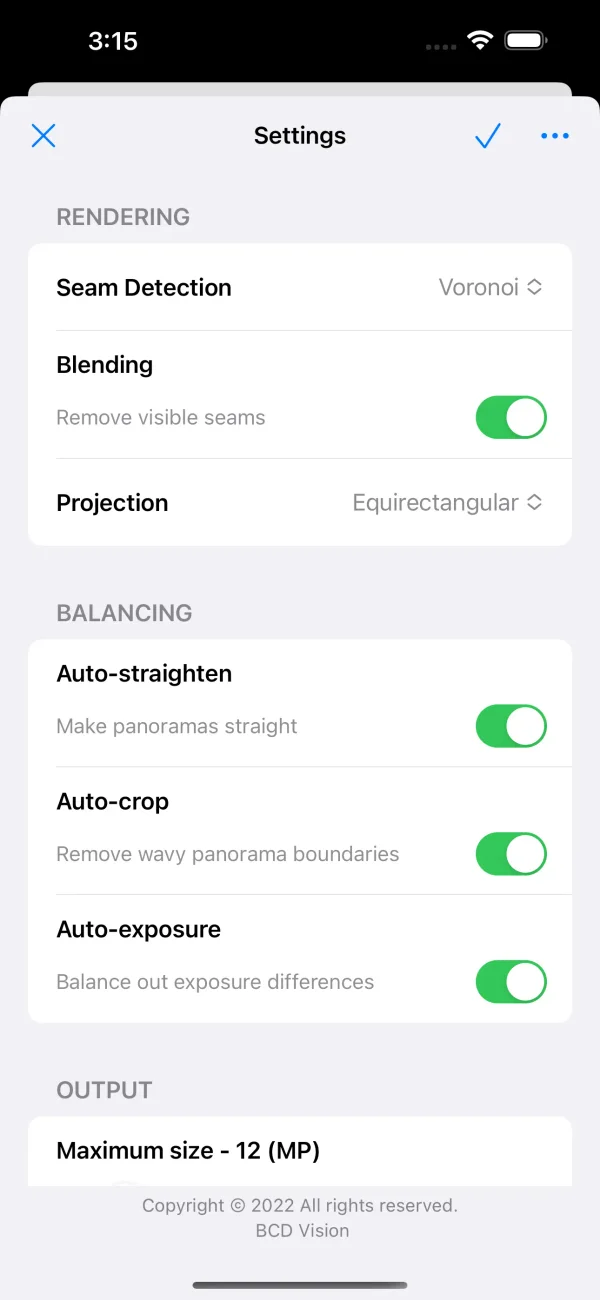
+Automatic cropping of panoramas with minimal reduction in resolution.
+Hi-res output panos, up to 100 MP.
+Automatic exposure balancing.
+Automatic straightening of panorama.
For extra powerful features & Ad free, get the Pro version: https://apps.apple.com/tt/app/bimostitch/id1598709872
How it works?
Simply select/get photos in one of the following ways:
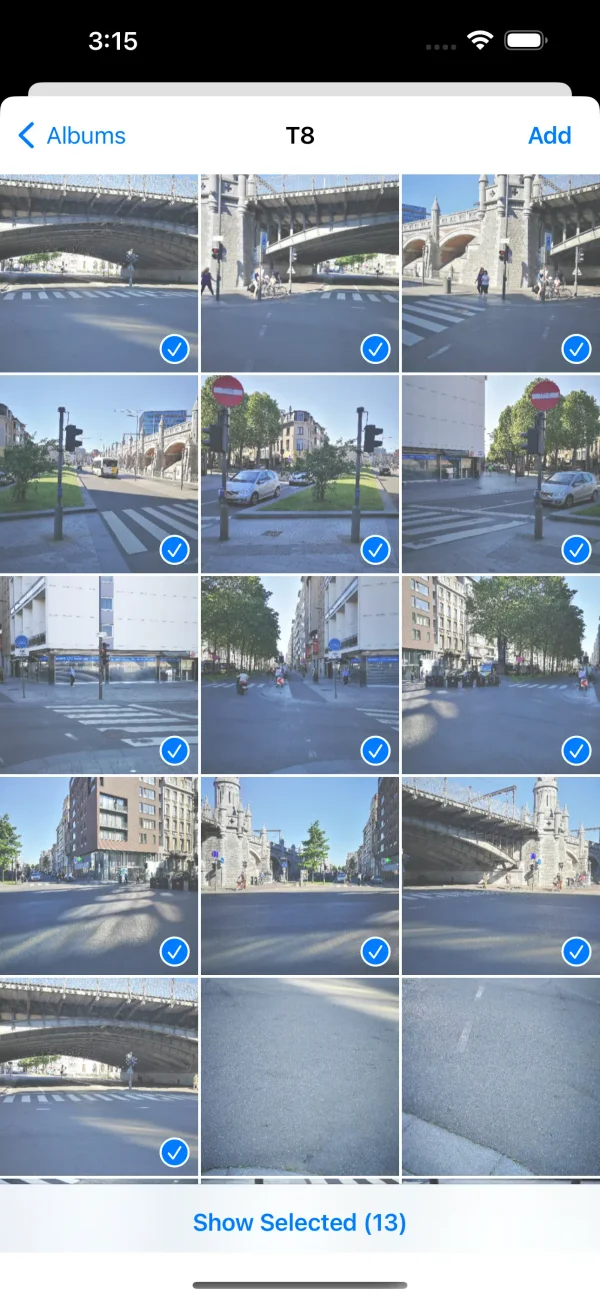
> Use the apps built-in photo-picker by pressing the gallery icon, select an album, select photos then confirm.
> Use your favourite camera app to snap overlapping photos then open this app to select the shots.
> Use a drone to capture aerial shots.
Bimostitch will then automatically match, align and blend together the selected images into a wonderful panorama using advanced on-device image stitching algorithms.
NOTE: You get multiple panorama outputs at once if more than one group of overlapping photos are detected in your selection.
All this takes just a few minutes depending on your choice of maximum output resolution and your device’s computational power. You can visit the apps settings page to change properties such as the output album name, maximum resolution and many more choices to suit your needs.
NOTE: At least 2GB RAM required for 100 MP.
Why use this app?
– Works with photos from any source such as DSLR cameras, downloaded from the web or drones.
– Merge vertical, horizontal, multiple rows or a grid of overlapping photos into awesome panoramic images.
– Lightweight on your device and will make PC quality panoramic photographs right in the palm of your hand.
– Create panos conveniently while on the go like on a tour and get immediate high quality results, no need to carry all that equipment anymore and it’s fully an offline app too, no Internet? no problem.
– No gyroscope or special sensors needed.
It doesn’t matter whether you are a professional or newbie panoramic photographer, this app will work great for you.
Tips on stitching great panos
• Photos that are plain or clear in the area of overlap will fail to stitch.
• Non overlapping photos will be automatically ignored.
• Use your favorite camera app to capture overlapping images.
• Make sure there is enough overlap area between photos.
• Use the camera lens as the rotation axis and not your body when capturing photos for stitching. Keep the lens or device at the same point as much as possible but rotate it in any direction to capture overlapping photos.
• Keep the lens or camera still when snapping to avoid motion blur.
• To help capture good overlapping shots keep track of the center of the previous shot and snap another when it reaches the edge.
• Avoid capturing photos in direct sunlight.
• Don’t merge photos with severe differences in lighting conditions.
• Avoid moving objects in the area of overlap.
Hope you enjoy using this panoramic app and that you will make memorable pano shots with it.
Thank you.
What’s new
Version 1.4.02 · Nov 21, 2026
- Optimisation & robustness improvements to image matching
- iPhone Duo optimized UI
App privacy
What Chomba Bupe declares on the App Store about how this app handles data.
-
Data used to track you
May be used to track you across apps and websites owned by other companies.
- Location
- Identifiers
- Usage data
- Diagnostics
-
Data linked to you
May be collected and linked to your identity.
- Location
- Identifiers
- Usage data
- Diagnostics
-
Data not linked to you
May be collected but is not linked to your identity.
- Diagnostics
Privacy practices may vary, for example with the features you use or your age.
Information
- Seller
- Chomba Bupe
- Category
- Photo & Video
- Version
- 1.4.02
- Updated
- Nov 21, 2026
- Released
- Aug 5, 2022
- Size
- 7.0 MB
- Requires
- iOS 15 or later
- Age rating
- 4+
- Price
- Free
- Languages
- English, Czech, Finnish, French, German, Hindi, Indonesian, Russian, Spanish
- Copyright
- © Chomba Bupe Derreck All rights reserved 2014
You might also like
-
 Panorama - Photo StitcherMerge Photo & Image Stitch
-
 Pano Stitch & CropAutomatic panorama stitching
-
 Panorama.Perspective Photo Stitcher
-
 360 Photo CamCapture and Share 360° Photos
-
 ReShoot 360360 photo & 360 video editing
-
 HDReyeMake 360° HDRis on your phone
-
 Light Stack CameraAI-Stabilized Long Exposures
-
 CloudPano Virtual Tour CreatorCreate 360° Virtual Tours
-
 Stiiitch · Photos StitchingAutomatic stitching
-
 RICOH360 ToursCreate virtual tour easily