
- Age rating4+
- CategoryProductivity
- Developerlion glotz
- LanguagesEnglish+ 1 more
- Size36.9 MB
Links to the official App Store page
Download.org hosts no file of Birthdays – Reminders. The button opens its official App Store page, published by lion glotz. Listing last checked on Nov 12, 2026.
Screenshots

About
Birthdays – Reminders reminds you of birthdays, anniversaries and memorial days. No account and no limit on how many people you add. Your list is stored on your iPhone.
GET YOUR BIRTHDAYS IN
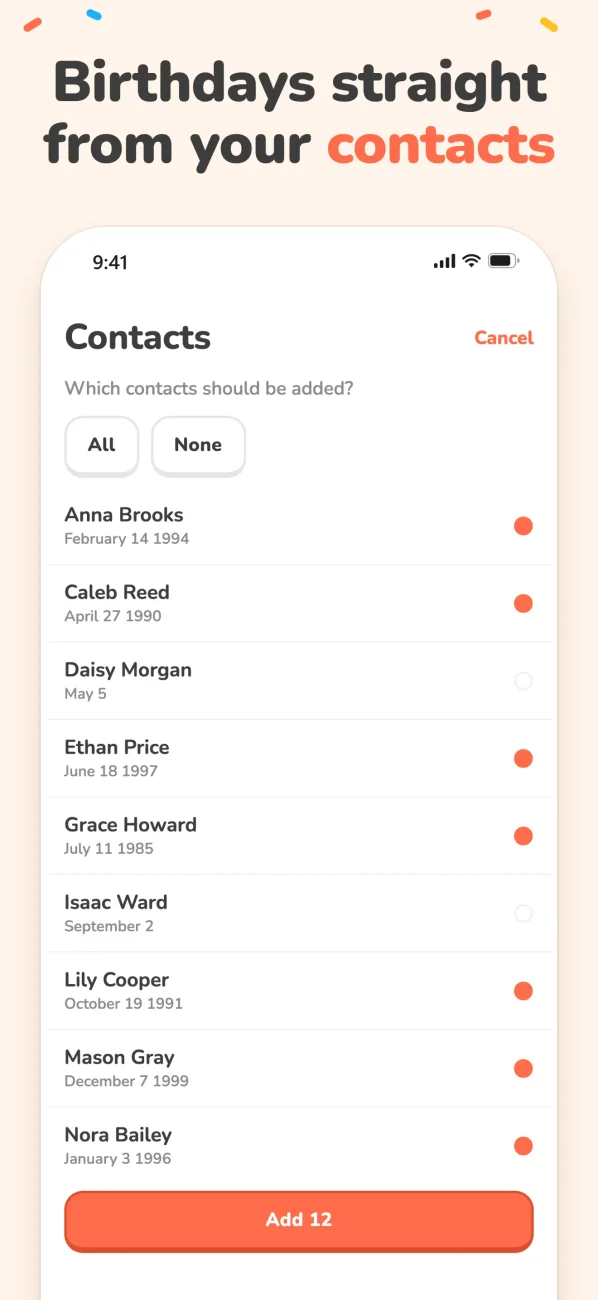
• Import them from your contacts. You pick who gets added.
• Turn on automatic import for new birthdays in your contacts
• Add people yourself, with or without a birth year, including 29 February
• Use the share sheet: send a contact card or a text like "Anna 03/12/1990" to the app
• Import a list from a CSV file
REMINDERS THAT ARRIVE
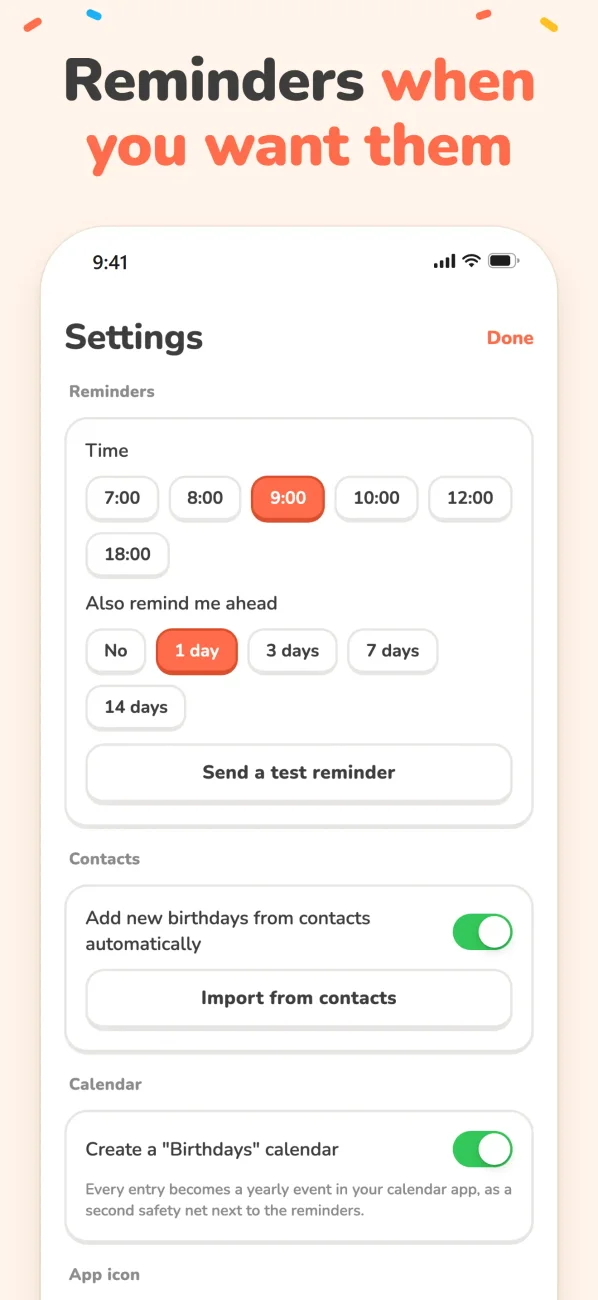
You choose the time of day and, if you like, a second reminder 1, 3, 7 or 14 days ahead. The app schedules reminders right on your device, so they arrive even when the app is closed. The test button shows you right away what they look like.
ITS OWN CALENDAR AS A BACKUP
If you want, the app creates its own "Birthdays" calendar. Every entry shows up there as a yearly event, in the account of your default calendar. It's a second safety net next to the reminders.
WISHES IN SECONDS
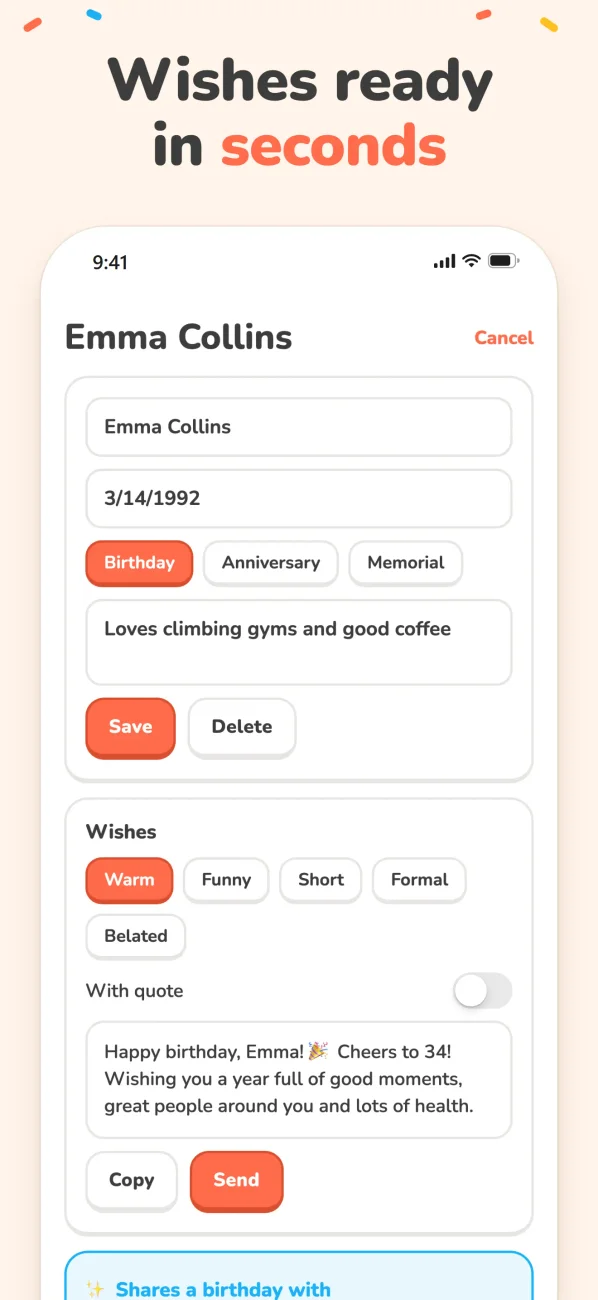
Every birthday comes with ready-made messages: warm, funny, short, formal or belated, with a quote if you like. Copy the text or send it straight from the share sheet.
AGE, NOTES, GIFT IDEAS
The app shows how old someone is turning. Save a note for each person, like gift ideas. The note also appears in the early reminder.
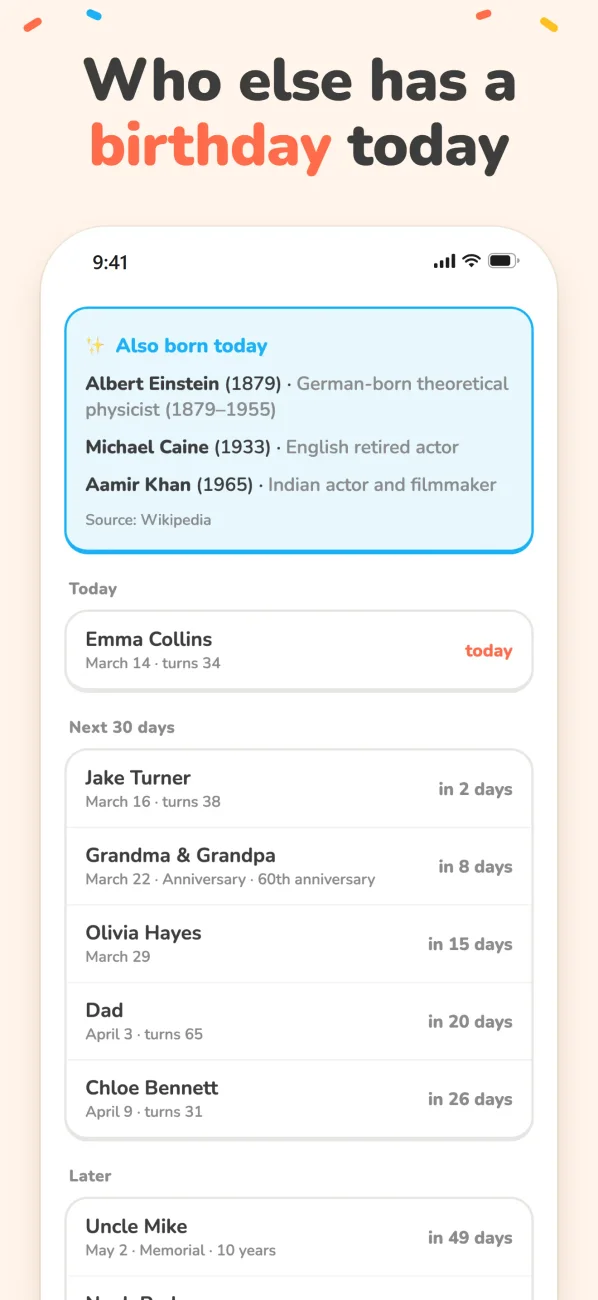
WHO ELSE WAS BORN THAT DAY
A small card shows well-known people born on the same day, from Wikipedia. For this the app only sends the day and month, never a name.
YOUR DATA
• No account, no login
• No account, no tracking
• Your data stays on your device. If you turn on the calendar, your calendar provider (for example iCloud) syncs it like your other events.
• Export as a CSV list or an ICS calendar file, import from CSV
ALSO
• Light and dark mode
• Two app icons to choose from
• On iPad, list and details side by side
• In English and German
Questions or ideas? Write to hello@mapplebox.com.
App privacy
What lion glotz declares on the App Store about how this app handles data.
-
Data not collected
The developer does not collect any data from this app.
Privacy practices may vary, for example with the features you use or your age.
Information
- Seller
- lion glotz
- Category
- Productivity
- Version
- 1.0.0
- Updated
- Nov 7, 2026
- Released
- Nov 6, 2026
- Size
- 36.9 MB
- Requires
- iOS 16.4 or later
- Age rating
- 4+
- Price
- Free
- Languages
- English, German
- Copyright
- © 2026 MappleBox
You might also like
-
 Dayno - Countdown CalendarDate countdown & event tracker
-
 Days Count: Beautiful CountersTrack every day that matters
-
 Birthday Reminder - NextBdayCalendar, Alerts, Gift Tracker
-
 MP ManageMP-M control for end users
-
 Blackboard by Boogie BoardProductivity
-
 Super VPN Master-WiFi AnalyzerFast Secure Proxy & Speed Test