BlahBlah - Message Yourself
Notes·Text Yourself·Voice Memo
Designed for iPhone, iPad
Free · In-app purchases
- Age rating4+
- CategoryProductivity
- Developer晓晖 王
- LanguagesEnglish+ 12 more
- Size7.2 MB
Links to the official App Store page
Download.org hosts no file of BlahBlah - Message Yourself. The button opens its official App Store page, published by 晓晖 王. Listing last checked on Nov 21, 2026.
Screenshots



About
BlahBlah - Message Your Future Self
Because some things are only worth saying to yourself.
# Sound Familiar?
You send links to yourself on WhatsApp. You text an idea to your own number before it disappears.
Millions of people do this every day — in apps never quite designed for it. BlahBlah is what that habit always deserved.
# What is BlahBlah?
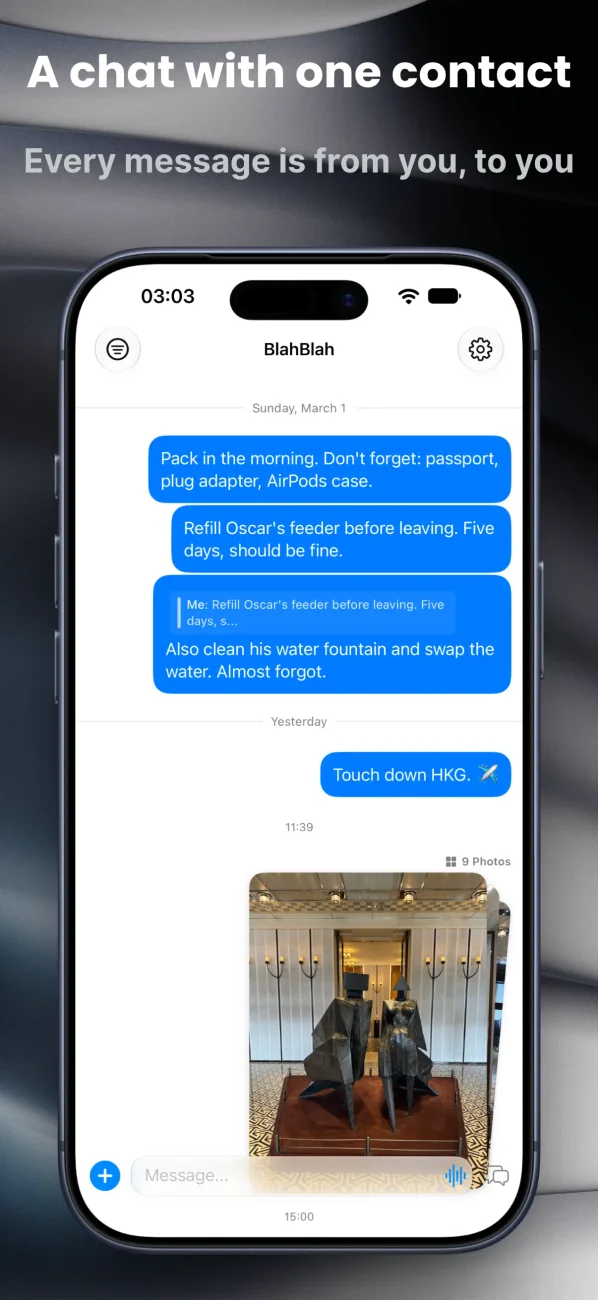
BlahBlah is a self-messaging app for iOS, built around the familiar comfort of a chat interface — except every message is from you, to you.
Not a journal. Not a note-taking app. Not a to-do list.
A chat. With yourself.
# What You Can Send
A thought doesn't always arrive as words — so send text, images, voice memos (with on-device transcription), links with rich previews, locations, and Apple Music cards.
# Capture From Anywhere
See something worth keeping in another app? Tap Share to send text, links or photos straight into BlahBlah.
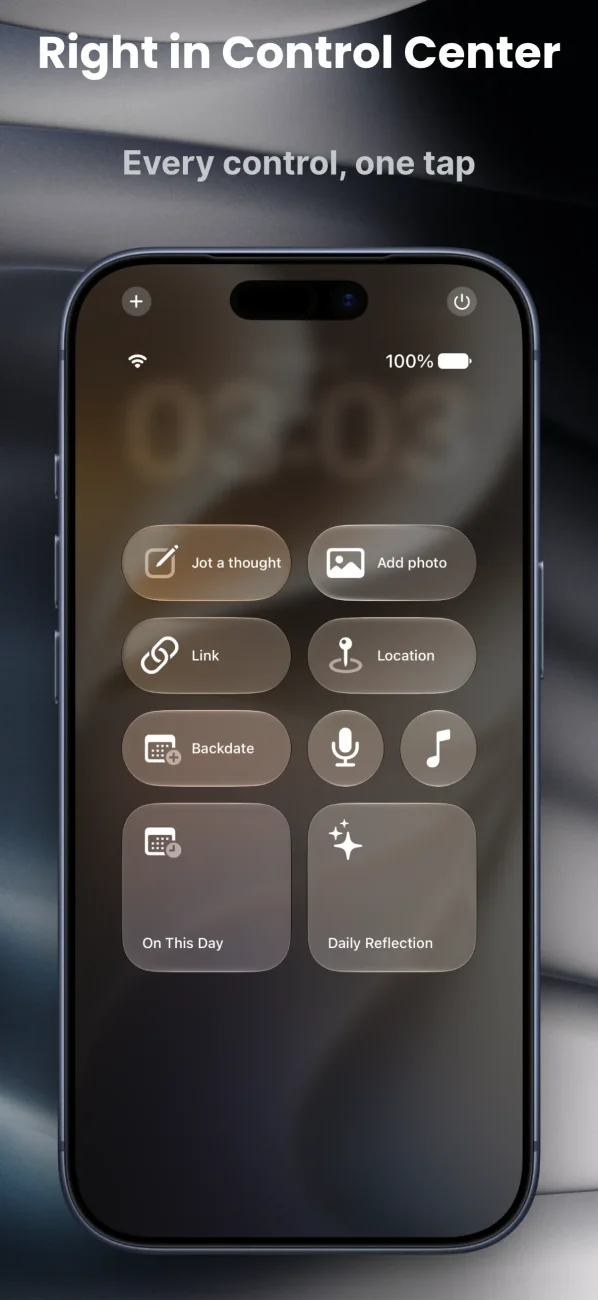
BlahBlah controls live in Control Centre, the Lock Screen and the Action Button — one tap to a note, voice, photo, link, music or location. A Quick Capture widget and Siri & Shortcuts capture without even opening the app.
# Two Voices, One You
Sometimes the clearest thinking isn't a monologue. It's an argument.
Dialogue mode splits the conversation into two sides — rational and emotional, question and answer. Set names and avatars for each role, then start talking.
# Write to a Past Moment
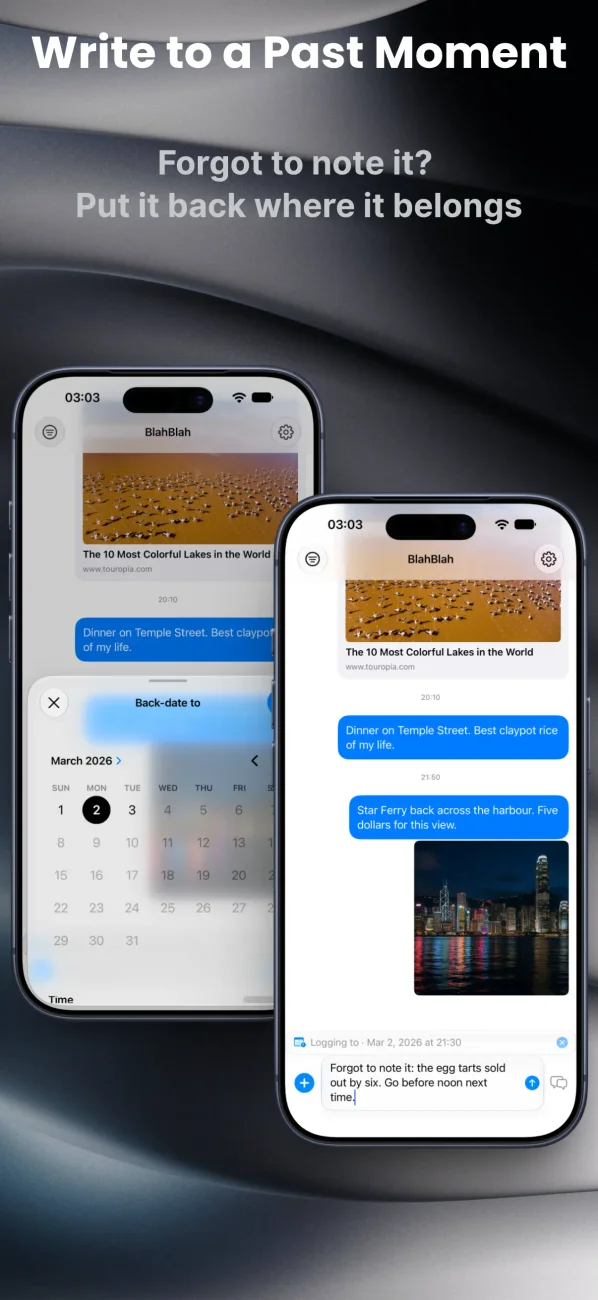
Backdate records a message to an earlier date and time — yesterday's forgotten note — then drops it where it belongs in your timeline. A Premium feature, from the "+" menu or Control Centre.
# Start From a Template
Save what you write again and again — a daily rant, a morning check-in — as a template with its tags, and start from it in one tap. With Premium, reminders open the right template at the right time.
# Look Back
BlahBlah helps you return to yourself:
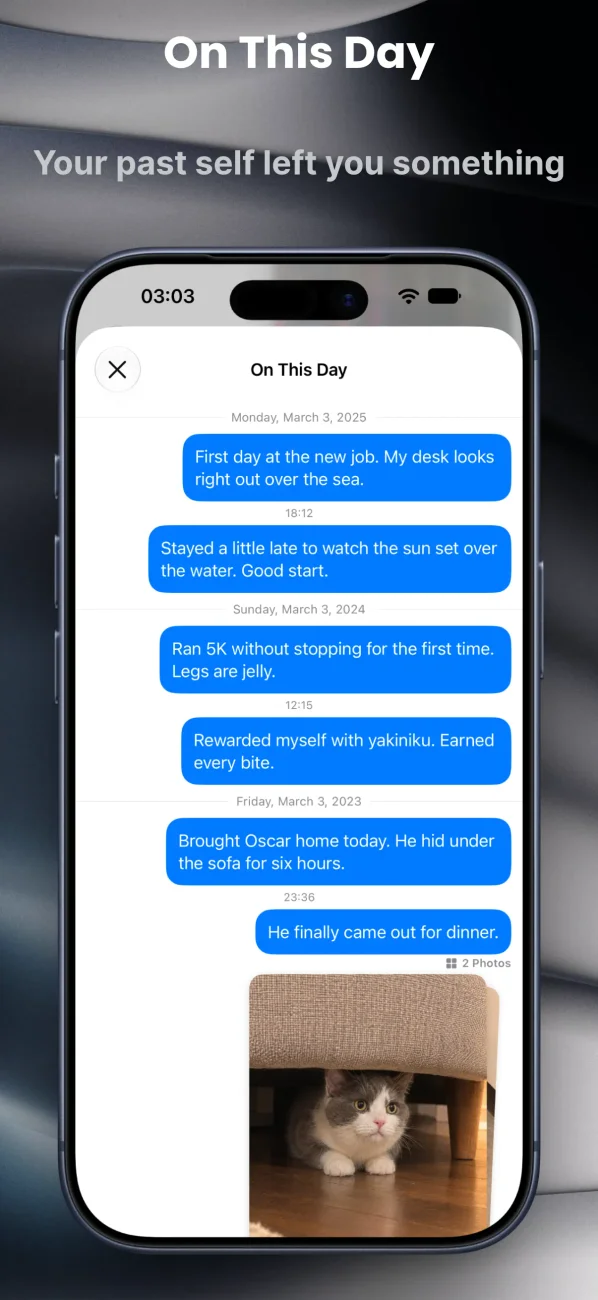
• On This Day — what you wrote a week, a month, even a year ago. A banner surfaces it, or a daily reminder brings it to you.
• Daily Reflection — a gentle question to look inward, fresh each day. Open it from a widget, reminder or Control Centre; your answer keeps the question with it.
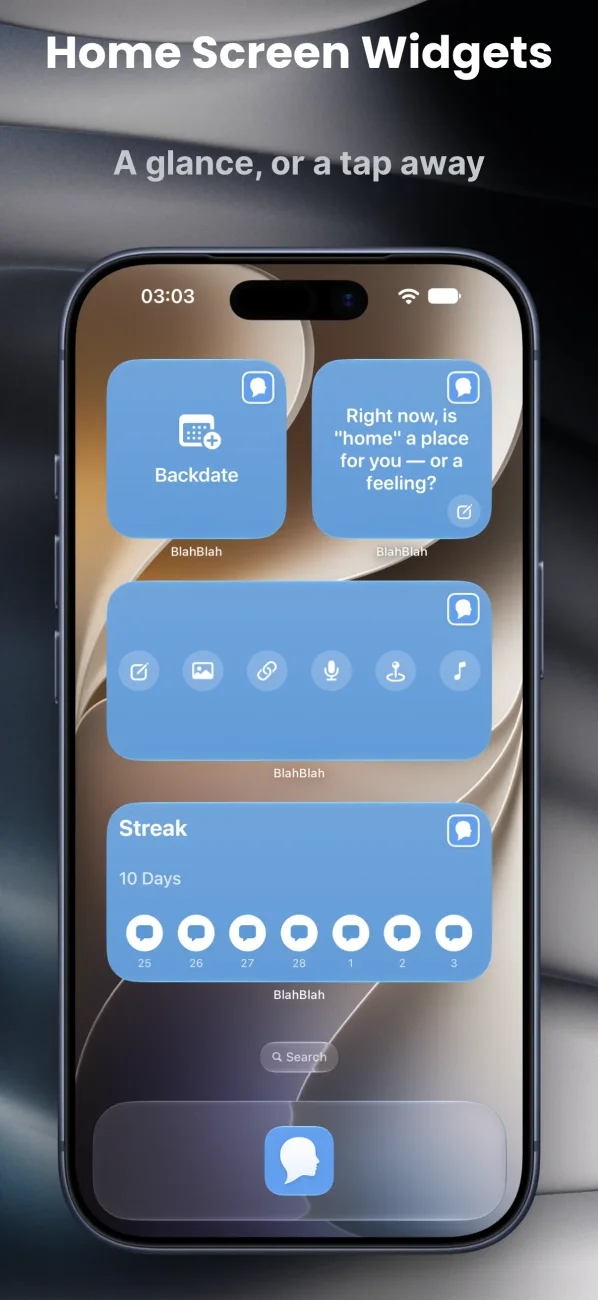
• Streak — a Home and Lock Screen widget counting your days in a row, current at a glance.
# Find Your Past Self
Search and browse your whole history:
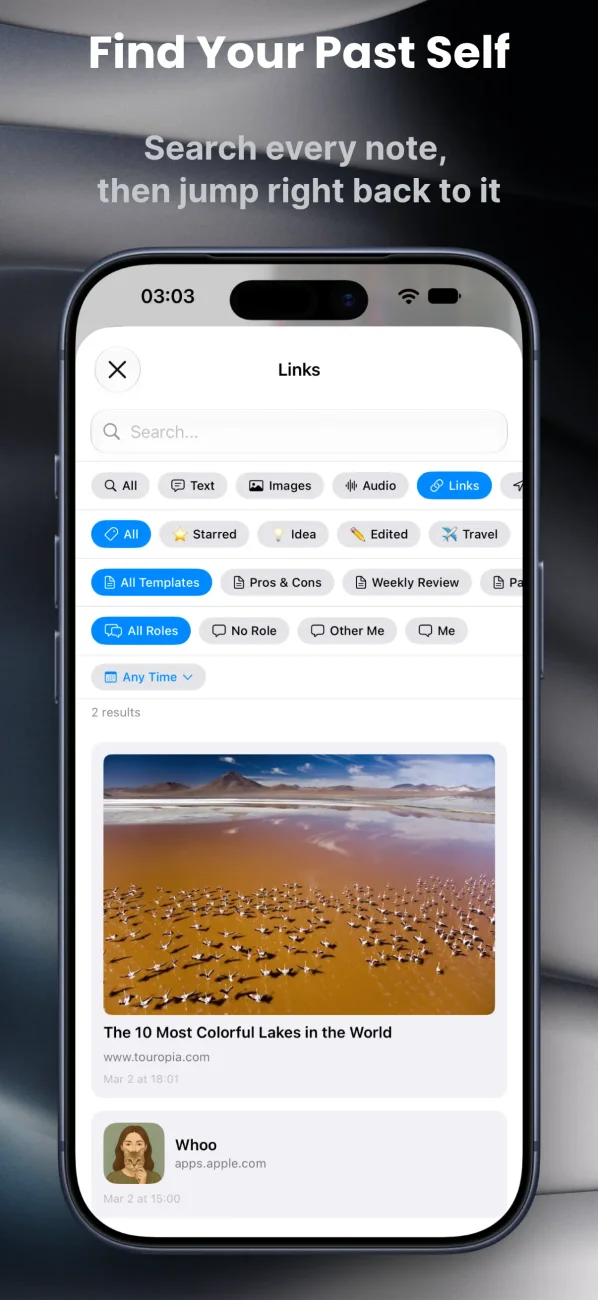
Search by keyword, browse by type — every photo, location and link — or filter by date range, tag (Starred, Idea or your own, AND/OR), template and dialogue role.
Tap any result to jump back to that moment.
# Keep It Just Right
Long-press any message to edit it in place. Edited messages are automatically tagged so you can find them again.
# Make It Yours
This conversation is personal — so make it look right:
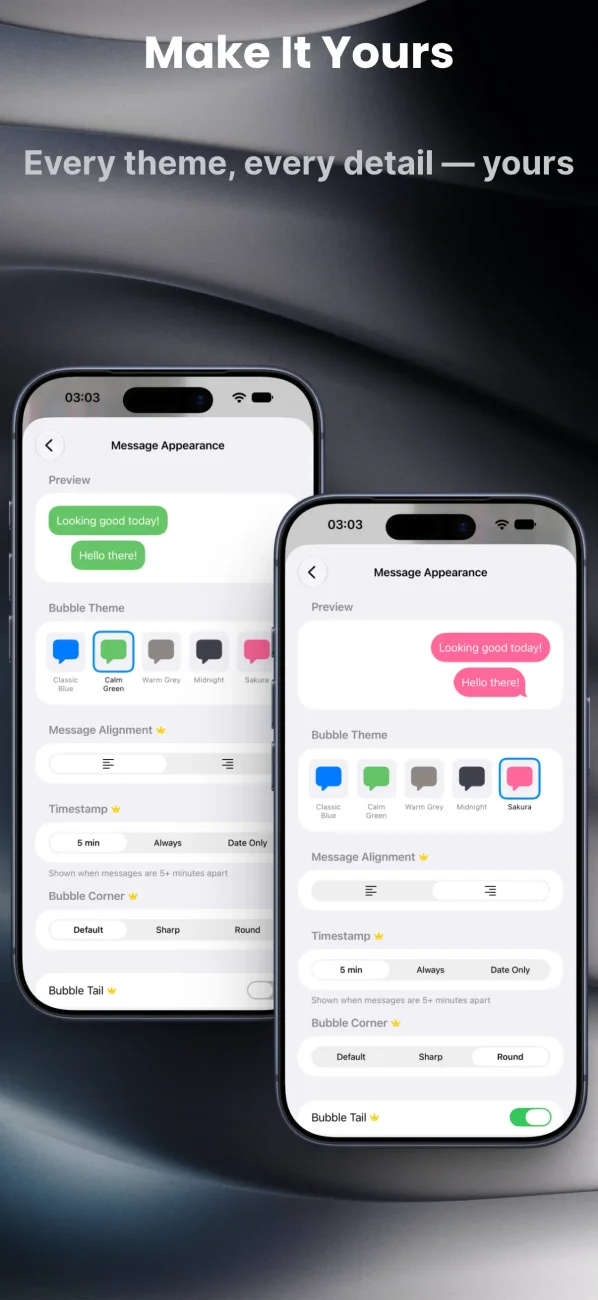
• Five bubble themes, from Classic Blue to Sakura Blossom
• Plus message alignment, timestamp frequency, corner style and bubble tail
# Made for Every Screen
BlahBlah feels at home on iPhone, iPad and iPhone Duo. Unfold iPhone Duo like a book or turn iPad sideways, and search sits right beside your chat: tap a result to jump straight there while you keep looking.
# Free vs Premium
Free covers the everyday — text, photo, link, location and music messages, editing, resending, a template, On This Day, iCloud sync, and a 20-message taste of Dialogue mode.
Premium unlocks voice memos with transcription, up to 9 photos a message, unlimited Dialogue mode, 10 custom tags, 20 templates with reminders, place and music search, full search history, batch actions, and every personalisation option.
# Private & Everywhere
BlahBlah syncs across all your Apple devices via iCloud — no account, no server, no analytics, no third parties. Everything stays between you and your devices.
Your inner monologue is yours alone.
BlahBlah — Say it. Save it. Come back to it.
Terms of Use: https://www.apple.com/legal/internet-services/itunes/dev/stdeula/
What’s new
Version 1.26 · Nov 18, 2026
This update gets BlahBlah ready for iPhone Duo. To make it feel just right on every screen, we've also rebuilt how you pick photos and the long-press menu.
# MADE FOR IPHONE DUO
• Open iPhone Duo like a book or lay it flat, and search sits on the left with your chat on the right. Tap a result and the chat jumps straight to that message, while the result stays highlighted so you can keep browsing. Results update as you write, and the sidebar button hides or shows the search whenever you like.
• In landscape, your photos open on the left too, so you can pick and type at the same time.
• Standing half-open in portrait, the photo panel fills the lower half of the screen, right up to the fold.
• Turn the screen, fold or unfold, and the chat stays right where you left it.
• The same side-by-side layout works on iPad in landscape. Elsewhere, search opens as before, now in a roomier sheet on iPad.
• Side-by-side search requires iOS 27.1 or later.
# A NEW WAY TO PICK PHOTOS
Tap + and Photo to browse your whole library right inside BlahBlah, with your albums, collections and search to hand. BlahBlah no longer needs access to your photo library: it only receives the photos you choose. Photos are added in the order you tap them, and a counter above the input bar shows how many you've picked. Drag the panel up to see more, or down to tuck it away.
# A CLEANER LONG-PRESS MENU
Press and hold a message for a simpler menu that works just like the rest of your device. Copy, Share and Quote sit along the top, and Premium options are clearly labelled. Only the message itself lifts out, so it's clear which one you're acting on. On This Day uses the same menu too.
# SMOOTHER ALL ROUND
• Photos in the chat load more quickly, so scrolling stays smooth.
• The chat stays at your latest message when the keyboard opens or the screen changes size.
• Messages keep a comfortable width on wide screens.
• When selecting messages, Share, Resend and Delete now sit in the toolbar at the bottom.
• Cancel and Done buttons are clearer throughout the app.
Plus a few smaller fixes under the hood.
Thank you for using BlahBlah. If you're enjoying it, we'd love your support:
• Rate us on the App Store
• Share BlahBlah with friends and family
• Send us your feedback — we're always listening
App privacy
What 晓晖 王 declares on the App Store about how this app handles data.
-
Data not collected
The developer does not collect any data from this app.
Privacy practices may vary, for example with the features you use or your age.
Information
- Seller
- 晓晖 王
- Category
- Productivity
- Version
- 1.26
- Updated
- Nov 18, 2026
- Released
- Feb 27, 2026
- Size
- 7.2 MB
- Requires
- iOS 17.1 or later
- Age rating
- 4+
- Price
- Free
- In-app purchases
- Yes
- Languages
- English, Arabic, French, German, Italian, Japanese, Korean, Portuguese, Russian, Simplified Chinese, Spanish, Traditional Chinese + 1 more
- Copyright
- © 2026 BlahBlah
You might also like
-
 Solo — Text yourselfQuick notes, auto-organized
-
 DialogNote - Chat JournalRecord ideas like chatting
-
 zyzy: Chat-Style NotesIdeas, journals & to-dos
-
 Hey Me - Chat NotesMessage your own brain...
-
 MyBox: Message YourselfNo server for your saves
-
 tetrify: Text YourselfSelf Chat for To-Dos, Notes
-
 Desktop Note - Notes & PhotosAlways-on-desktop sticky note
-
 Widget for NotionNotes, Agenda & Habit Tracker
-
 To-Do List & Tasks for NotionCalendar, Planner & Reminders
-
 Obsidian - Connected NotesYour second brain on the go