blarblar: Quick Notes Widget
Notes on your home screen
Designed for iPhone, iPad
Free · In-app purchases
- Age rating4+
- CategoryProductivity
- DeveloperZIPPERS
- LanguagesEnglish+ 9 more
- Size46.7 MB
Links to the official App Store page
Download.org hosts no file of blarblar: Quick Notes Widget. The button opens its official App Store page, published by ZIPPERS. Listing last checked on Nov 21, 2026.
Screenshots

About
Wait, what was I about to write?
And when am I ever going to clear out all these notes?
“Type it, hit enter. Hold to delete. That’s the whole thing.”
blarblar is a widget that keeps one-line notes.
A grocery list, an idea that showed up uninvited, the call you have to make this afternoon.
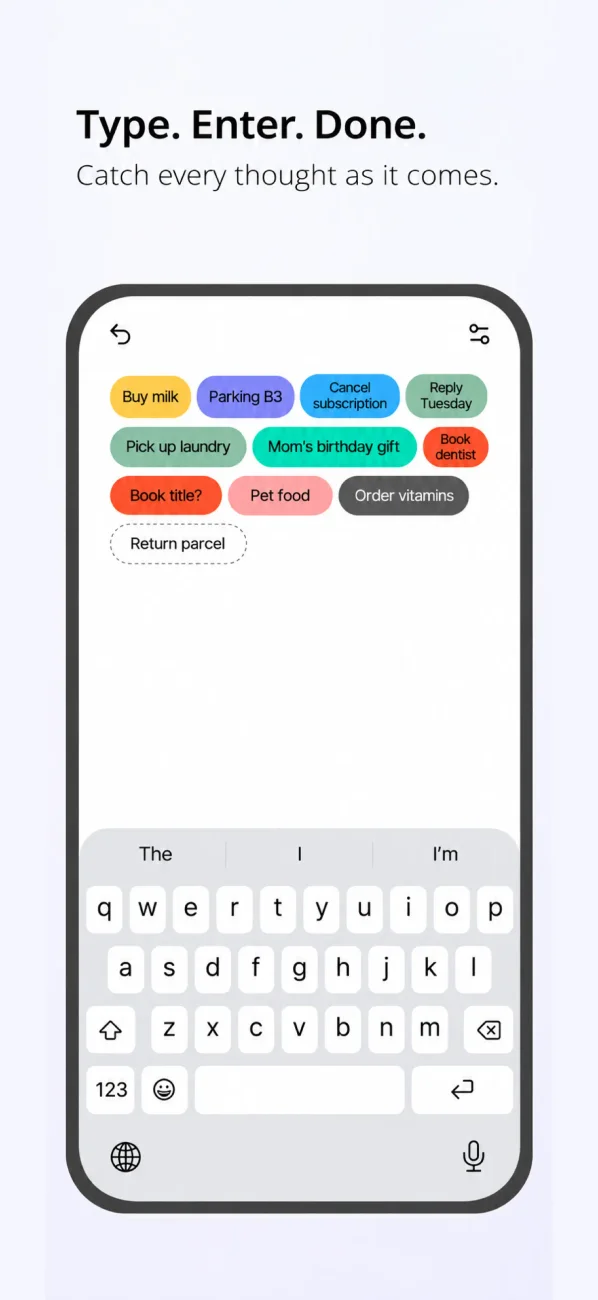
Write it the way you thought it, press enter, and a small pill lands on your home screen.
[A memo widget, and nothing more]
・ No button to hunt for. Enter is the whole interface.
・ Pour out one thought after another without stopping.
・ Colors pick themselves. Nothing to choose.
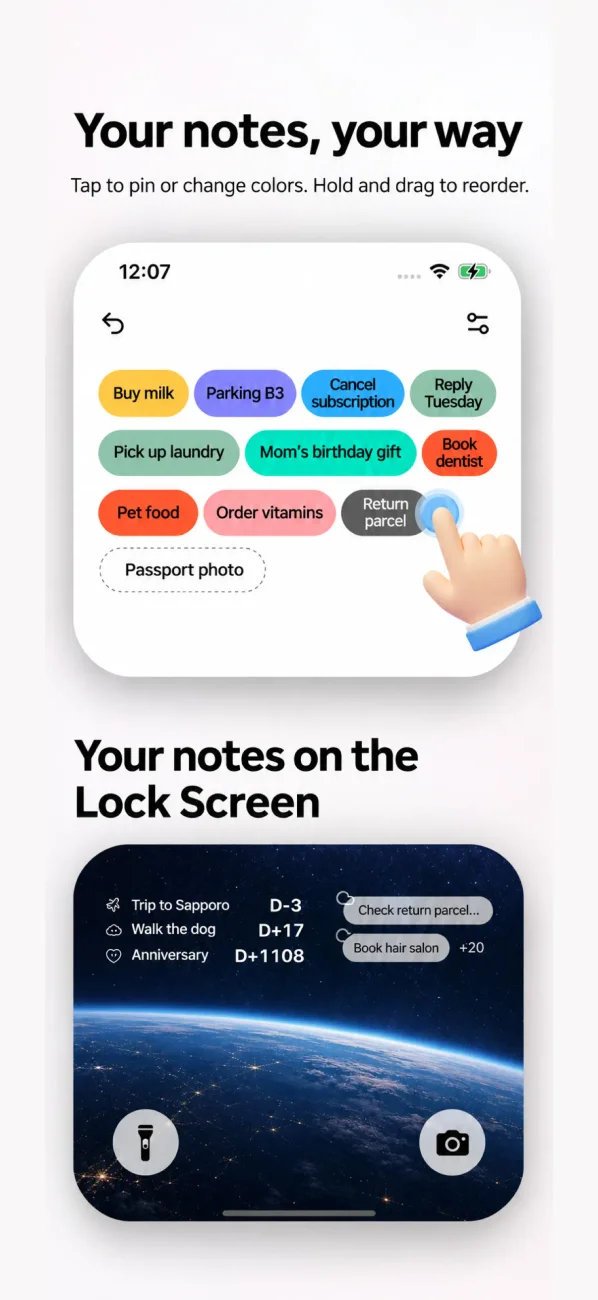
・ Want to change one? Just tap the pill.
[Right there on your home screen]
Your notes are visible without opening the app.
Wake the screen and what you have to do, what you have to buy — it’s already there.
Small, medium and large widgets are all supported.
[Clearing them out is just as easy]
Press and hold a note and it slowly fades away.
No more tapping DELETE over and over.
Deleted the wrong one? The undo button brings it right back.
[You’ll probably like this if]
・ You’ve forgotten a thought while waiting for a notes app to open
・ You rebuild the same grocery list every week
・ Folders and tags wore you out
・ Your notes pile up faster than you can clear them
・ A to-do app feels like too much for “buy milk”
・ You’d rather glance at a widget than open an app
[Unlock unlimited]
Five notes are free.
Want to hold more thoughts? One payment, one time. Not a subscription.
Terms of Use (EULA): https://www.apple.com/legal/internet-services/itunes/dev/stdeula
Privacy Policy: https://iamheaming.notion.site/Privacy-Policy-3c857bfee36c80d3b133dd2e8424a9ef
What’s new
Version 2.1.3 · Nov 14, 2026
2.1.3 Update:D
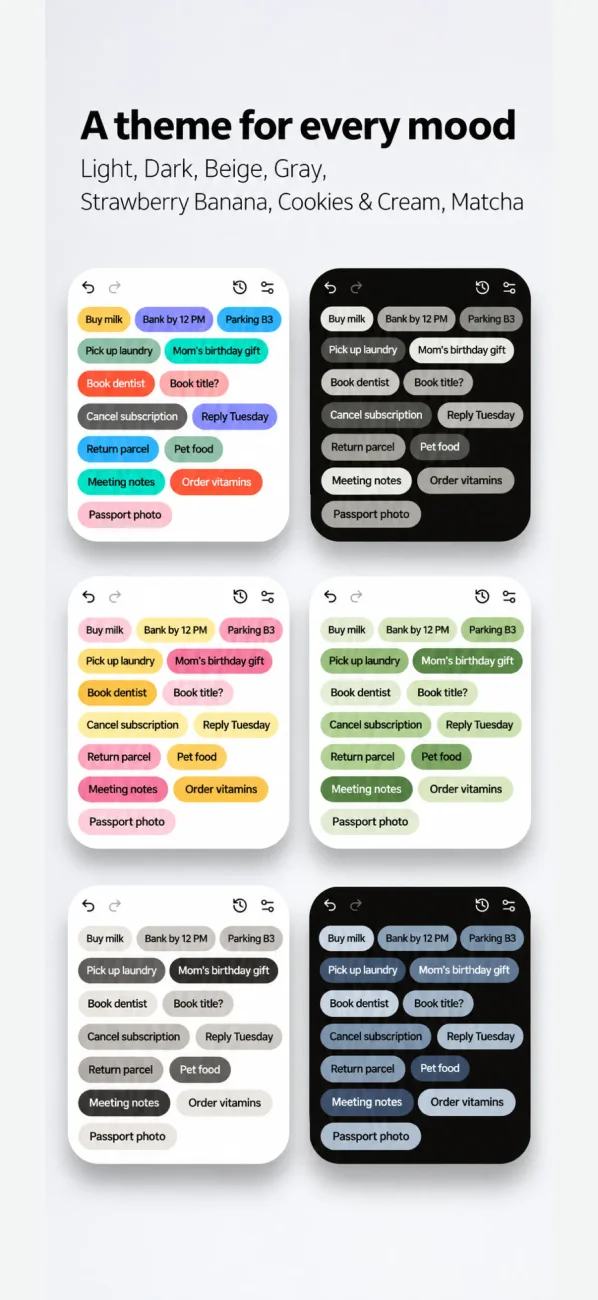
• New themes are here
Give your notes a fresh look with Sweet Potato and Bubble Tea.
• More languages are now supported
We’ve added German, Simplified and Traditional Chinese, French, Spanish, Brazilian Portuguese, and Italian.
• You can now change your note colors
Tap "Sort·Pin·Color" at the top, then tap a note to choose your favorite color.
App privacy
What ZIPPERS declares on the App Store about how this app handles data.
-
Data not linked to you
May be collected but is not linked to your identity.
- Purchases
- Identifiers
Privacy practices may vary, for example with the features you use or your age.
Information
- Seller
- ZIPPERS
- Category
- Productivity
- Version
- 2.1.3
- Updated
- Nov 14, 2026
- Released
- Sep 9, 2026
- Size
- 46.7 MB
- Requires
- iOS 16.4 or later
- Age rating
- 4+
- Price
- Free
- In-app purchases
- Yes
- Languages
- English, French, German, Italian, Japanese, Korean, Portuguese, Simplified Chinese, Spanish, Traditional Chinese
- Copyright
- © 2026 ZIPPERS
You might also like
-
 Clips: Work Photo CameraKeep Work Photos Separate
-
 Habit Tracker: HabitBeadSimple Daily Streaks & Widgets
-
 Wheneri: Task TrackerChores & routine reminders
-
 KeepNest: Screenshot OrganizerAI Sorts Your Links & Notes
-
 Nemos: Second Brain & MemosLink Saver, Screenshots, Notes
-
 Timely: Daily Planner TodoCalendar & Tasks & Focus Timer
-
 Screenshot Organizer: ShotBoxOCR text search & manager
-
 Offload ADHD OrganizerAI To Do List from Brain Dump
-
 Things take time: Life trackerProgress & habit journal
-
 AnyTranslator: AI TranslatorPhoto, Voice & Chat Keyboard