- Age rating4+
- CategoryPhoto & Video
- DeveloperSri Appala Adatrao
- LanguagesEnglish
- Size9.6 MB
Links to the official App Store page
Download.org hosts no file of BlinkCut. The button opens its official App Store page, published by Sri Appala Adatrao. Listing last checked on Nov 17, 2026.
Screenshots


About
Edit your story. Keep your footage yours.
BlinkCut turns talking-head videos into polished, captioned content using Apple’s on-device speech and media technologies. Clean up pauses, customize captions, add Smart Zoom, balance audio, and give your video a finished look—all processed directly on your iPhone or iPad.
100% on-device media processing. No cloud AI. No third-party AI models or services. Your videos, audio, and transcripts aren’t uploaded for processing.
Whether you’re creating for TikTok, Instagram Reels, YouTube Shorts, or a UGC campaign, BlinkCut helps you spend less time editing and more time creating.
FEATURES
Clean up awkward pauses
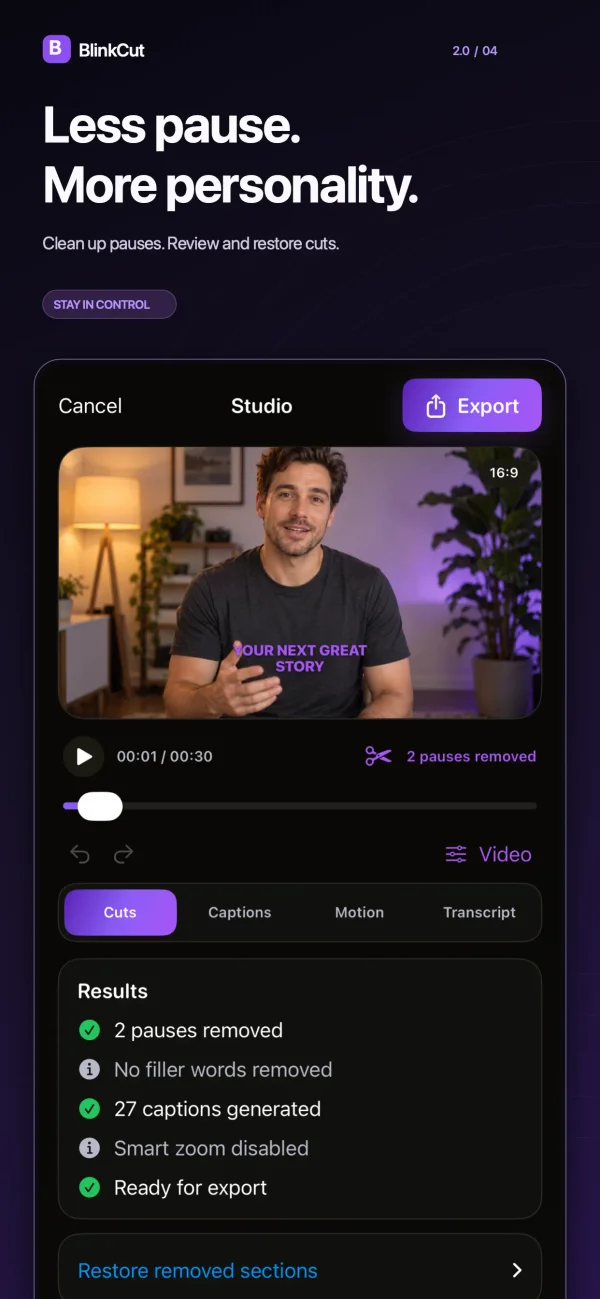
Automatically detect and remove long pauses for smoother pacing. Review your cuts and restore removed sections whenever you need to.
Make captions your own
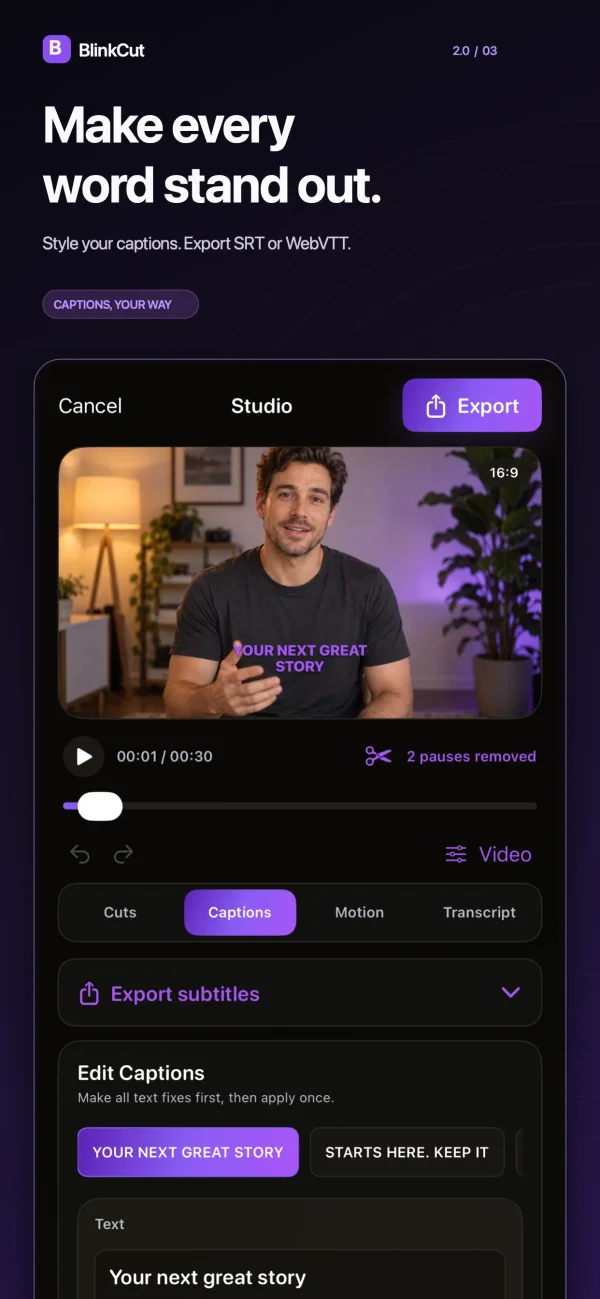
Generate editable captions with Apple’s on-device speech recognition. Review the text, correct mistakes, and customize the style, color, size, and placement.
Export subtitles
Save captions as SRT or WebVTT files for use in other editing and publishing tools. Subtitle timing follows your edited video.
Add Smart Zoom
Bring movement to talking-head videos with automatic zooms and speaker-focused framing.
Edit through your transcript
Review words, correct captions, and remove unwanted speech. Undo and redo changes as you refine your edit.
Improve your audio
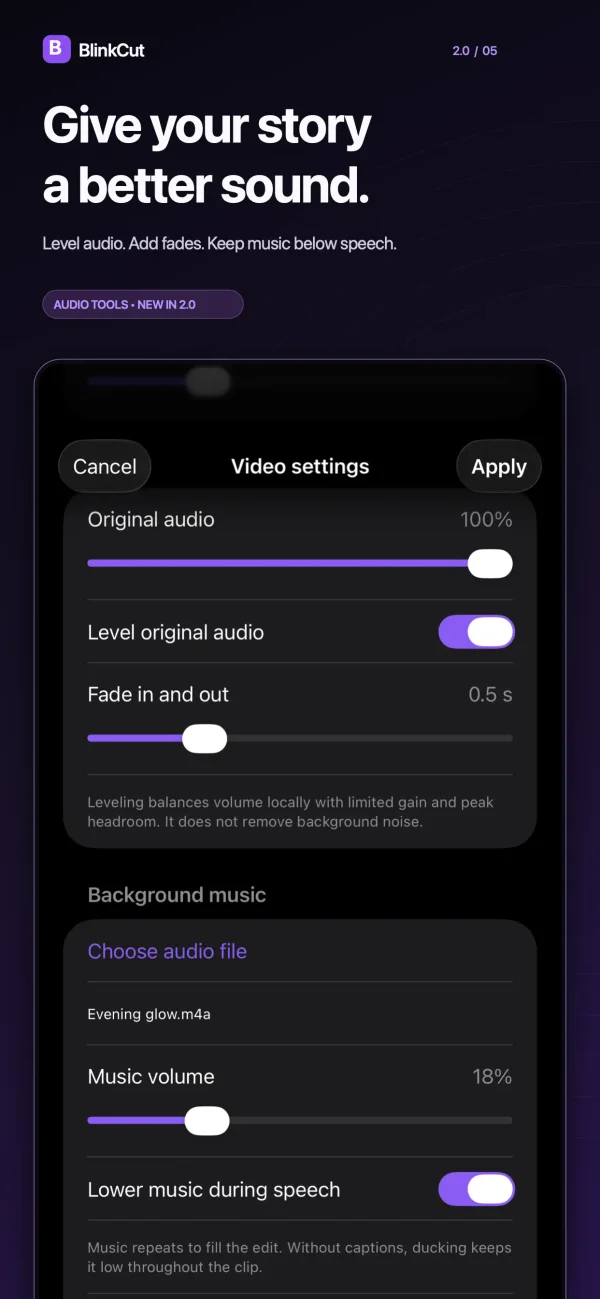
Adjust original audio volume, level quiet recordings, and add fades. Import background music, control its volume, and automatically lower it during speech.
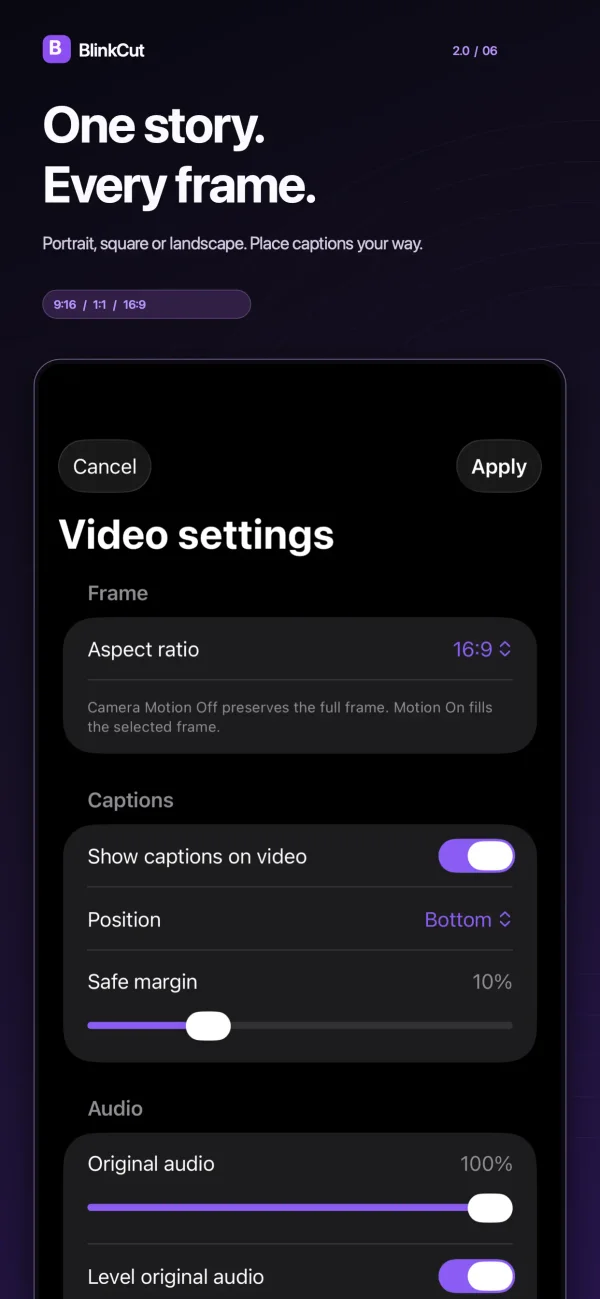
Choose your frame
Create portrait, square, or landscape videos. Position captions at the top, center, or bottom, with adjustable margins.
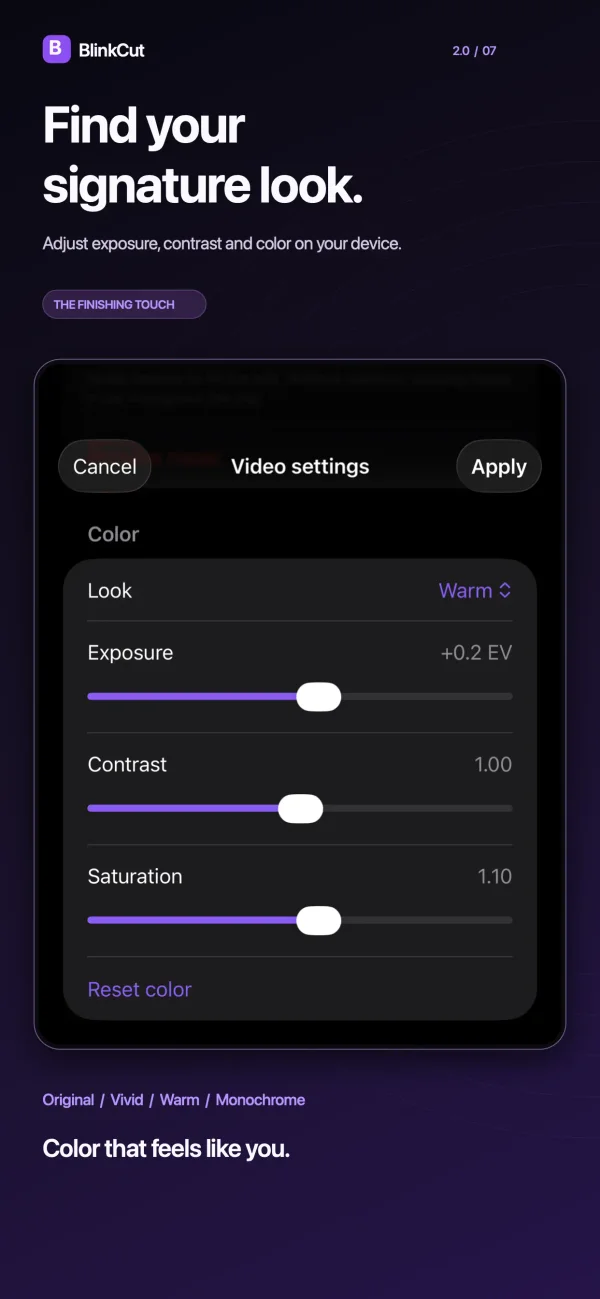
Find your look
Adjust exposure, contrast, and saturation, or choose an Original, Vivid, Warm, or Monochrome look.
Keep processing on your device
BlinkCut uses Apple technologies to process your media locally. Speech assets may require an initial download; transcription has no cloud fallback.
DESIGNED FOR
• UGC and social media creators
• Coaches and educators
• Founders and content marketers
• Anyone sharing ideas through video
FREE FEATURES
• Import videos up to 2 minutes
• Automatic captions
• Automatic pause cleanup
• Automatic Smart Zoom
• Multiple caption styles
• On-device editing and processing
BLINKCUT PRO
• Import videos up to 5 minutes
• Unlimited exports
• Export without a watermark
• Unlimited transcript edits
• Manual Smart Zoom controls
• Manual zoom points
Subscriptions automatically renew unless canceled at least 24 hours before the end of the current billing period. Manage or cancel your subscription in your App Store account settings.
Terms of Use:
https://rullit.com/blinkcut/terms/
Privacy Policy:
https://rullit.com/blinkcut/privacy/
What’s new
Version 2.0 · Oct 20, 2026
BlinkCut 2.0 brings more creative control—all with 100% on-device media processing using Apple technologies. No cloud AI or third-party AI services.
• Export subtitles as SRT or WebVTT.
• Create portrait, square, and landscape videos.
• Adjust caption placement and safe margins.
• Level audio, add fades, and import background music with automatic lowering during speech.
• Fine-tune exposure, contrast, and saturation, or choose a preset look.
• Undo and redo edits, and restore removed sections.
• Improved caption timing, safer automatic cuts, and more reliable previews and exports.
App privacy
What Sri Appala Adatrao declares on the App Store about how this app handles data.
-
Data not collected
The developer does not collect any data from this app.
Privacy practices may vary, for example with the features you use or your age.
Information
- Seller
- Sri Appala Adatrao
- Category
- Photo & Video
- Version
- 2.0
- Updated
- Oct 20, 2026
- Released
- Jul 15, 2026
- Size
- 9.6 MB
- Requires
- iOS 26.0 or later
- Age rating
- 4+
- Price
- Free
- In-app purchases
- Yes
- Languages
- English
- Copyright
- © 2026 Rullit. All rights reserved.
You might also like
-
 Wavcut: AI Video EditorAuto Captions & Faceless Reels
-
 KatKut AI: AI B-Roll & CaptionCaptions, Translation & B-Roll
-
 CC Captions: Auto Subtitles AIAdd Text & Caption to Videos
-
 Captions AI & Auto CaptionsSubtitle Translator - Capnova
-
 Captions for Video: AI SubsAuto Caption & Subtitles
-
 Sorelo: Auto Captions & EditorSubtitles & covers for Reels
-
 Auto Caption Video SubtitlesInstagram Captions CC Youtube
-
 AI Captions for Videos: VidCapAuto Subtitles & SRT Generator
-
 Auto Captions: Video SubtitlesAI Closed Captioning for Reels
-
 Capzy: AI CaptionAuto Subtitle with AI