- 対象年齢4+
- カテゴリ写真/ビデオ
- 開発元Sri Appala Adatrao
- 言語英語
- サイズ9.6 MB
App Storeの公式ページにリンクしています
Download.orgはBlinkCutのファイルを一切ホストしていません。ボタンを押すと、Sri Appala Adatraoが公開しているApp Storeのアプリページが開きます。ページの最終確認:2026/11/17。
スクリーンショット


概要
開発元はこのテキストをお使いの言語で提供していません。
Edit your story. Keep your footage yours.
BlinkCut turns talking-head videos into polished, captioned content using Apple’s on-device speech and media technologies. Clean up pauses, customize captions, add Smart Zoom, balance audio, and give your video a finished look—all processed directly on your iPhone or iPad.
100% on-device media processing. No cloud AI. No third-party AI models or services. Your videos, audio, and transcripts aren’t uploaded for processing.
Whether you’re creating for TikTok, Instagram Reels, YouTube Shorts, or a UGC campaign, BlinkCut helps you spend less time editing and more time creating.
FEATURES
Clean up awkward pauses
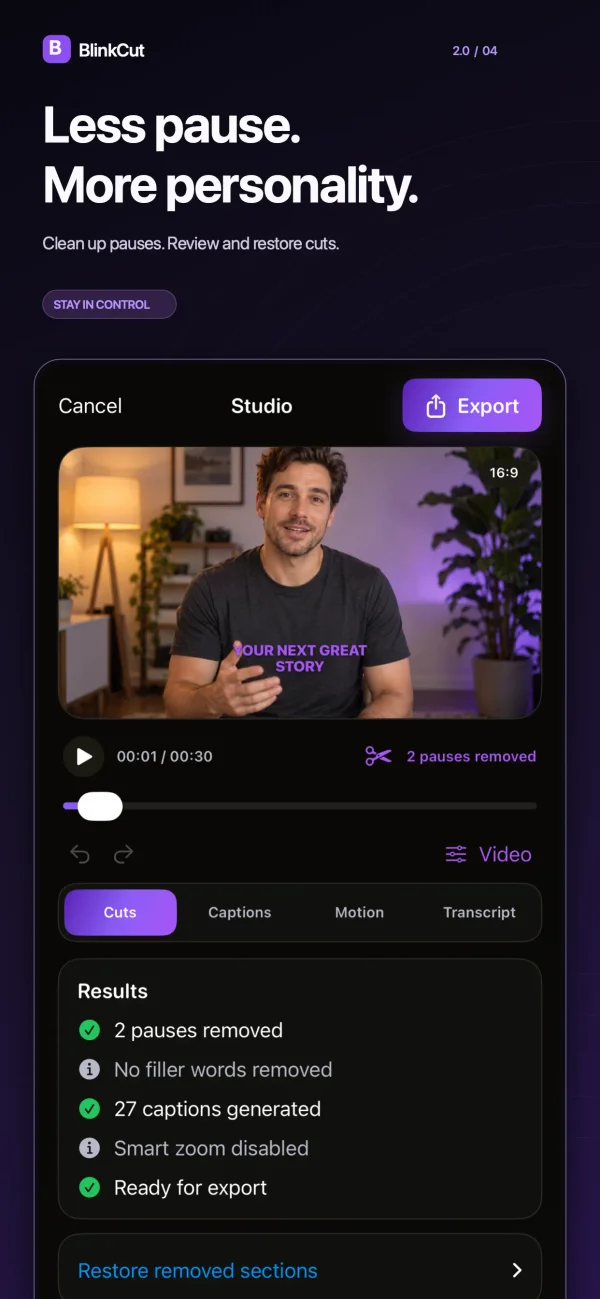
Automatically detect and remove long pauses for smoother pacing. Review your cuts and restore removed sections whenever you need to.
Make captions your own
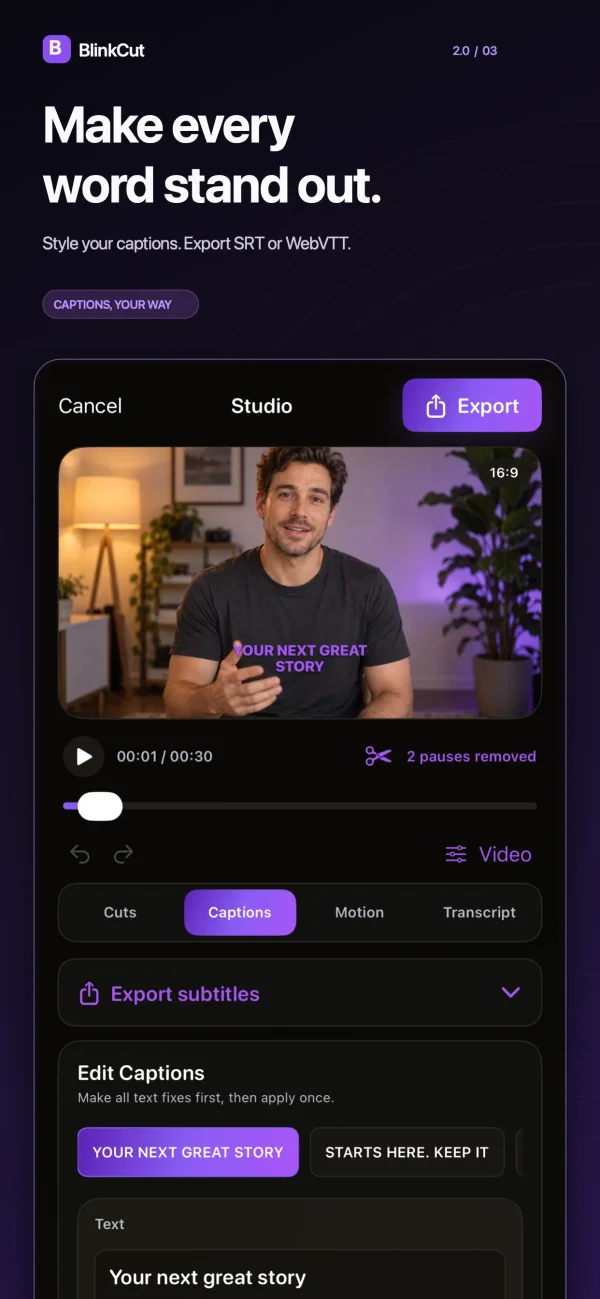
Generate editable captions with Apple’s on-device speech recognition. Review the text, correct mistakes, and customize the style, color, size, and placement.
Export subtitles
Save captions as SRT or WebVTT files for use in other editing and publishing tools. Subtitle timing follows your edited video.
Add Smart Zoom
Bring movement to talking-head videos with automatic zooms and speaker-focused framing.
Edit through your transcript
Review words, correct captions, and remove unwanted speech. Undo and redo changes as you refine your edit.
Improve your audio
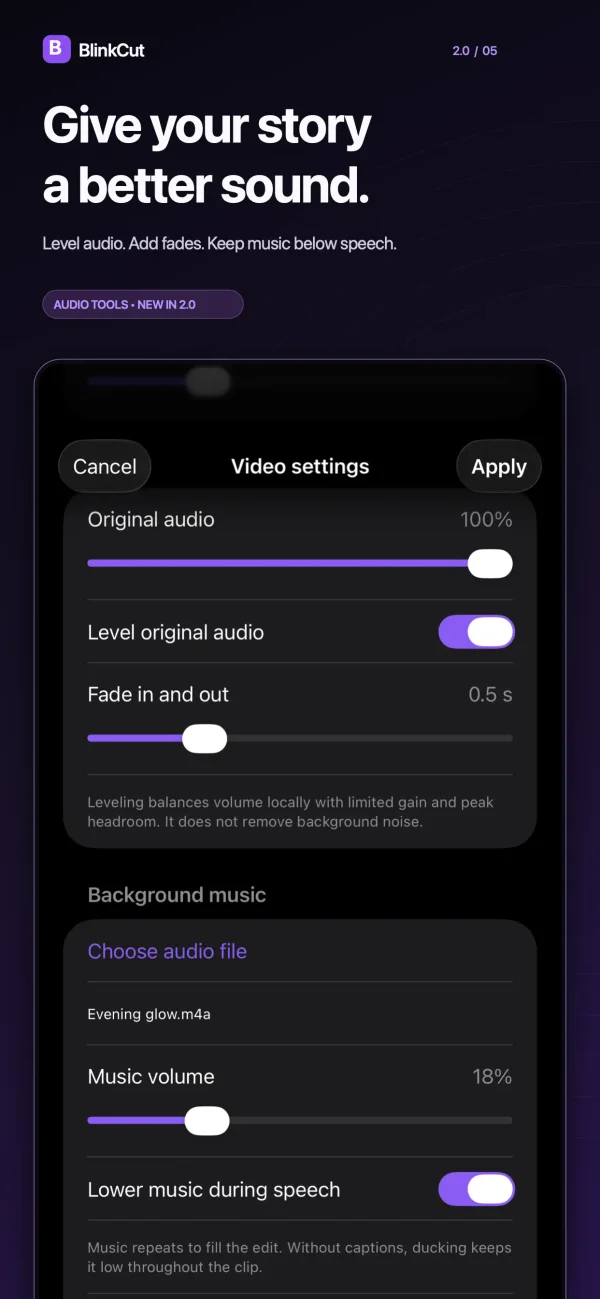
Adjust original audio volume, level quiet recordings, and add fades. Import background music, control its volume, and automatically lower it during speech.
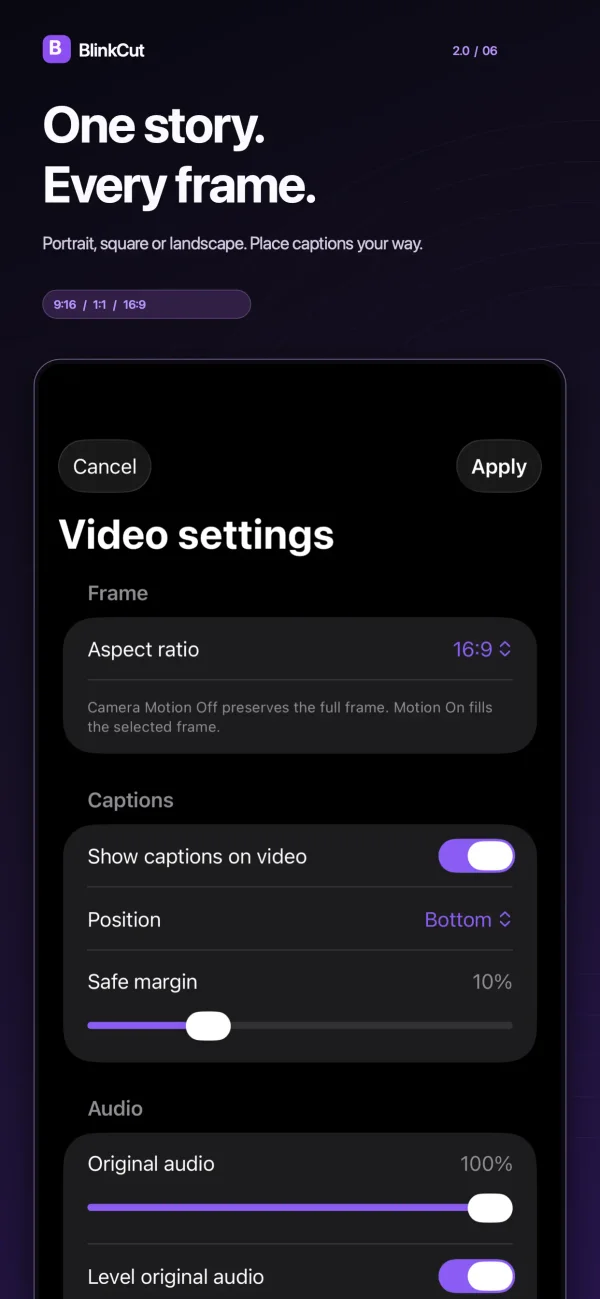
Choose your frame
Create portrait, square, or landscape videos. Position captions at the top, center, or bottom, with adjustable margins.
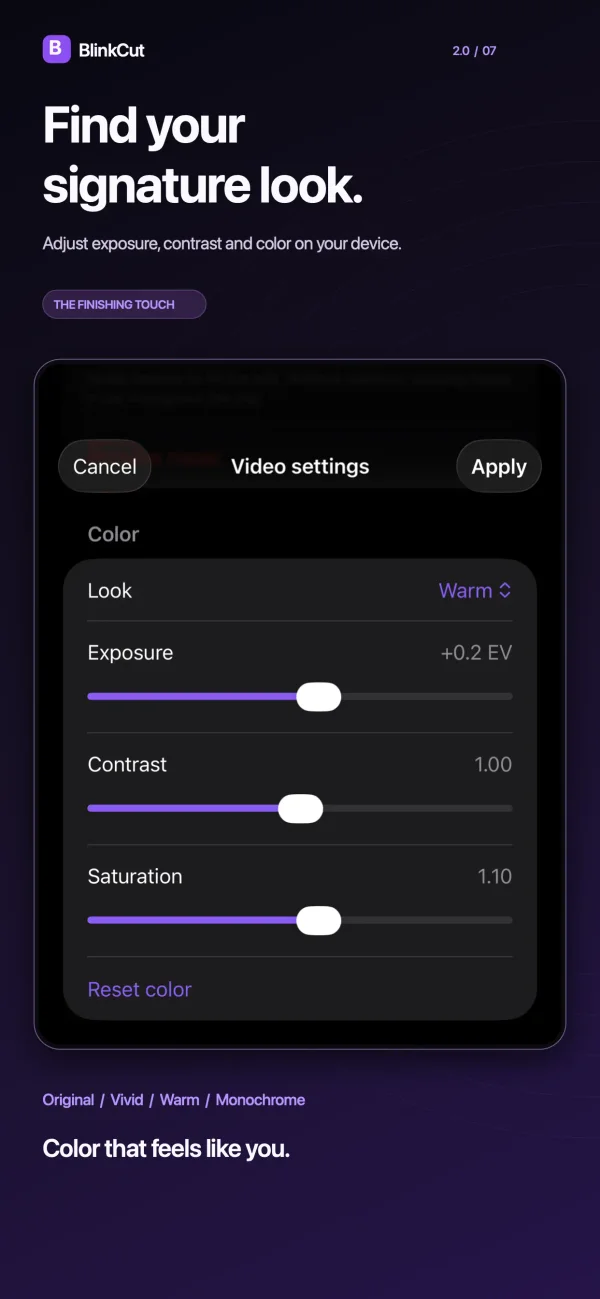
Find your look
Adjust exposure, contrast, and saturation, or choose an Original, Vivid, Warm, or Monochrome look.
Keep processing on your device
BlinkCut uses Apple technologies to process your media locally. Speech assets may require an initial download; transcription has no cloud fallback.
DESIGNED FOR
• UGC and social media creators
• Coaches and educators
• Founders and content marketers
• Anyone sharing ideas through video
FREE FEATURES
• Import videos up to 2 minutes
• Automatic captions
• Automatic pause cleanup
• Automatic Smart Zoom
• Multiple caption styles
• On-device editing and processing
BLINKCUT PRO
• Import videos up to 5 minutes
• Unlimited exports
• Export without a watermark
• Unlimited transcript edits
• Manual Smart Zoom controls
• Manual zoom points
Subscriptions automatically renew unless canceled at least 24 hours before the end of the current billing period. Manage or cancel your subscription in your App Store account settings.
Terms of Use:
https://rullit.com/blinkcut/terms/
Privacy Policy:
https://rullit.com/blinkcut/privacy/
新機能
バージョン 2.0 · 2026/10/20
BlinkCut 2.0 brings more creative control—all with 100% on-device media processing using Apple technologies. No cloud AI or third-party AI services.
• Export subtitles as SRT or WebVTT.
• Create portrait, square, and landscape videos.
• Adjust caption placement and safe margins.
• Level audio, add fades, and import background music with automatic lowering during speech.
• Fine-tune exposure, contrast, and saturation, or choose a preset look.
• Undo and redo edits, and restore removed sections.
• Improved caption timing, safer automatic cuts, and more reliable previews and exports.
アプリのプライバシー
このアプリのデータの取り扱いについて、Sri Appala AdatraoがApp Storeで申告している内容です。
-
データの収集なし
開発元はこのアプリからデータを収集しません。
プライバシーの取り扱いは、ご利用の機能やお客様の年齢などに応じて異なる場合があります。
情報
- 販売元
- Sri Appala Adatrao
- カテゴリ
- 写真/ビデオ
- バージョン
- 2.0
- 更新日
- 2026/10/20
- リリース
- 2026/7/15
- サイズ
- 9.6 MB
- 必要条件
- iOS 26.0以降
- 対象年齢
- 4+
- 価格
- 無料
- アプリ内課金
- あり
- 言語
- 英語
- 著作権
- © 2026 Rullit. All rights reserved.
こちらもおすすめ
-
 AI動画編集・自動字幕・テロップ - Wavcut顔出しなし・ナレーション・無音カット・Bロール
-
 KatKut AI: AI B-Roll & Caption写真/ビデオ
-
 CC Captions: Auto Subtitles AI写真/ビデオ
-
 Captions AI - 字幕 、動画字幕字幕翻訳 、バズる字幕テンプレート - Capnova
-
 Captions for Video: AI Subs写真/ビデオ
-
 Sorelo: 自動字幕&動画編集テロップとカバーをワンタップで
-
 動画の自動字幕SNS動画にぴったり
-
 ビデオ字幕: VidCap字幕を追加 - 音声をテキスト化
-
 Auto Captions: Video Subtitles写真/ビデオ
-
 Capzy: AI Caption写真/ビデオ