BlinkPaste: Snippet Keyboard
Quick Replies, Less Retyping
Designed for iPhone
Free · In-app purchases
- Age rating4+
- CategoryProductivity
- Developer宇 张
- LanguagesEnglish+ 1 more
- Size4.7 MB
Links to the official App Store page
Download.org hosts no file of BlinkPaste: Snippet Keyboard. The button opens its official App Store page, published by 宇 张. Listing last checked on Nov 15, 2026.
Screenshots
About
The same reply. The same address. The same long prompt.
Keep them ready in your keyboard instead of finding and copying them again.
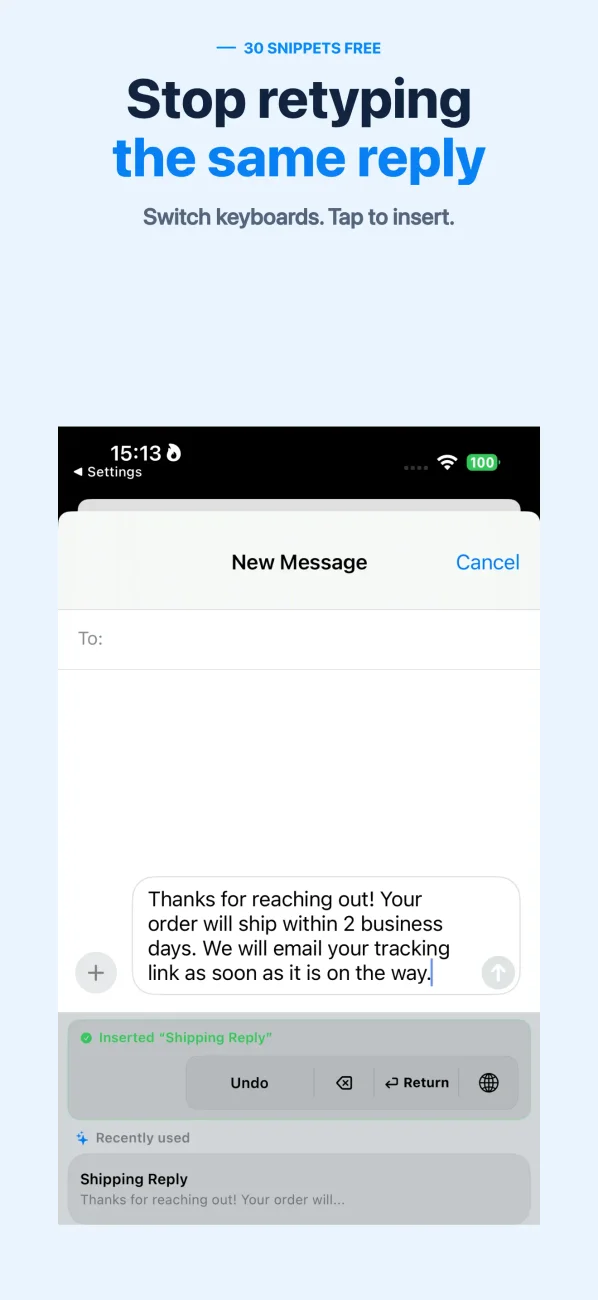
BlinkPaste saves your reusable text as keyboard buttons. In a text field that supports third-party keyboards, switch to BlinkPaste and tap a snippet to insert the full text. Review or edit it, then send when you are ready.
SAVE ONCE. USE AGAIN.
• Customer replies: FAQs, return instructions, product details, and follow-ups.
• Everyday details: addresses, signatures, links, and the information you keep retyping.
• Work templates: email replies, status updates, and meeting follow-ups.
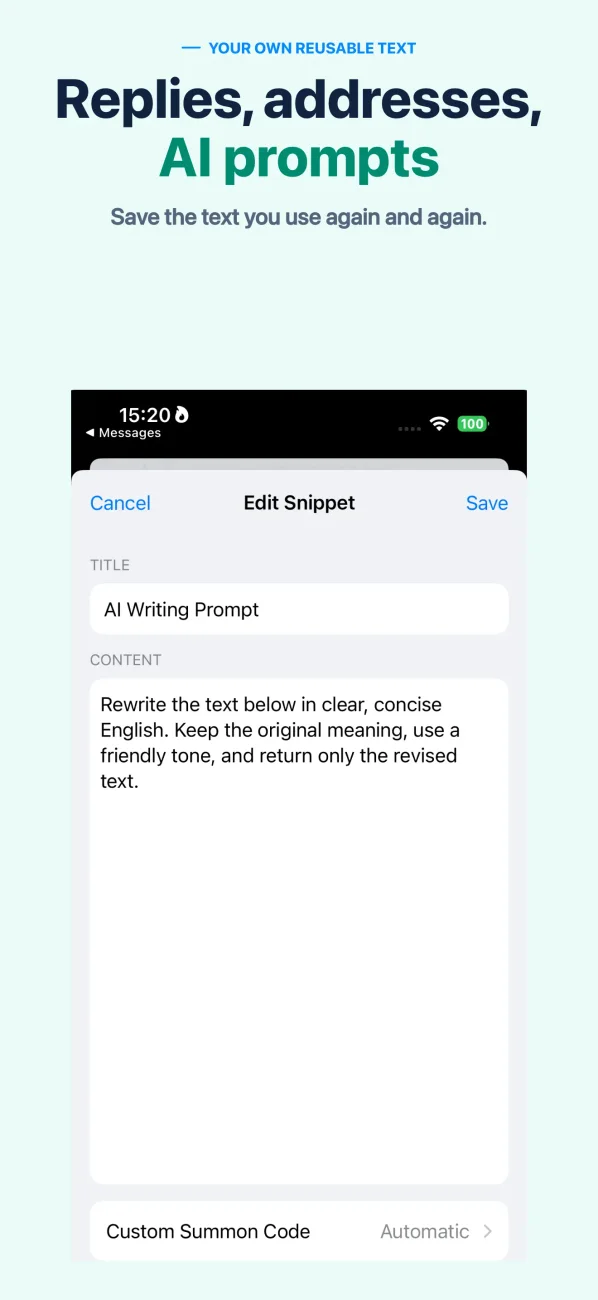
• AI prompts: save your own prompts and instructions, ready to paste into the AI tools you use.
FIND THE RIGHT SNIPPET
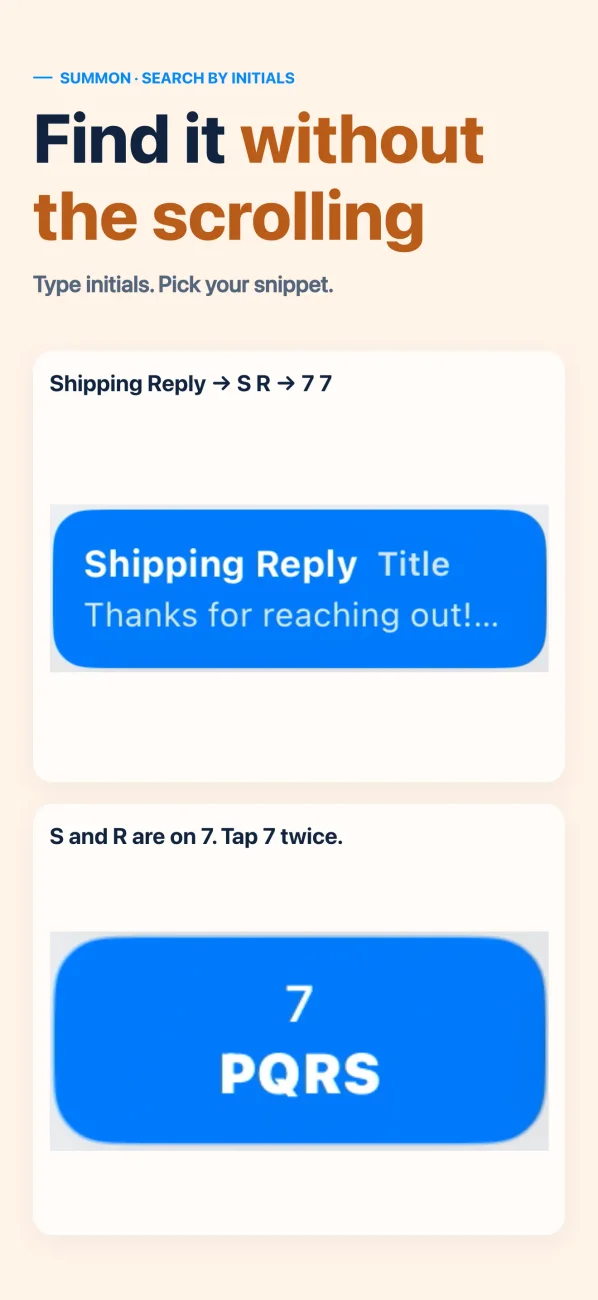
Use Summon to search by initials instead of scrolling through a long list. Create snippets yourself or save text you have copied to the clipboard.
START WITH 30 FREE SNIPPETS
Save up to 30 snippets for free. A one-time Pro purchase unlocks unlimited snippets and iCloud sync for snippets and settings across your iPhone and iPad using the same Apple ID. No recurring subscription.
SET UP YOUR KEYBOARD
Add BlinkPaste in iOS Settings, then enable Allow Full Access so the keyboard can read the snippet library shared by the main app. Switch to BlinkPaste when you want to insert saved text. Availability depends on the app and text field you are using.
YOUR SAVED TEXT, UNDER YOUR CONTROL
The keyboard reads snippets you choose to save in BlinkPaste. It does not record your everyday typing in other apps or upload what you type. Optional Pro sync uses Apple iCloud.
What’s new
Version 1.3.1 · Oct 22, 2026
• Fixed a timing issue that could show the paywall before an existing Pro entitlement was verified.
• Improved restore-purchase messages, with clearer diagnostics when no verified Pro entitlement is found.
App privacy
What 宇 张 declares on the App Store about how this app handles data.
-
Data not collected
The developer does not collect any data from this app.
Privacy practices may vary, for example with the features you use or your age.
Information
- Seller
- 宇 张
- Category
- Productivity
- Version
- 1.3.1
- Updated
- Oct 22, 2026
- Released
- Jul 10, 2026
- Size
- 4.7 MB
- Requires
- iOS 16.0 or later
- Age rating
- 4+
- Price
- Free
- In-app purchases
- Yes
- Languages
- English, Simplified Chinese
- Copyright
- © 2026 Yu Zhang
You might also like
-
 AtelierRecords for CollectorsMulti-generation art records.
-
 DoTask: Plan & Focus & ReviewPomodoro, Widgets & Insights
-
 ServiceArchiveVA records that outlast claims
-
 ClassLog: Attendance TrackerKids Lesson & Tuition Schedule
-
 MindPass: App BlockerLearn more. Scroll less.
-
 MeetDone -Every meeting countsAI Meeting Notes & Translator
-
 Notepad CalculatorSmart Notepad & Calculator
-
 Binly: Notes, Links & FilesPhotos, PDFs & iCloud Sync
-
 Cairn: Countdown & Days SinceAnniversary widget & reminders
-
 Recly: Record for Your AIRecord, transcribe, automate