
DoTask: Plan & Focus & Review
Pomodoro, Widgets & Insights
Designed for iPhone, iPad
Free · In-app purchases
- Age rating4+
- CategoryProductivity
- Developer承金 洪
- LanguagesEnglish+ 9 more
- Size107.3 MB
Links to the official App Store page
Download.org hosts no file of DoTask: Plan & Focus & Review. The button opens its official App Store page, published by 承金 洪. Listing last checked on Nov 26, 2026.
Screenshots

About
Turn Apple Reminders into a complete productivity system. DoTaskreads and writes your native reminders — iCloud-synced, created by Siri, ready to use — and adds focus timers, widgets, insights, and daily reviews.
YOUR DAY, ALL IN ONE PLACE
• See today's reminders, overdue tasks, and calendar events in a single view
• Switch between list, timeline, and Eisenhower matrix (four quadrants) views
• Overdue reminders grouped together, so nothing slips through the cracks
FOCUS ON WHAT MATTERS
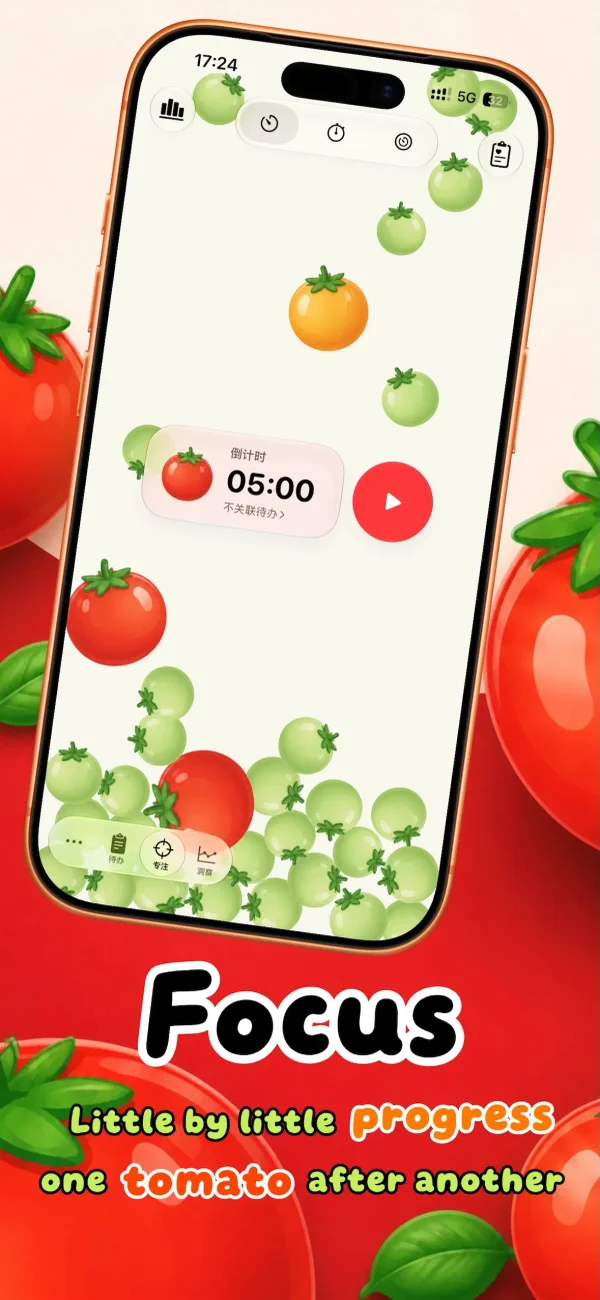
• Countdown, stopwatch, and Pomodoro modes, linked to a specific task
• Live Activity and Dynamic Island keep your session progress in view
• Add a quick note after each session to capture how it went
SEE YOUR PROGRESS CLEARLY
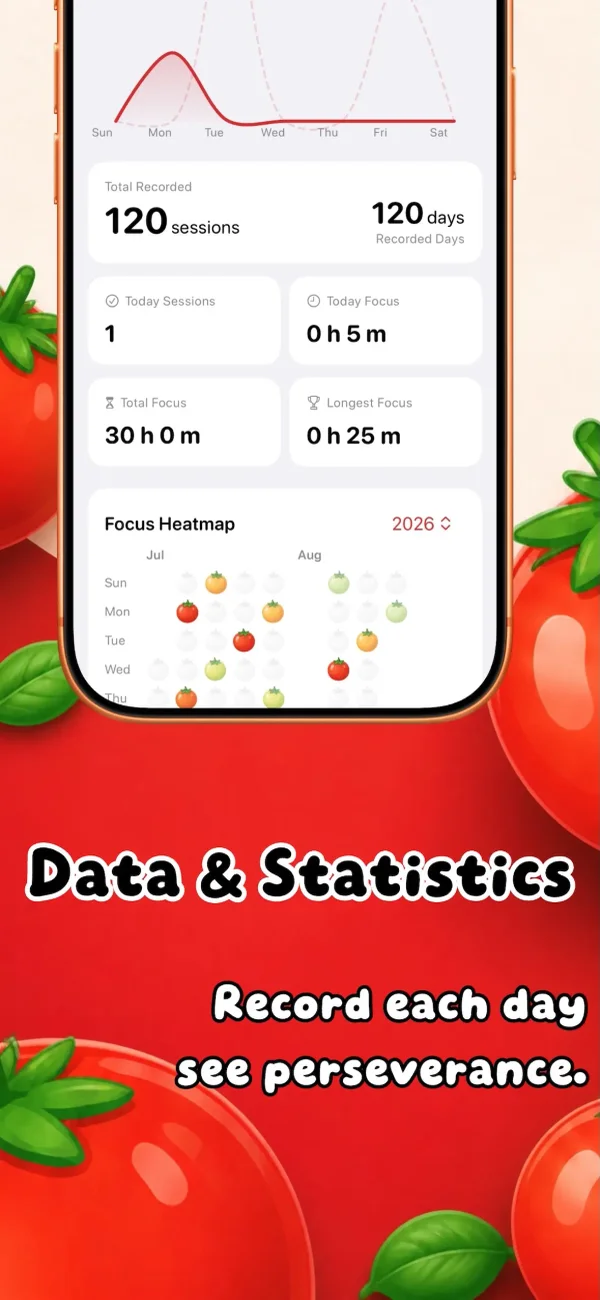
• Insights with heatmaps, trend charts, and distribution graphs for completions and focus time
• Daily, weekly, monthly, and yearly reviews, with a mood calendar to track how you feel
• Turn busy days into growth you can actually see
BUILT FOR APPLE'S ECOSYSTEM
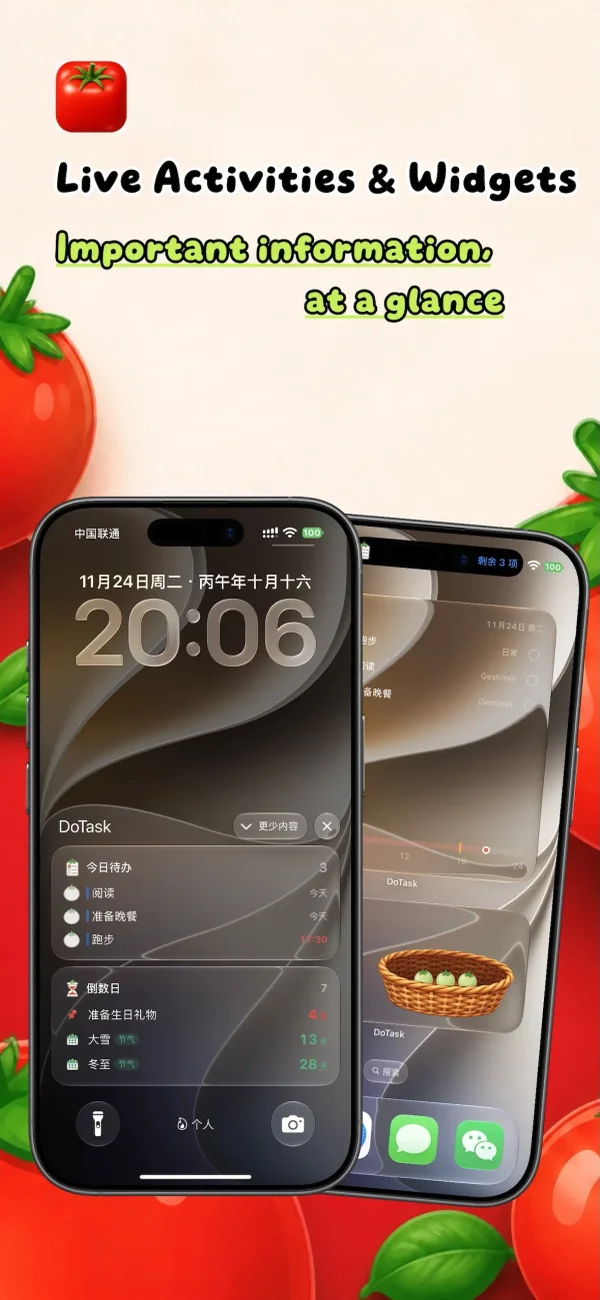
• 10 home screen widgets: today's tasks, focus stats, mood heatmap, and more
• 8 Siri shortcuts: create and complete reminders, start and end focus sessions — hands-free
• Reads and writes native Reminders data. No import or export needed
• Mark reminders as private to keep them off widgets and Siri
「Subscription Cancellation Instructions」
1. The subscription is an auto-renewing service. After purchase confirmation, the fee will be charged to the user’s iTunes account.
2. Within 24 hours before the membership period ends, the system will automatically charge the account and extend the membership service by 1 month.
3. To cancel the subscription, please manually turn off auto-renewal at least 24 hours before the current subscription period ends.
4. Cancellation path: Open iPhone「Settings」> go to「iTunes Store & App Store」> tap「Apple ID」> select「View Apple ID」> tap「Subscriptions」under「Account Settings」> find and cancel “Recurring Subscription”.
「Privacy Policy & Terms of Service」
* Privacy Policy: https://logspot.hocgin.top/RemindersPlus/?active=privacy-policy
* Terms of Service: https://logspot.hocgin.top/RemindersPlus/?active=terms-of-service
What’s new
Version 1.5.0 · Nov 24, 2026
Keep important dates in sight with Countdowns and see what’s on your list today in the new Card view.
- Countdowns: Count down to trips, anniversaries, and project deadlines. See how many days are left with Home Screen and Lock Screen widgets.
- Card view in Today: To-dos from the same day and list share a card, so you can scan your plans at a glance.
- Redesigned Quadrant view: See which to-dos deserve your attention first.
- Live Activities for reminders and countdowns: Check when a to-do is due or how many days are left until an important date, right from the Lock Screen or Dynamic Island.
- More ways to explore Insights: Browse past periods and choose which calendars to include in your event stats.
App privacy
What 承金 洪 declares on the App Store about how this app handles data.
-
Data not linked to you
May be collected but is not linked to your identity.
- Diagnostics
Privacy practices may vary, for example with the features you use or your age.
Information
- Seller
- 承金 洪
- Category
- Productivity
- Version
- 1.5.0
- Updated
- Nov 24, 2026
- Released
- Aug 21, 2026
- Size
- 107.3 MB
- Requires
- iOS 18.0 or later
- Age rating
- 4+
- Price
- Free
- In-app purchases
- Yes
- Languages
- English, French, German, Japanese, Korean, Portuguese, Russian, Simplified Chinese, Spanish, Traditional Chinese
- Copyright
- © 2026 hocgin.top
You might also like
-
 ServiceArchiveVA records that outlast claims
-
 MindPass: App BlockerLearn more. Scroll less.
-
 ClassLog: Attendance TrackerKids Lesson & Tuition Schedule
-
 BlinkPaste: Snippet KeyboardQuick Replies, Less Retyping
-
 AtelierRecords for CollectorsMulti-generation art records.
-
 Cairn: Countdown & Days SinceAnniversary widget & reminders
-
 Near: Pickup Codes & TicketsTickets, Codes & Lock Screen
-
 MeetDone -Every meeting countsAI Meeting Notes & Translator
-
 HabitMkr: Habit TrackerBuild better routines
-
 AppBlocker-Block Apps & FocusScreen Time Limits & Detox