
BlueTerm: Bluetooth Terminal
Bluetooth terminal in browser
Designed for iPhone, iPad, iPod touch
Free · In-app purchases
- Age rating4+
- CategoryDeveloper Tools
- Developermint-soft
- LanguagesEnglish+ 24 more
- Size60.1 MB
Links to the official App Store page
Download.org hosts no file of BlueTerm: Bluetooth Terminal. The button opens its official App Store page, published by mint-soft. Listing last checked on Nov 22, 2026.
Screenshots
About
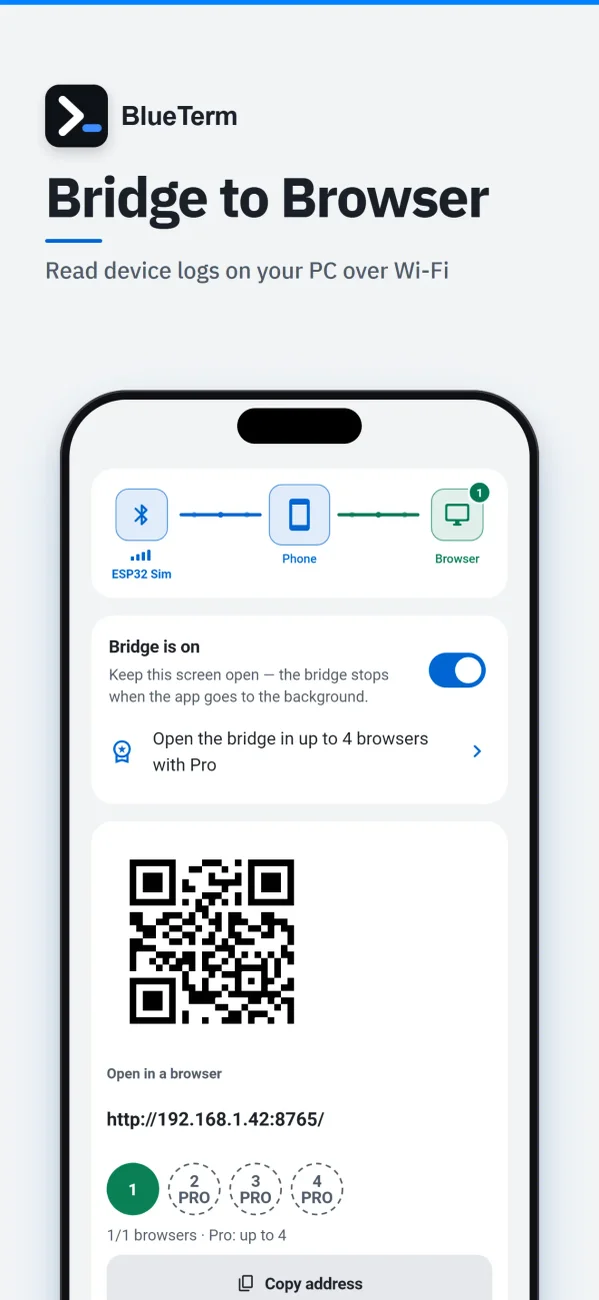
BlueTerm turns your phone into a bridge between a Bluetooth serial device and your computer's browser. Connect the device once on the phone, flip one switch, and any browser on the same Wi-Fi becomes a full terminal and live plotter for it.
NEW IN 1.2.2
- Firmware update over Bluetooth (free) - update Zephyr / nRF Connect SDK (MCUboot) and ESP32 (experimental) devices with a file from your phone. The new image is test-booted, then confirmed, and rolls back if it fails to boot.
- Two devices at once (Pro) - connect a sensor and a controller together, see both logs and send to either one; side by side on tablets.
- AI agent test loops - an MCP agent can send and wait for the reply, stop on a failure line, wait until a value meets a condition and run multi-step tests in one call (Pro).
KEY FEATURES
- Browser Bridge - one switch serves a terminal and a live plot to any browser on your Wi-Fi. No cable, no driver, nothing to install on the computer.
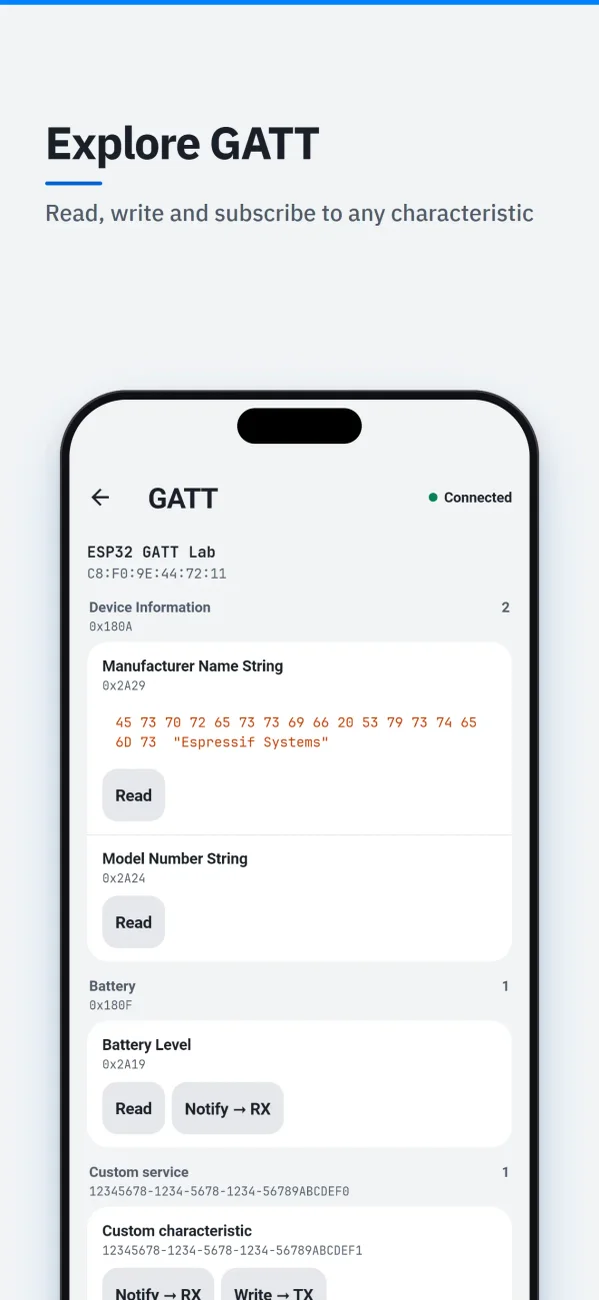
- BLE (Bluetooth Low Energy) - Nordic UART devices connect automatically, and a built-in GATT explorer lets you pick the notify and write characteristics yourself when a device uses its own UUIDs.
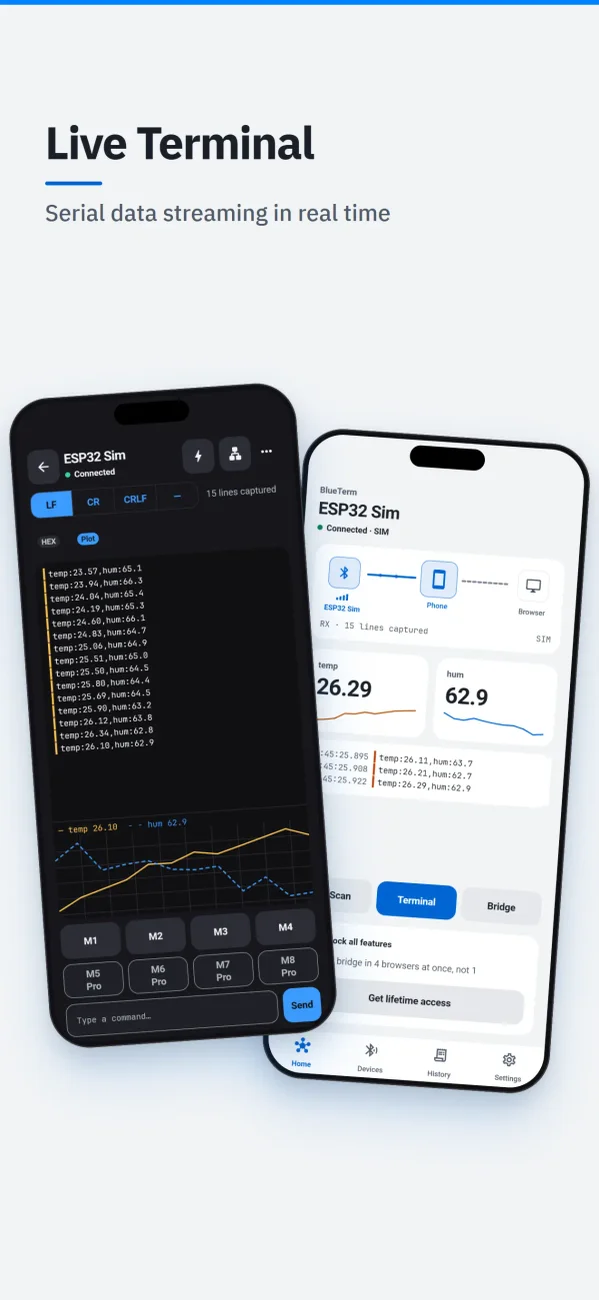
- A terminal that reads like one - timestamps, hex view, selectable line endings (LF / CRLF / CR / none) and one-tap command macros.
- Live plotting - numbers your device sends (temp:23.5, rpm=1200, >speed:3.14 or plain CSV) are charted in real time, in the app and in the browser.
- Export what you captured - CSV or JSON through the share sheet, so it lands in iCloud Drive, Google Drive or anywhere you choose.
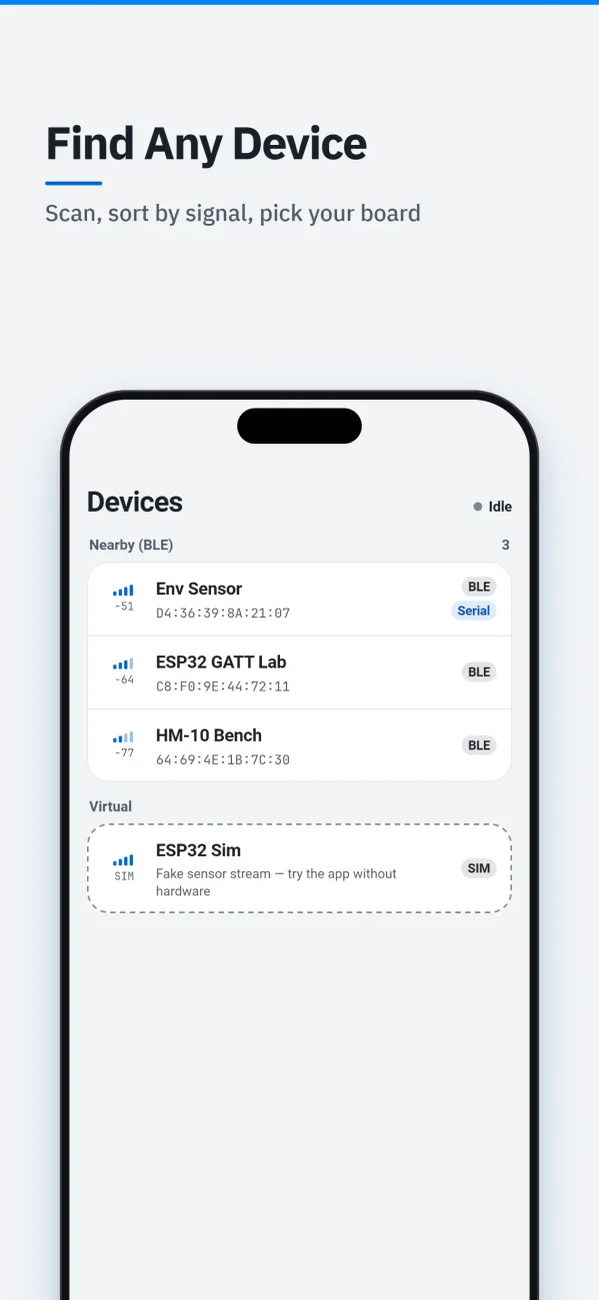
- Try it without hardware - a built-in simulator streams sample sensor data, so you can see the whole flow before you own a device.
NEW IN 1.2 - AUTOMATION AND AI AGENTS
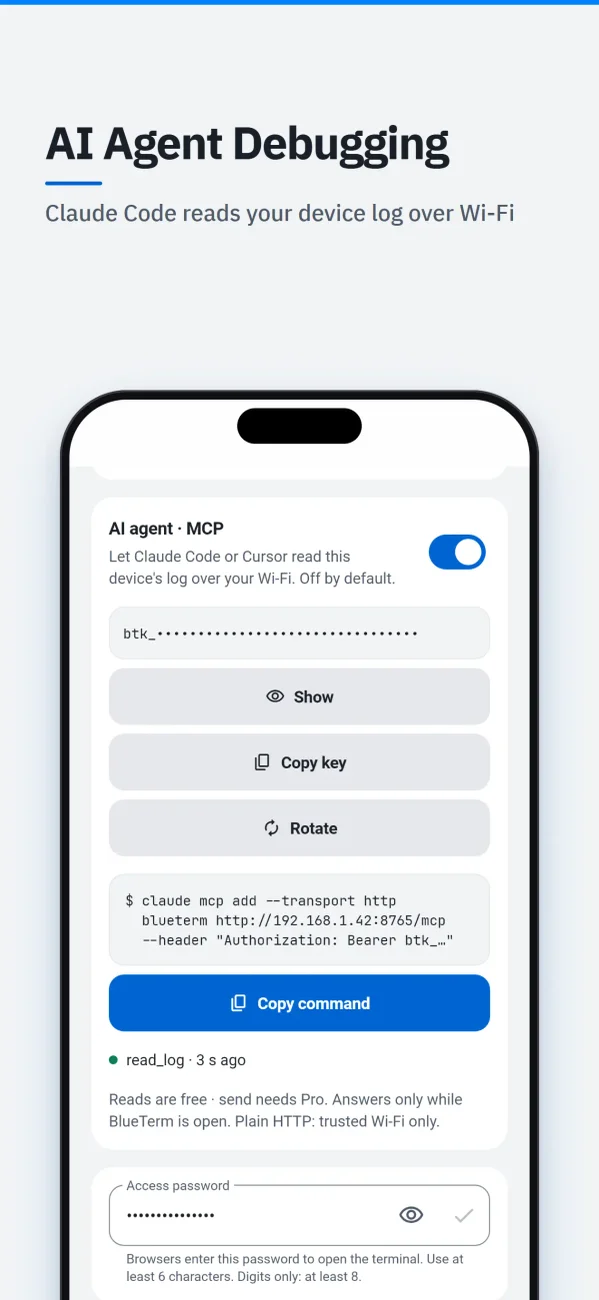
- AI coding agents (MCP) - turn on MCP on the Bridge screen (open it from the terminal's top bar) and an MCP client on your computer, such as Claude Code or Cursor, can read the live log and channel values over the same Wi-Fi (free). With Pro it can also send commands to the device. MCP is off by default, needs its own key and works while BlueTerm is open.
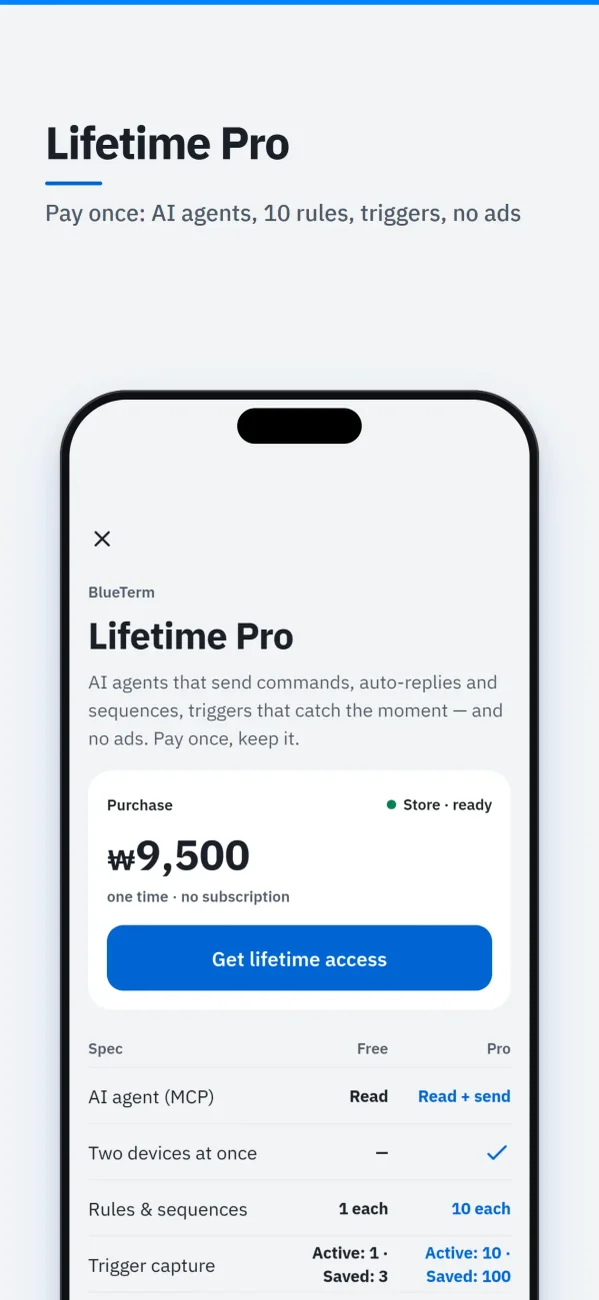
- Auto-reply rules and send sequences - reply to a matching line automatically, or send a list of commands with delays and repeats. Free: 1 rule and 1 sequence; Pro: 10 of each.
- Trigger capture - when a value crosses a threshold or a pattern appears, the lines before and after are saved for review and export. Free: 1 trigger and 3 saved captures; Pro: 10 triggers and 100 captures.
- Long recording (Pro) - write the whole session to files of up to 50 MB each, keeping the latest 20.
- Session history - every connection is recorded on the device automatically: all received and sent lines with timestamps. Search it, share it as TXT or CSV, or delete it. Free keeps the last 20 sessions, Pro keeps 100.
- Commands sent by a rule or an agent are marked in the phone and browser terminals.
BlueTerm Pro is a one-time lifetime purchase, not a subscription. It also removes ads and raises the scrollback, macro and browser limits.
WHY THIS APP?
Every other Bluetooth serial app ends inside the phone screen. But the work - reading long logs, comparing graphs, copying values into your notes - happens on a computer, and computers have no standard way to open a Bluetooth serial port.
Access to the bridge is protected by a password you set yourself, with a lockout after repeated failures, and the address is served on your local network only.
Terms of Use (EULA): https://blueterm.mint-soft.com/terms
Privacy Policy: https://blueterm.mint-soft.com/privacy
What’s new
Version 1.4.3 · Nov 21, 2026
What's new in 1.4.3
• Steadier AI connections: changing your device's clock no longer briefly blocks connected AI agents.
• Clearer password messages: if the bridge password can't be saved, or an old password is too long, the app now tells you exactly what to do.
App privacy
What mint-soft declares on the App Store about how this app handles data.
-
Data used to track you
May be used to track you across apps and websites owned by other companies.
- Location
- Identifiers
- Usage data
-
Data not linked to you
May be collected but is not linked to your identity.
- Purchases
- Location
- User content
- Identifiers
- Usage data
- Diagnostics
Privacy practices may vary, for example with the features you use or your age.
Information
- Seller
- mint-soft
- Category
- Developer Tools
- Version
- 1.4.3
- Updated
- Nov 21, 2026
- Released
- Sep 25, 2026
- Size
- 60.1 MB
- Requires
- iOS 15.0 or later
- Age rating
- 4+
- Price
- Free
- In-app purchases
- Yes
- Languages
- English, Arabic, Czech, Danish, Dutch, Finnish, French, German, Hindi, Indonesian, Italian, Japanese + 13 more
- Copyright
- © Copyright 2026 MintSoft
You might also like
-
 MCU BLE TerminalESP32 BLE Terminal
-
 TransparentBLEBLE Scanner & Profile Logger
-
 Murmur BLE ShellRaspberry Pi shell over BLE
-
 QuickTerminal - Multi-ShellAI Terminal with SSH & SFTP
-
 EzsshYour AI SSH Terminal
-
 OrbitSSH - Mobile TerminalSFTP, Tmux & File Manager
-
 TermiShellSecure & Fast SSH Terminal
-
 Termixa — Remote AI TerminalYour to machine's AI, anywhere
-
 NeoShellShell-first remote workspace
-
 BLE TermTerminal emulator for BLE