
- Age rating4+
- CategoryGraphics & Design
- DeveloperThe Revolution of Technology LLC
- LanguagesEnglish
- Size2.2 MB
Links to the official App Store page
Download.org hosts no file of Boardly: Quick Edit. The button opens its official App Store page, published by The Revolution of Technology LLC. Listing last checked on Nov 18, 2026.
Screenshots
About
Boardly: Beautiful Screenshots & Promo Screenshot Maker
Turn plain screenshots into scroll-stopping images ready to post, pitch, or ship with your next release. Boardly is the screenshot editor and mockup maker built for creators, indie developers, and marketers.
Boardly Screenshot Editor -> Your All-in-One Screenshot Beautifier & Mockup Studio
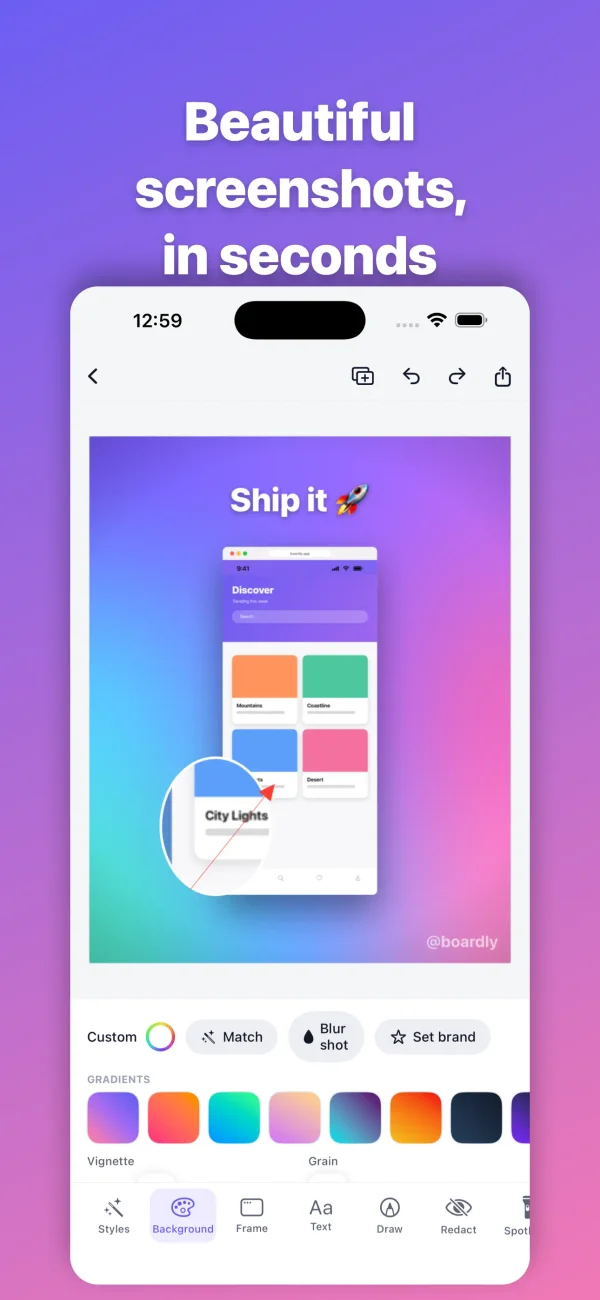
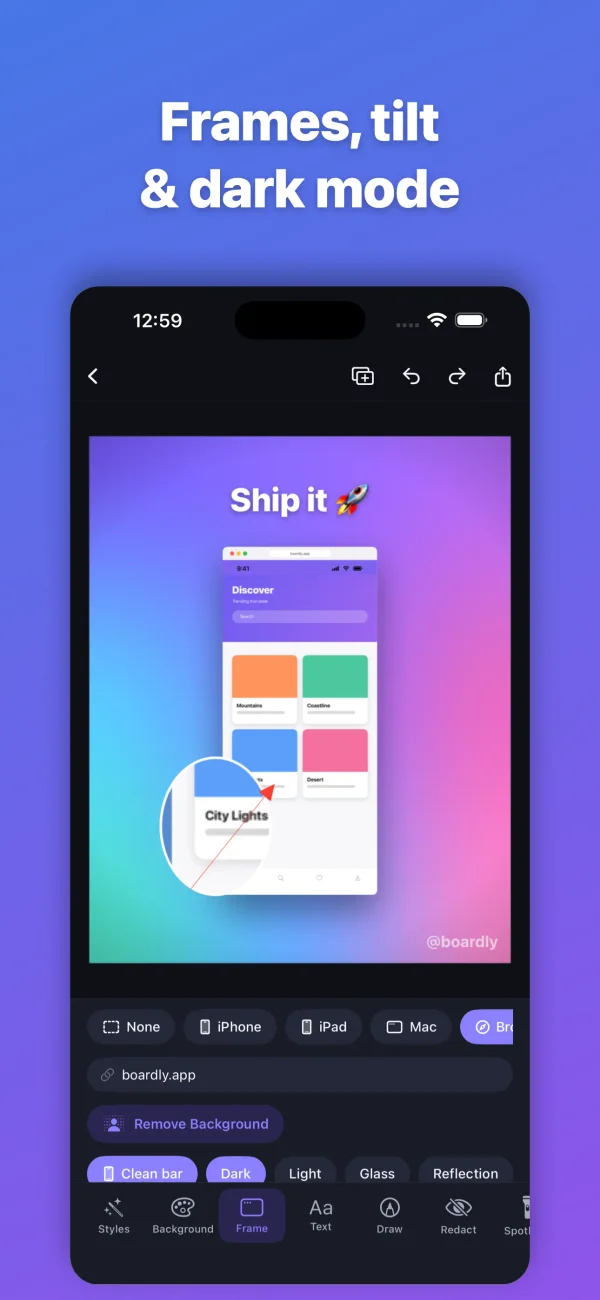
Drop in any screenshot and Boardly instantly wraps it in a gorgeous background, a device or browser frame, and a soft shadow. Add headlines, annotate, blur secrets, and export at any social or store-listing size — all on your device, in seconds.
Key Features:
- Beautiful Backgrounds: Gradients, iOS-18 mesh, patterns, and solid colors — or auto-match the colors in your screenshot.
- Device & Browser Frames: iPhone, iPad, Mac window, and Safari/Chrome browser frames.
- Clean Status Bar: Swap the messy status bar for a perfect 9:41 with full signal and battery.
- 3D Tilt, Shadows & Corners: Add depth with real perspective tilt, drop shadows, glass, and reflections.
- Annotate & Markup: Arrows, boxes, highlights, numbered steps, freehand pen, and a magnifier loupe.
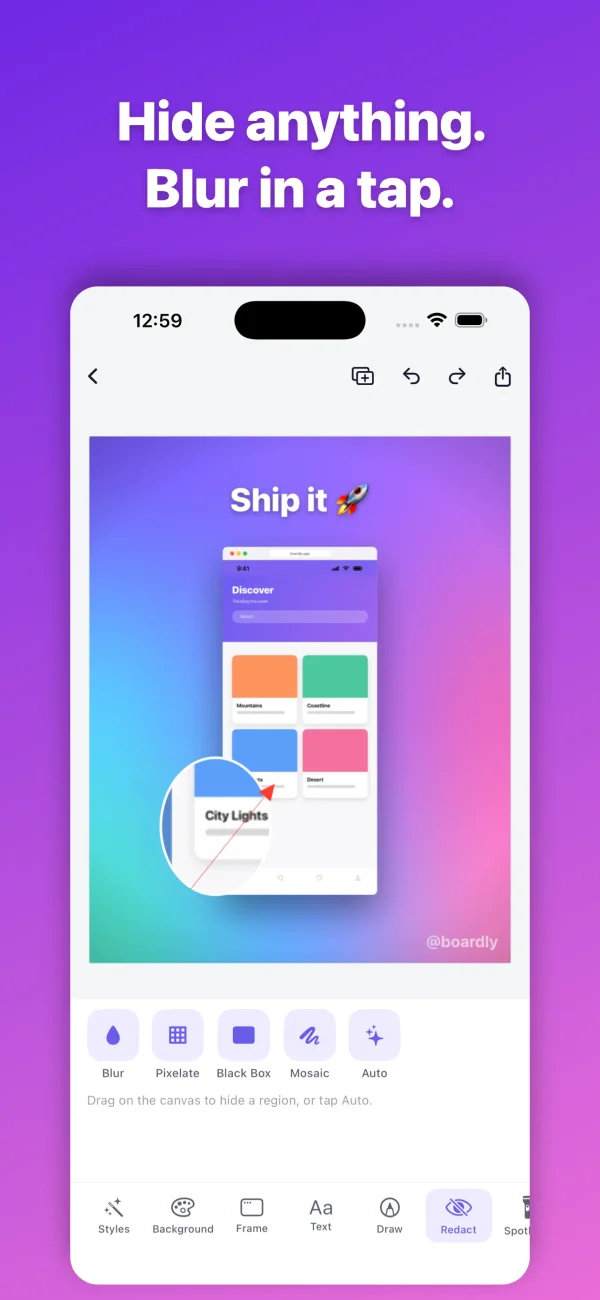
- One-Tap Redact: Blur, pixelate, or auto-hide emails, tokens, and faces before you share.
- Text & Headlines: Bold captions with gradients, highlights, and curves.
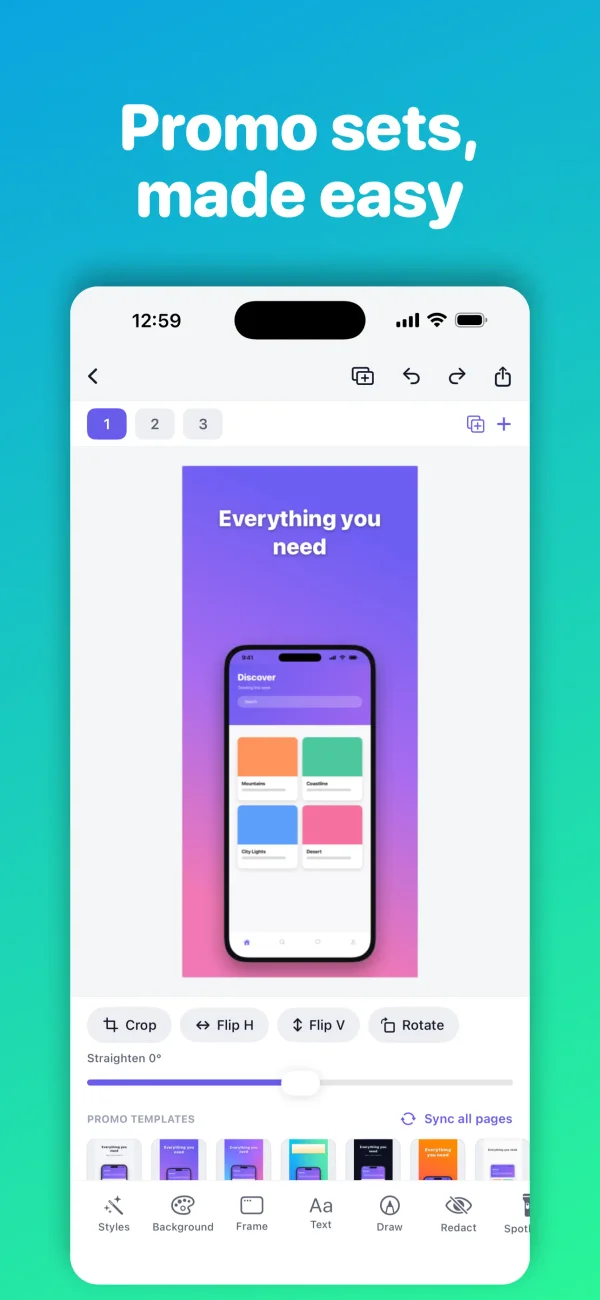
- Promo Studio: Generate a full multi-page store-listing screenshot set from ready-made templates.
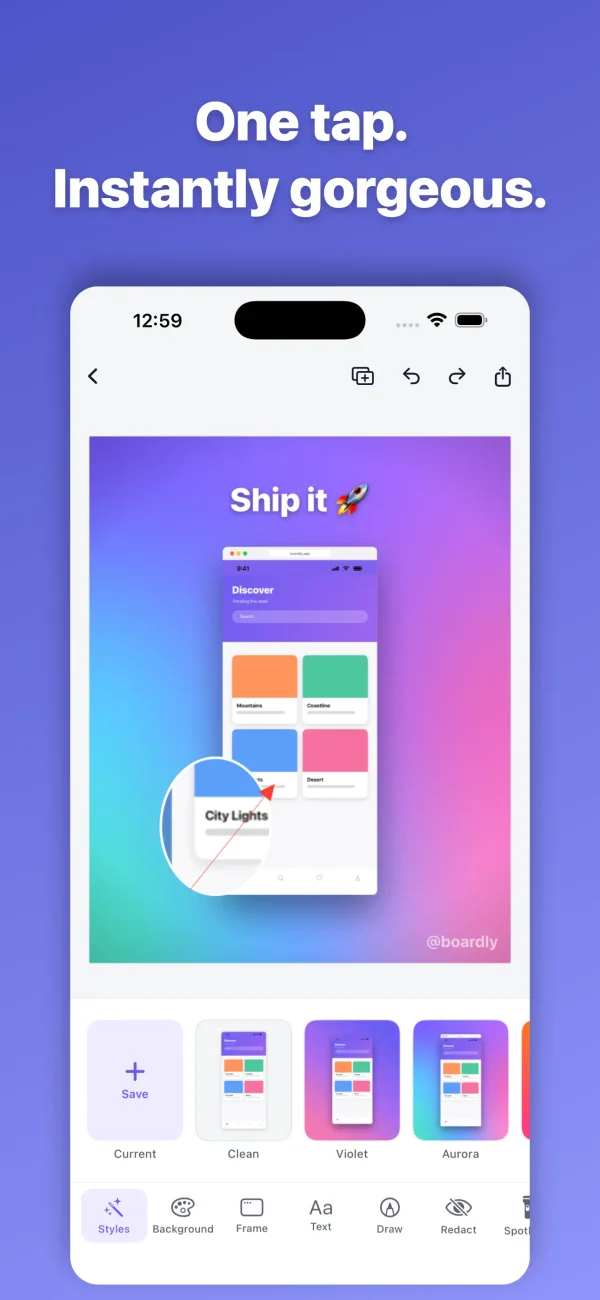
- One-Tap Styles & Presets: Apply a complete look instantly, and save your own.
- Batch Editing: Beautify many screenshots at once.
- Export Anywhere: Save to Photos, share, or export an Instagram carousel at every social and store-listing size.
Why Choose Boardly?
- Fast & On-Device: Everything runs locally — no waiting, no uploads.
- Privacy First: No account, no analytics, no tracking. Your screenshots never leave your device.
- Store-Ready Sizes: Purpose-built templates and exact pixel sizes for store-listing screenshots.
- Light & Dark: A gorgeous interface in both themes.
Whether you're an indie developer polishing release screenshots, a designer sharing mockups, or anyone who wants their screenshots to look their best — Boardly makes it effortless.
Download Boardly and make your next screenshot look like it belongs in a keynote!
Privacy Policy: https://www.indiesoftwaredev.com/app/boardly?tab=privacy
Terms of Use (EULA): https://www.apple.com/legal/internet-services/itunes/dev/stdeula/
App privacy
What The Revolution of Technology LLC declares on the App Store about how this app handles data.
-
Data not collected
The developer does not collect any data from this app.
Privacy practices may vary, for example with the features you use or your age.
Information
- Seller
- The Revolution of Technology LLC
- Category
- Graphics & Design
- Version
- 2.0.0
- Updated
- Jul 10, 2026
- Released
- Jul 9, 2026
- Size
- 2.2 MB
- Requires
- iOS 18.0 or later
- Age rating
- 4+
- Price
- Free
- Languages
- English
- Copyright
- © The Revolution of Technology
You might also like
-
 Animock: 3D Mockup AnimatorApp Screenshots & Promo Video
-
 Jamboree: Game MakerPlayful creation on your phone
-
 Garden AI: Landscape DesignBackyard Planner, Patio Layout
-
 AI Home Design: Room PlannerInterior Designer & Decorator
-
 AI Home Design - RumaInterior, House, Room Planner
-
 Decor AI: Room & Home DesignAI Interior Design & Planner
-
 Glassify: Widgets & ThemesLock Screen, Hijri & Prayer
-
 ThemeMe: Top Widgets & ThemesPersonalize your phone