
BoardSnap: Snap Notes AI
Snap any board. Get notes.
Designed for iPhone, iPod touch
Free · In-app purchases
- Age rating4+
- CategoryProductivity
- DeveloperJack Brandt
- LanguagesEnglish
- Size35.7 MB
Links to the official App Store page
Download.org hosts no file of BoardSnap: Snap Notes AI. The button opens its official App Store page, published by Jack Brandt. Listing last checked on Nov 18, 2026.
Screenshots

About
BoardSnap turns any whiteboard into something you can actually use.
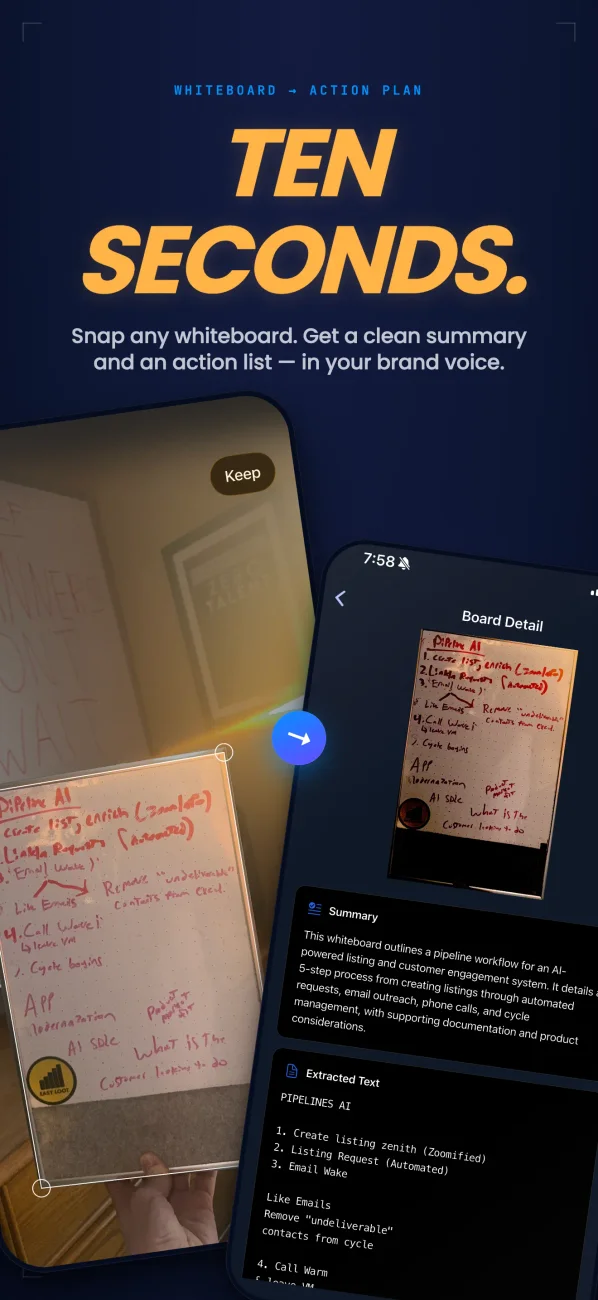
Snap a board with your iPhone. In ten seconds you get clean notes, action items with owners, and a project you can chat with — across every board you've ever captured. Lecture, conference room, coffee-shop napkin: same five-second loop.
Built for:
• Students who walk out of a lecture with the whiteboard locked in their pocket, then quiz themselves before the exam.
• Professionals who leave every meeting with action items already assigned, not a phone full of photos they'll never open again.
• Entrepreneurs and builders who think on whiteboards and want every spec, every sketch, every coffee-shop conversation to feed the same AI brain.
Four things BoardSnap does that nothing else does:
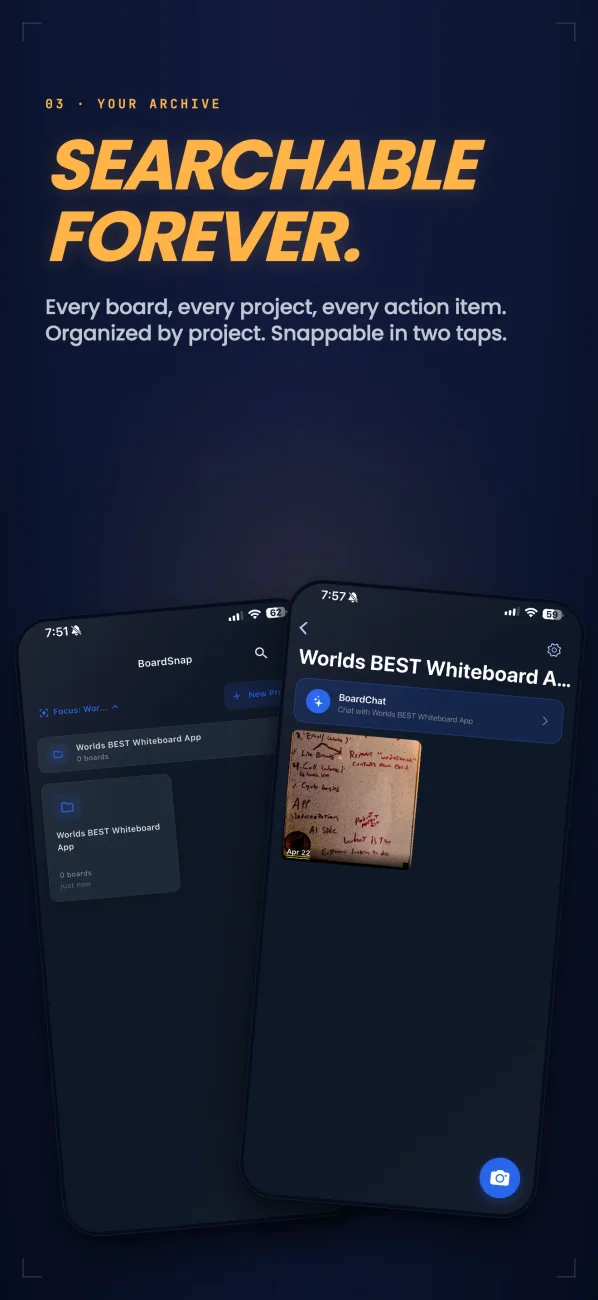
PROJECTS — every board lives in a project. A project is a class, a client, a product, a quarter. Switch projects, switch contexts; nothing leaks.
BRAND-AWARE AI — give your project a website URL and BoardSnap reads it. Summaries and action items come back in your company's voice, your professor's framing, your product's terminology. Generic AI chat can't do this.
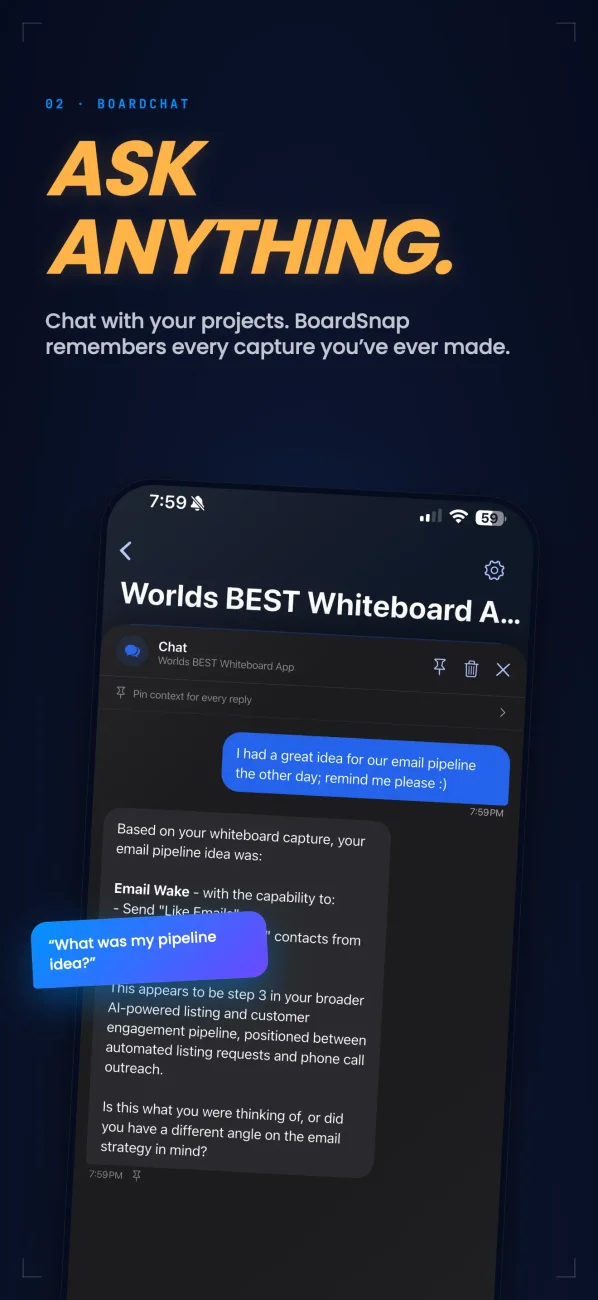
CHAT THAT REMEMBERS — pin the notes that matter. Every future question across that project starts with that context, free. No more re-explaining your situation to a fresh chat thread.
OFFLINE FIRST — basement lecture hall, plane mode, dead WiFi. Snap anyway. BoardSnap queues every capture and flushes the moment you're back online. Zero lost boards.
How it works:
1. Tap snap. Native iPhone capture finds edges, straightens the board.
2. AI reads the entire board — handwriting, diagrams, sticky notes, all of it.
3. You get back: a 1-paragraph summary, a structured outline, action items with owners and dates, and a tap-to-quiz mode for any board.
4. Chat across every board in the project. Pin the takeaways. Walk away.
Built native for iPhone. VisionKit edge detection. No Android, no web, no Office plugin — focused.
Free to try with 5 boards. Pro at $9.99/month or $69.99/year unlocks unlimited boards, projects, chat, and quiz.
Privacy: your boards live in your iCloud account. No training on your data. No ads, ever.
Made in Detroit by DotcomJack.
What’s new
Version 1.2.0 · May 11, 2026
Stability and crash-reporting improvements.
App privacy
What Jack Brandt declares on the App Store about how this app handles data.
-
Data linked to you
May be collected and linked to your identity.
- Contact info
- User content
- Identifiers
-
Data not linked to you
May be collected but is not linked to your identity.
- User content
- Identifiers
- Usage data
- Diagnostics
Privacy practices may vary, for example with the features you use or your age.
Information
- Seller
- Jack Brandt
- Category
- Productivity
- Version
- 1.2.0
- Updated
- May 11, 2026
- Released
- Apr 27, 2026
- Size
- 35.7 MB
- Requires
- iOS 15.0 or later
- Age rating
- 4+
- Price
- Free
- In-app purchases
- Yes
- Languages
- English
- Copyright
- © 2026 DotcomJack
You might also like
-
 LegalSpeakLegal Assistant
-
 Whiteboard LensFree Whiteboard Scanner
-
 MEMO Whiteboard ScannerSave your MEMO digitally
-
 LivingWriter: Write AnywhereThe #1 Writing App
-
 AI Meeting Notes - NoteOnTranscribe Voice AI Note Taker
-
 Stockroom InventoryInventory Made Easy
-
 ZulipOrganized team chat
-
 Land id®Land Identity & Parcel Mapping
-
 Onshape 3D CADSpeed Up Your Product Design
-
 Locally AI by LM StudioLocal & Private AI Assistant