
Bookmark To File
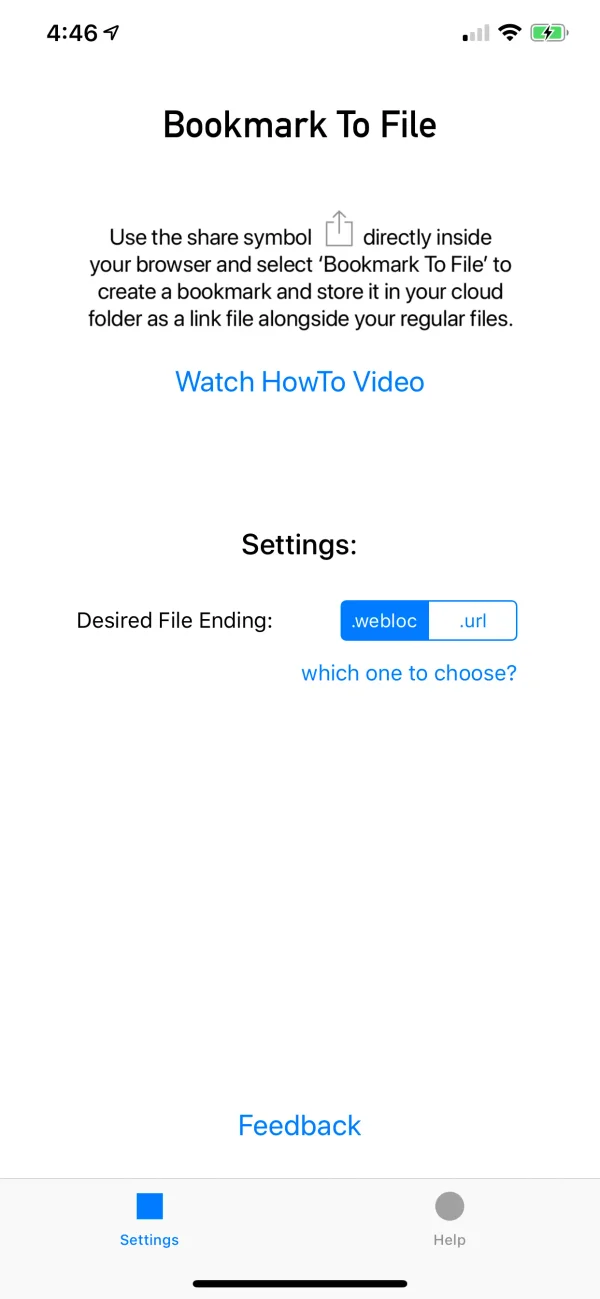
Create a .webloc or .url file
Designed for iPhone, iPad, iPod touch
$0.99
- Age rating4+
- CategoryUtilities
- DeveloperGanymed Stanek
- LanguagesEnglish
- Size22.9 MB
Links to the official App Store page
Download.org hosts no file of Bookmark To File. The button opens its official App Store page, published by Ganymed Stanek. Listing last checked on Nov 12, 2026.
Screenshots

About
Right from within your browser, create a bookmark file with a .webloc or .url ending that links to the website you are currently on - and store it in any of your cloud storage drives set up on iOS.
By storing your bookmarks individually as link files right along your other files on a project or topic, you save yourself duplicating your folder structure inside the browsers bookmark feature.
This is how it works:
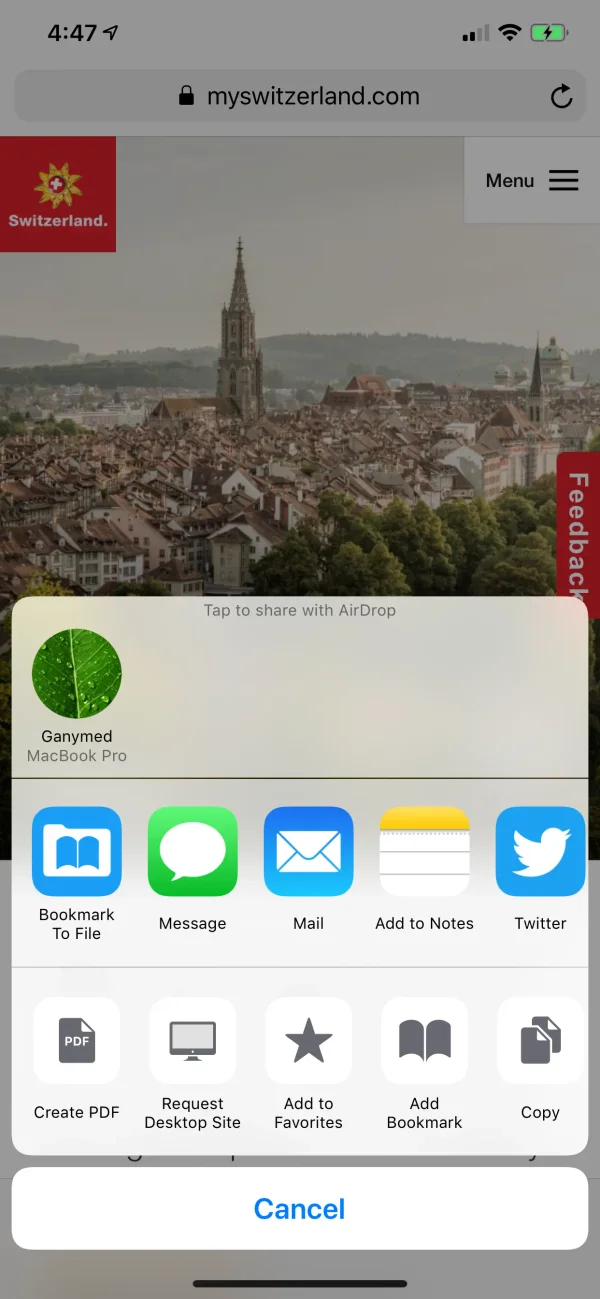
1. Tap the share icon in your web browser and chose 'Bookmark to File'
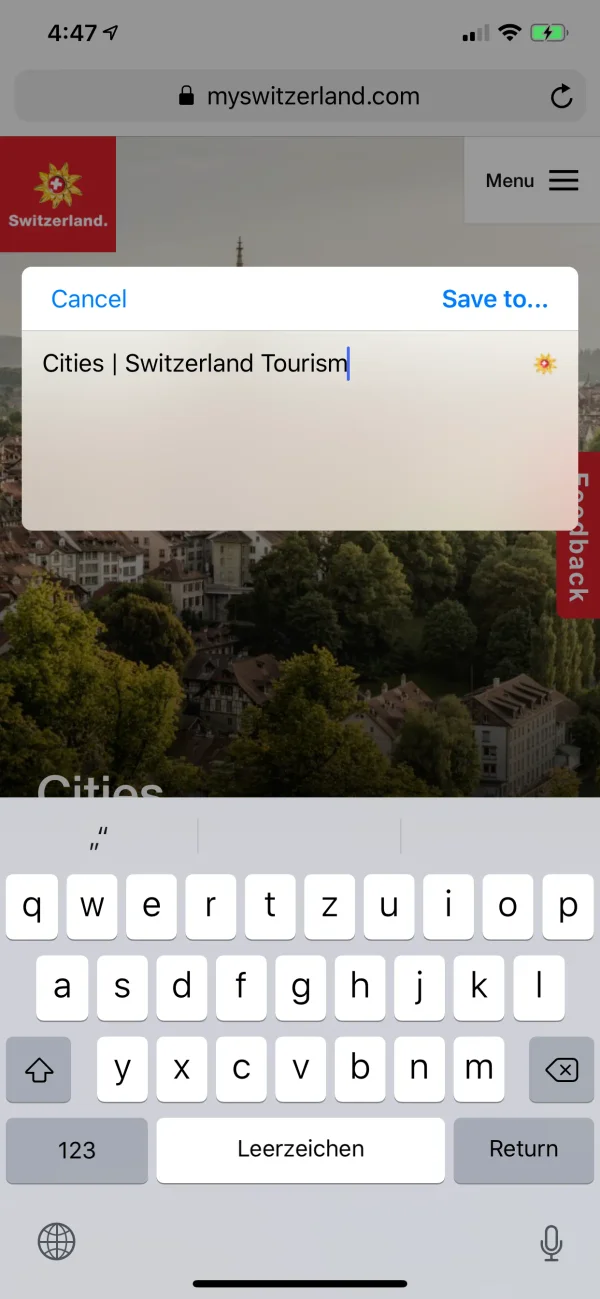
2. Keep the website title as the filename for the bookmark link, or change it to what you like.
3. Select your cloud folder where to save the bookmark file to - and hit save - that's it!
Works from Safari, Chrome, Opera and Edge browsers on iPhone and iPad. And now also Firefox!
Works with any cloud drive provider that can also be used with the Apple File App. This includes Google Drive, iCloud, OwnCloud, OneDrive, Dropbox and many more.
What’s new
Version 1.4 · Jul 21, 2025
- Firefox support + a few other apps that also use non-standard sharing of URLs.
- Fixed handling of a few special characters in the website titles
App privacy
What Ganymed Stanek declares on the App Store about how this app handles data.
-
Data not linked to you
May be collected but is not linked to your identity.
- Diagnostics
Privacy practices may vary, for example with the features you use or your age.
Information
- Seller
- Ganymed Stanek
- Category
- Utilities
- Version
- 1.4
- Updated
- Jul 21, 2025
- Released
- Aug 19, 2019
- Size
- 22.9 MB
- Requires
- iOS 13.6 or later
- Age rating
- 4+
- Price
- $0.99
- Languages
- English
- Copyright
- © 2025 Ganymed Stanek
You might also like
-
 AutarkyBlock all 3rd-party JavaScript
-
 Save to Dropbox for SafariSave to cloud, no download
-
 SharePal - Quick info sharing!Clipboard manager & snippets
-
 Share Tabs for SafariCopy, save & send browser tabs
-
 OpoLuaUtilities
-
 Stealth - Incognito TextHide messages in plain sight
-
 Save Image as TypeSave images as PNG, JPEG, WEBP
-
 Bookrest: Visual BookmarksSave links & read later
-
 Scrappi: Go Beyond BookmarksCollect, Create & Share
-
 WebsaveArchive the web