
SharePal - Quick info sharing!
Clipboard manager & snippets
Designed for iPhone, iPad
$8.99
- Age rating4+
- CategoryUtilities
- DeveloperIllumineering
- LanguagesEnglish+ 13 more
- Size52.7 MB
Links to the official App Store page
Download.org hosts no file of SharePal - Quick info sharing!. The button opens its official App Store page, published by Illumineering. Listing last checked on Nov 17, 2026.
Screenshots


About
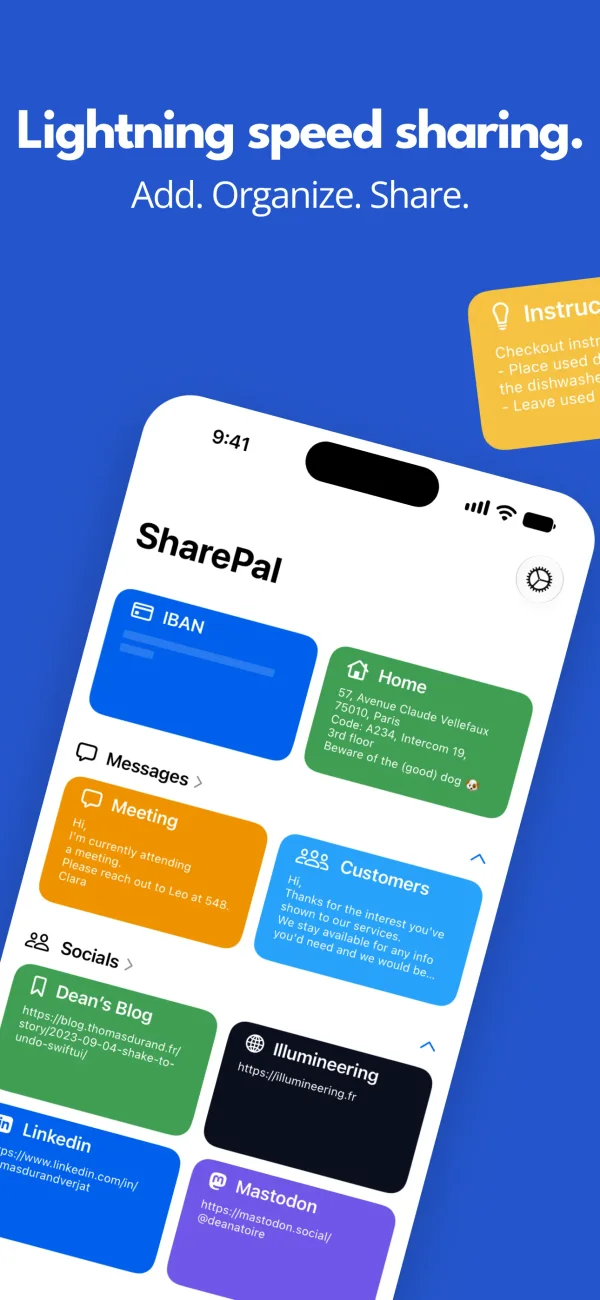
Some things you type over and over: your IBAN, the building door code, your address, a link you always send. SharePal keeps them one tap away — and drops them into any app, conversation or form.
SAVE WHAT YOU REPEAT
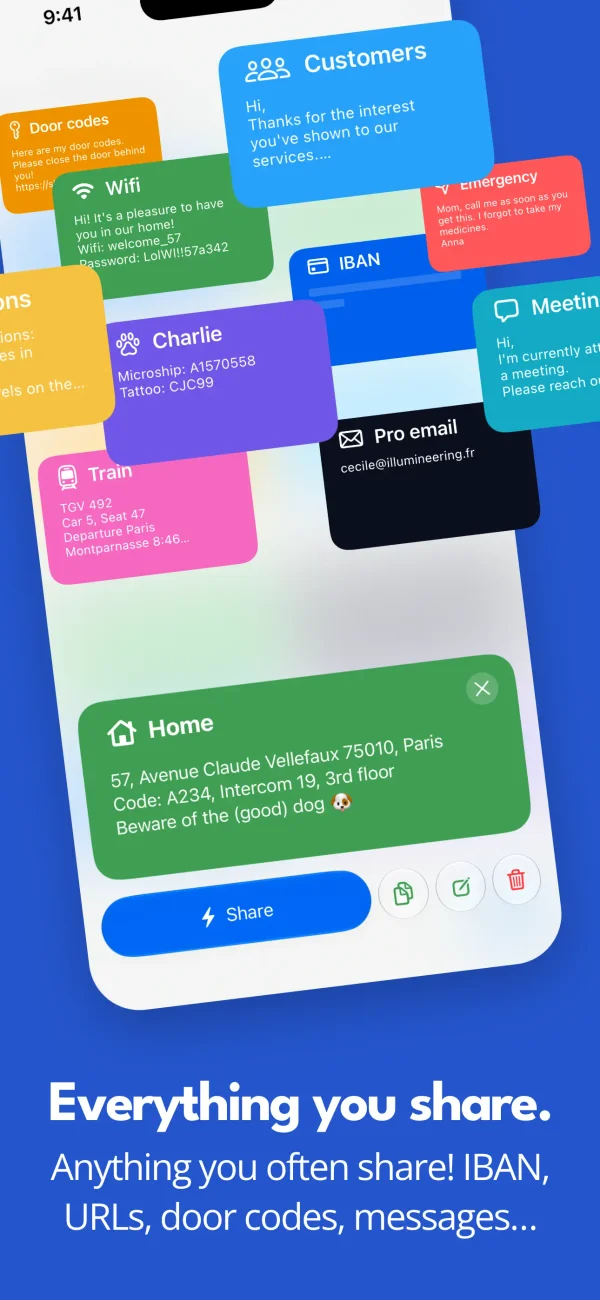
• Addresses, door codes, IBANs, links, phone numbers, the message you retype every week.
• Sort them into your own categories, with the colour and icon you choose.
• Find any item in seconds, however many you keep.
SHARE IT ANYWHERE
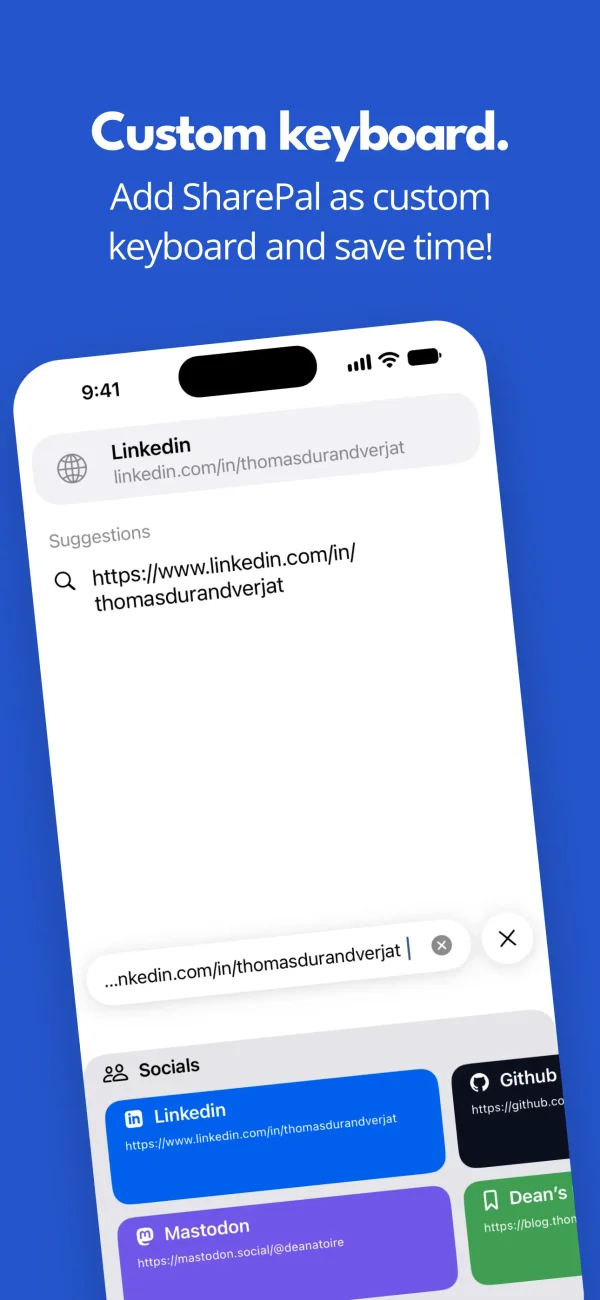
• The SharePal keyboard works in every app — messaging, email, web forms. Your text is on the keyboard, not buried in another app.
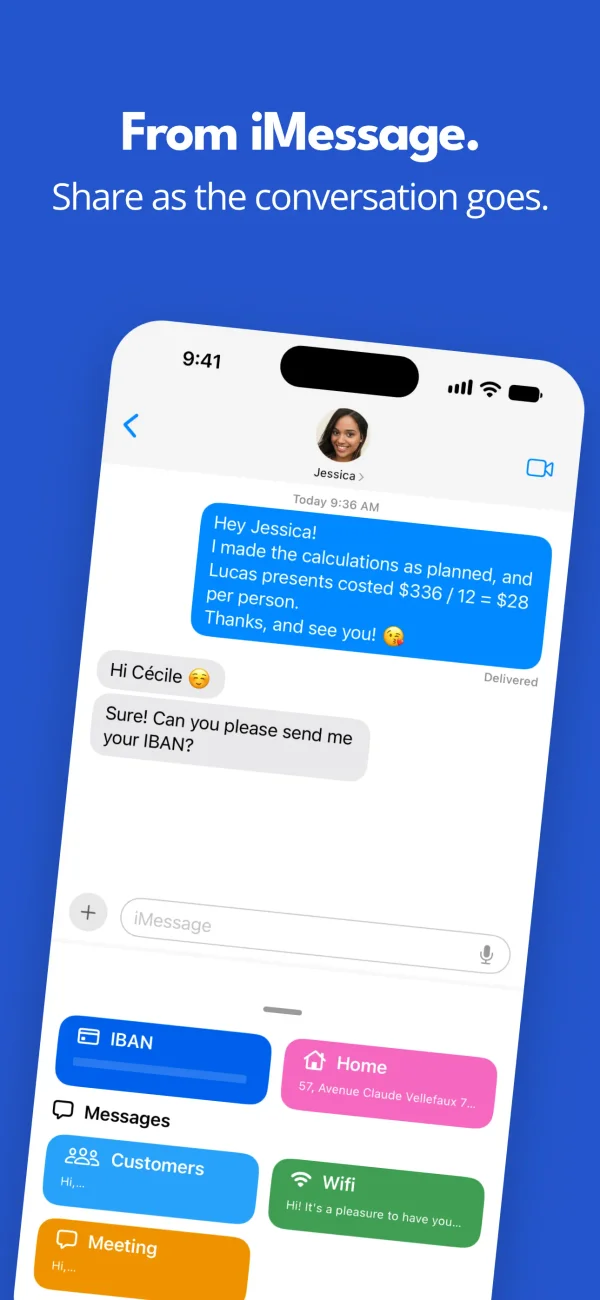
• The built-in iMessage app puts your items right in the conversation.
• Add anything to SharePal from any app with the Share Sheet.
• Send it to someone next to you over AirDrop.
• Run it from Shortcuts and Siri.
YOUR DATA STAYS YOURS
• Stored on your device and synced through your own iCloud. Nowhere else.
• We never sell or share your data — we can't read it in the first place.
• Built in France, under GDPR.
SharePal is for the small stuff you look up too often. Save it once, share it in a tap.
What’s new
Version 2026.4 · Sep 12, 2026
The SharePal keyboard looks like itself again on the newest iOS.
Your category names had gone soft at the top of the keyboard — blurred into a grey you could not read — and the strip along the bottom sat a shade apart from everything above it. Both are fixed: the titles are sharp, and the keyboard is one surface from top to bottom, in light and in dark.
New last time, if you have not tried it yet: search from the Home Screen and your items come up in Spotlight by name, without opening SharePal first. And Siri can fetch one, rename it, or file it under another category — a locked item still asks for Face ID before anything moves.
App privacy
What Illumineering declares on the App Store about how this app handles data.
-
Data not linked to you
May be collected but is not linked to your identity.
- Identifiers
- Usage data
- Diagnostics
Privacy practices may vary, for example with the features you use or your age.
Information
- Seller
- Illumineering
- Category
- Utilities
- Version
- 2026.4
- Updated
- Sep 12, 2026
- Released
- Oct 4, 2023
- Size
- 52.7 MB
- Requires
- iOS 18.0 or later
- Age rating
- 4+
- Price
- $8.99
- Languages
- English, Danish, Dutch, French, German, Italian, Japanese, Korean, Portuguese, Russian, Simplified Chinese, Spanish + 2 more
- Copyright
- © SharePal by Illumineering 2026 - All Rights Reserved
You might also like
-
 PandaScribe: AI Voice KeyboardDictation & Speech to Text
-
 Stove: Recurring ChecklistsLocation and Time Reminders
-
 PrivateMark: Photo WatermarkHide photos, watermark PDFs
-
 Bookmark To FileCreate a .webloc or .url file
-
 Save to Dropbox for SafariSave to cloud, no download
-
 Share Tabs for SafariCopy, save & send browser tabs
-
 SoundDry - Speaker CleanerWater Eject & Fix Speaker
-
 Control MarkSpeed-dial bookmark buttons
-
 ToolsDeck: All-in-One Toolkit17 Tools: Converter, QR, PDF
-
 Linguin - AI TranslatorTranslate Anything Instantly