
Boost OCR Sort Journal paper
Comment files Group in folders
Designed for iPhone, iPad, iPod touch
- Age rating4+
- CategoryBusiness
- DeveloperMUTSUMI SUZUKI
- LanguagesJapanese+ 1 more
- Size45.3 MB
Links to the official App Store page
Download.org hosts no file of Boost OCR Sort Journal paper. The button opens its official App Store page, published by MUTSUMI SUZUKI. Listing last checked on Nov 12, 2026.
Screenshots
About
---An App to Support Efficient Information---
This app is a tool that allows you to easily clip important parts of web pages, newspapers, and documents, organize them into folders, and add notes. It is designed for those who want to efficiently manage information, such as business professionals and students, enabling smarter information organization.
-Recommended For
Business professionals who want to organize information efficiently
This app is ideal for business professionals who handle a large amount of information daily. You can quickly capture, organize, and search important articles and documents, making project management and presentation preparation more efficient.
Those who want to manage information even while on business trips
You can digitize and bring back newspaper articles and documents with just a smartphone, even while on the go. It helps in preparing for meetings and business negotiations, ensuring that information management is not neglected while traveling.
Those who want to quickly share information during meetings
Capture the materials distributed at meetings or the content of whiteboards on the spot and immediately add notes. This makes post-meeting sharing and review smooth, enabling efficient information sharing.
Those who want to efficiently create documents and conduct research
By clipping and organizing important information from web pages, newspapers, and documents, the tasks of document creation and research are greatly streamlined. You can make better use of your time and aim for high-quality output.
Those who want to avoid missing important information in their busy daily lives
You can instantly capture and add notes, ensuring that important information is managed properly even in the midst of daily tasks. Even in a busy schedule, you can minimize the risk of missing crucial information.
Students who want to efficiently organize study materials
You can easily clip and organize important parts of lecture materials and web pages you researched, making it useful for creating study and review materials efficiently.
-App Features and Functions
Easy information capture
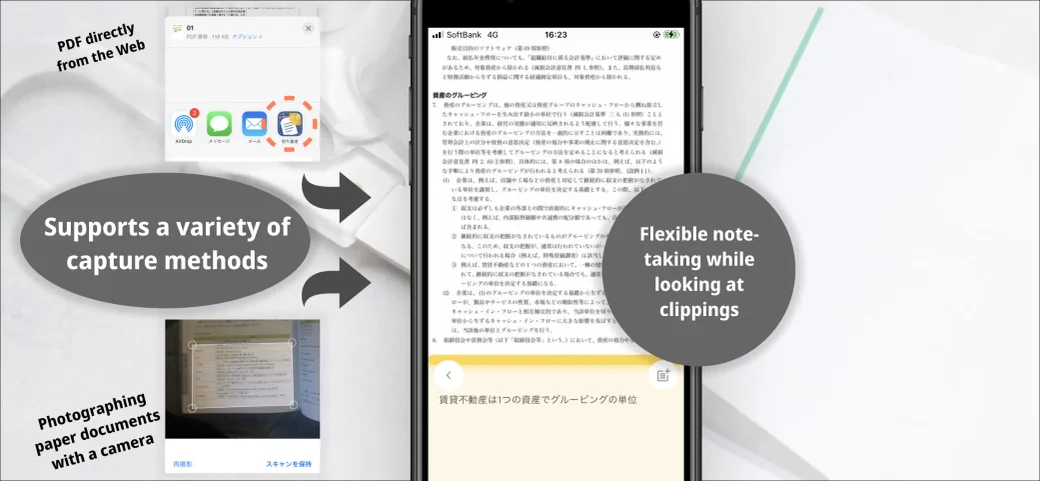
Capture important information instantly by either photographing web pages, newspapers, and documents with your camera or selecting existing files. This allows you to easily import and manage information efficiently.
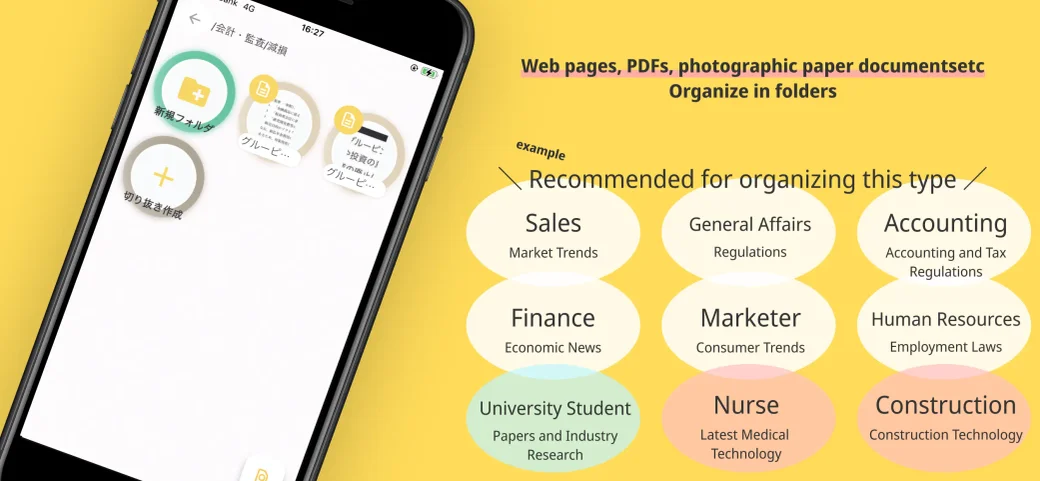
Folder organization
Organize the captured clippings into folders. You can categorize them according to your needs, making it easy to find the information you need right away.
Note-taking function
Add notes to each clipping to record additional information or ideas. Keeping key points as notes makes it easier to review the information later.
OCR function
The app is equipped with an OCR (Optical Character Recognition) function that automatically extracts text from clipped images and saves it as a note. This makes it easy to digitize text from physical materials and printed documents. (An online connection is required. If offline, the text will not be automatically extracted, and only the clipping will be saved.)
Search function
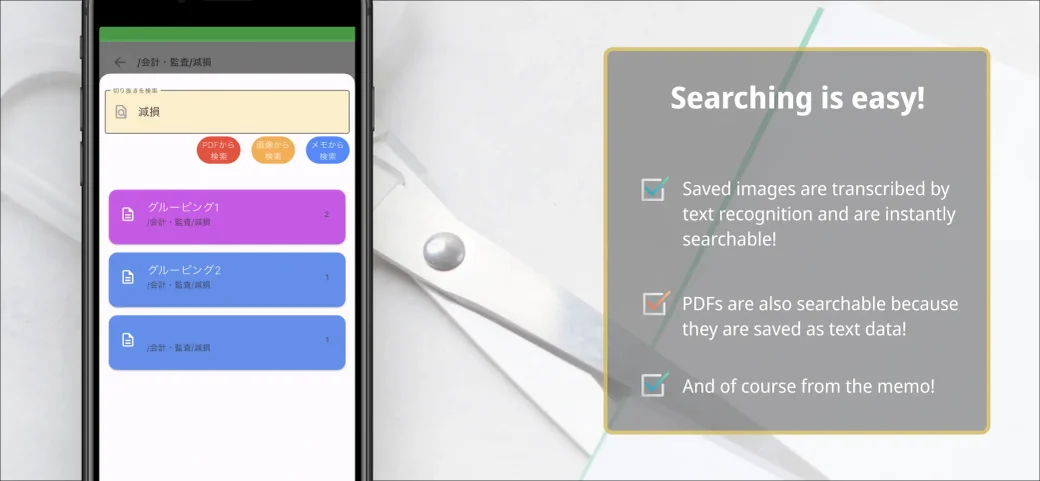
Search the content of saved clippings by keyword. This allows you to quickly access the information you need, making it easy to organize and analyze materials.
Intuitive interface
The app has a simple and intuitive interface, making it easy for anyone to operate. Even first-time users can quickly master it.
-Benefits of Using the App
Time-saving
By easily capturing and organizing information, the time required for document creation and research is significantly reduced. You can focus more on important tasks.
Unified information management
You can manage all information in one place, making it efficient to organize and analyze materials, thus improving the reliability of your work.
Customizable organization methods
With folder organization and note-taking functions, you can manage information in a way that suits you. You can quickly find the information you need when you need it.
What’s new
Version 1.2.0 · Sep 16, 2024
-Added article summary function
App privacy
What MUTSUMI SUZUKI declares on the App Store about how this app handles data.
-
Data used to track you
May be used to track you across apps and websites owned by other companies.
- Location
- Identifiers
- Usage data
- Diagnostics
-
Data linked to you
May be collected and linked to your identity.
- Location
- Contact info
- Identifiers
- Usage data
- Diagnostics
Privacy practices may vary, for example with the features you use or your age.
Information
- Seller
- MUTSUMI SUZUKI
- Category
- Business
- Version
- 1.2.0
- Updated
- Sep 16, 2024
- Released
- Aug 12, 2024
- Size
- 45.3 MB
- Requires
- iOS 14.0 or later
- Age rating
- 4+
- Languages
- Japanese, English
- Copyright
- © 2024 m suzuki
You might also like
-
 Sshot Screenshot NotesScreenshot organizer notes
-
 AppKeeper Bookmark - App StoreSave finds & sync with iCloud
-
 撮ってメモ - 写真メモ・手書きメモ・文字認識Productivity
-
 Memogram(メモグラム) コピーが簡単なメモ帳アプリProductivity
-
 Texlen: OCR Text ScannerText, lifted off the page.
-
 TaskSync - Custom Memo AppTemplate-Based Efficient Memo
-
 Brain;Notes - Sticky ScrapbookProductivity
-
 Re:planPlans Drift. That's OK.
-
 Already Done - Task LogRecord done, not to-do
-
 Clastly — Personal DatabaseOrganize anything, your way