- Age rating4+
- CategoryPhoto & Video
- LanguagesEnglish
- Size1.3 MB
Links to the official App Store page
Download.org hosts no file of Bordure. The button opens its official App Store page, published by . Listing last checked on Nov 12, 2026.
Screenshots

About
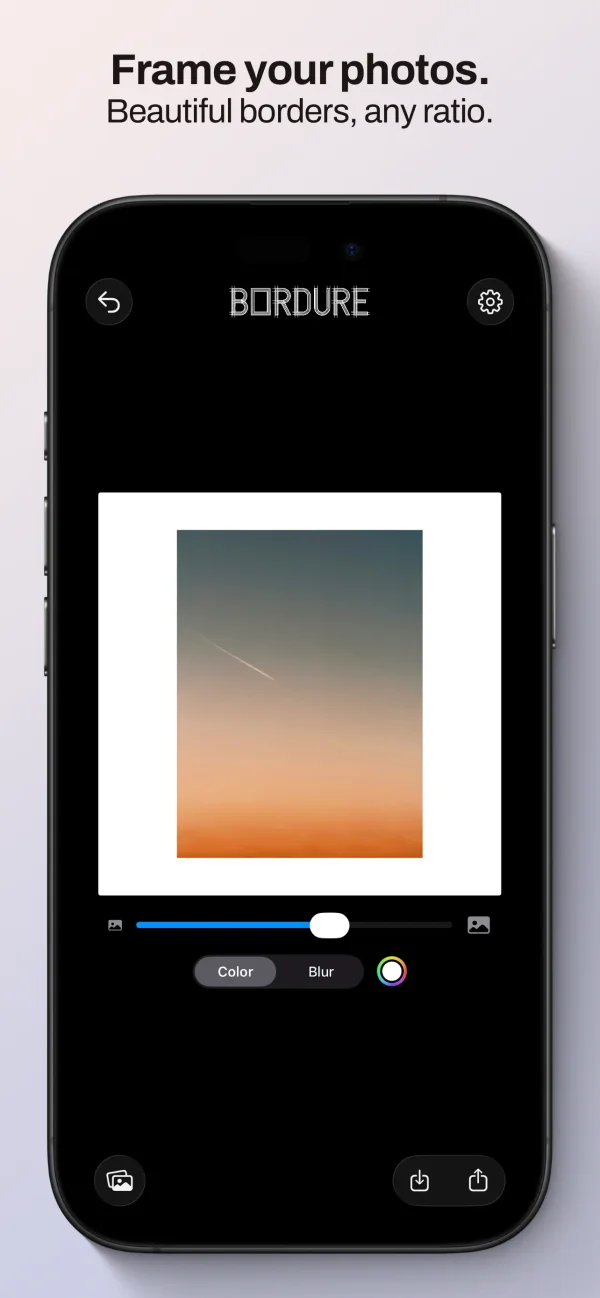
Bordure adds clean, beautiful borders to your photos, perfect for sharing on Instagram and beyond.
Simply pick a photo, choose your canvas ratio, and customize the background. That's it.
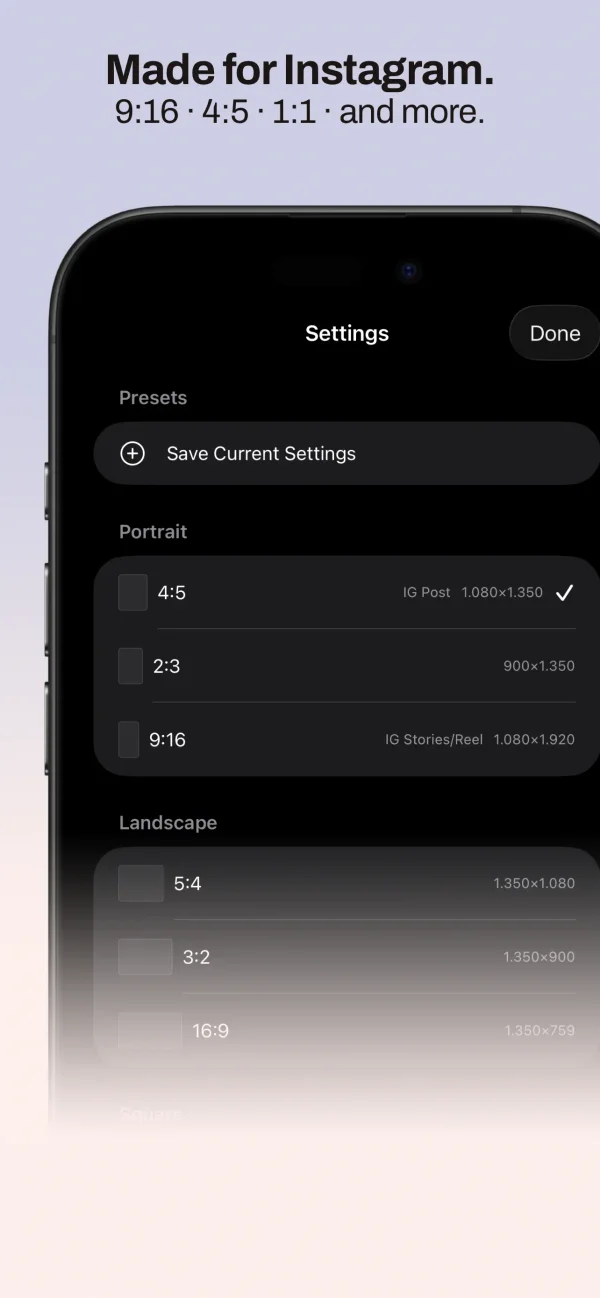
CANVAS RATIOS
Pick the right format for every platform:
• 4:5 and 1:1 for Instagram Posts
• 9:16 for Instagram Stories and Reels
• 16:9 for landscape content
• Custom Size
• And more portrait and landscape options
BACKGROUNDS
• Solid color — choose any color to complement your photo
• (NEW) Smart Color — tap the magic wand and Bordure analyzes your photo's dominant color to suggest a harmonious complementary background, rooted in color theory
• Blur — automatically extends your photo with a blurred version of itself for a seamless look
PRESETS
Save your favorite combinations of ratio, scale, and background as named presets. Apply them in one tap.
EXPORT
• Choose between JPEG, PNG, or HEIF
• Control JPEG quality
• Your original EXIF and GPS metadata is preserved on export
THOUGHTFUL DETAILS
• Pinch and drag to reposition and scale your photo within the canvas
• Double-tap to reset position and scale
• Undo your edits
• Share directly from the app or save to your photo library
No subscriptions. No ads. No accounts.
Just your photos, framed.
What’s new
Version 1.5 · Jul 25, 2026
Version 1.5
New: Smart Background Color
Tap the new magic wand button next to the color picker and Bordure will automatically suggest a background color that complements your photo. It analyzes the dominant color in the image and applies its complementary — muted and balanced, so the frame never overshadows the photo.
App privacy
What declares on the App Store about how this app handles data.
-
Data not collected
The developer does not collect any data from this app.
Privacy practices may vary, for example with the features you use or your age.
Information
- Seller
- Michele De Paola
- Category
- Photo & Video
- Version
- 1.5
- Updated
- Jul 25, 2026
- Released
- Mar 13, 2026
- Size
- 1.3 MB
- Requires
- iOS 17.6 or later
- Age rating
- 4+
- Price
- $0.99
- Languages
- English
- Copyright
- © 2026 Mick De Paola
You might also like
-
 Retro Lab Photo EditorAnalog Film Filters & Grain
-
 FrameBox: Carousel & No CropGrid, Border & Panorama Split
-
 PhotoBorder+No Crop Social Media Posts
-
 Marginalia: Photo BorderFit the Whole Picture, No Crop
-
 Postfolio: Carousel MakerPanorama split & grid maker
-
 CinemaCameraPhoto & Video
-
 Gridder: Planner for InstagramFeed Preview, Grid & Layout
-
 White Border: CanvasFitResize, Pick Border, Save!
-
 Luna Shoots: Shoot PlannerPhotographer CRM & galleries
-
 Frame Factory: Wall ArtMake Custom Frames & Wall Art