- 対象年齢4+
- カテゴリ写真/ビデオ
- 言語英語
- サイズ1.3 MB
App Storeの公式ページにリンクしています
Download.orgはBordureのファイルを一切ホストしていません。ボタンを押すと、が公開しているApp Storeのアプリページが開きます。ページの最終確認:2026/11/12。
スクリーンショット

概要
開発元はこのテキストをお使いの言語で提供していません。
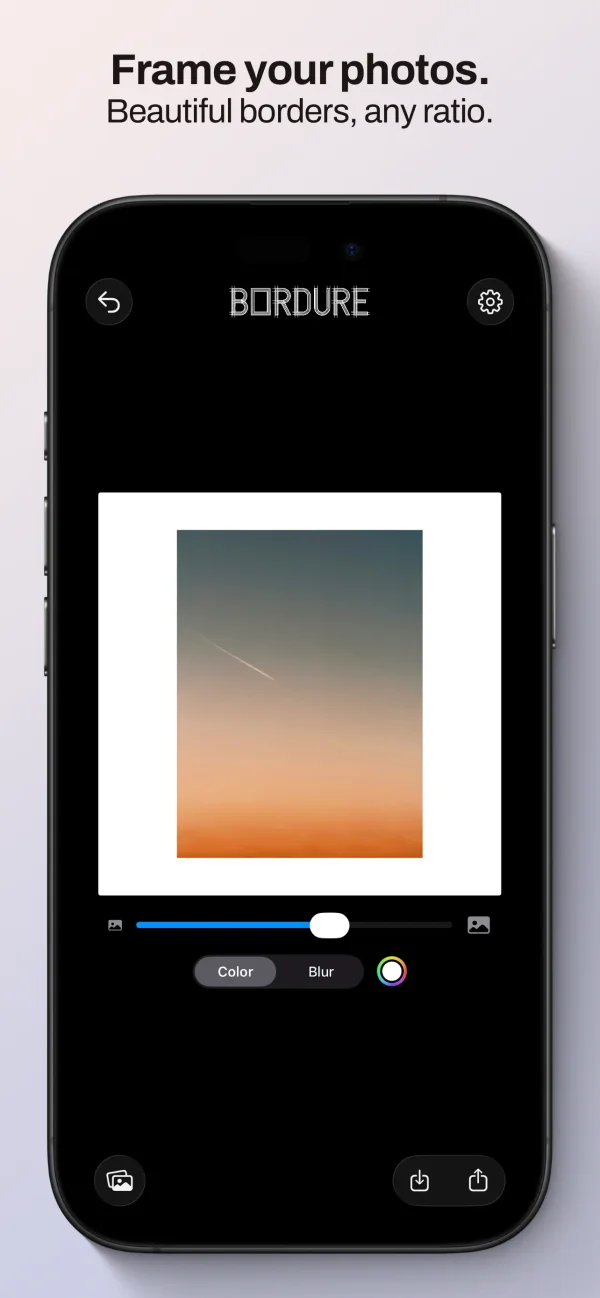
Bordure adds clean, beautiful borders to your photos, perfect for sharing on Instagram and beyond.
Simply pick a photo, choose your canvas ratio, and customize the background. That's it.
CANVAS RATIOS
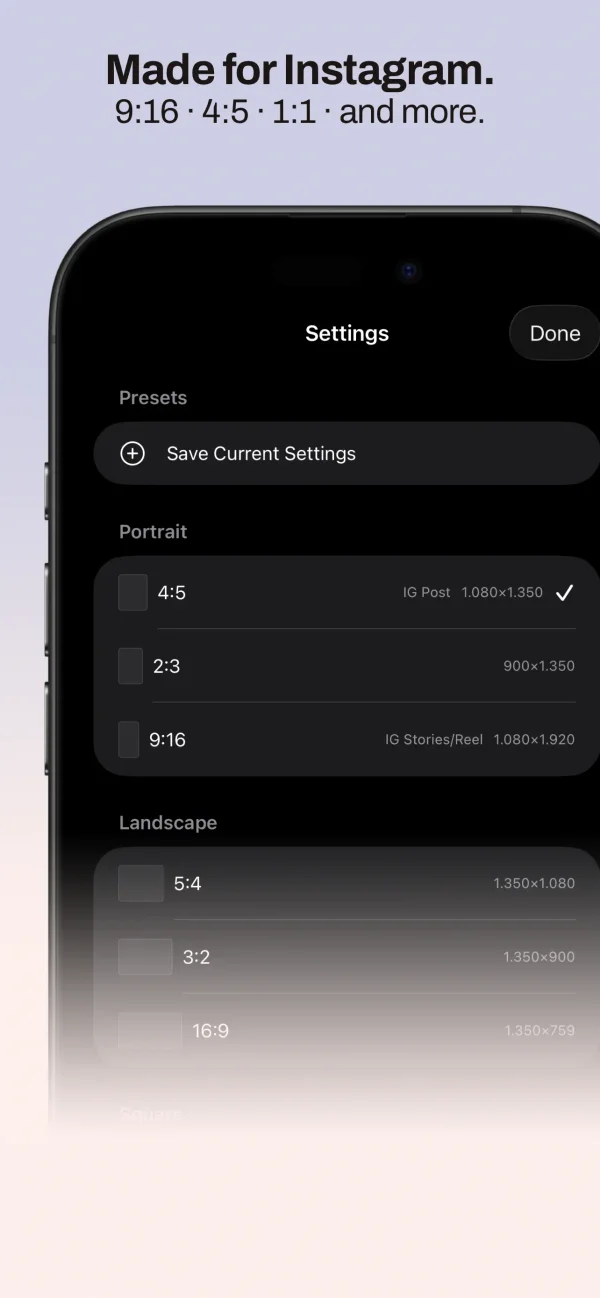
Pick the right format for every platform:
• 4:5 and 1:1 for Instagram Posts
• 9:16 for Instagram Stories and Reels
• 16:9 for landscape content
• Custom Size
• And more portrait and landscape options
BACKGROUNDS
• Solid color — choose any color to complement your photo
• (NEW) Smart Color — tap the magic wand and Bordure analyzes your photo's dominant color to suggest a harmonious complementary background, rooted in color theory
• Blur — automatically extends your photo with a blurred version of itself for a seamless look
PRESETS
Save your favorite combinations of ratio, scale, and background as named presets. Apply them in one tap.
EXPORT
• Choose between JPEG, PNG, or HEIF
• Control JPEG quality
• Your original EXIF and GPS metadata is preserved on export
THOUGHTFUL DETAILS
• Pinch and drag to reposition and scale your photo within the canvas
• Double-tap to reset position and scale
• Undo your edits
• Share directly from the app or save to your photo library
No subscriptions. No ads. No accounts.
Just your photos, framed.
新機能
バージョン 1.5 · 2026/7/25
Version 1.5
New: Smart Background Color
Tap the new magic wand button next to the color picker and Bordure will automatically suggest a background color that complements your photo. It analyzes the dominant color in the image and applies its complementary — muted and balanced, so the frame never overshadows the photo.
アプリのプライバシー
このアプリのデータの取り扱いについて、がApp Storeで申告している内容です。
-
データの収集なし
開発元はこのアプリからデータを収集しません。
プライバシーの取り扱いは、ご利用の機能やお客様の年齢などに応じて異なる場合があります。
情報
- 販売元
- Michele De Paola
- カテゴリ
- 写真/ビデオ
- バージョン
- 1.5
- 更新日
- 2026/7/25
- リリース
- 2026/3/13
- サイズ
- 1.3 MB
- 必要条件
- iOS 17.6以降
- 対象年齢
- 4+
- 価格
- ¥150
- 言語
- 英語
- 著作権
- © 2026 Mick De Paola
こちらもおすすめ
-
 Retro Lab Photo Editor写真/ビデオ
-
 FrameBox: Carousel & No Crop写真/ビデオ
-
 PhotoBorder+写真/ビデオ
-
 Marginalia: 写真の余白・枠トリミングなしで写真をまるごと
-
 Postfolio: Carousel Maker写真/ビデオ
-
 CinemaCamera写真/ビデオ
-
 Gridder: Instagram プランナーフィードのプレビューとグリッド
-
 White Border: CanvasFit写真/ビデオ
-
 Luna Shoots: 撮影スケジュール管理フォトグラファー向け顧客管理・納品ギャラリー
-
 Frame Factory: Wall Art写真/ビデオ