
- Age rating4+
- CategoryProductivity
- DeveloperHYUNWOO LEE
- LanguagesEnglish+ 8 more
- Size13.8 MB
Links to the official App Store page
Download.org hosts no file of Boxday: Freelance Day Planner. The button opens its official App Store page, published by HYUNWOO LEE. Listing last checked on Nov 26, 2026.
Screenshots


About
Several clients. Several projects. What will you work on today?
Boxday is a daily planner for freelancers who juggle client work. Choose today's tasks, give each one a start time and duration, and see your day as time blocks.
PLAN TODAY, BY PROJECT
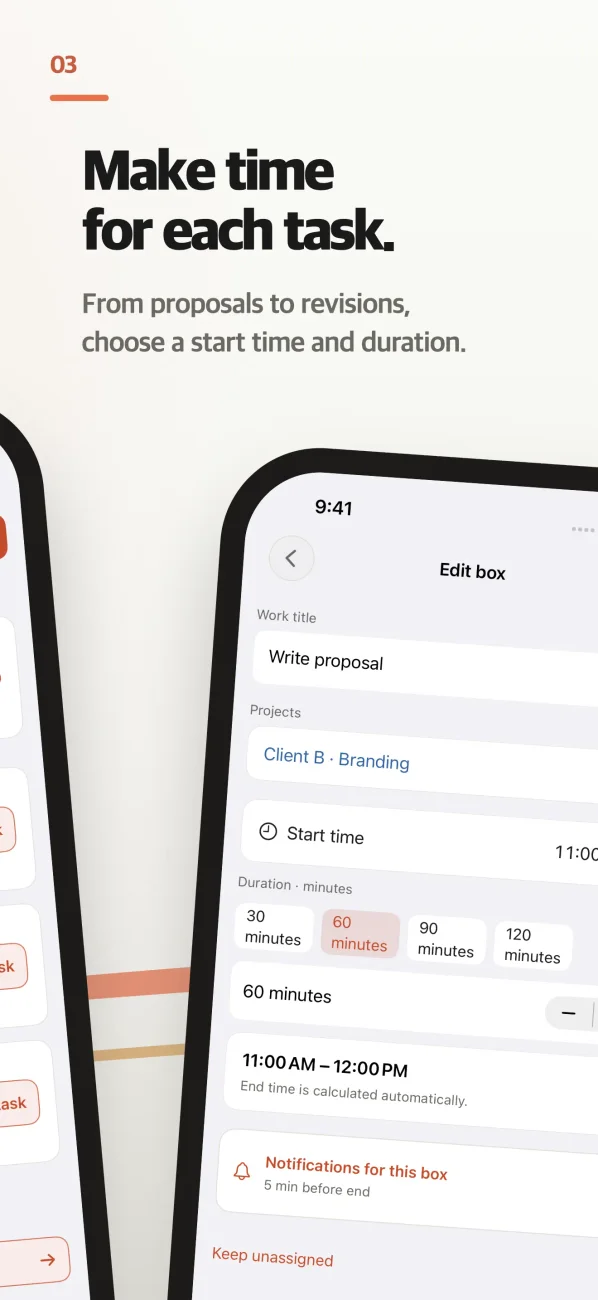
Keep client work organized by project and color. Write a task, choose its project, and allocate time today in 30-minute steps. See what fits before adding more.
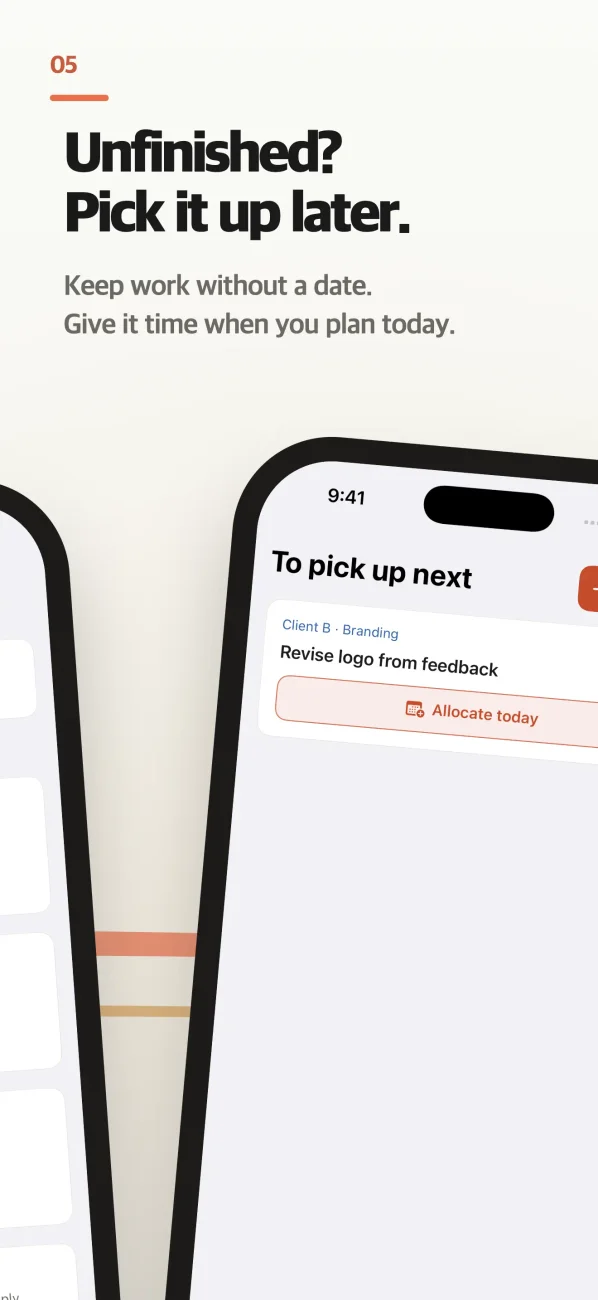
KEEP WORK WITHOUT SETTING A DATE
Capture work in an undated backlog when you are not ready to schedule it. Unfinished tasks stay available. When you want to continue, bring the same task back into today's plan and keep a note of where you left off.
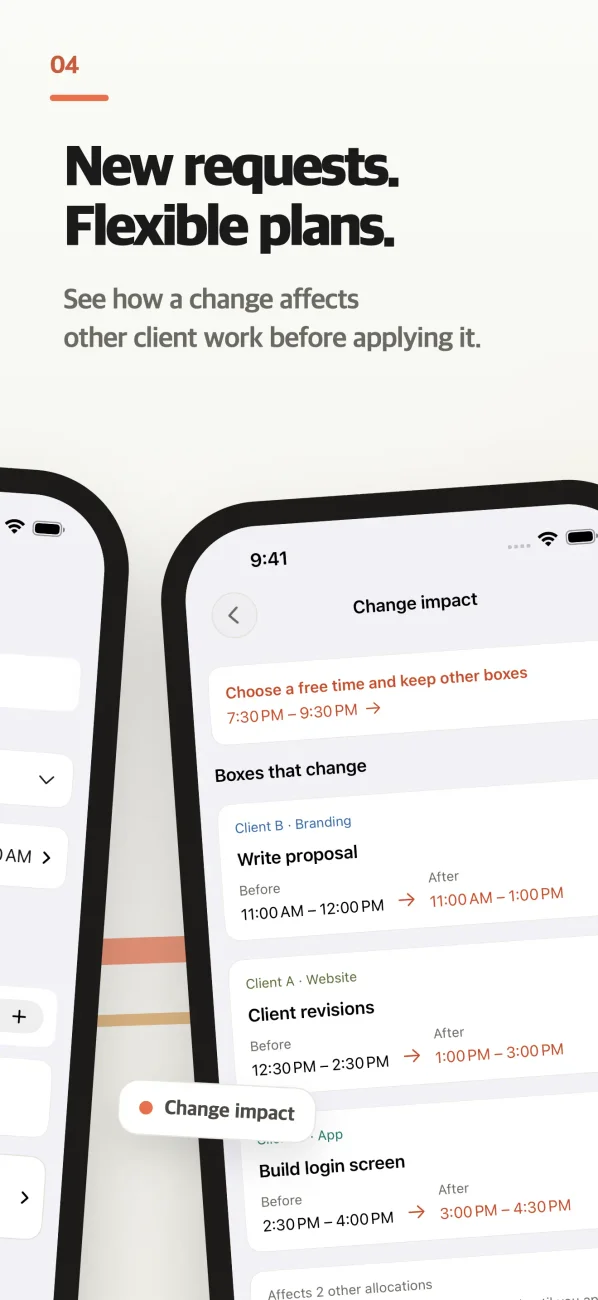
CHECK CHANGES BEFORE APPLYING
When plans change, preview the effect of a time adjustment before you apply it. You stay in control of the revised plan.
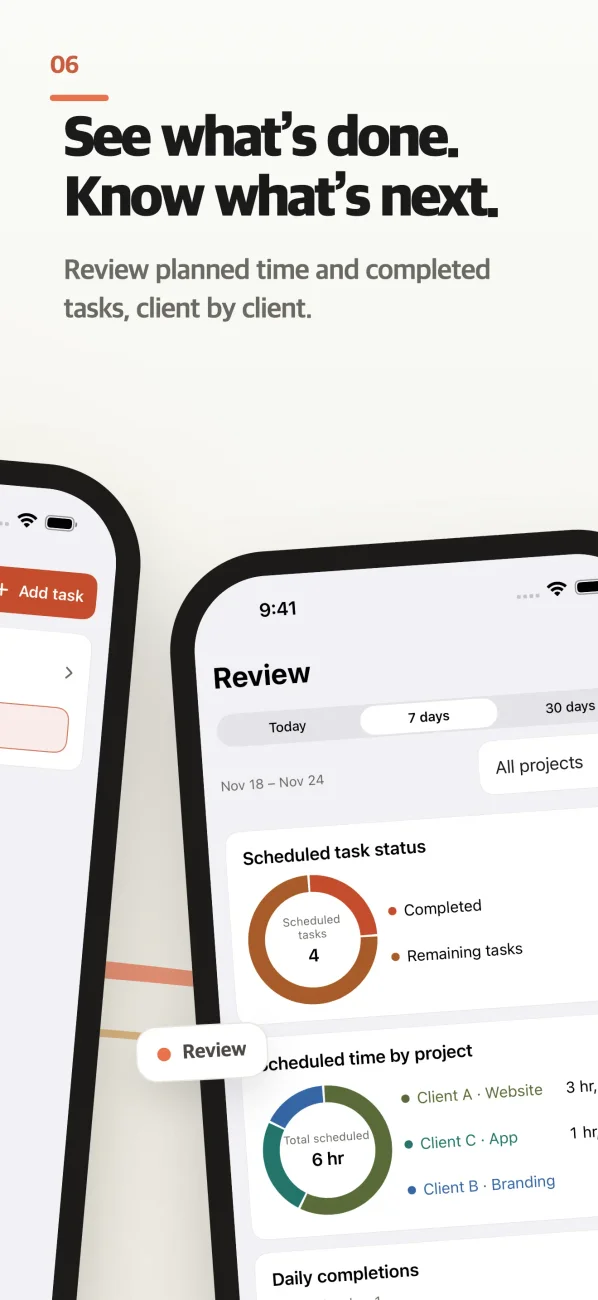
REVIEW WHAT GOT DONE
Mark work complete and review finished and remaining tasks for today, the last 7 days, or the last 30 days. Filter by project and see how you allocated time across your client work. These are planned allocations, not measured working hours.
REMINDERS THAT FIT EACH TASK
Choose a reminder when a time block starts or five minutes before it ends. Notifications are local to your iPhone. You can still plan and record completions without notification permission.
FREE FEATURES, NO ACCOUNT
Use planning, projects, detailed review, and optional iCloud Drive backup and restore without a subscription, in-app purchase, or daily task limit. The app includes advertising, subject to privacy choices and ad availability. Work records are stored on your device; iCloud Drive is used when you choose backup or restore.
Made for independent developers, writers, designers, consultants, and anyone balancing several clients on their own. Boxday focuses on today's work; future-date scheduling and recurring tasks are not supported.
Terms of Use: https://www.apple.com/legal/internet-services/itunes/dev/stdeula/
Privacy Policy: https://woorlds.github.io/app-legal/boxday/privacy/
What’s new
Version 2.1 · Nov 25, 2026
Boxday 2.1 brings a new way to plan your freelance day.
• Organize client work by project and allocate time today.
• Keep unassigned tasks in an undated backlog with notes for continuing later.
• Preview time changes before applying them.
• Review completed and remaining work and project allocations.
• Customize reminders for each time block.
Important for existing users: after choosing your language, you must explicitly acknowledge and confirm permanent deletion of old boxes, completion history, and recurring schedules to continue. Old pending notifications are cancelled. Language, theme, advertising consent, and existing iCloud backup files are preserved. Old-format backups cannot be restored in 2.1. New users skip this deletion step.
All features remain free. Future scheduling and recurrence are no longer available.
App privacy
What HYUNWOO LEE declares on the App Store about how this app handles data.
-
Data used to track you
May be used to track you across apps and websites owned by other companies.
- Location
- Identifiers
-
Data linked to you
May be collected and linked to your identity.
- Location
- Identifiers
- Usage data
-
Data not linked to you
May be collected but is not linked to your identity.
- Diagnostics
Privacy practices may vary, for example with the features you use or your age.
Information
- Seller
- HYUNWOO LEE
- Category
- Productivity
- Version
- 2.1
- Updated
- Nov 25, 2026
- Released
- Jun 3, 2026
- Size
- 13.8 MB
- Requires
- iOS 17.0 or later
- Age rating
- 4+
- Languages
- English, French, German, Japanese, Korean, Simplified Chinese, Spanish, Traditional Chinese, Vietnamese
- Copyright
- © 2026 Hyunwoo Lee
You might also like
-
 ToDo! - Gentle Task ManagerTo-dos, goals, love yourself
-
 DailyDo: Fresh StartDo today. Gone tomorrow.
-
 BLISS Glim: Daily PlannerPlans, to-dos, memos, weather
-
 TriDo - 3 Daily Tasks3 Task a day
-
 Dots: Journal and HabitsModern BuJo Log
-
 POI - タスクをぽいっ!Productivity
-
 Stockify: Simple Shopping ListShopping List - Simple & Easy
-
 ToDayDo|今日のタスク管理Productivity
-
 Flodo - Flow TodoProductivity
-
 TODO Timer | Task Timer & ToDoPick a task. Start the timer.