
- Age rating4+
- CategoryProductivity
- Developer二优 郝
- LanguagesEnglish+ 1 more
- Size3.1 MB
Links to the official App Store page
Download.org hosts no file of Flodo - Flow Todo. The button opens its official App Store page, published by 二优 郝. Listing last checked on Nov 16, 2026.
Screenshots
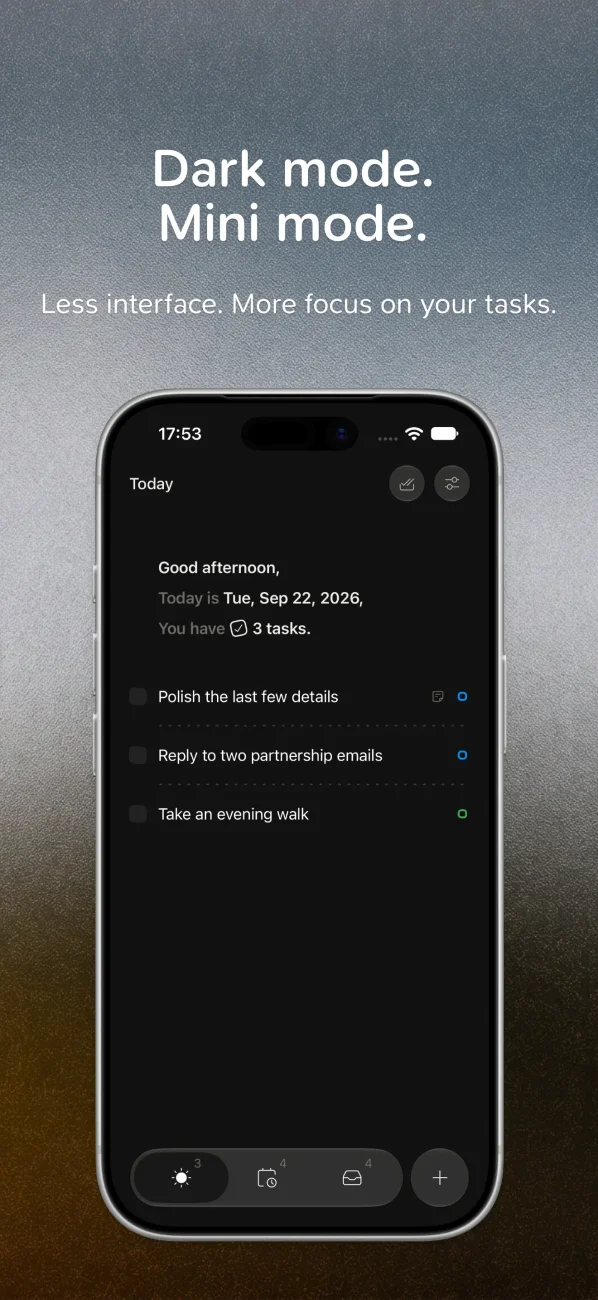
About
Shape your week, focus on today.
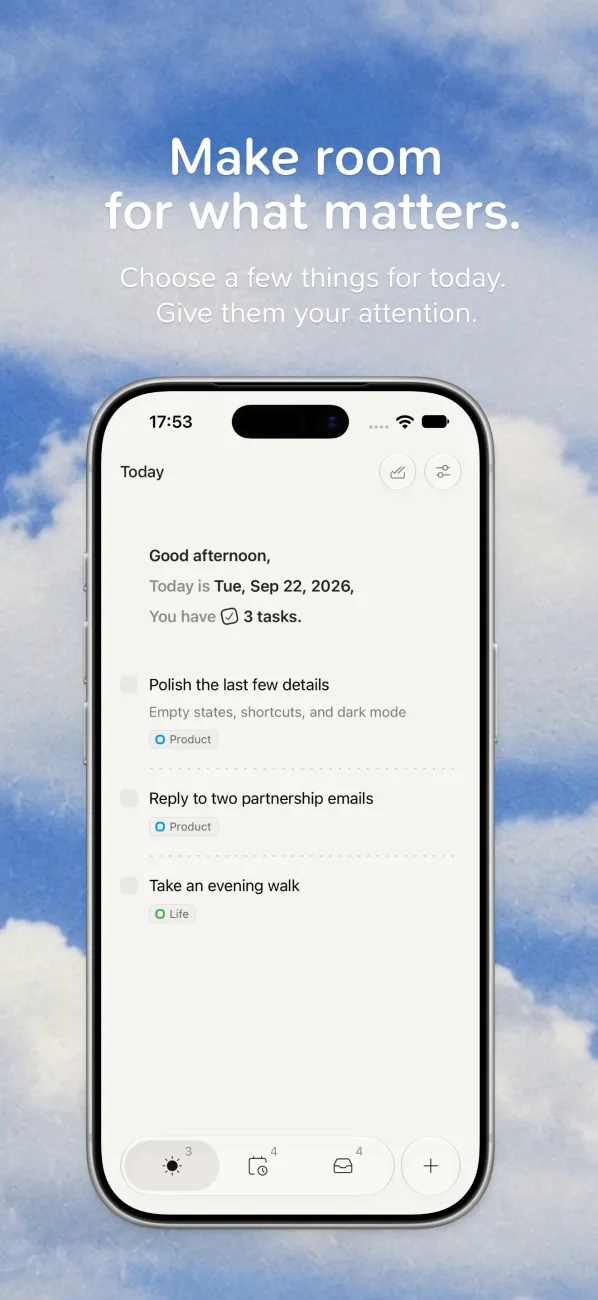
Flodo is a quiet little todo app built around a simple flow: Later, This week, Today and Done. Keep your ideas for later, choose what matters this week, and focus on a few things today.
A fresh start, every day
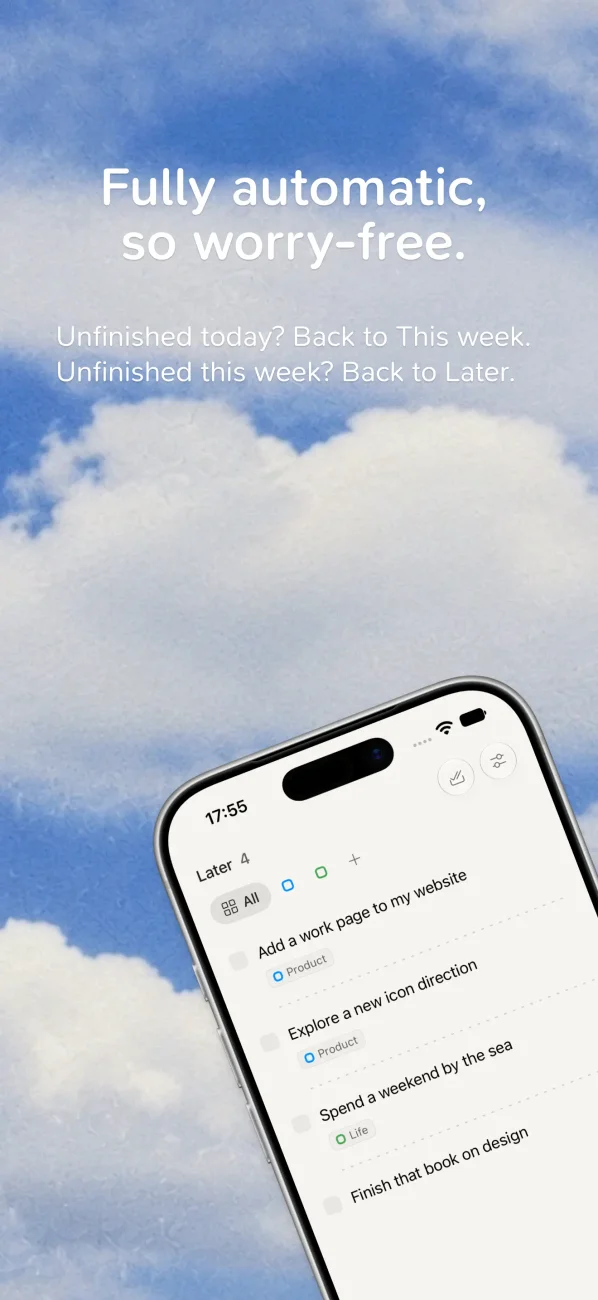
Unfinished tasks from Today flow back to This week, and unfinished tasks from This week flow back to Later when the week changes. Choose what matters now without carrying an ever-growing overdue list.
Just enough structure
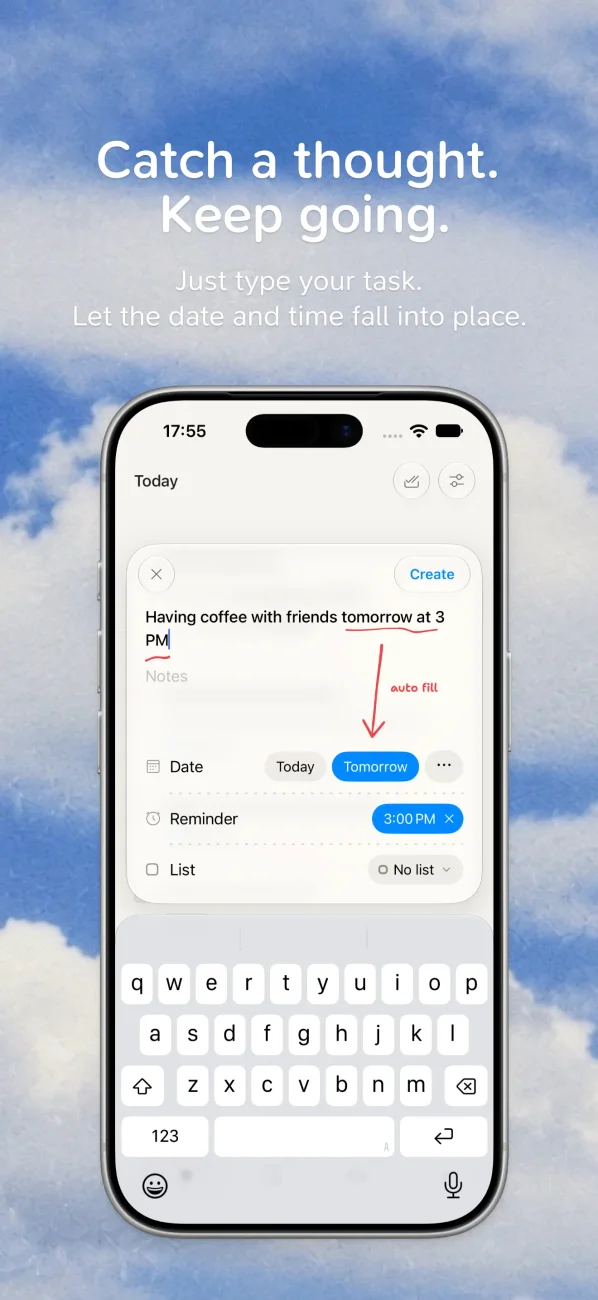
Organize tasks into colored lists, add notes, and set dates or reminders when you need them. Choose the default view for more detail or the compact view for a simpler list.
Today, at a glance
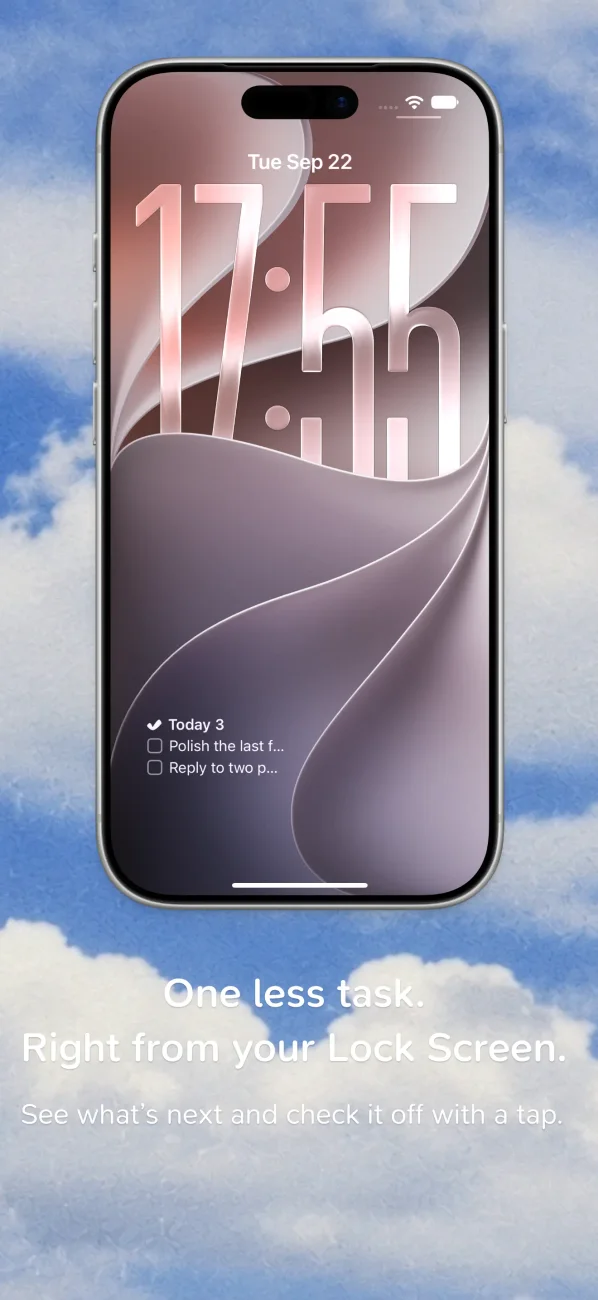
Add the Lock Screen widget to see up to two of today's tasks and check them off without opening the app.
Your tasks, with you
Use optional iCloud sync to keep your tasks in sync between iPhone and Mac. Flodo also works locally without signing in to iCloud. No separate Flodo account is required.
A simple one-time purchase
Create your first 100 tasks for free. This is a cumulative creation limit, not a limit on your current task list. A one-time Lifetime membership unlocks unlimited task creation across iPhone and Mac, with Family Sharing support. No subscription. Existing tasks remain available to view, edit, move and complete without purchasing.
Available in English and Simplified Chinese. No ads.
Made by Zayn, an independent design engineer, for a calmer way to get things done.
What’s new
Version 1.2 · Oct 13, 2026
Subtasks
Add a checklist of title-only subtasks to any task. Open a task and tap Subtasks to add them; pasting several lines adds one subtask per line. Subtasks show in the list and can be ticked in place. The task’s checkbox shows progress, and ticking the last subtask completes the task.
Fixes and improvements
The task editor has a row of buttons for notes, subtasks, date, reminder and list
Completed tasks are listed newest first and grouped by day
Completing a task turns its checkbox into a check and strikes the title with a hand-drawn line
App privacy
What 二优 郝 declares on the App Store about how this app handles data.
-
Data not collected
The developer does not collect any data from this app.
Privacy practices may vary, for example with the features you use or your age.
Information
- Seller
- 二优 郝
- Category
- Productivity
- Version
- 1.2
- Updated
- Oct 13, 2026
- Released
- Sep 18, 2026
- Size
- 3.1 MB
- Requires
- iOS 26.0 or later
- Age rating
- 4+
- Price
- Free
- In-app purchases
- Yes
- Languages
- English, Simplified Chinese
- Copyright
- © 2026 Eryou Hao
You might also like
-
 Pure WriterWrite fast. Keep every word.
-
 Loops: Think through anythingA notebook for open thoughts
-
 ThisDay: Planner & RemindersTasks, habits and reminders
-
 Systems: ChecklistsChecklist for everything
-
 Yore - AI Notes & RemindersNotes, To-Dos, Tickets & More
-
 Near: Lock Screen CardsPin screenshots. Stay private.
-
 Cindy - AI AssistantYour AI agent, in your pocket
-
 YouMind - AI Chat & CreateAgent, board & skill workflow
-
 Avec - Clear your inbox in 60sFor people who hate email
-
 OpenDisplayUse your iPad as a Mac Monitor