BrainNap: App Blocker & Focus
Screen time limits with a key
Designed for iPhone
Free · In-app purchases
- Age rating4+
- CategoryProductivity
- DeveloperKazuya Kobayashi
- LanguagesEnglish+ 1 more
- Size18.8 MB
Links to the official App Store page
Download.org hosts no file of BrainNap: App Blocker & Focus. The button opens its official App Store page, published by Kazuya Kobayashi. Listing last checked on Nov 17, 2026.
Screenshots

About
Leave the key at the door. Block only the apps you choose, for real.
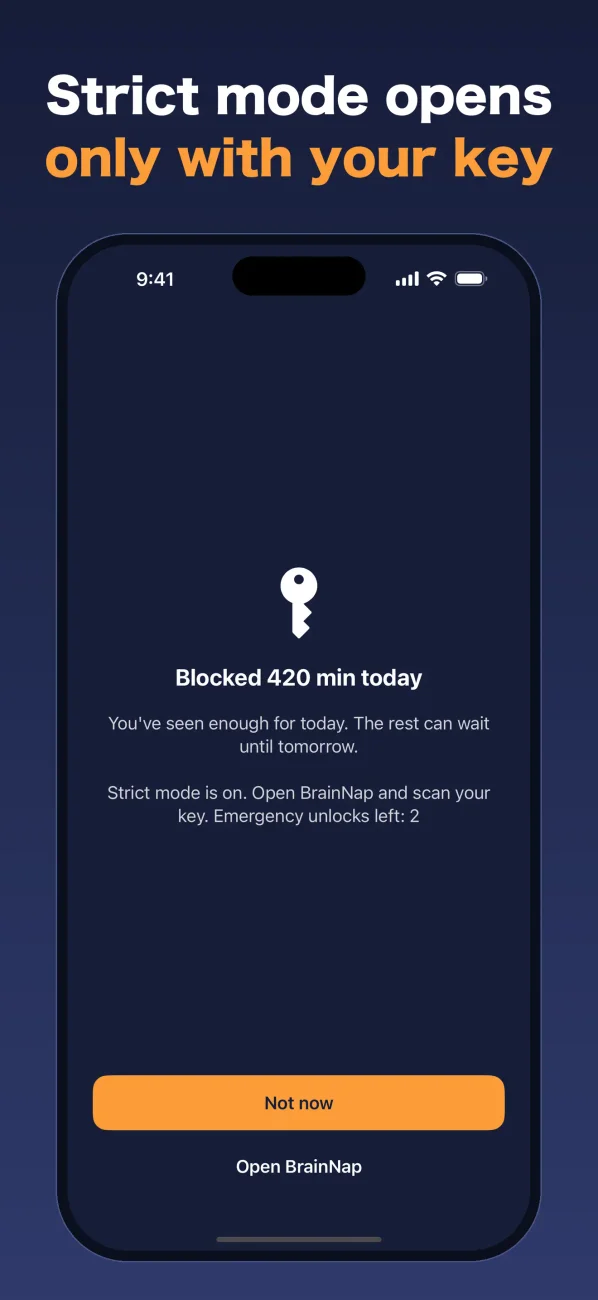
BrainNap blocks only the apps you want to stop - social media and video - on a schedule. Calls, messages, maps and payments are always allowed, so work and family can still reach you. In Strict mode, nothing unlocks until you scan the key you left by the front door: an off-the-shelf NFC tag or a printed QR code.
No ads.
STRICT MODE AND A PHYSICAL KEY
Choose from three unlock levels:
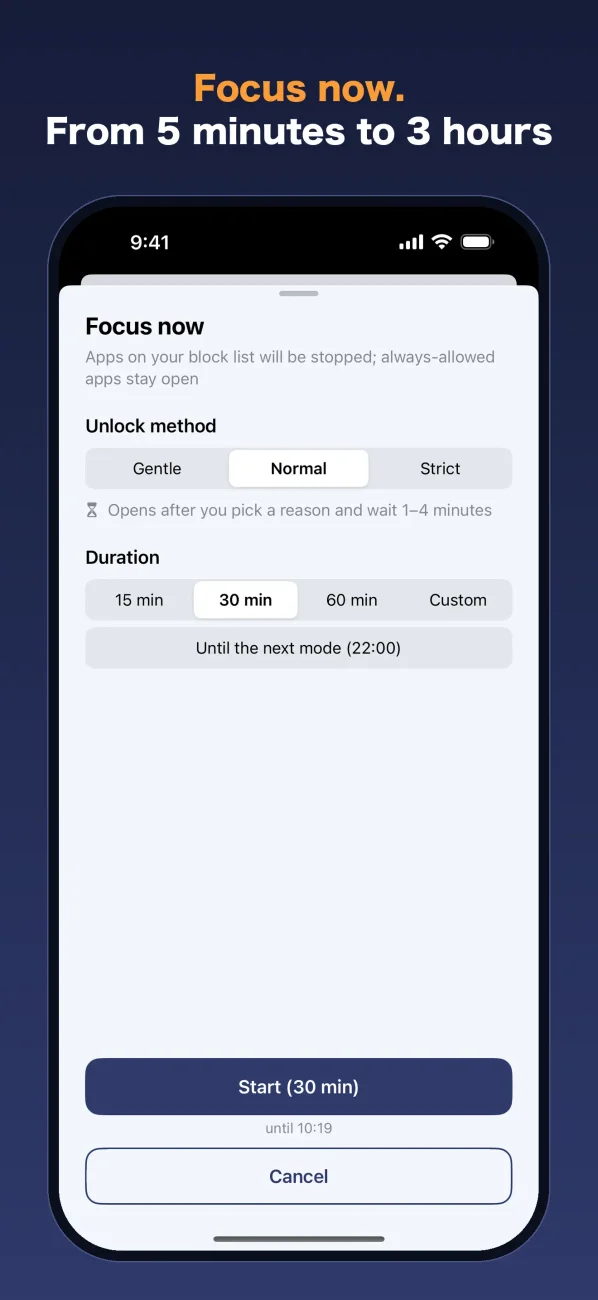
- Gentle: take a breath, then open
- Normal: wait a little, then open
- Strict: stays shut until you scan your registered key
The key is an off-the-shelf NFC tag or a QR code you print yourself. No dedicated hardware to buy. Put it at least ten steps from your bed, and unlocking means getting up and walking. If the key is out of reach, you get 3 emergency unlocks a month.
No key? Every feature works with Gentle and Normal. Add a key later, whenever you want Strict mode.
ALWAYS ALLOWED
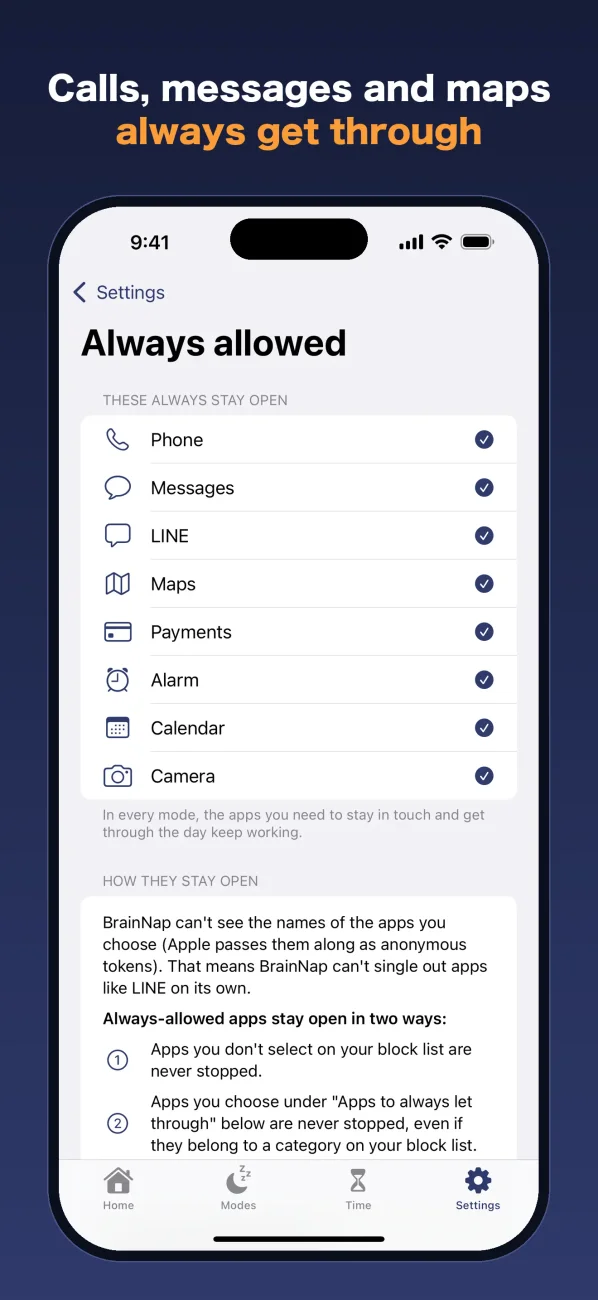
Phone, messages, maps, payments, alarms - put anything you can't afford to lose on the Always allowed list. It gets through in every mode.
MODES AND FOCUS NOW
Start from the Bedtime (22:00-7:00), Commute or Work preset, pick the days and hours, and blocking turns on automatically. Add breaks such as a lunch hour.
Need it right now? Focus now starts a block on the spot, from 5 minutes to 3 hours.
BLOCKED TIME
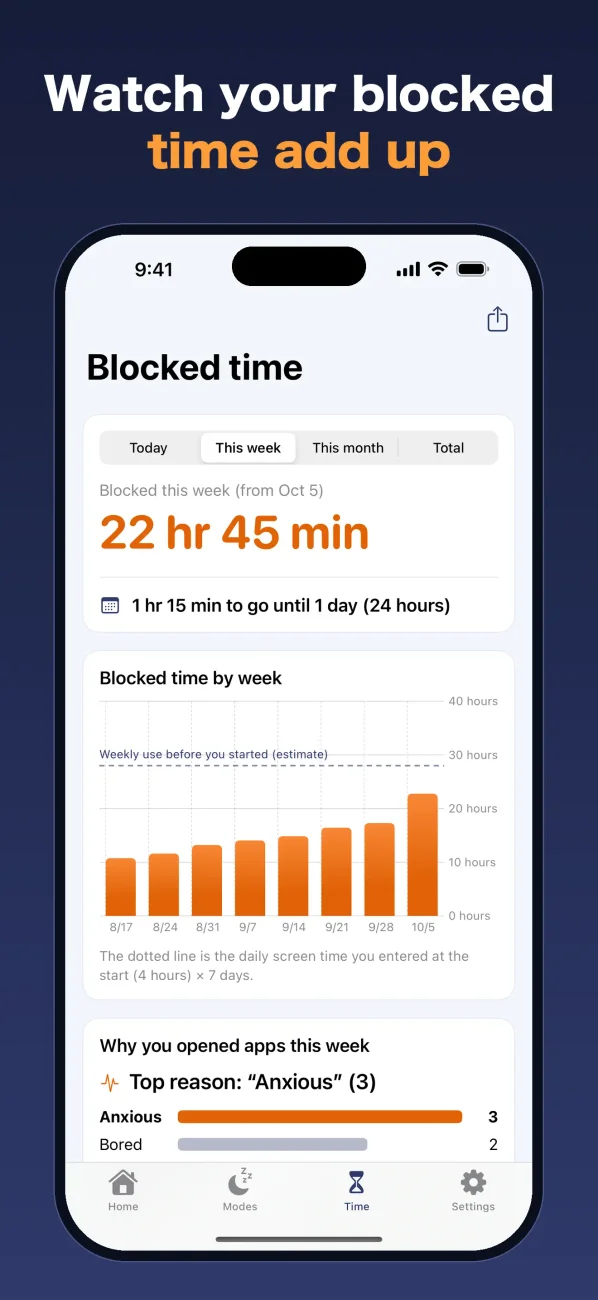
Watch the time you blocked add up - today, this week, this month and all time - with a streak and celebrations on day 7 and day 14. The app explains exactly how it is calculated.
THREE STEPS TO SET UP
1. Pick the apps to block (select social and video by category in one go)
2. Create one mode (Bedtime, 22:00-7:00, is a good start)
3. Leave the key by the door (only if you want Strict mode)
AN HONEST NOTE
You can remove the restrictions from Settings > Screen Time on iPhone. We cannot close that hole, so we don't hide it: turning it off is recorded and breaks your streak.
PREMIUM
Scheduled blocking, Focus now, Strict mode (physical key) and notifications require Premium.
- Yearly: 5,000 yen (with a 7-day free trial)
- Monthly: 600 yen
Prices may vary by country. Creating modes, setting up Always allowed apps and viewing your records are free.
- Payment will be charged to your Apple ID account at confirmation of purchase.
- The subscription automatically renews unless auto-renew is turned off at least 24 hours before the end of the current period.
- Your account will be charged for renewal within 24 hours prior to the end of the current period.
- You can manage your subscription and turn off auto-renewal in your App Store account settings after purchase.
- Any unused portion of a free trial period will be forfeited when you purchase a subscription.
TERMS OF USE & PRIVACY POLICY
The premium plan is an auto-renewing subscription. By subscribing you agree to the following.
Terms of Use (EULA): https://brainnap.app/en/terms/
Privacy Policy: https://brainnap.app/en/privacy/
What’s new
Version 1.0.3 · Oct 20, 2026
Bug fixes and improvements.
App privacy
What Kazuya Kobayashi declares on the App Store about how this app handles data.
-
Data linked to you
May be collected and linked to your identity.
- Identifiers
-
Data not linked to you
May be collected but is not linked to your identity.
- Usage data
Privacy practices may vary, for example with the features you use or your age.
Information
- Seller
- Kazuya Kobayashi
- Category
- Productivity
- Version
- 1.0.3
- Updated
- Oct 20, 2026
- Released
- Oct 14, 2026
- Size
- 18.8 MB
- Requires
- iOS 17.6 or later
- Age rating
- 4+
- Price
- Free
- In-app purchases
- Yes
- Languages
- English, Japanese
- Copyright
- © Kazuya Kobayashi
You might also like
-
 TakeLark: Self Tape ReaderLearn lines. Rehearse. Record.
-
 Vyral: Grilla y PlanificadorPrograma posts y mide tu feed
-
 App Blocker: Verge Stop ReelsScreen Time & Parental Control
-
 BrainGuard: Cut ScreentimeScroll less. Breathe more.
-
 AppBlockTimerBlock distracting apps !
-
 Blocker App: Block app, FocusScreen time control Stay focus
-
 もちのう: スマホ依存対策・スクリーンタイム制限Productivity
-
 TRA SIKIKASubmit Complains/Feedback
-
 BlockRot: Screen Time ControlFinish Tasks, Earn Screen Time
-
 Screen Time Control - App LockFocus, App Blocker, Limit Apps