
Branah Keyboard
One keyboard. 101 languages
Designed for iPhone, iPad, iPod touch
Free
- Age rating4+
- CategoryUtilities
- DeveloperAbraham Kifle
- LanguagesEnglish
- Size7.2 MB
Links to the official App Store page
Download.org hosts no file of Branah Keyboard. The button opens its official App Store page, published by Abraham Kifle. Listing last checked on Nov 12, 2026.
Screenshots



About
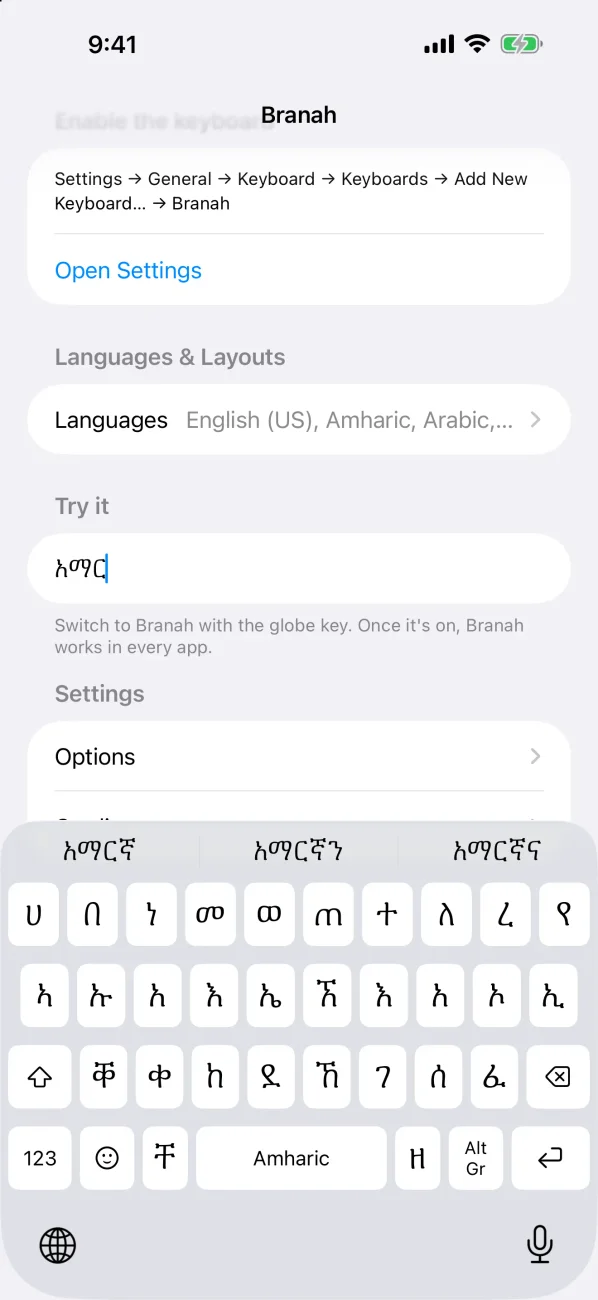
Branah Keyboard types in 101 languages, in one app.
One keyboard you set up once and move between with a long press on the space bar. Add it in Settings, and it works in every app.
WHAT YOU GET
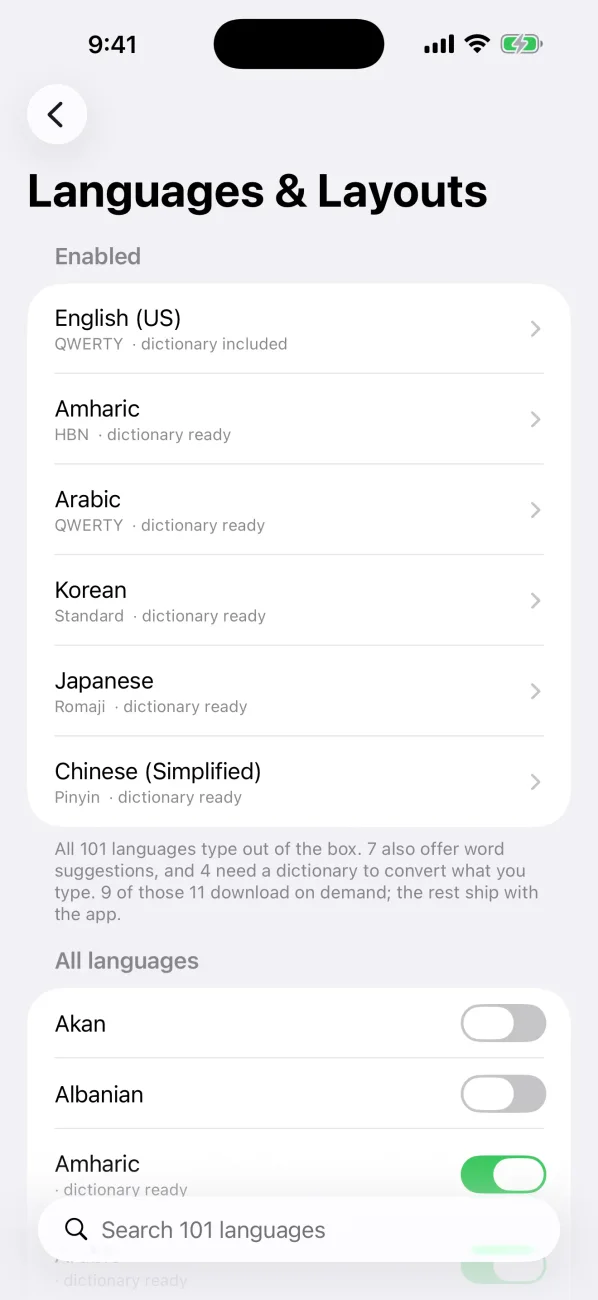
- 101 languages, 155 keyboards. Switch on the ones you want; the rest stay out of your way.
- Several layouts for many languages: QWERTY, Extended and three Dvoraks for English; InScript and phonetic for the Indian scripts; Kedmanee and Pattachote for Thai; two scripts for Mongolian, Sindhi and Uzbek.
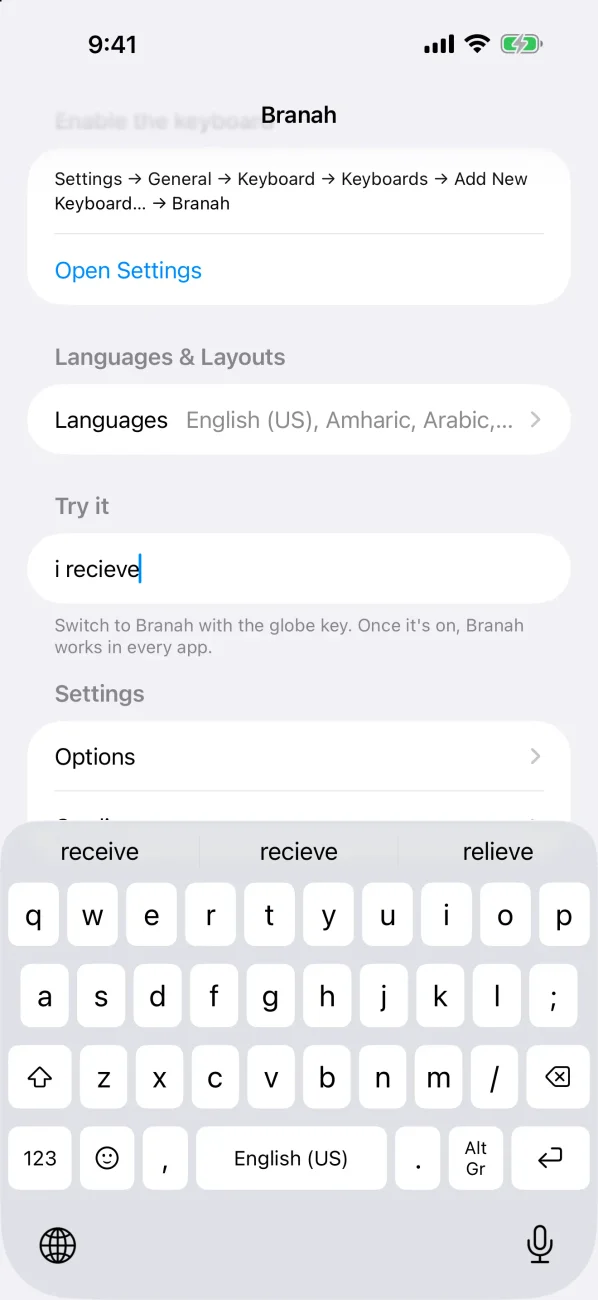
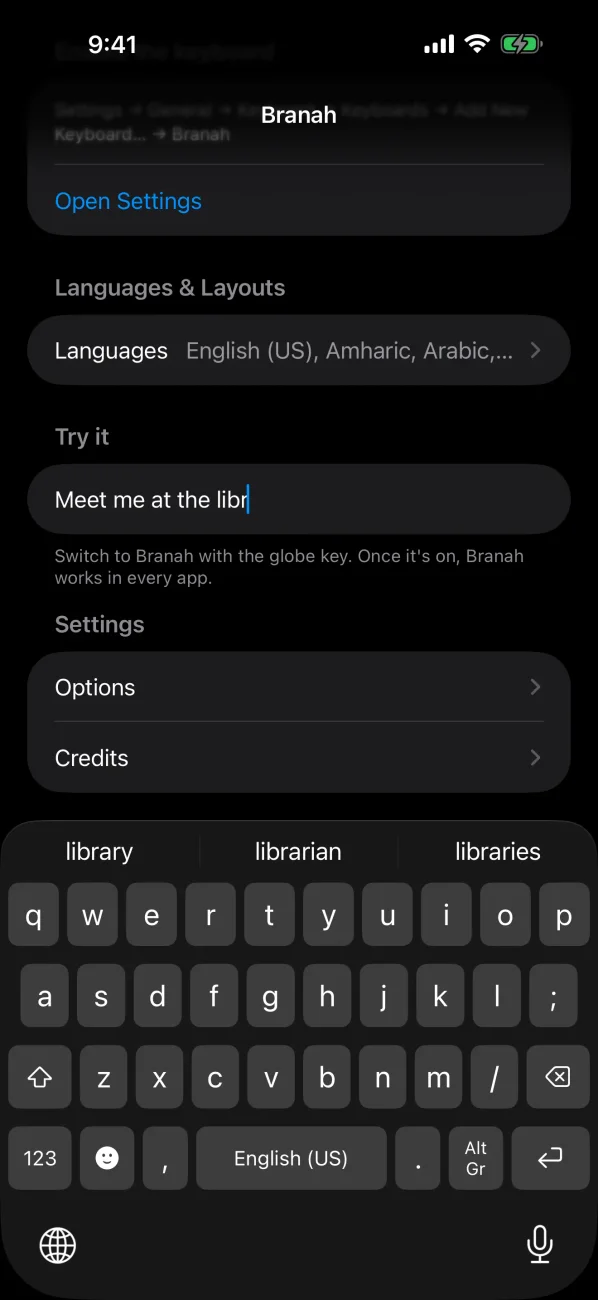
- Word suggestions and spelling correction in English (US and UK), Amharic, Arabic, Persian, Urdu, Korean, Tamil and
Burmese. Type "recieve" and it offers "receive".
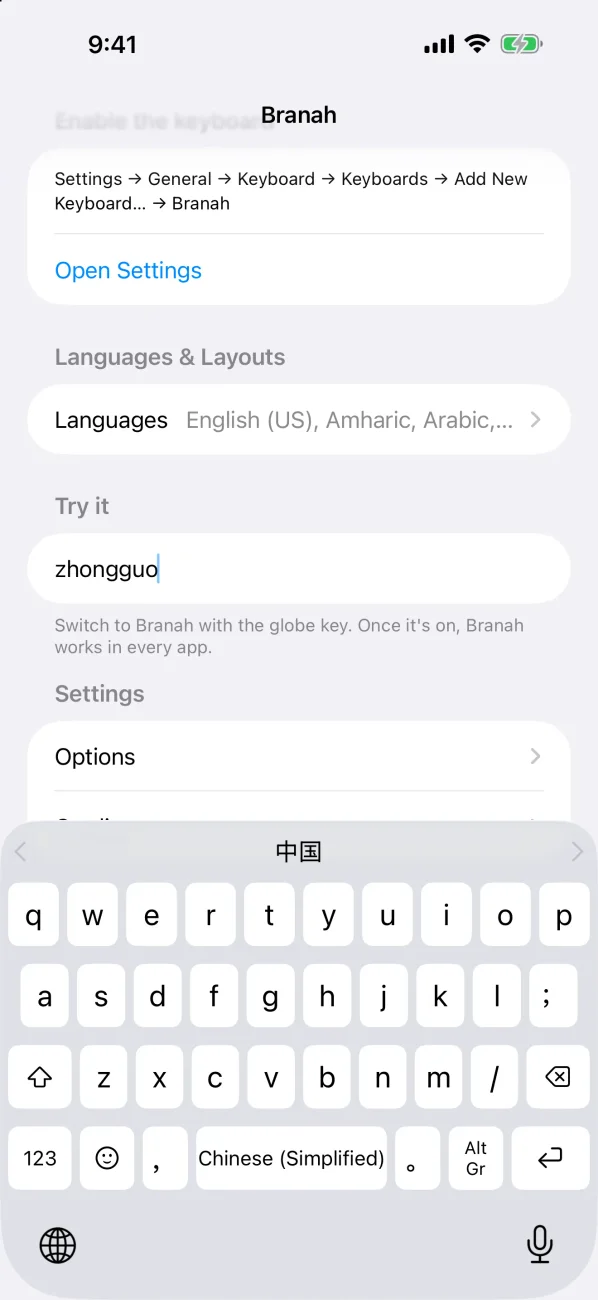
- Chinese, Japanese and Cantonese conversion: type pinyin, jyutping, Cangjie, Sucheng, romaji or kana and choose the characters from the bar. Whole words, not one character at a time -- zhongguo gives 中国; nihon gives 日本.
- Korean Hanja conversion on the AltGr key.
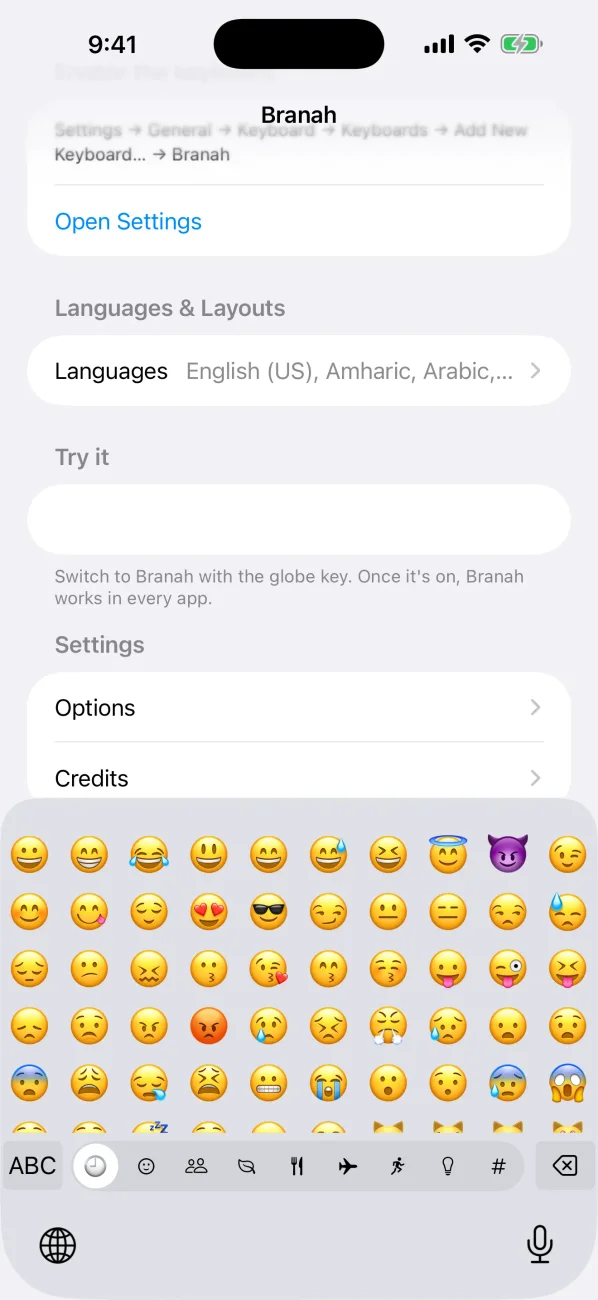
- The full emoji picker.
- A dictionary that learns the words you choose -- names, slang, jargon -- and offers them next time. What it learns stays on your iPhone.
- Light and dark, following your phone.
SCRIPTS THAT NEED MORE THAN A KEYMAP
Some writing systems need real work rather than a table of keys, and they have it. Devanagari, Bengali, Tamil, Telugu, Malayalam, Odia, Sinhala, Gujarati, Kannada, Punjabi, Khudawadi and Sundanese join their consonants with a virama. Thai, Lao, Khmer and Burmese put the marks of a syllable in the order the standard stores them, whichever order you type them in. Vietnamese fuses its tones onto the vowel. Amharic composes its fidel. Korean builds its syllables from jamo.
PRIVACY
Branah does not collect what you type. It does not ask for Full Access -- the permission iOS requires before a keyboard can send anything off your device -- so nothing you type ever leaves your iPhone. The words the keyboard learns stay on your device too.
FREE
Free. No ads, and nothing to buy.
LANGUAGES
Akan, Albanian, Amharic, Arabic, Armenian, Assamese, Azerbaijani, Bambara, Bashkir, Belarusian, Bengali, Bosnian, Buginese, Bulgarian, Burmese, Cantonese, Cherokee, Chinese (Simplified), Chinese (Traditional), Coptic, Croatian, Czech, Danish, Dhivehi, Dutch, Dzongkha, English (UK), English (US), Esperanto, Estonian, Finnish, French, Fula, Georgian, German, Greek, Gujarati, Hausa, Hebrew, Hindi, Hungarian, Icelandic, Igbo, Irish, Italian, Japanese, Javanese, Kannada, Kazakh, Khmer, Khowar, Korean, Kurdish, Kyrgyz, Lao, Latvian, Lisu, Lithuanian, Macedonian, Malayalam, Maltese, Marathi, Mongolian, Mossi, Nepali, Norwegian, Odia, Pashto, Persian, Polish, Portuguese, Punjabi, Romanian, Russian, Santali, Sindhi (India), Sindhi (Pakistan), Sinhala, Slovak, Slovenian, Sora, Spanish, Sundanese, Swedish, Syriac, Tagalog, Tajik, Tamazight, Tamil, Tatar, Telugu, Thai, Tibetan, Turkish, Ukrainian, Urdu, Uyghur, Uzbek, Vietnamese, Wolof, Yoruba.
Visit https://www.branah.com to learn more.
What’s new
Version 1.1 · Oct 3, 2026
Word suggestions for two more languages:
- Tamil: 50,000 words, on both the Tamil99 and InScript layouts.
- Burmese: suggestions that keep up as you type. Burmese is written without spaces between words, so the keyboard works out which word you are in the middle of and completes that one.
Switch either language on and its dictionary downloads by itself.
Emoji:
- A Flags tab.
- Swipe sideways to move between tabs.
- Press and hold an emoji, then slide to pick a skin tone.
Nothing you type is collected or sent anywhere.
App privacy
What Abraham Kifle declares on the App Store about how this app handles data.
-
Data not collected
The developer does not collect any data from this app.
Privacy practices may vary, for example with the features you use or your age.
Information
- Seller
- Abraham Kifle
- Category
- Utilities
- Version
- 1.1
- Updated
- Oct 3, 2026
- Released
- Sep 23, 2026
- Size
- 7.2 MB
- Requires
- iOS 15.0 or later
- Age rating
- 4+
- Price
- Free
- Languages
- English
- Copyright
- © 2026 Abraham Kifle
You might also like
-
 AEI 20Keys Keyboard EnglishIDEAL KEY SIZE & LAYOUT
-
 SmartType Ai KeyboardAI Keyboard · Grammar & Voice
-
 CCDCamera: Retro Film CameraCCD, Film & Instant Looks
-
 AbyssiniaKeysAmharic Tigrigna Oromifa type
-
 NEWBLET CCTVAny device as a live camera
-
 RetroCam: Vintage Camera50+ Retro Cameras & Filters
-
 HULM - A rewarding timer!Make daily routines fun!
-
 Car Horn Sounds CollectionLoud car horn noise simulator
-
 Fidelat Geez KeyboardGe'ez keyboard for Tigrinya
-
 Text Reader: StudioVoice ttsCopy and Read Text Aloud