
Budget Flow: Track & Save
Log expenses by voice or tap
Designed for iPhone
In-app purchases
- Age rating4+
- CategoryFinance
- DeveloperEnes Yurtsever
- LanguagesEnglish
- Size73.5 MB
Links to the official App Store page
Download.org hosts no file of Budget Flow: Track & Save. The button opens its official App Store page, published by Enes Yurtsever. Listing last checked on Nov 24, 2026.
Screenshots
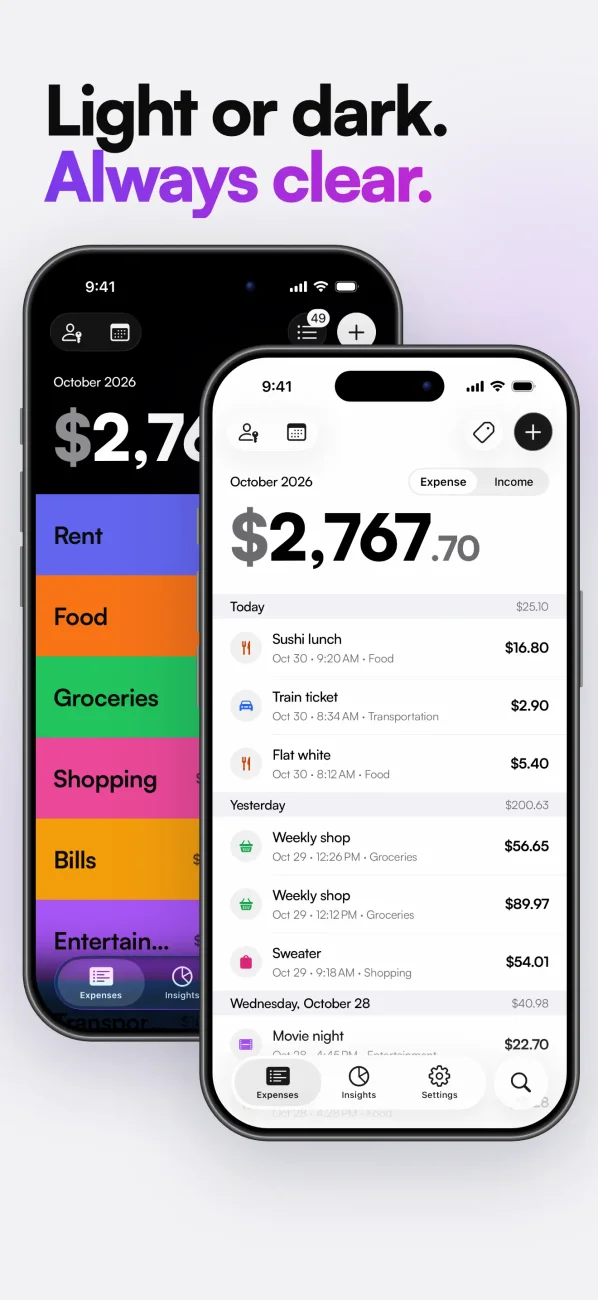
About
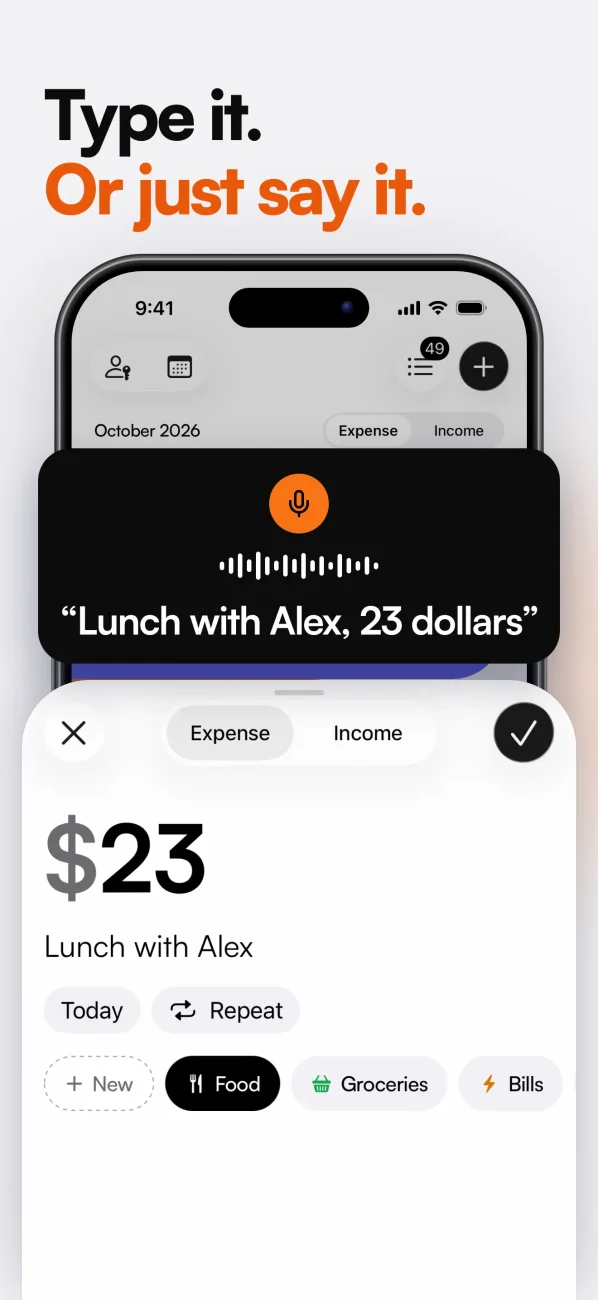
Budget Flow is the fastest way to see where your money goes. Type an amount and tap a category, or just say it: “Lunch with Alex, 23 dollars.” The amount, note and category fill themselves in.
No sign-up. No bank login. Your data stays on your iPhone.
FEATURES
• Voice entry: say what you spent and Budget Flow fills in the rest
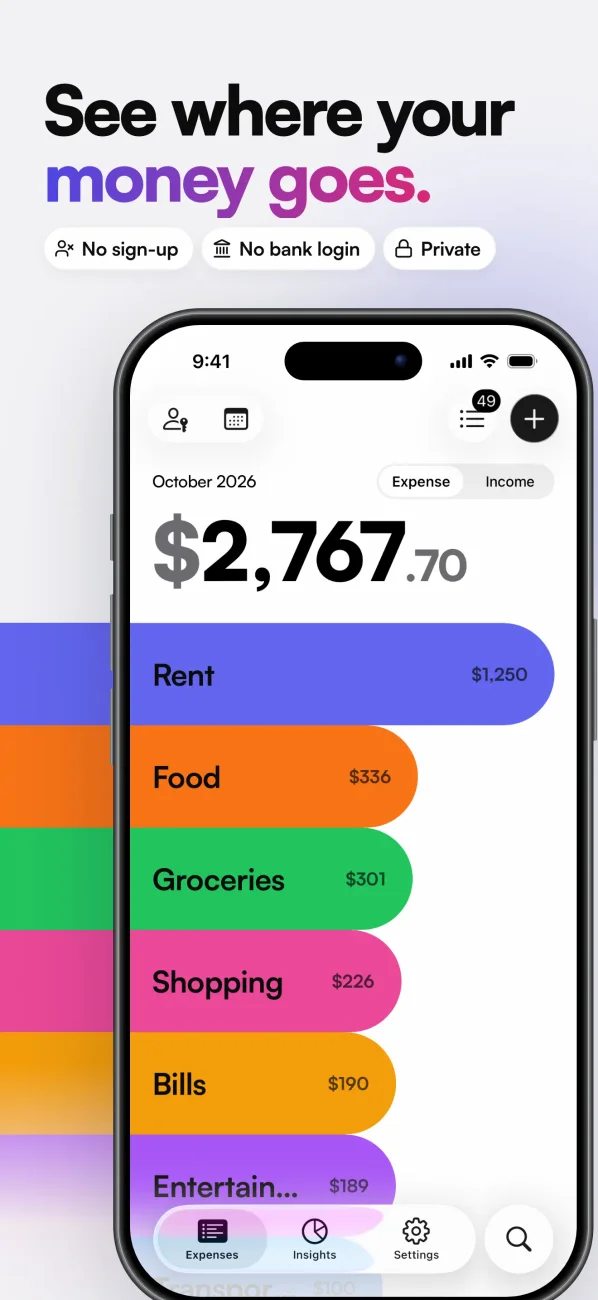
• Colorful category view: see at a glance where this month’s money went
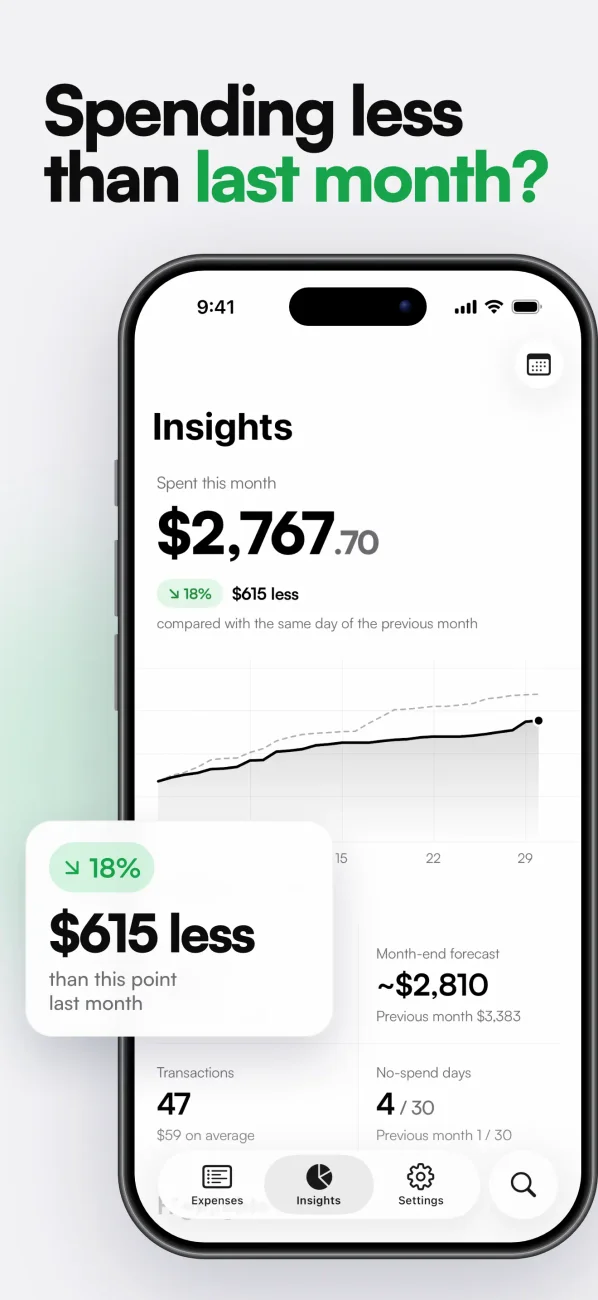
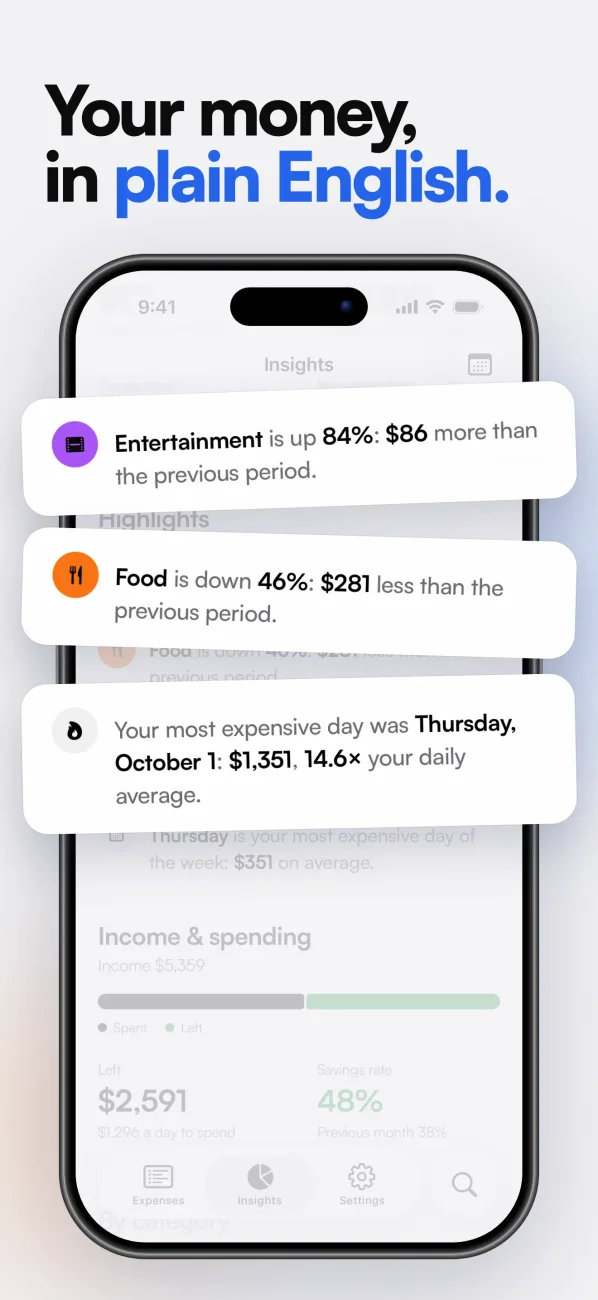
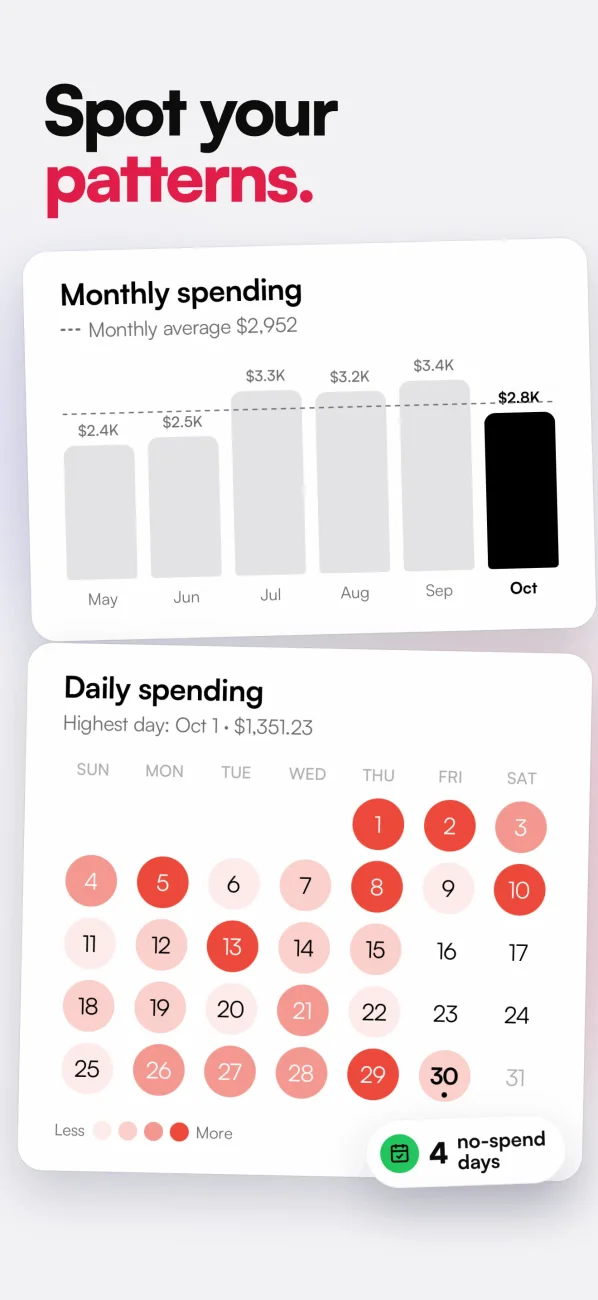
• Insights: compare this month with the same point last month, spot patterns and highlights
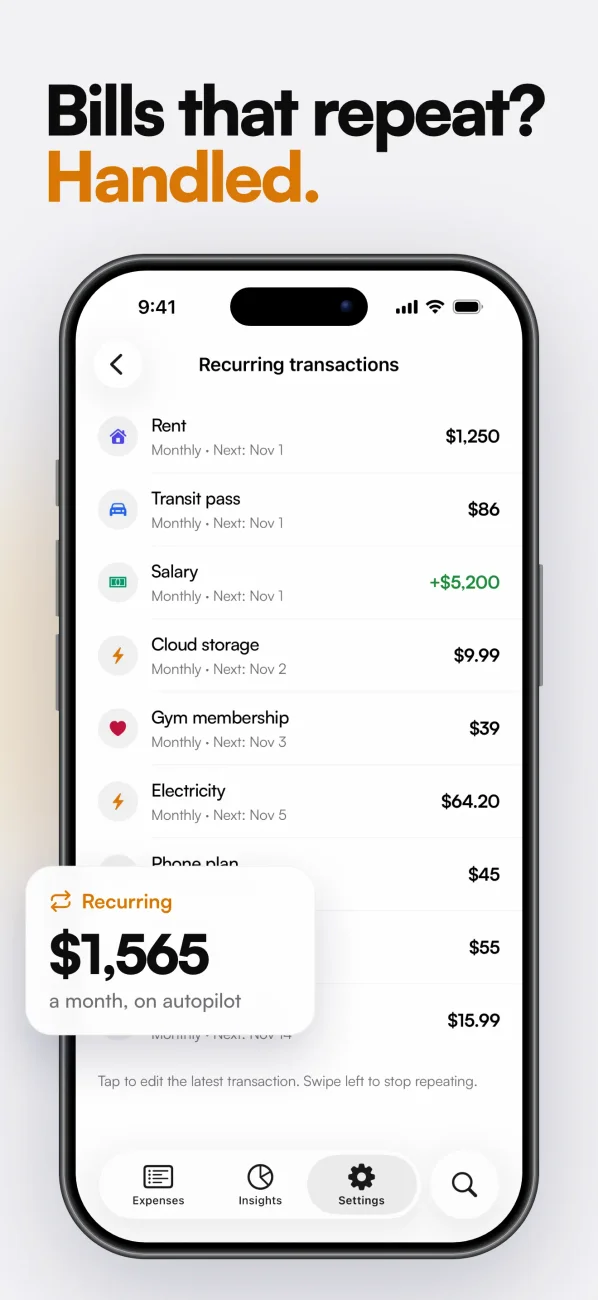
• Recurring transactions: rent, subscriptions and bills are logged automatically
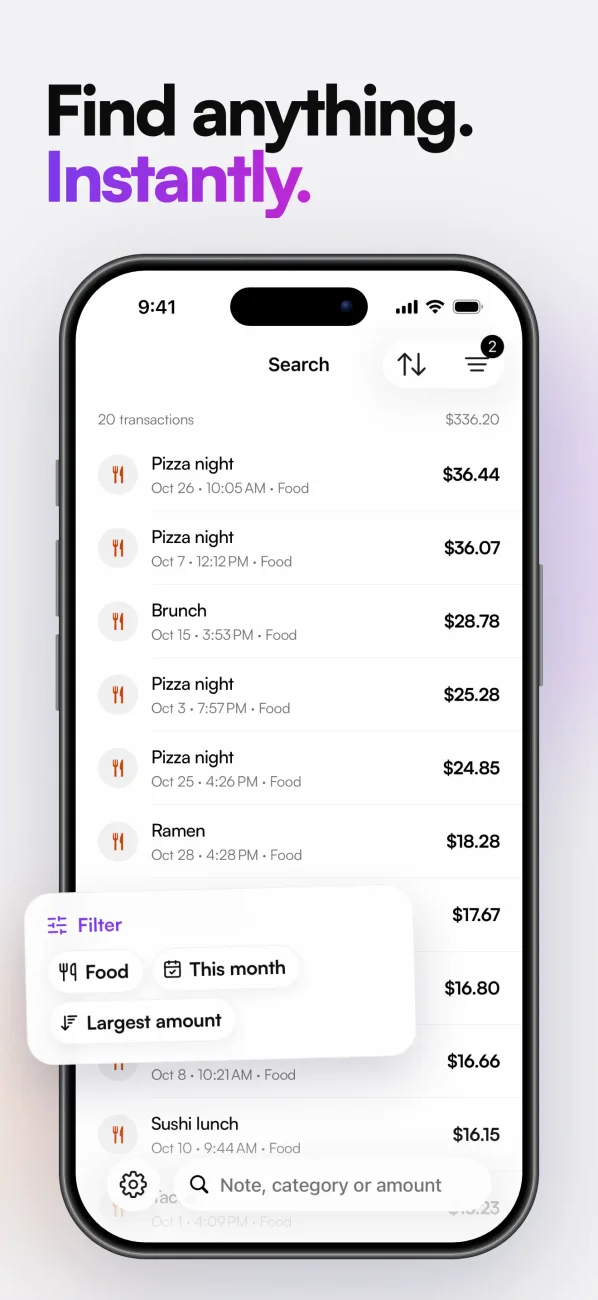
• Search and filters: find any expense by note, category, amount or date
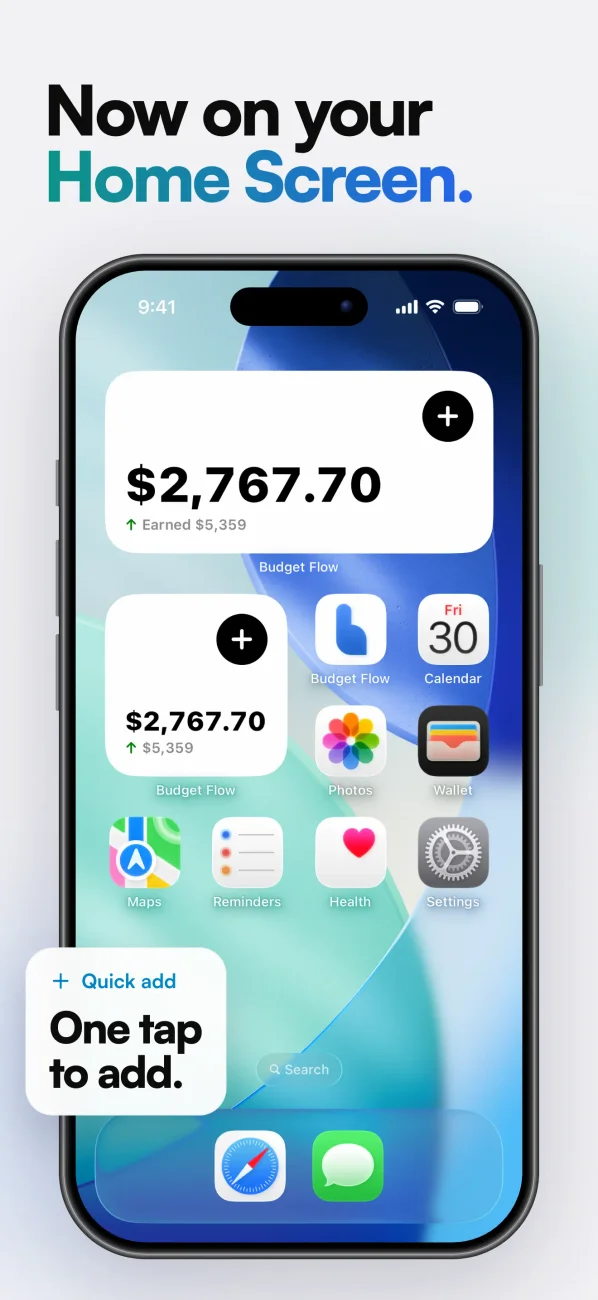
• Home Screen widget: this month at a glance, one tap to add
• Separate accounts: keep personal, shared or business spending apart
• 50+ currencies and 13 languages
• CSV import and export: your data is always yours
• Light and dark mode
PRIVATE BY DESIGN
No account, no bank connection, no ads. Everything is stored on your device.
SUBSCRIPTION
Budget Flow requires a subscription. Choose a yearly or a monthly plan; new subscribers get a 7-day free trial on the yearly plan. Prices are shown in the app before you subscribe and may vary by country.
Payment is charged to your Apple Account when you confirm the purchase or, with a free trial, when the trial ends. Subscriptions renew automatically unless cancelled at least 24 hours before the end of the current period. Cancel at least 24 hours before the trial ends and you won’t be charged. You can manage or cancel your subscription in your Apple Account settings.
Terms of Use: https://yenes11.github.io/budget-flow-docs/terms-of-service.html
Privacy Policy: https://yenes11.github.io/budget-flow-docs/privacy-policy.html
What’s new
Version 2.0.0 · Nov 23, 2026
Budget Flow 2.0 is rebuilt from the ground up:
• Log by voice: just say what you spent
• A new home screen with colorful category blocks
• Insights that compare this month with last month
• Search with filters, recurring transactions and separate accounts
• Home Screen widget
Budget Flow is now a subscription app, with a 7-day free trial on the yearly plan.
App privacy
What Enes Yurtsever declares on the App Store about how this app handles data.
-
Data not collected
The developer does not collect any data from this app.
Privacy practices may vary, for example with the features you use or your age.
Information
- Seller
- Enes Yurtsever
- Category
- Finance
- Version
- 2.0.0
- Updated
- Nov 23, 2026
- Released
- Mar 5, 2026
- Size
- 73.5 MB
- Requires
- iOS 16.4 or later
- Age rating
- 4+
- In-app purchases
- Yes
- Languages
- English
- Copyright
- © 2026 Enes Yurtsever
You might also like
-
 FinanceFlow: Money & BudgetTrack Spending & Balance
-
 Net Worth Tracker : VaultlyTrack assets, debts & wealth
-
 SubsTrackPro: Track PaymentsTrack Your Subscriptions
-
 Deposit & Asset TrackerDeposits, insurance & wealth
-
 Budget Flow - Money TrackerPlant habits. Grow your money.
-
 Bill Tracker & SubscriptionsOrganizer & Payment Reminders
-
 My Finance - Portfolio MonitorYour wealth at a glance
-
 Budget & Net Worth: InvestrMoney manager & bill organizer
-
 Float — Keep Money AfloatExpense Tracker & Budget
-
 Precious – Net Worth TrackerMonitor All Your Assets