
- Age rating4+
- CategoryPhoto & Video
- DeveloperMichael Newell
- LanguagesEnglish+ 10 more
- Size3.1 MB
Links to the official App Store page
Download.org hosts no file of ByteMarker. The button opens its official App Store page, published by Michael Newell. Listing last checked on Nov 18, 2026.
Screenshots
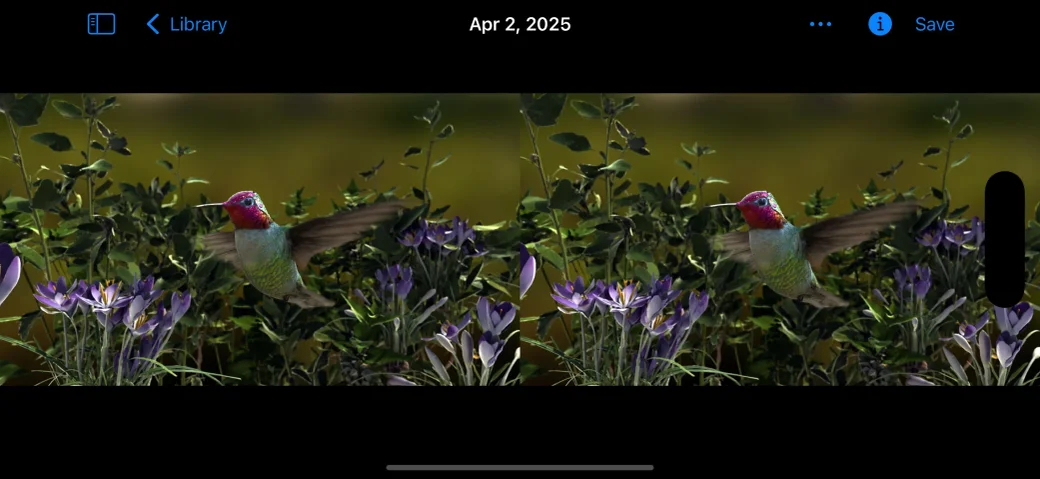

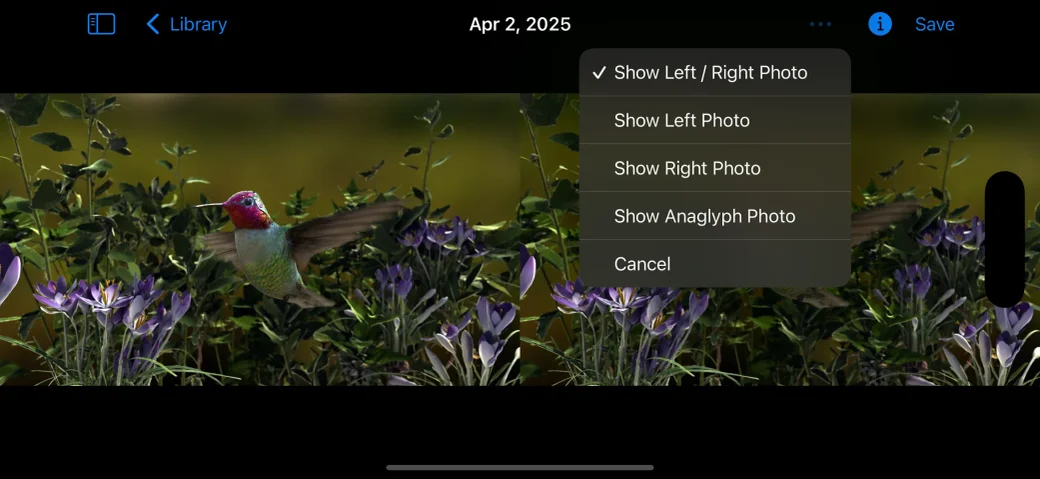

About
Note: This app is optimized for iOS 18. The spatial video and photo features only work on iOS 18.
Note: To toggle 360 VR video, tap the L/R icon which will then show T/D.
A photo album with photography tools designed for 3D photo and video content, such as converting media files into anaglyph (red / cyan) and Left / Right stitched images.
Supported Formats:
- Apple Spatial Photo
- Apple Spatial Video
- MPO
- 3D AVI
- Adobe VR
- Left / Right 180 VR videos
- Top / Down 360 VR videos
- Left / Right Stitched Images
Directions:
1. Save the original supported media file to your device or iCloud account
2. From the ByteMarker app, click the + icon
3. Import the original supported media file using the Files browser
4. Tap the image cell to view the photo or video
5. Tap the Save button to save the photo or video to your library
6. Tap the . . . button on the top left of the Photos view to switch between export formats
What’s new
Version 1.1.2 · Nov 24, 2025
- Bug fixes on Spatial Photo import
App privacy
What Michael Newell declares on the App Store about how this app handles data.
-
Data not collected
The developer does not collect any data from this app.
Privacy practices may vary, for example with the features you use or your age.
Information
- Seller
- Michael Newell
- Category
- Photo & Video
- Version
- 1.1.2
- Updated
- Nov 24, 2025
- Released
- Oct 17, 2020
- Size
- 3.1 MB
- Requires
- iOS 18.0 or later
- Age rating
- 4+
- Price
- $9.99
- Languages
- English, Dutch, French, German, Hebrew, Hindi, Japanese, Russian, Simplified Chinese, Spanish, Traditional Chinese
- Copyright
- © Michael Newell 2020
You might also like
-
 Spatial Photos AppA new way to see photos
-
 Focal Plane: Depth EditorLens bokeh & film looks
-
 MVTubeConvert spatial videos
-
 4S CameraPhoto & Video
-
 SpatialLoopLoop any photo into video
-
 Hyper Stereo HelperCalculates optimal stereo base
-
 ZipPix3D3D photo creation and printing
-
 Arcane CameraCapture 24x65mm photos
-
 StereoPixStereo Photography App
-
 StereoCardsPhoto & Video